Set up a post-purchase survey
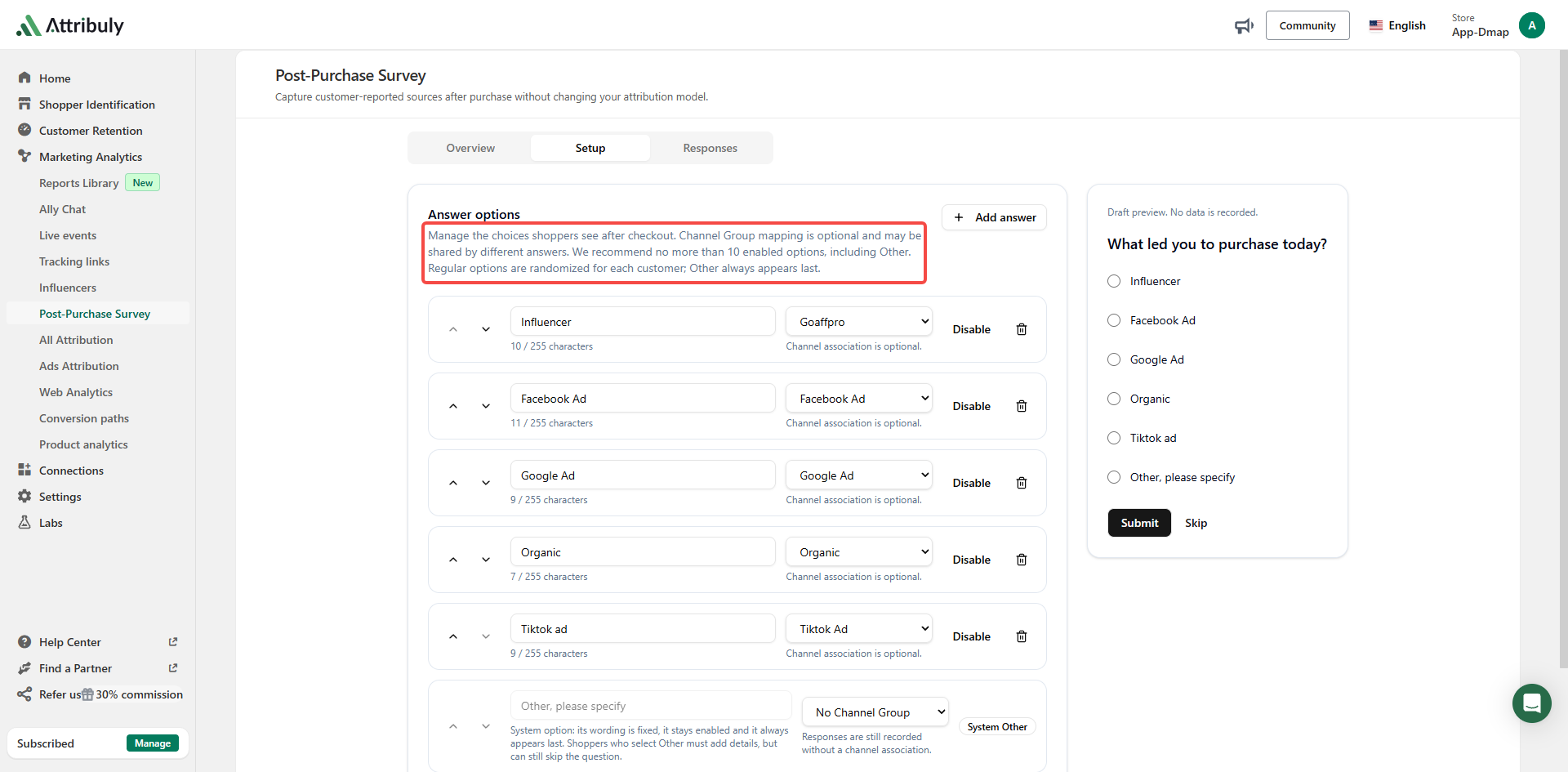
A shopper may buy through Google after first discovering your brand on TikTok. The Post-Purchase Survey asks customers where they first heard about you, adding context to click attribution. You can customize answer options, associate them with channels and randomize their order.
Configure the survey in Attribuly
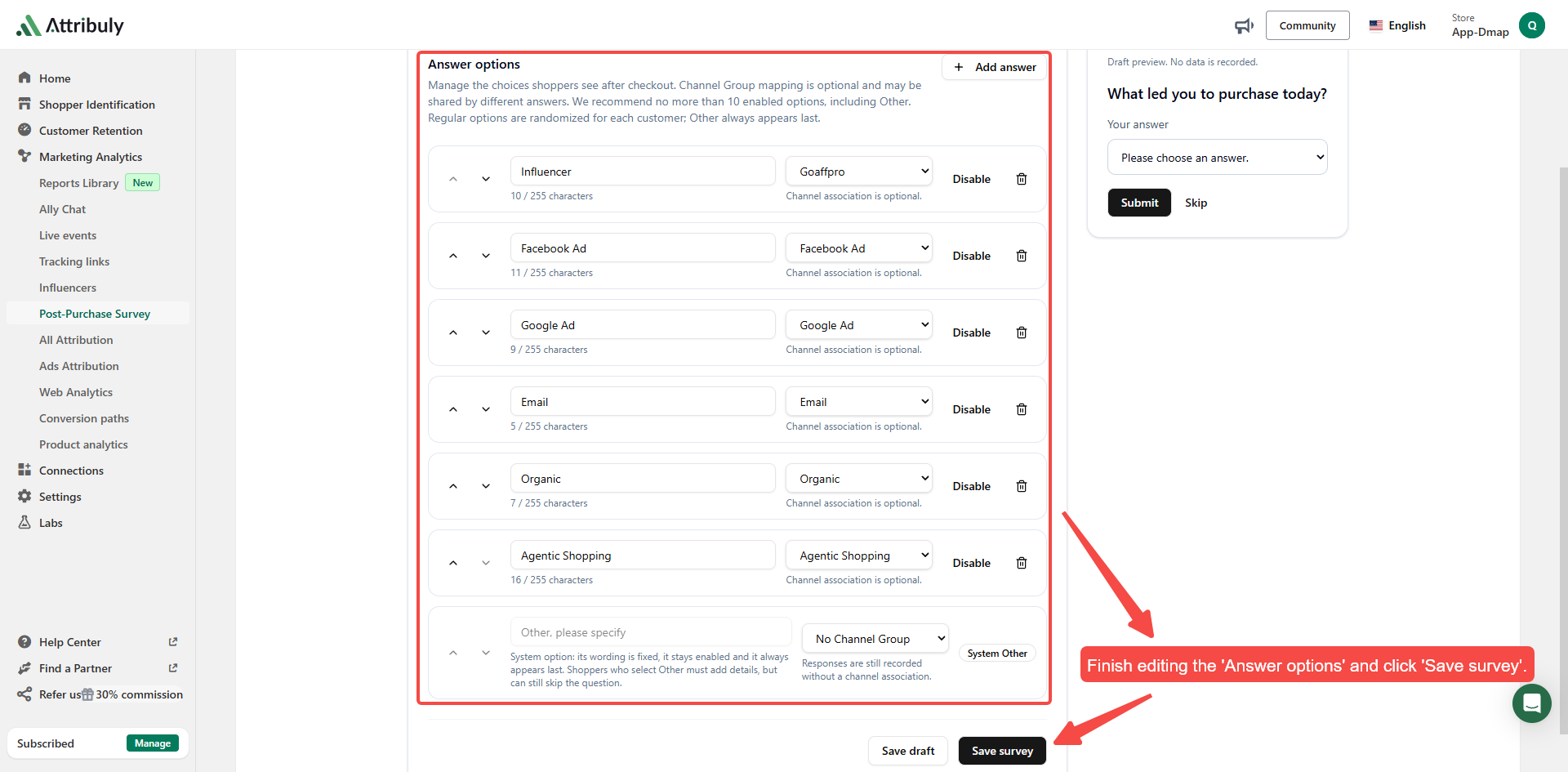
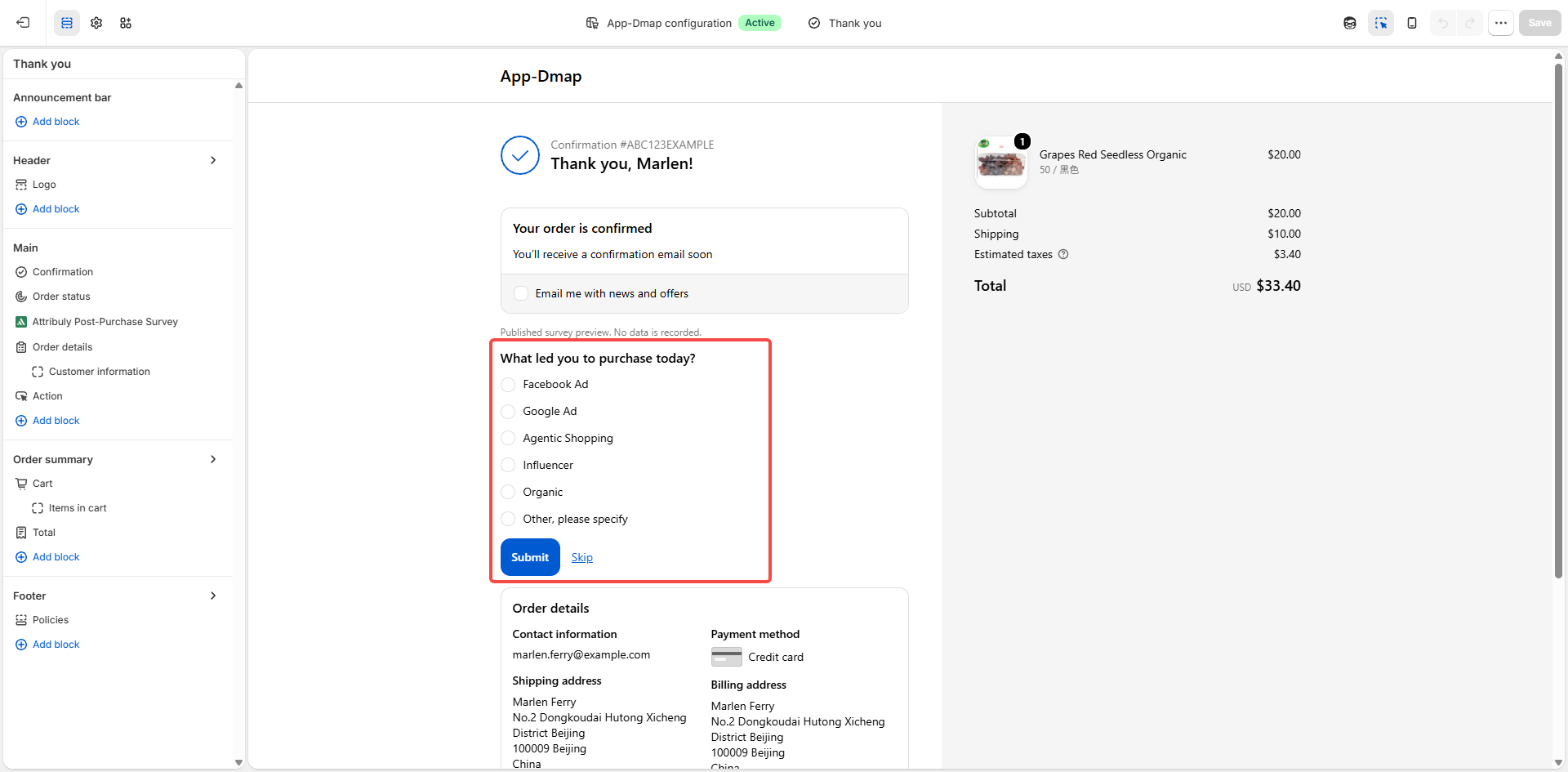
Choose the channels to display and optionally associate each answer with an Attribuly channel.
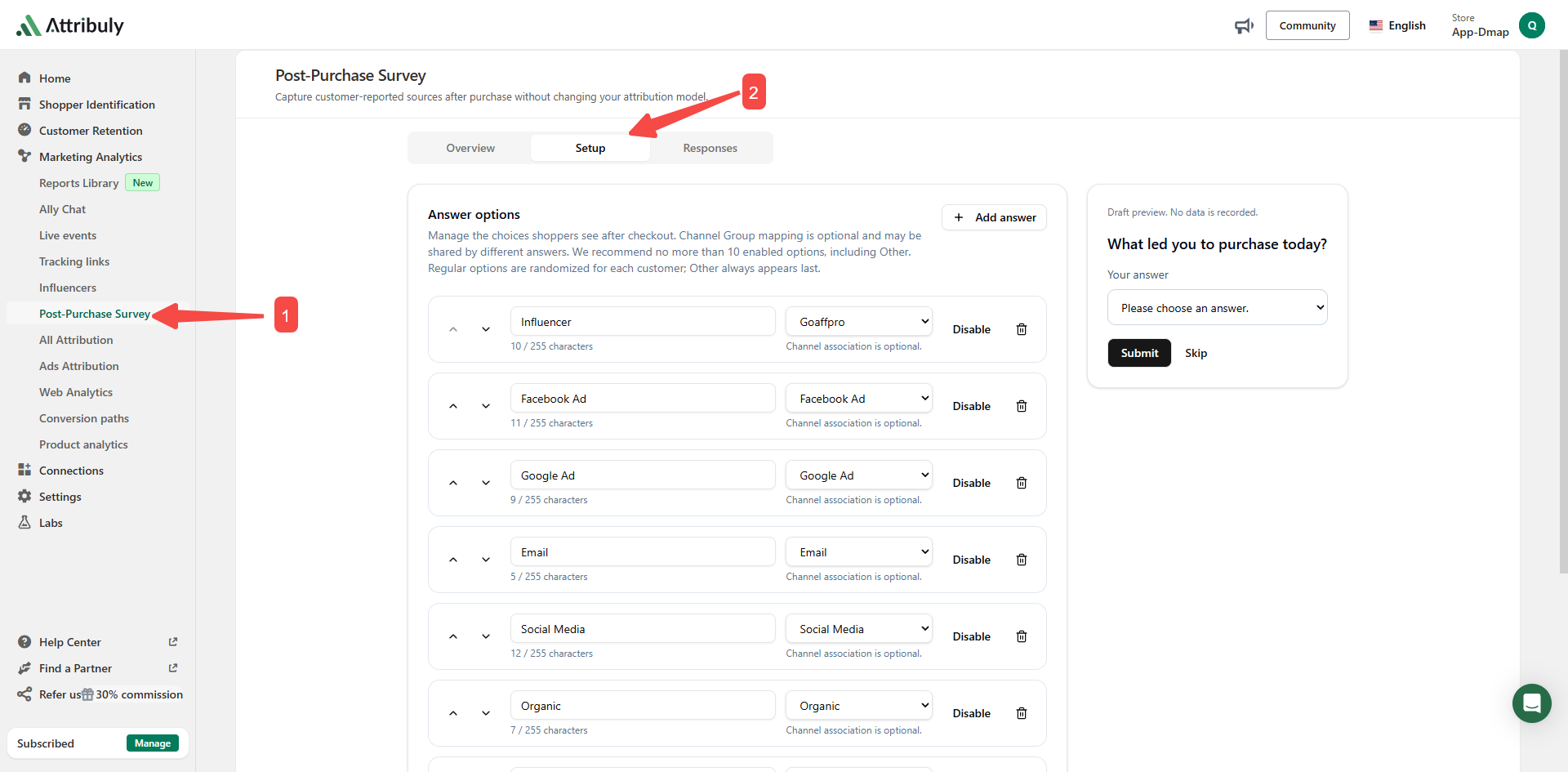
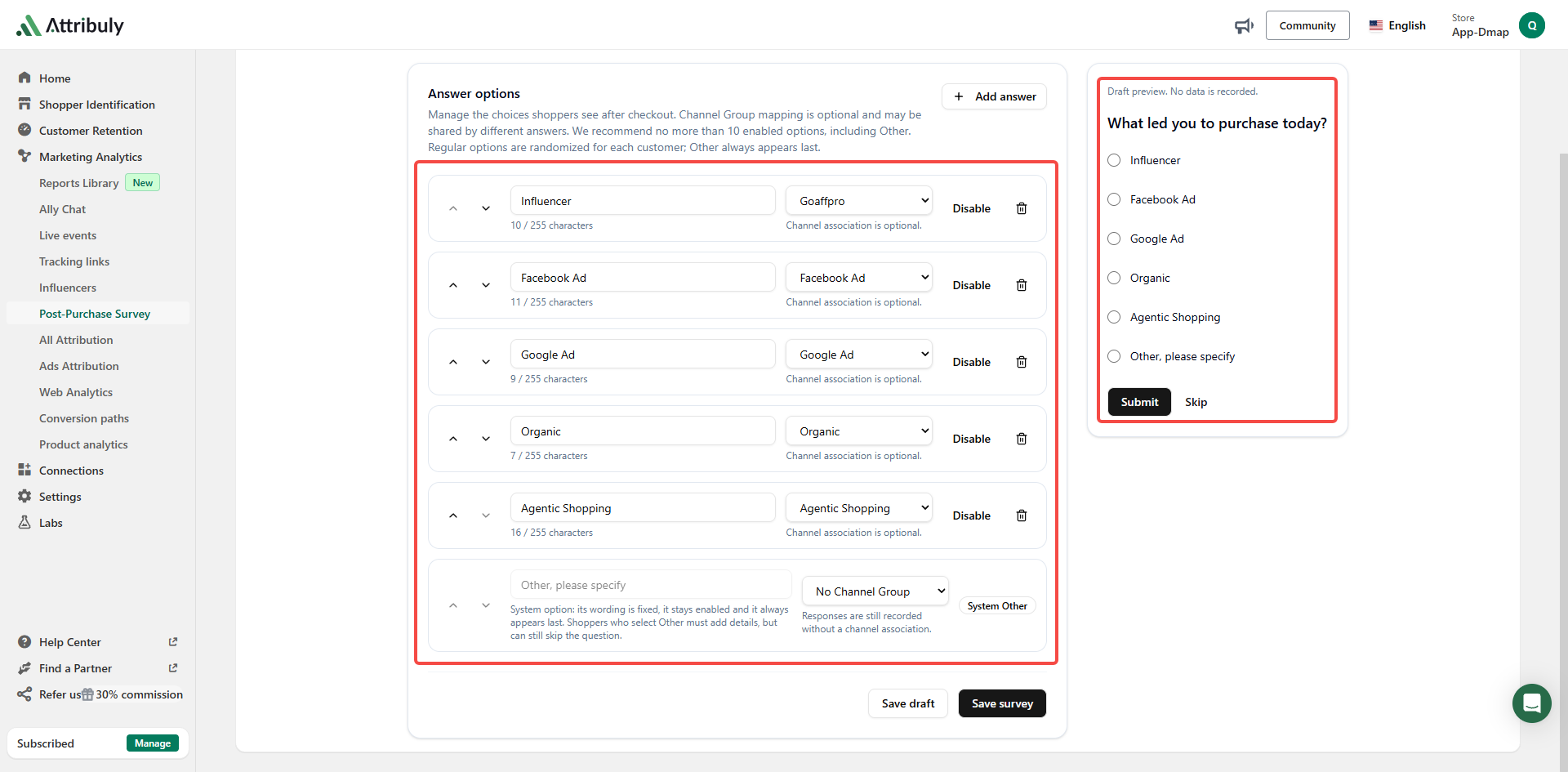
When fewer than six options are configured, including Other, the survey content displays directly.
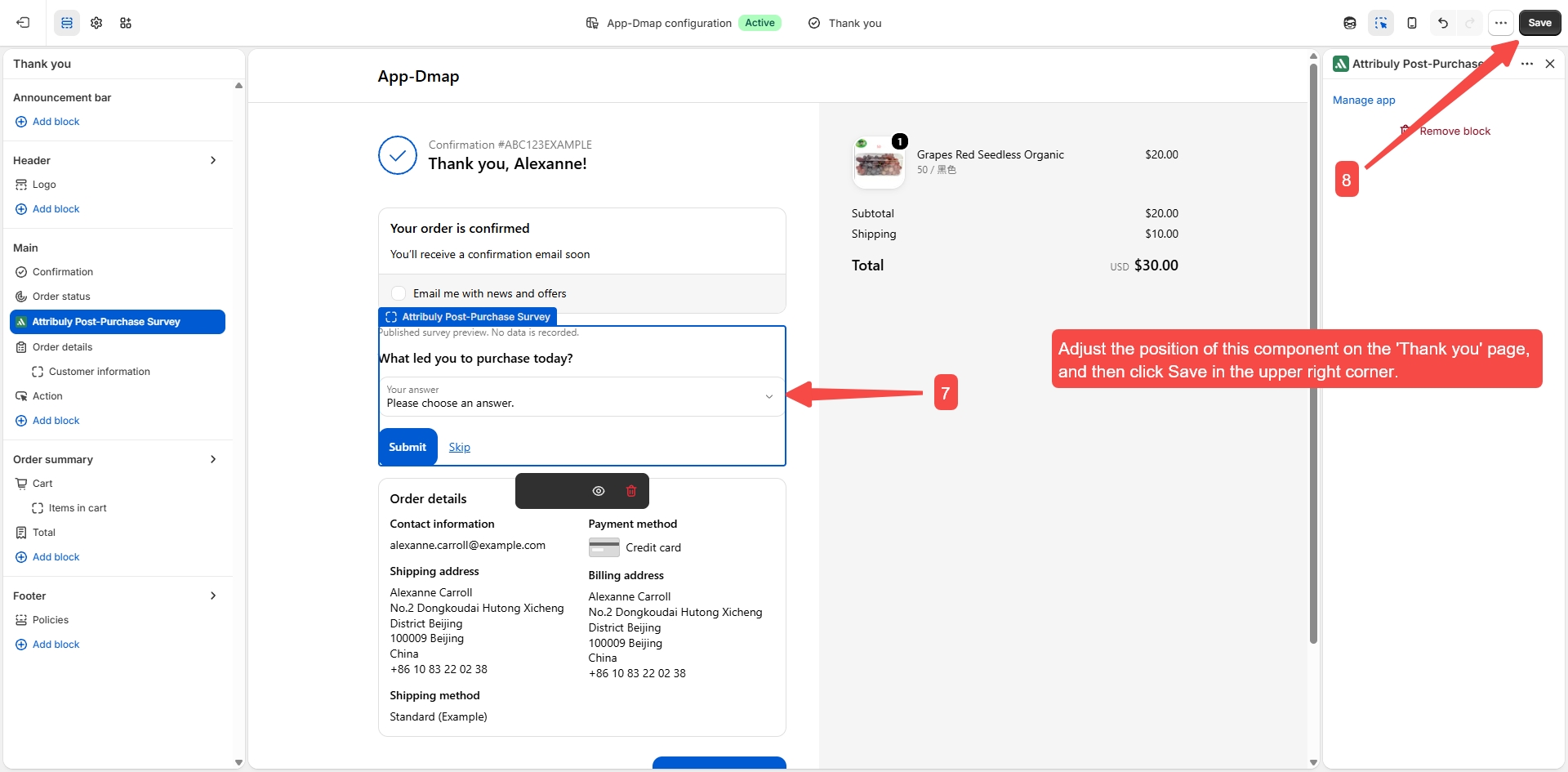
Add the survey to the Shopify thank-you page
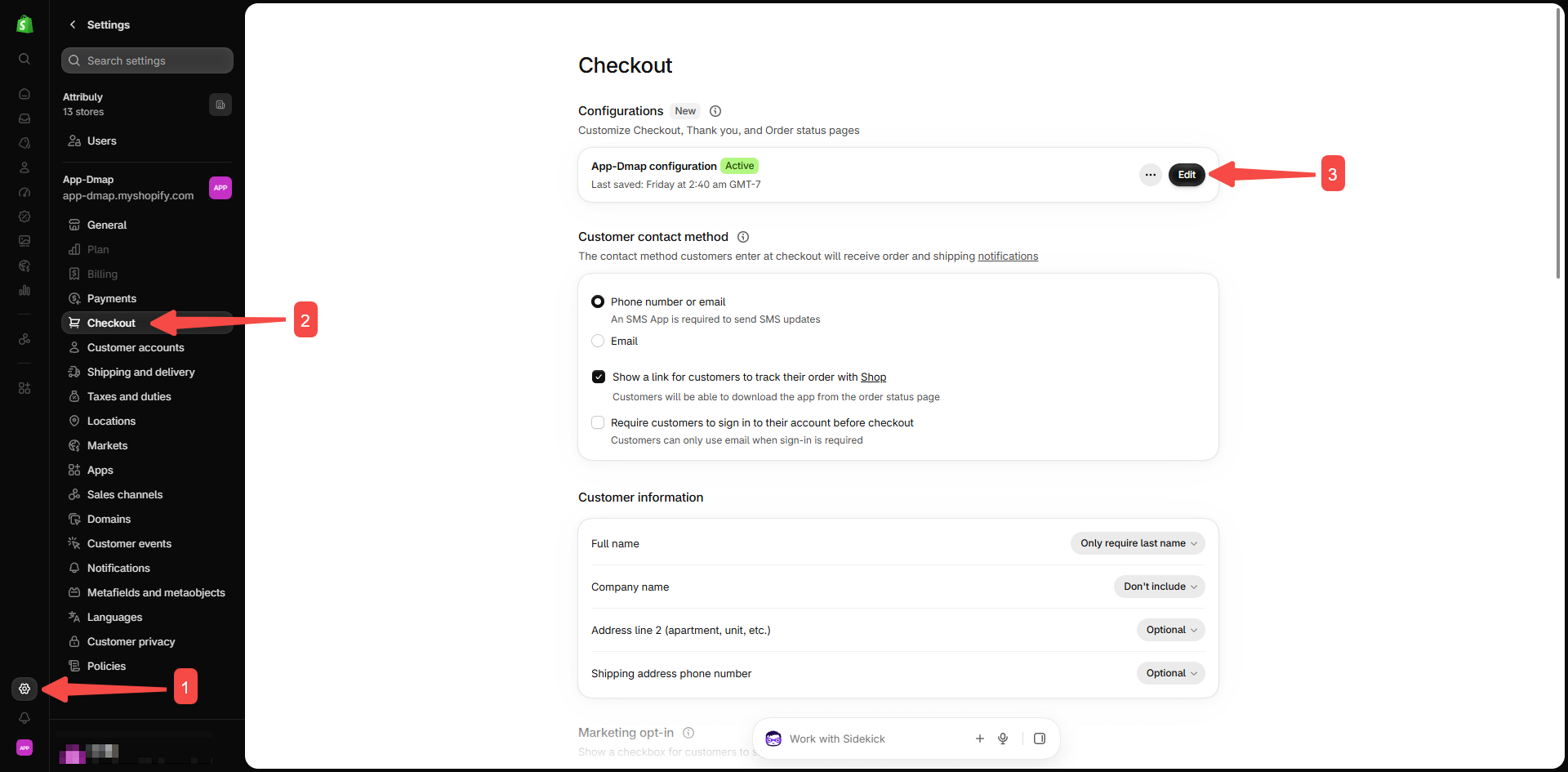
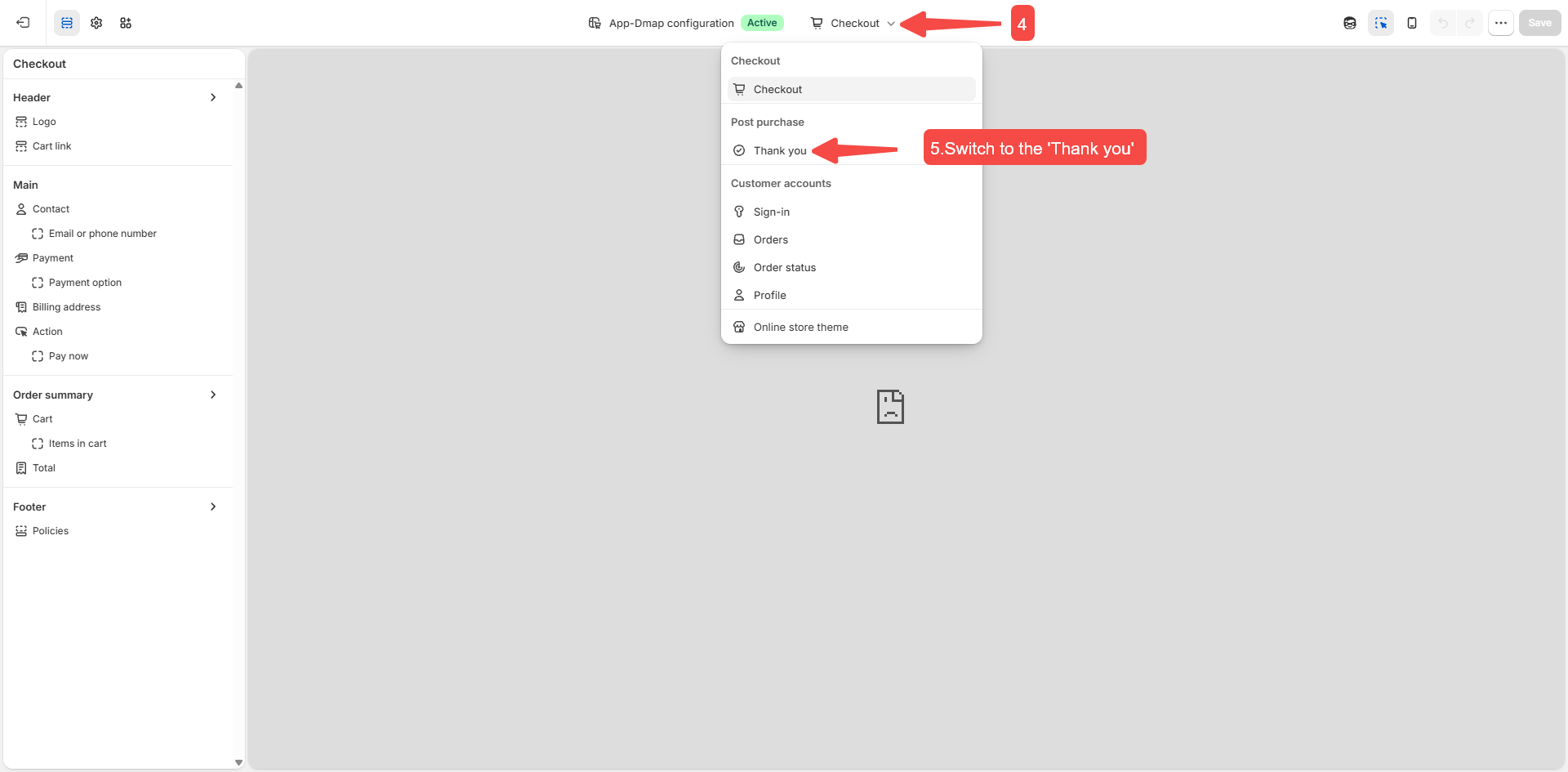
In Shopify, open Settings → Checkout → Configuration, and select Thank you.
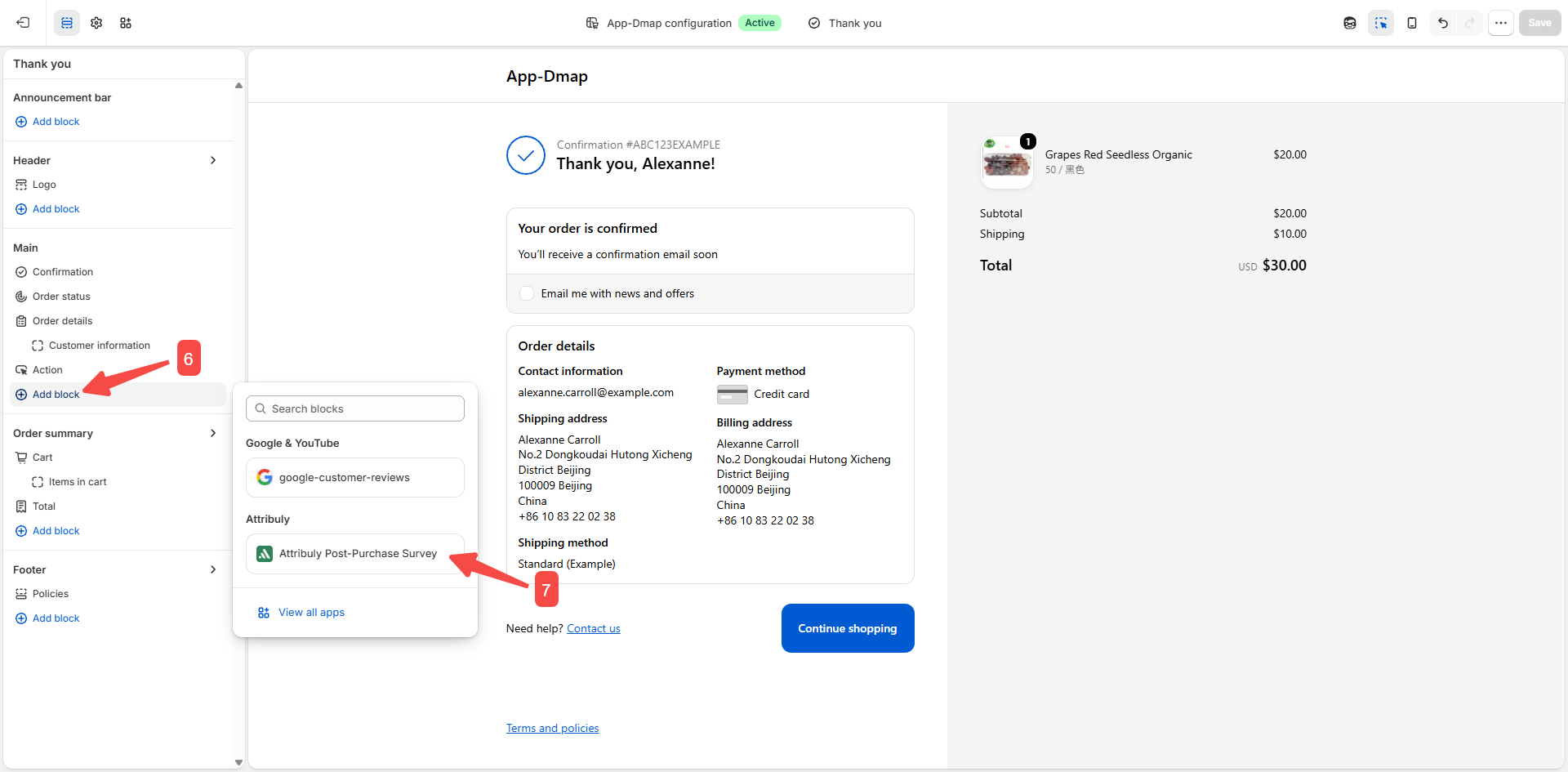
Add Attribuly to the Main section, adjust its position and save.
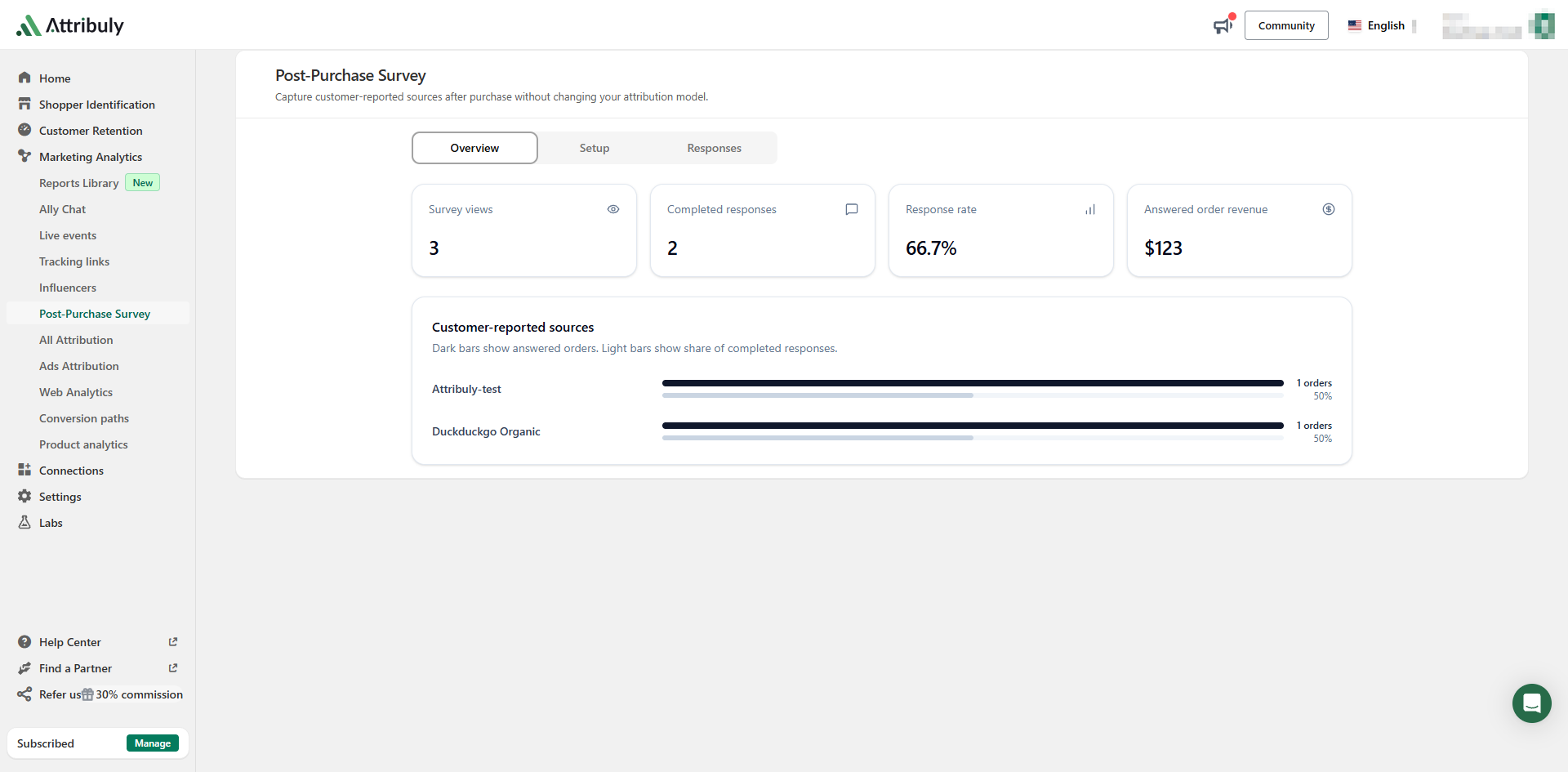
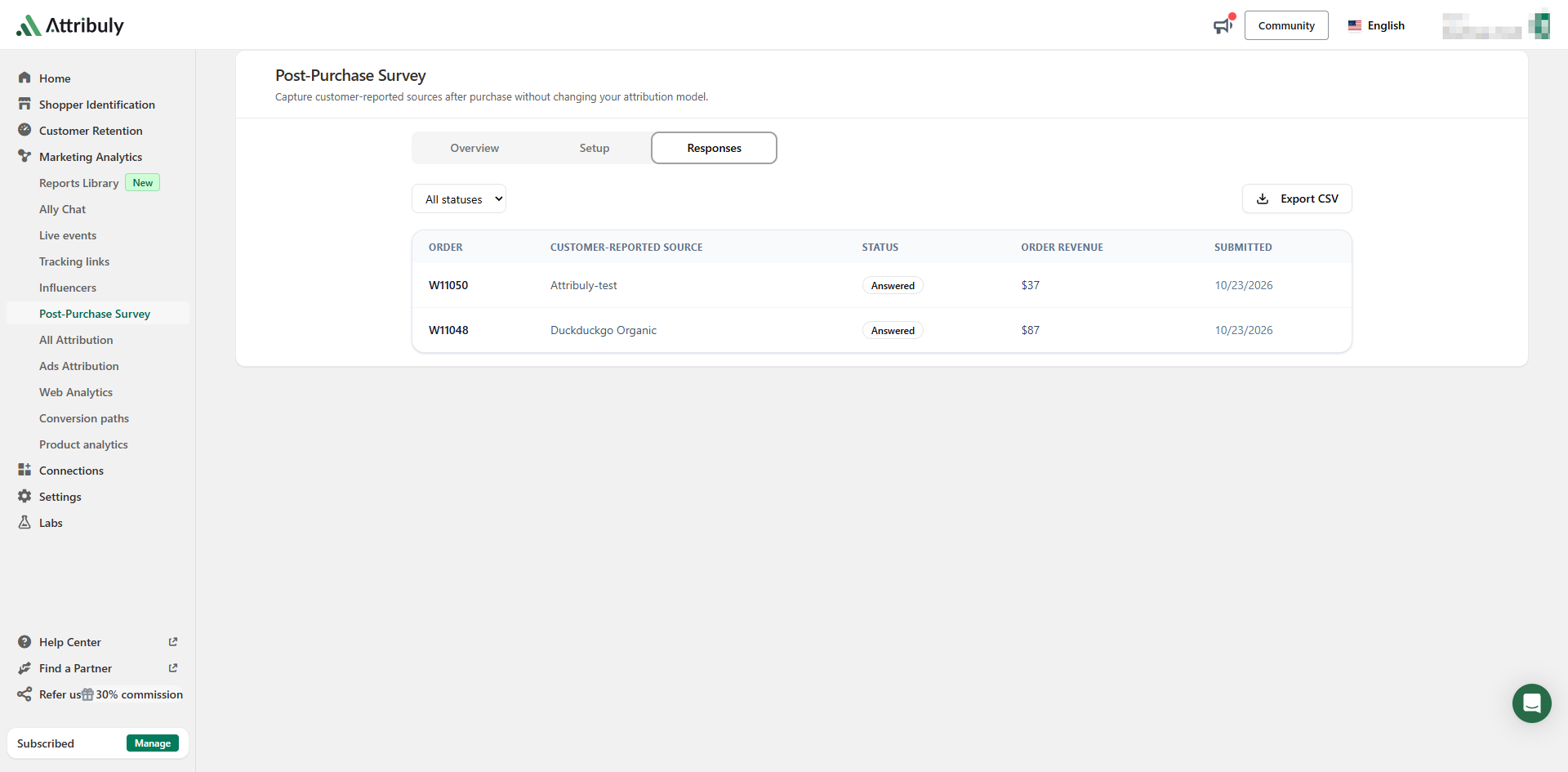
Review responses
View the survey data in Attribuly.
Notes
- To change survey content after setting up the Shopify display, edit and save it on the Attribuly Setup page.
- Channel mapping is optional, and multiple answers can map to the same channel.
- The source guide recommends at most 10 enabled options, including Other. Regular options are randomized; Other is always last.