Set up Recapture with MambaSMS
Before you begin
Request the Attribuly integration from Mamba. This guide sends Attribuly events to Mamba via webhook for email and other workflows.
Connect Mamba and enable tracking
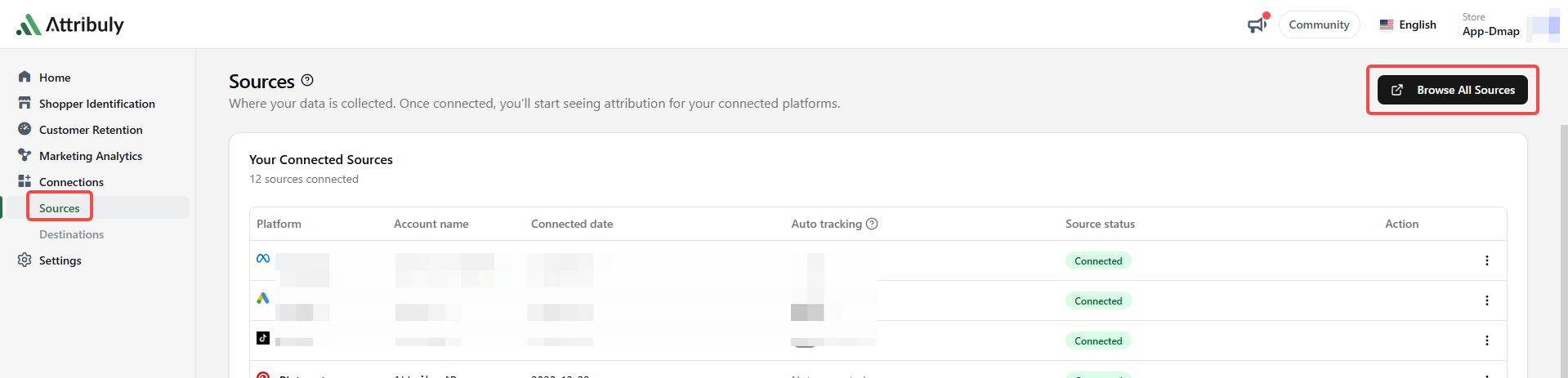
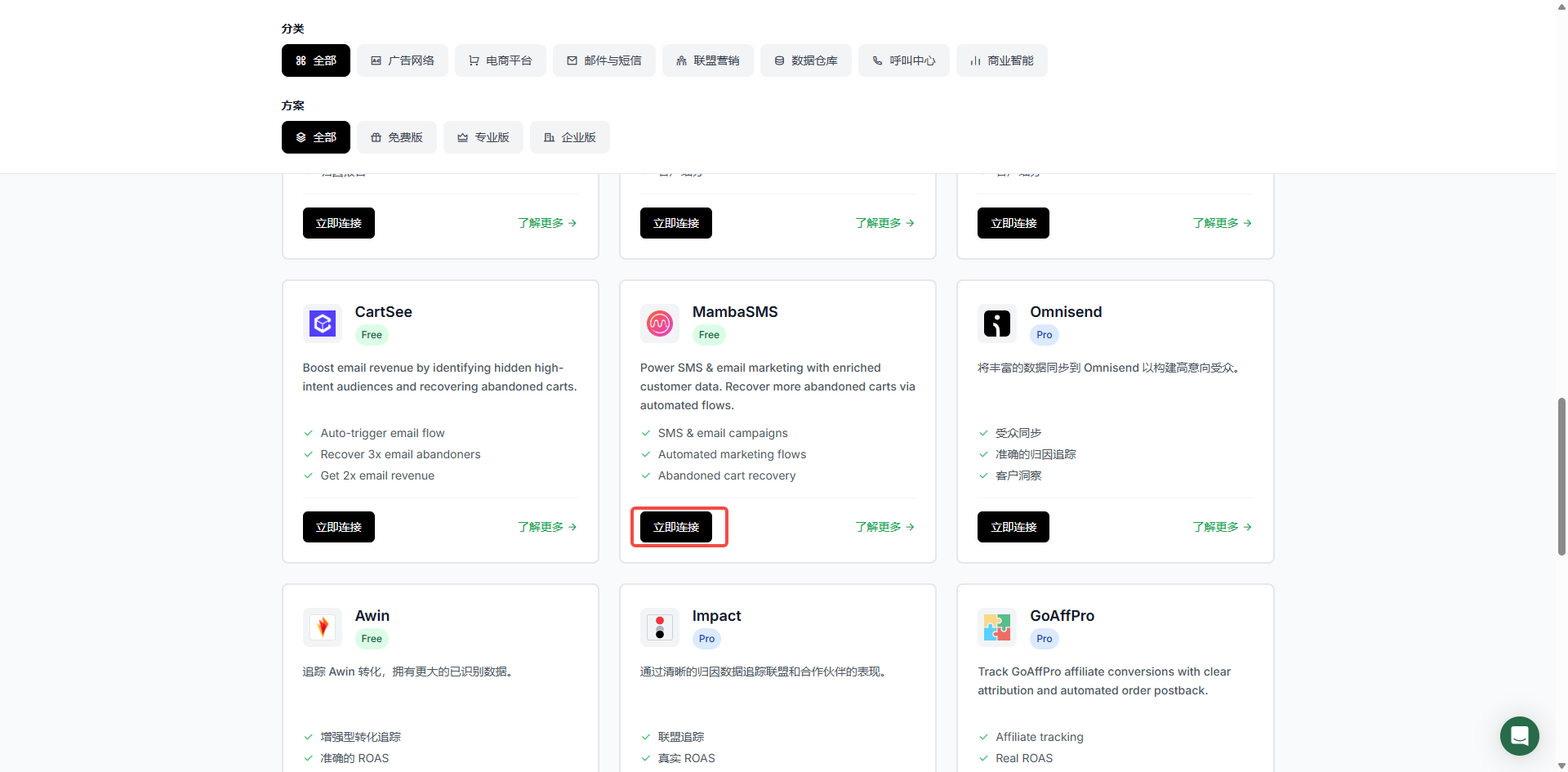
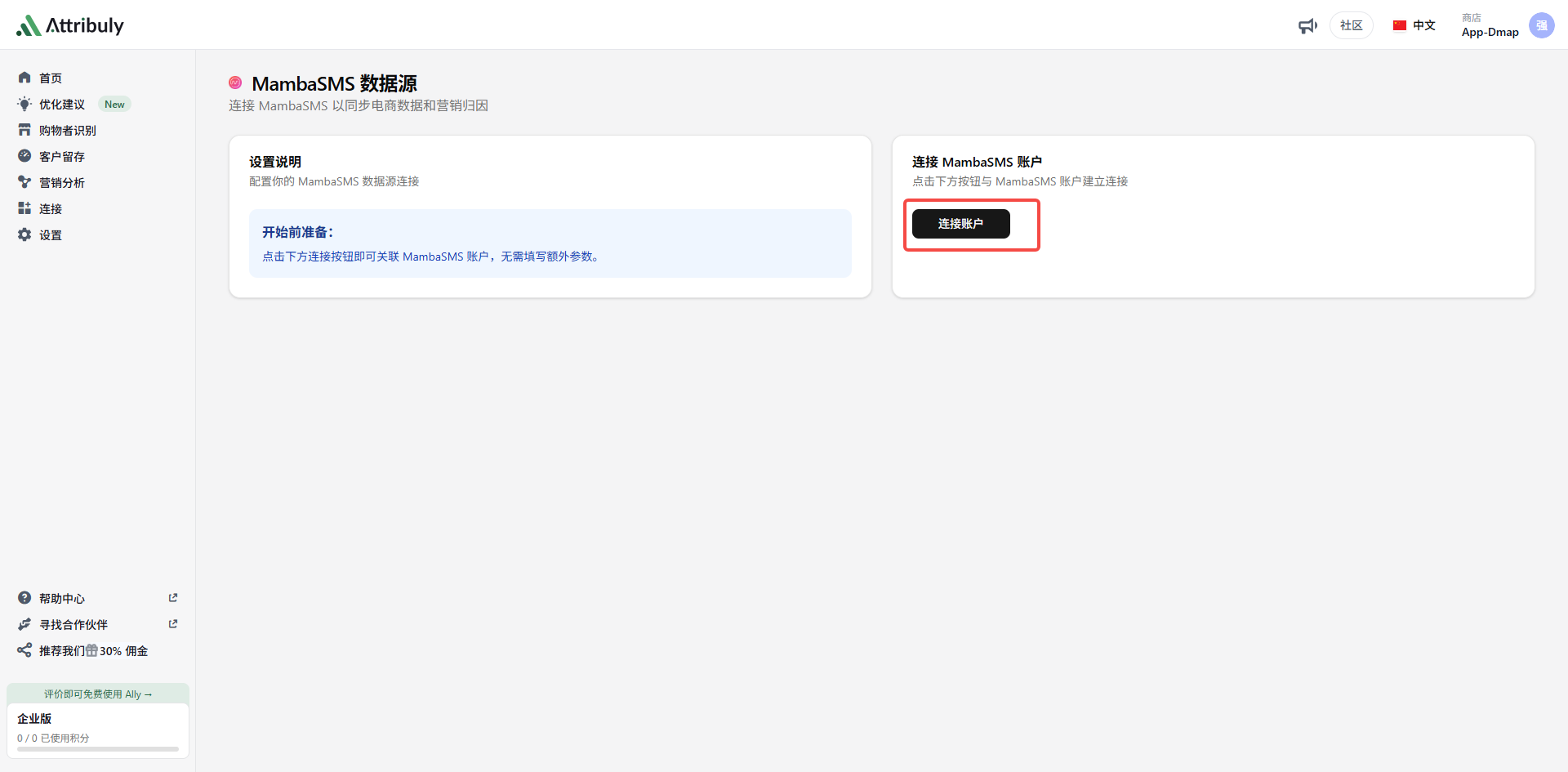
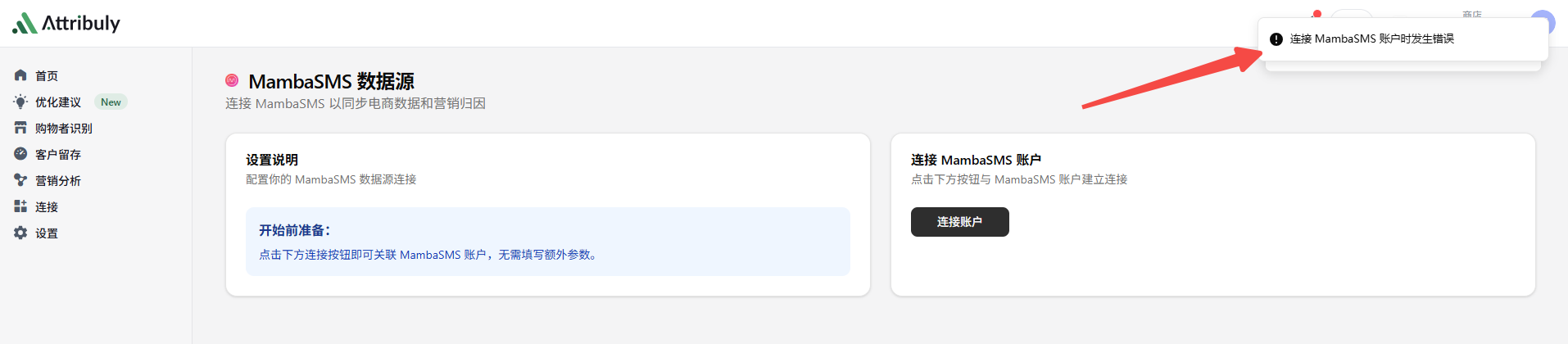
- Connect Mamba on the Attribuly Sources page. If the connection fails, ask your Mamba contact to add the store to the Mamba–Attribuly integration list.
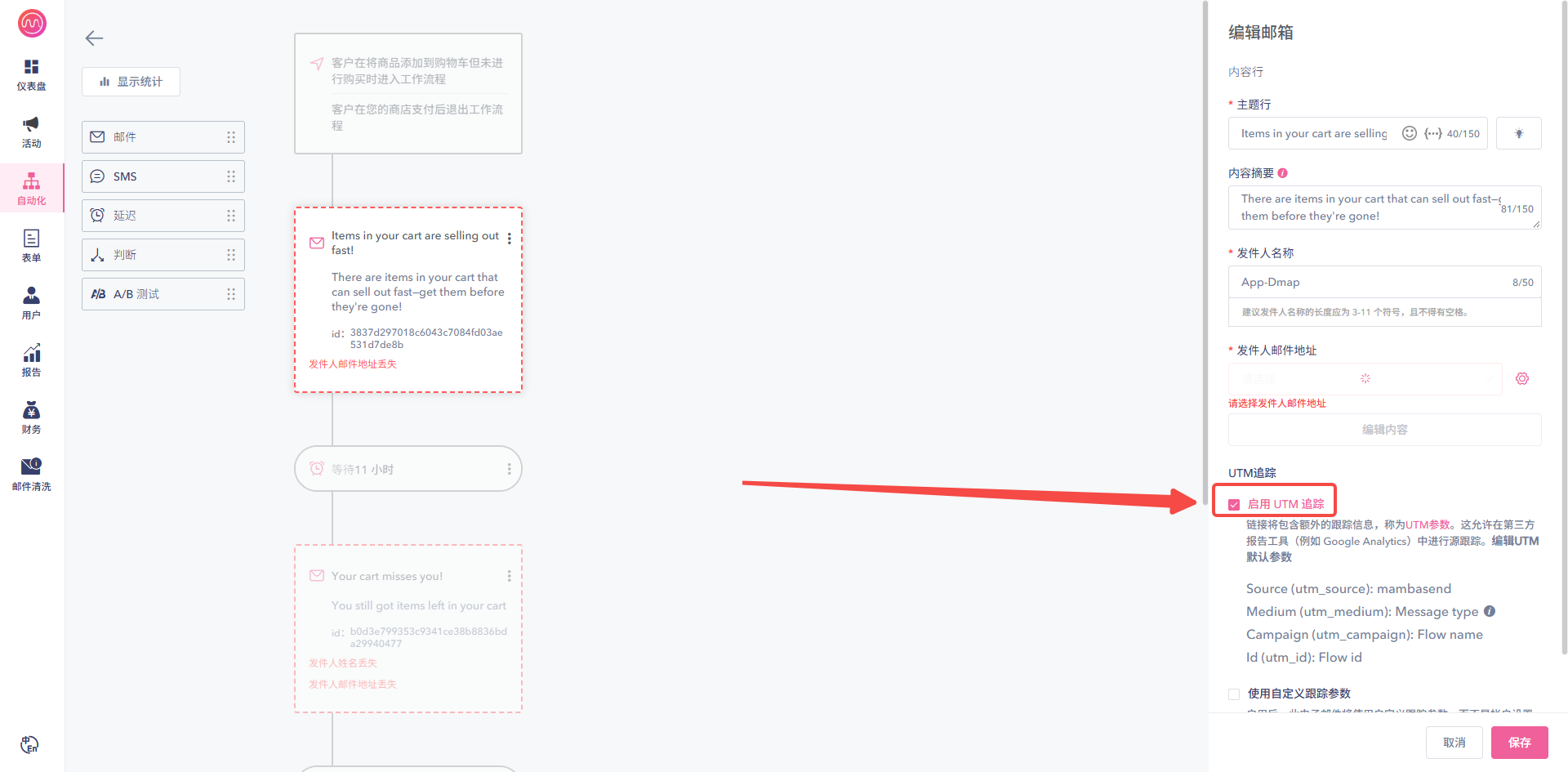
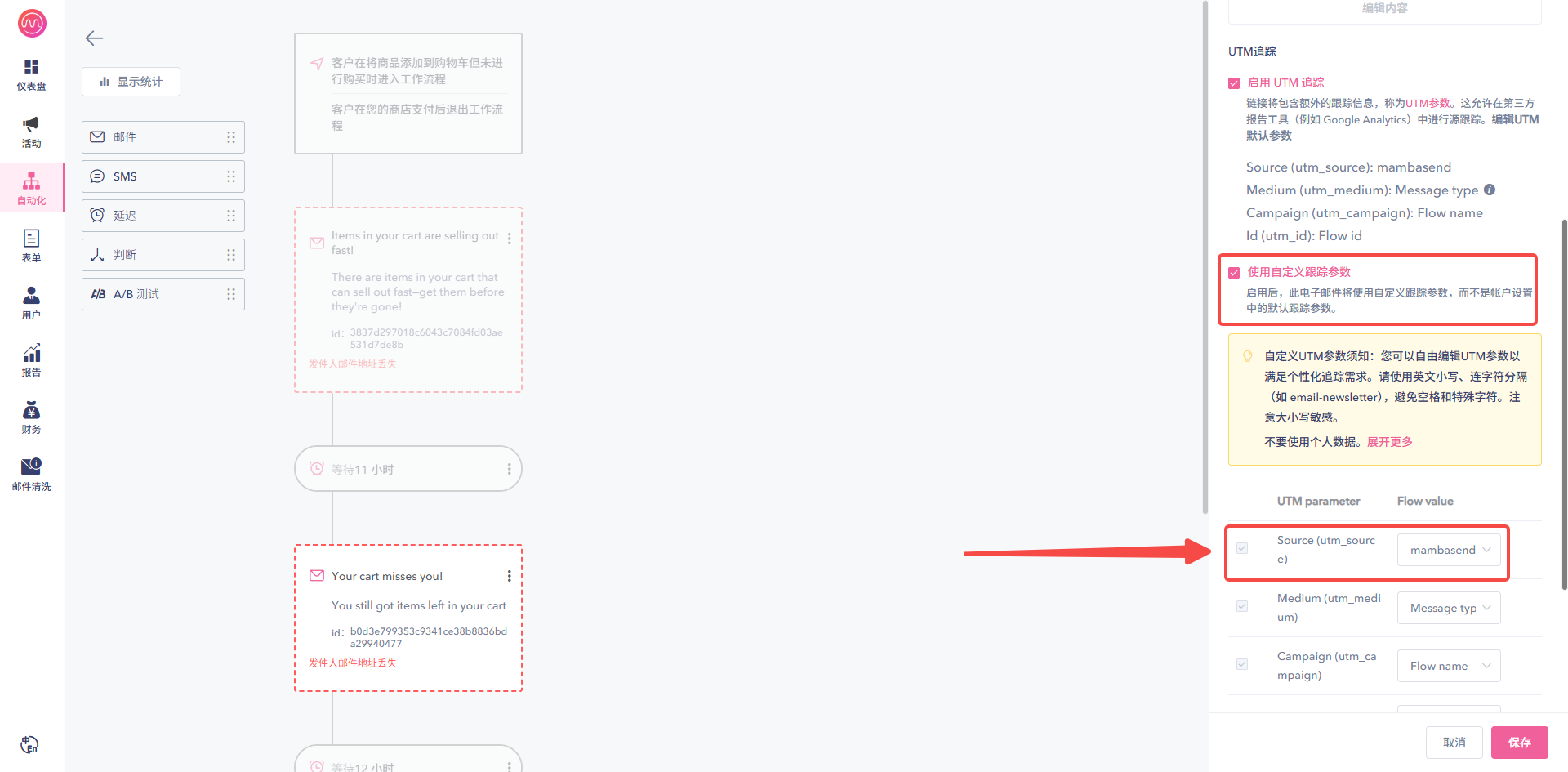
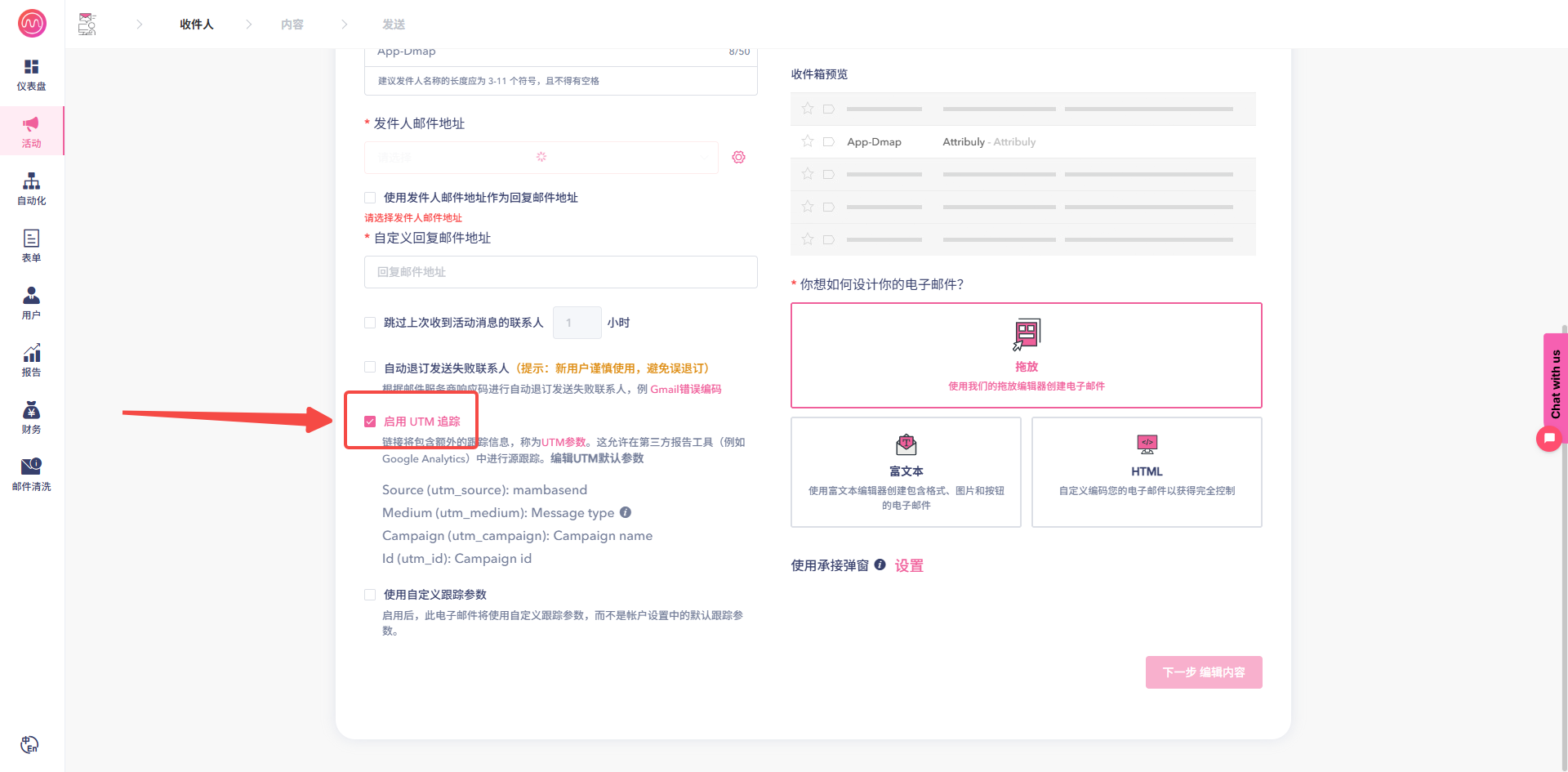
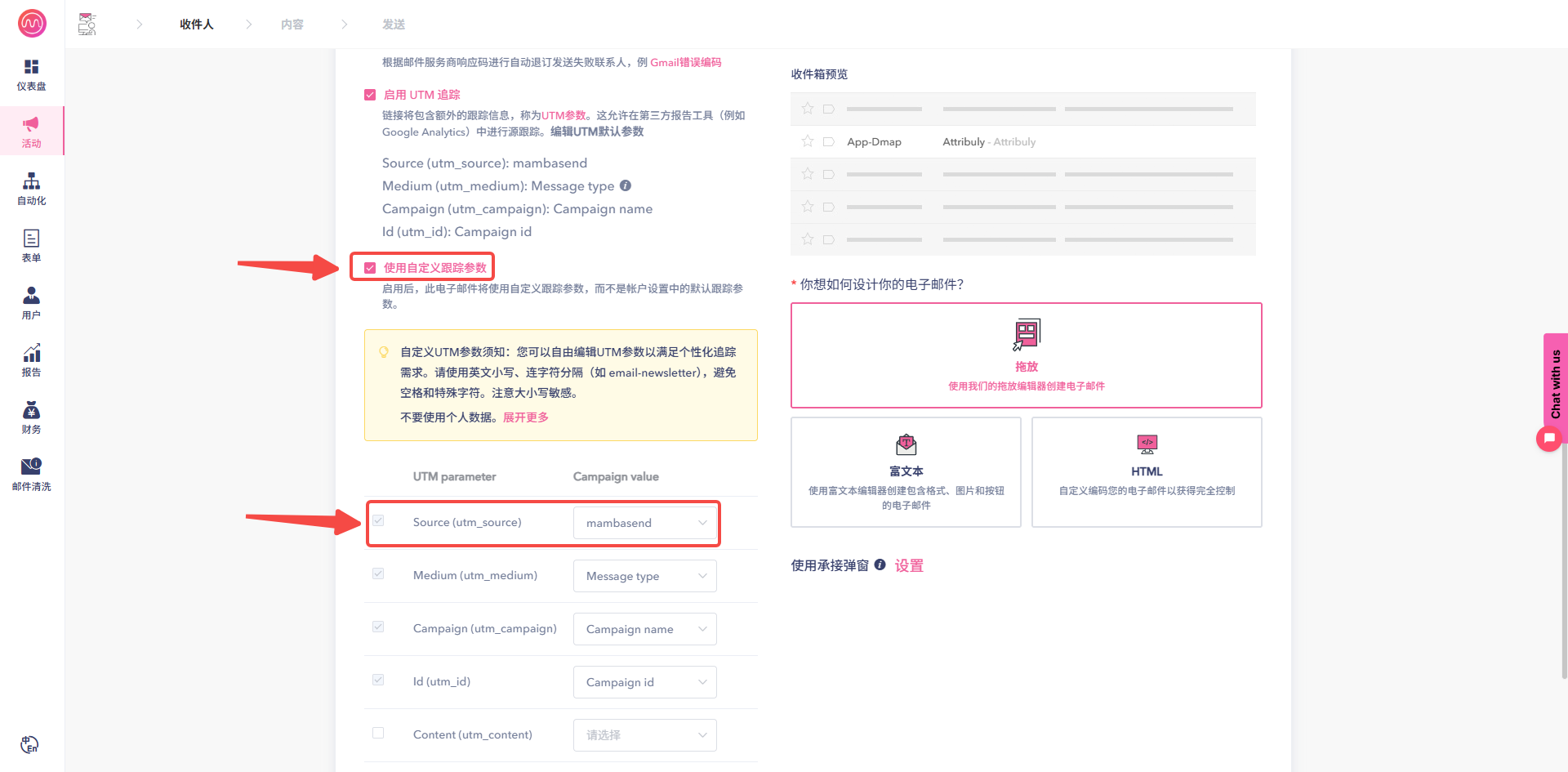
- In Mamba, enable UTM tracking for every email and SMS in active automation workflows, and for unsent and future campaign emails.
Create the destination
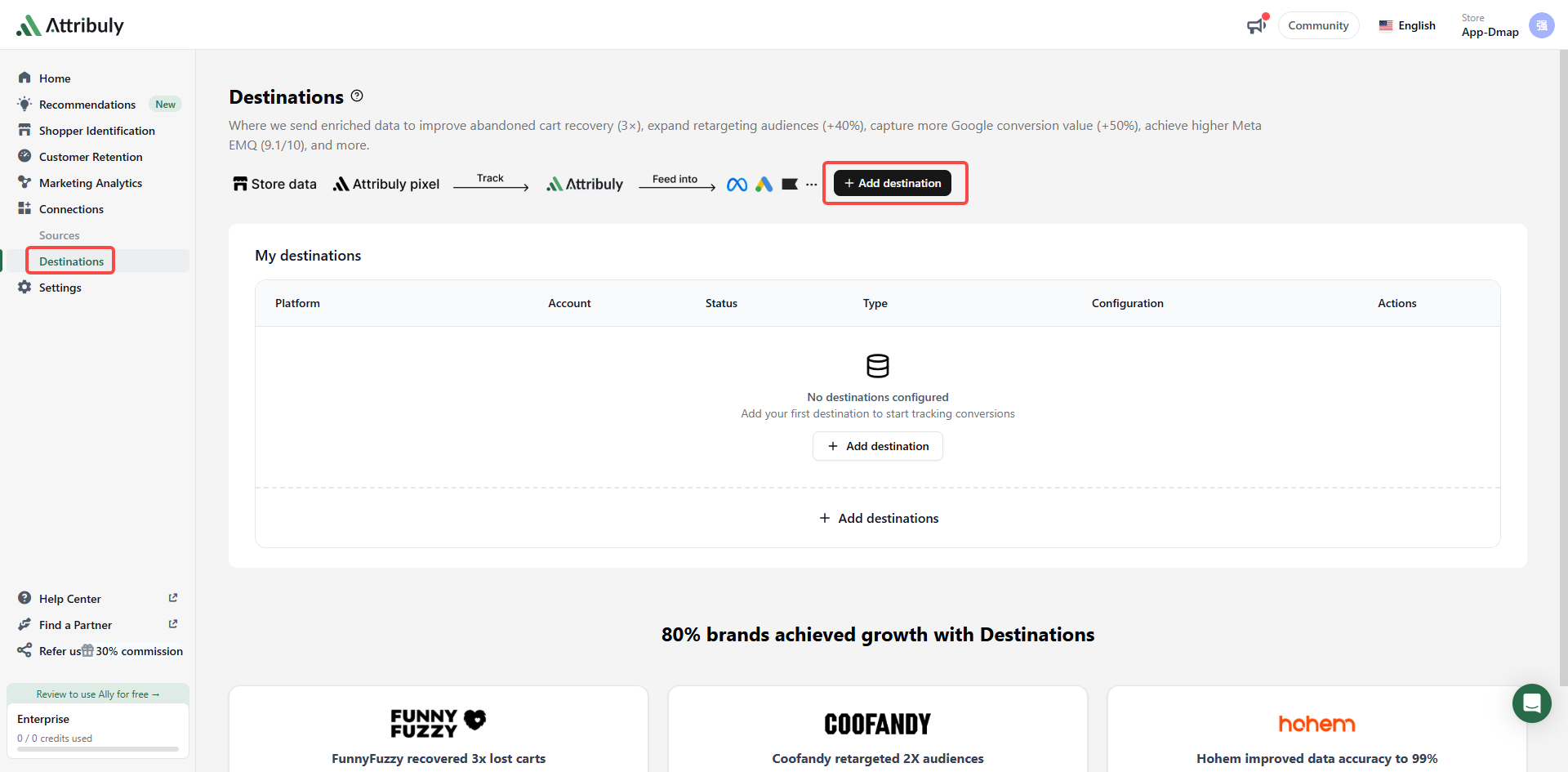
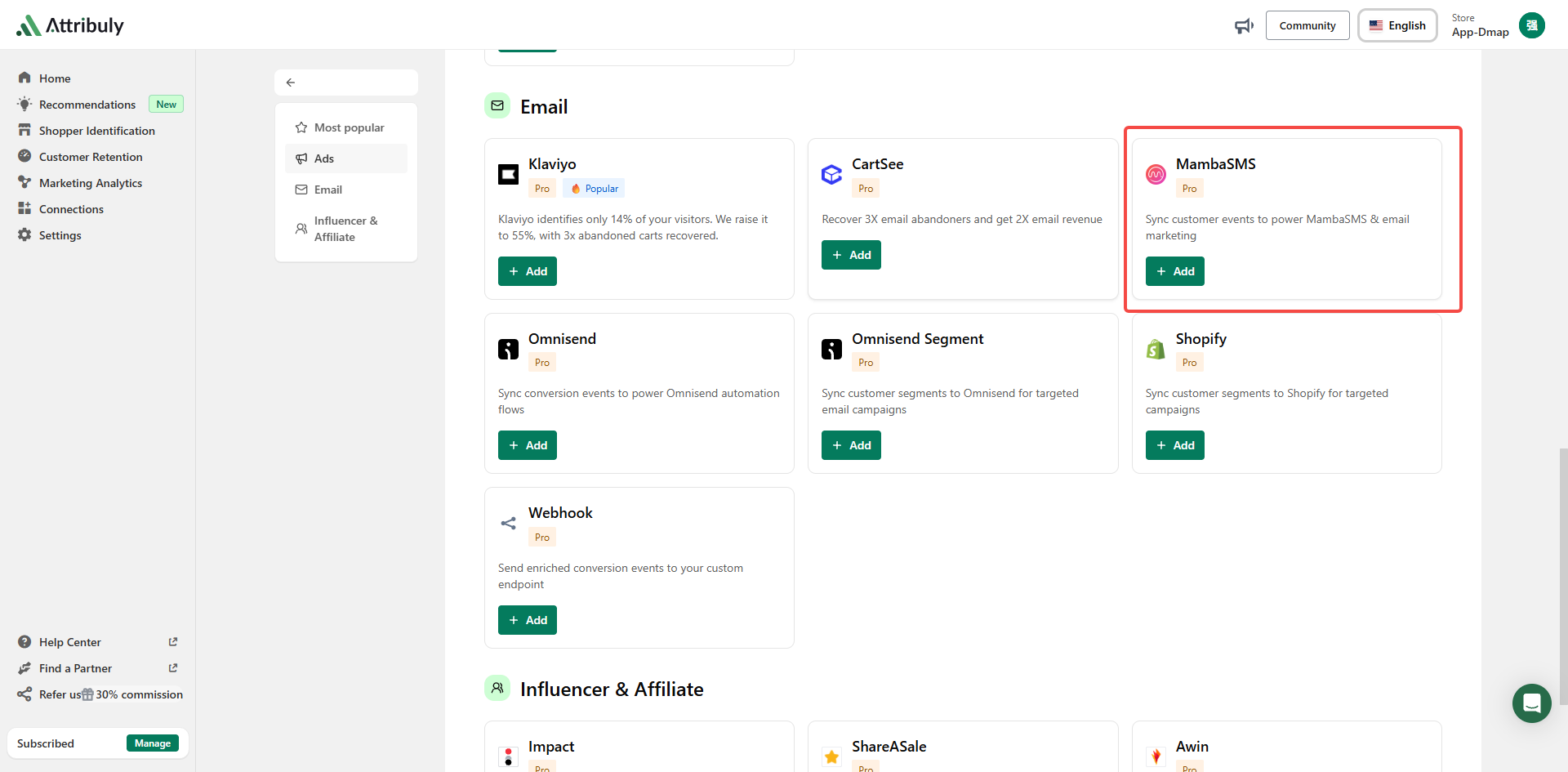
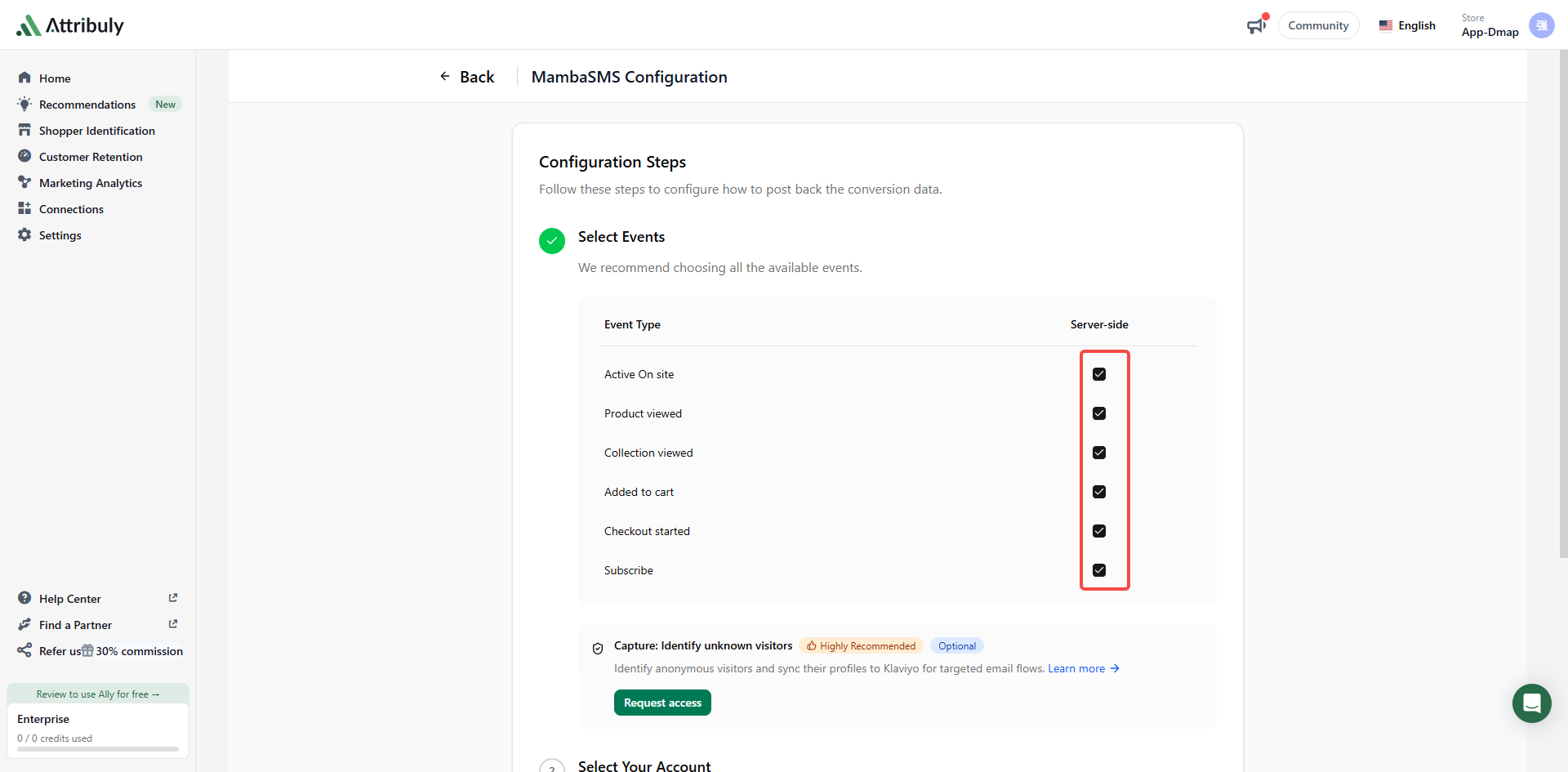
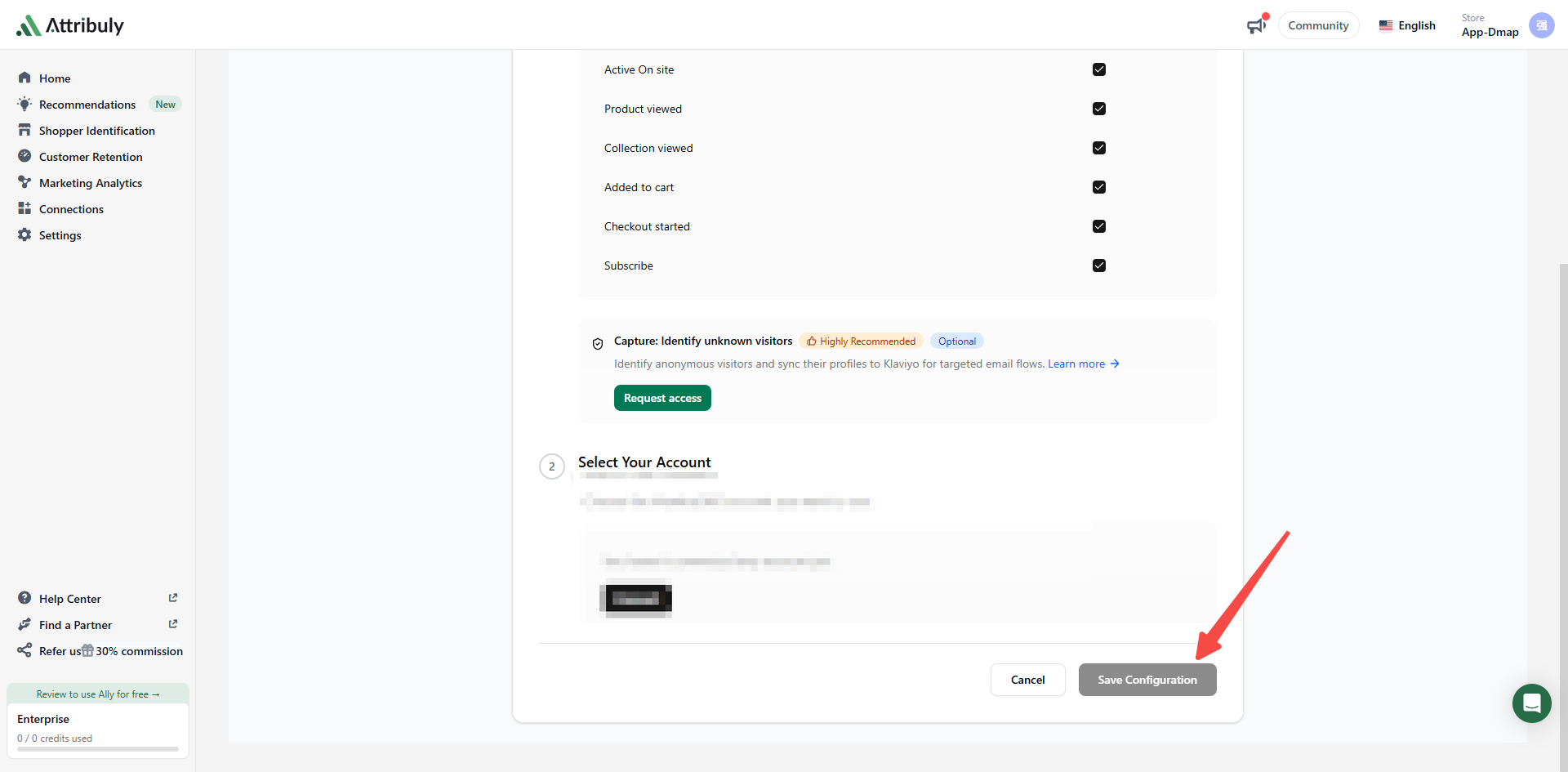
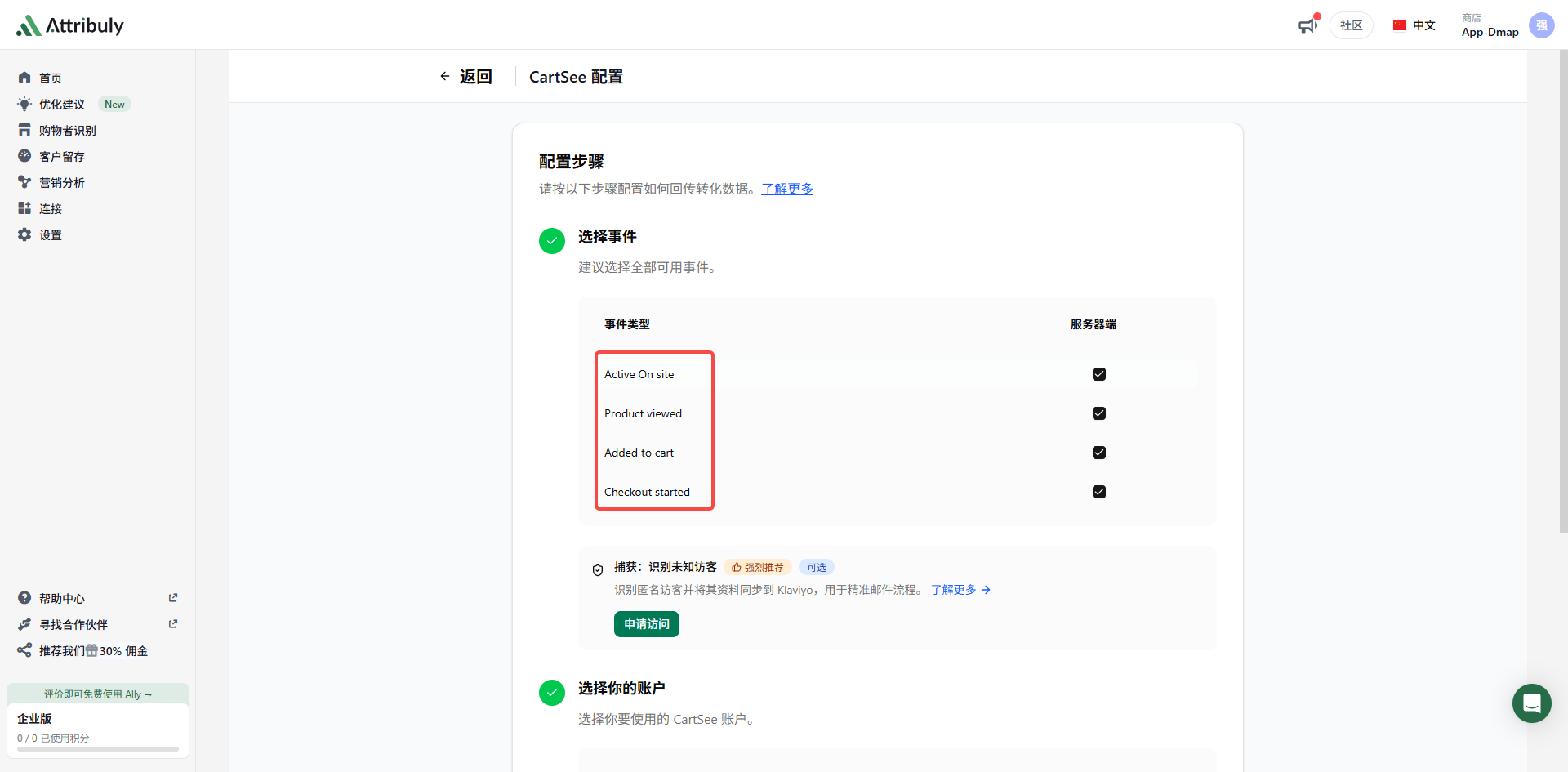
In Attribuly, open Destinations → Add destination → Email, select MambaSMS, select all event types and save.
Clone and configure workflows
- Copy an existing workflow, add
-Attribulyto its name and leave the original unchanged.
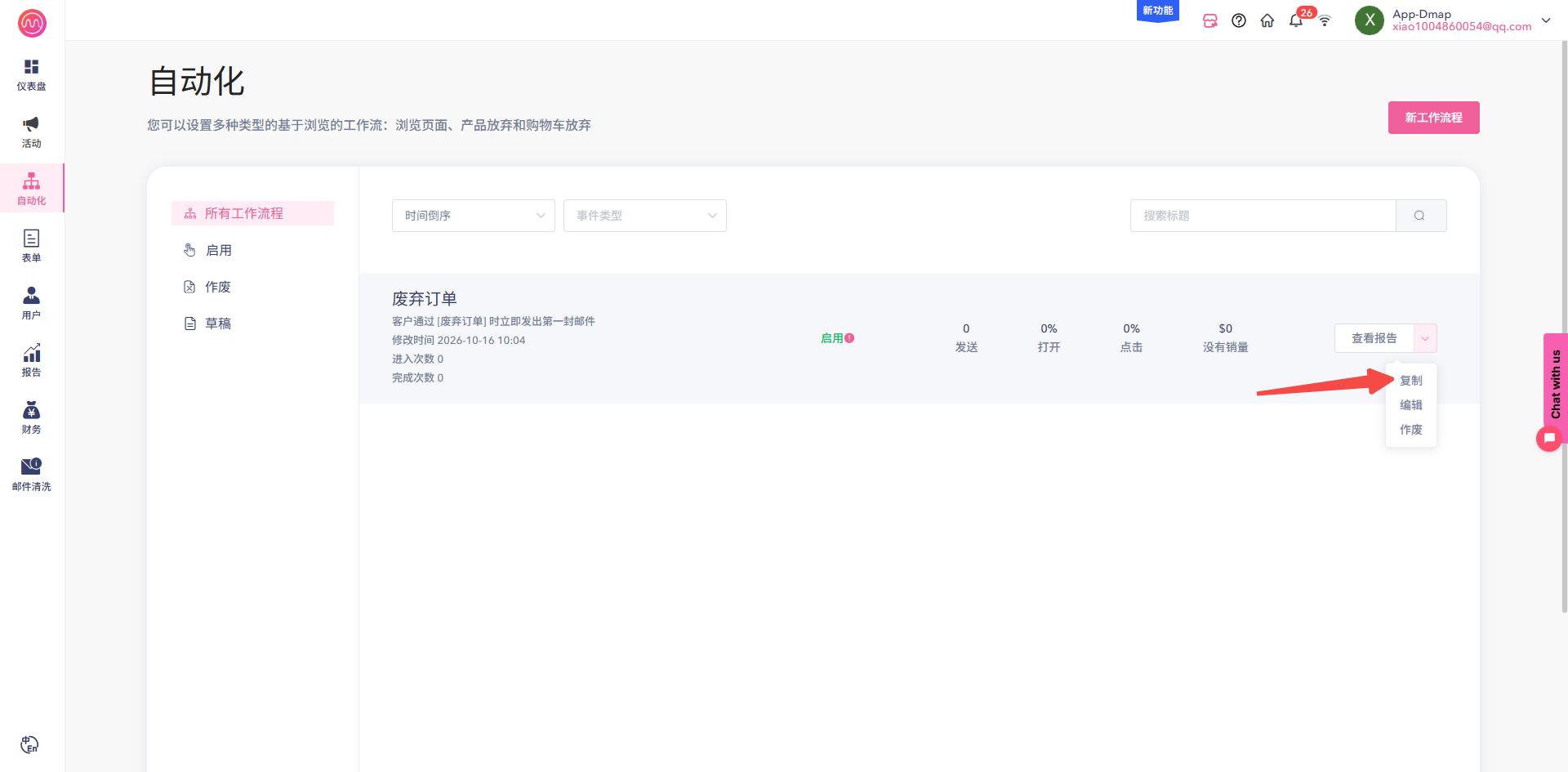
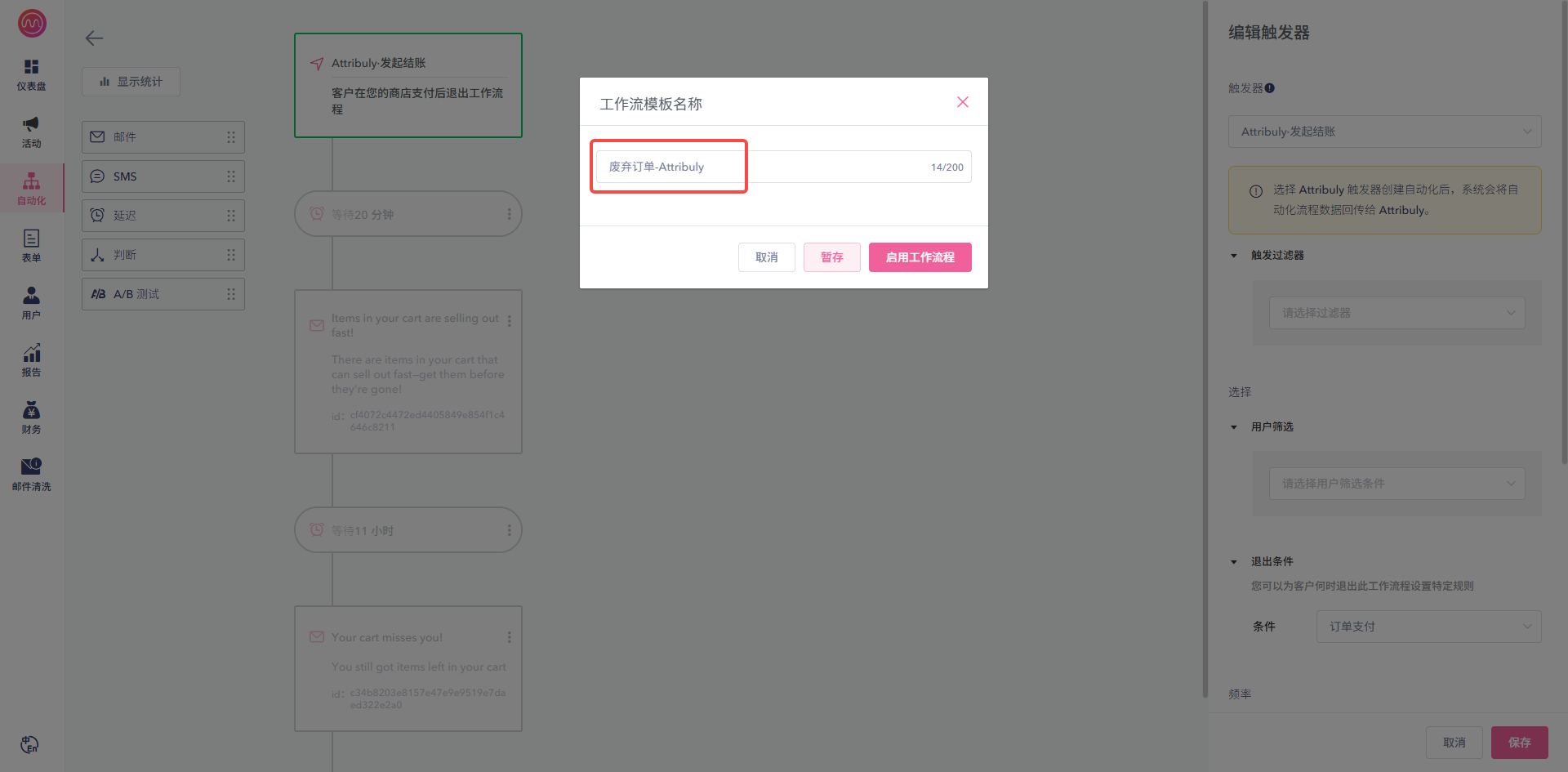
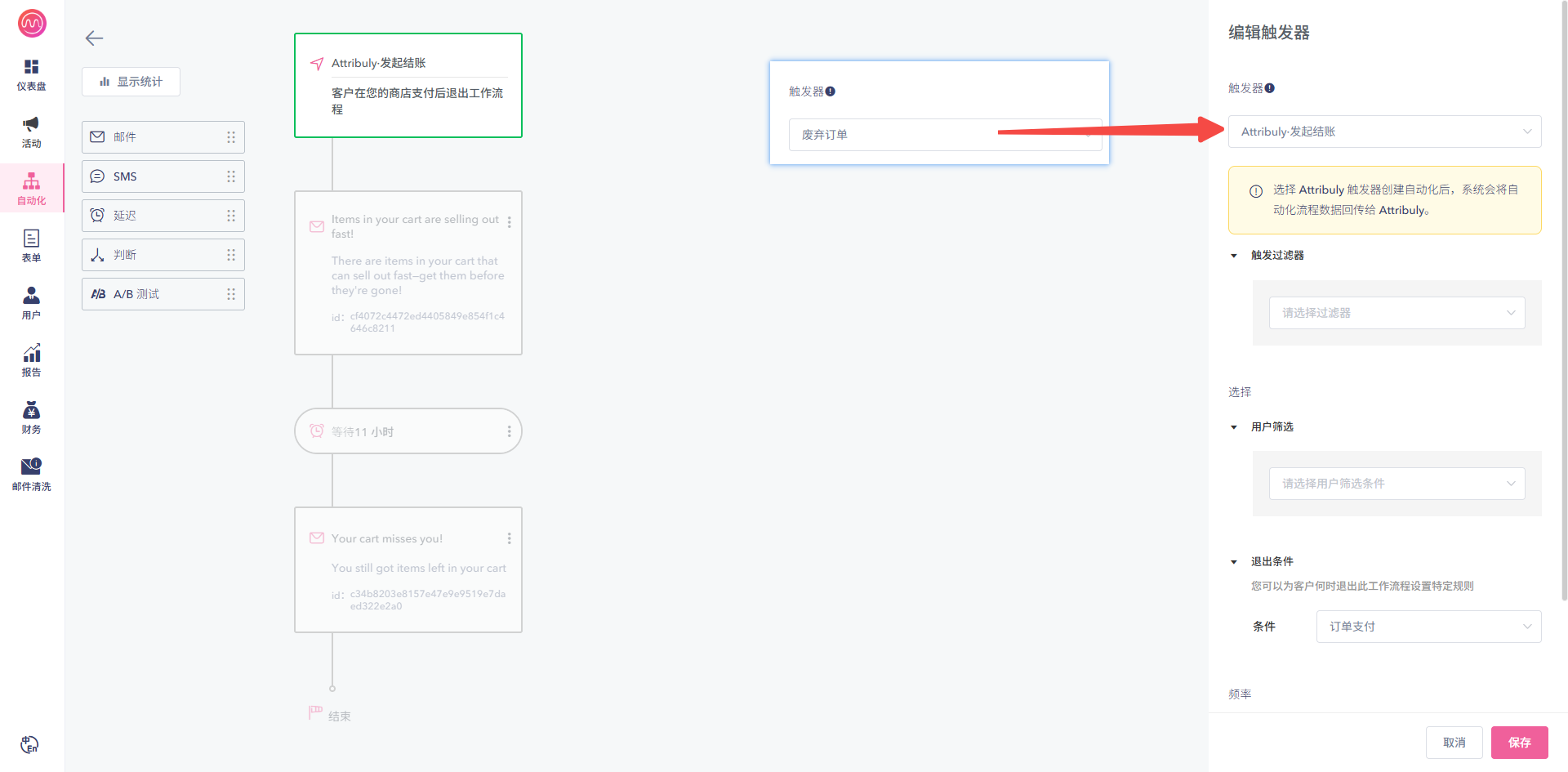
- Switch the copied workflow's trigger to its corresponding Attribuly event.
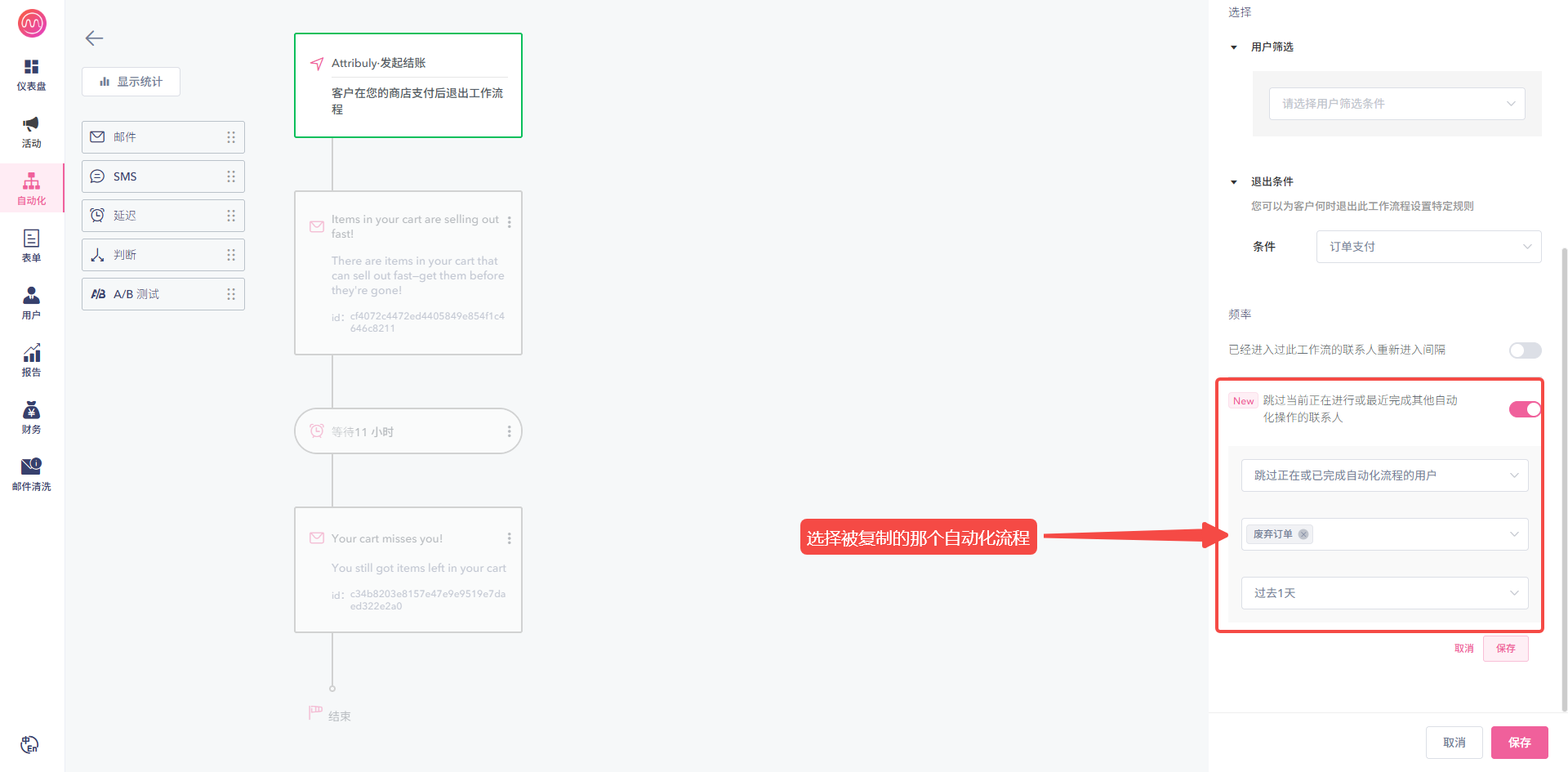
- Enable the option to skip contacts currently in or recently finished with another automation, and select the corresponding native workflow. For example, match Attribuly Checkout Started to the native abandoned-order workflow.
| Attribuly event | Native Mamba workflow |
|---|---|
| Active On site | Site visit |
| Product viewed | Product view |
| Added to cart | Abandoned cart |
| Checkout started | Abandoned order |
| Subscribe | Subscription |
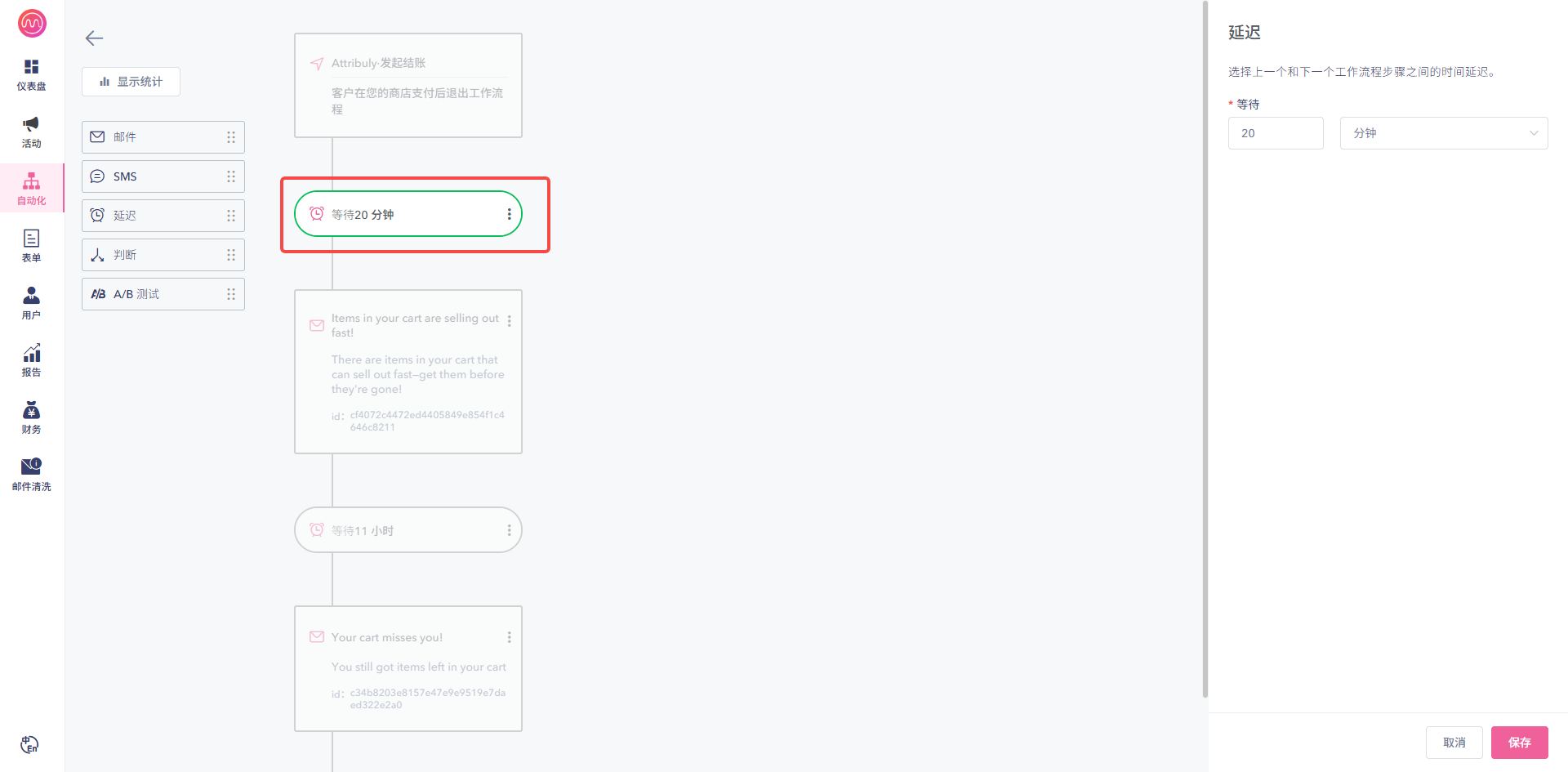
- Increase the first wait by 20 minutes so the skip rule has time to run, then enable the copy. Your Mamba contact can help configure the trigger and exclusions.
Copy workflows using these five supported events and use the corresponding Attribuly event as the copied trigger.
Verify
Confirm the destination is enabled in Attribuly, then check that Mamba receives events after some time. Contact support if data does not arrive.