Set up Recapture with Klaviyo
Connect Klaviyo
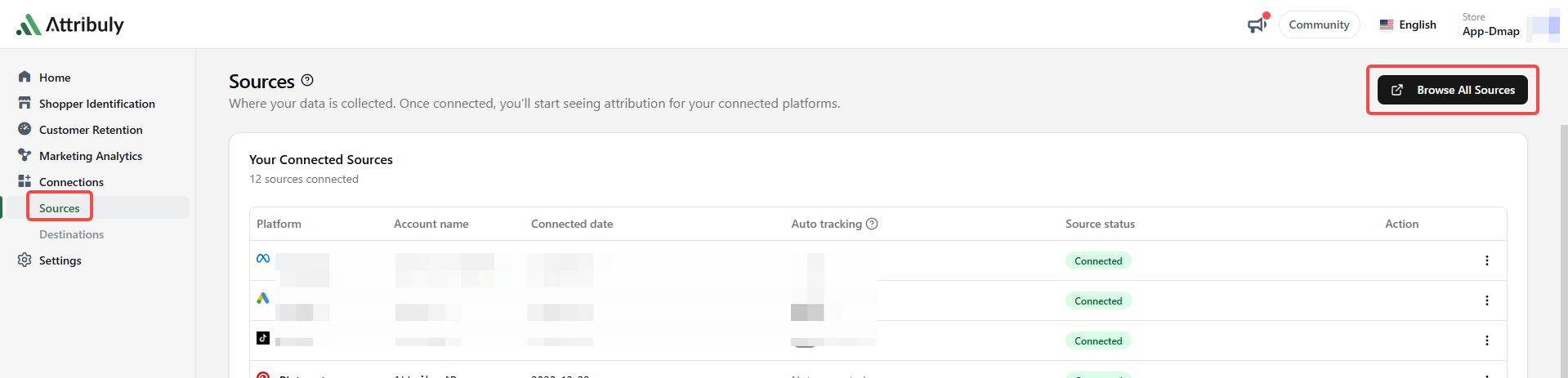
- Connect Klaviyo on the Attribuly Sources page.
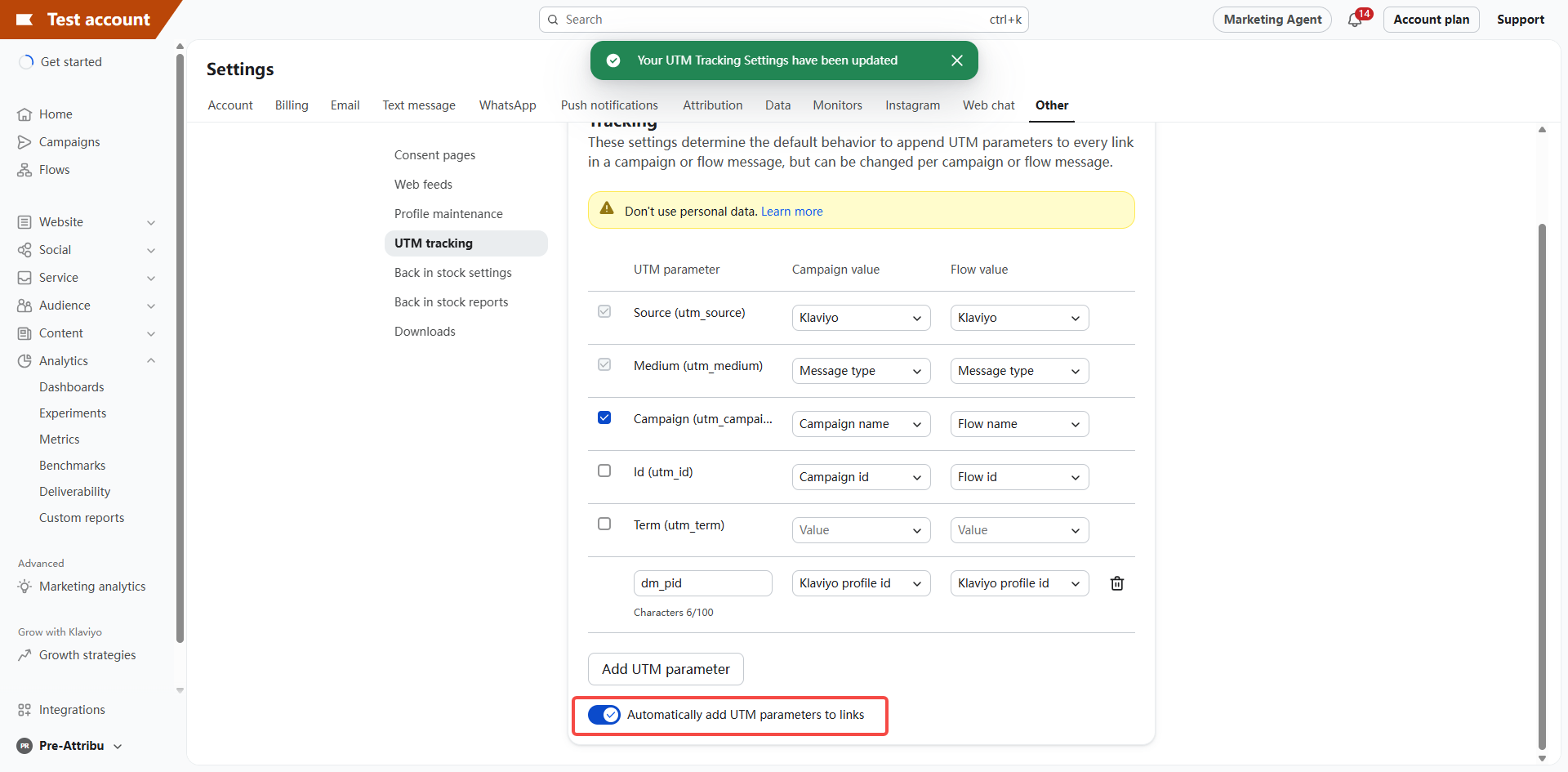
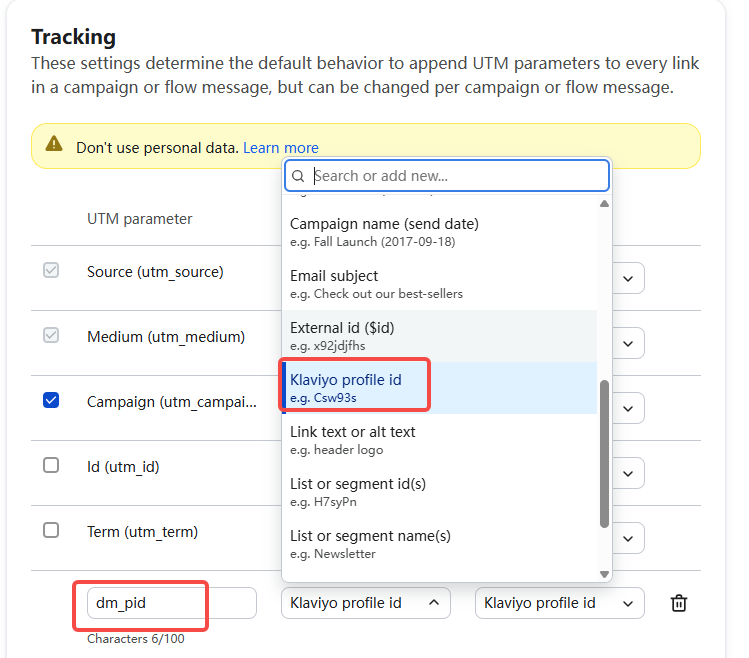
- In Klaviyo settings, enable Automatically add UTM parameters to links. Set the source for both campaigns and flows to Klaviyo. Add
dm_pidwith the Klaviyo profile ID as its value. The source guide recommends Campaign name and Flow name forutm_campaign.
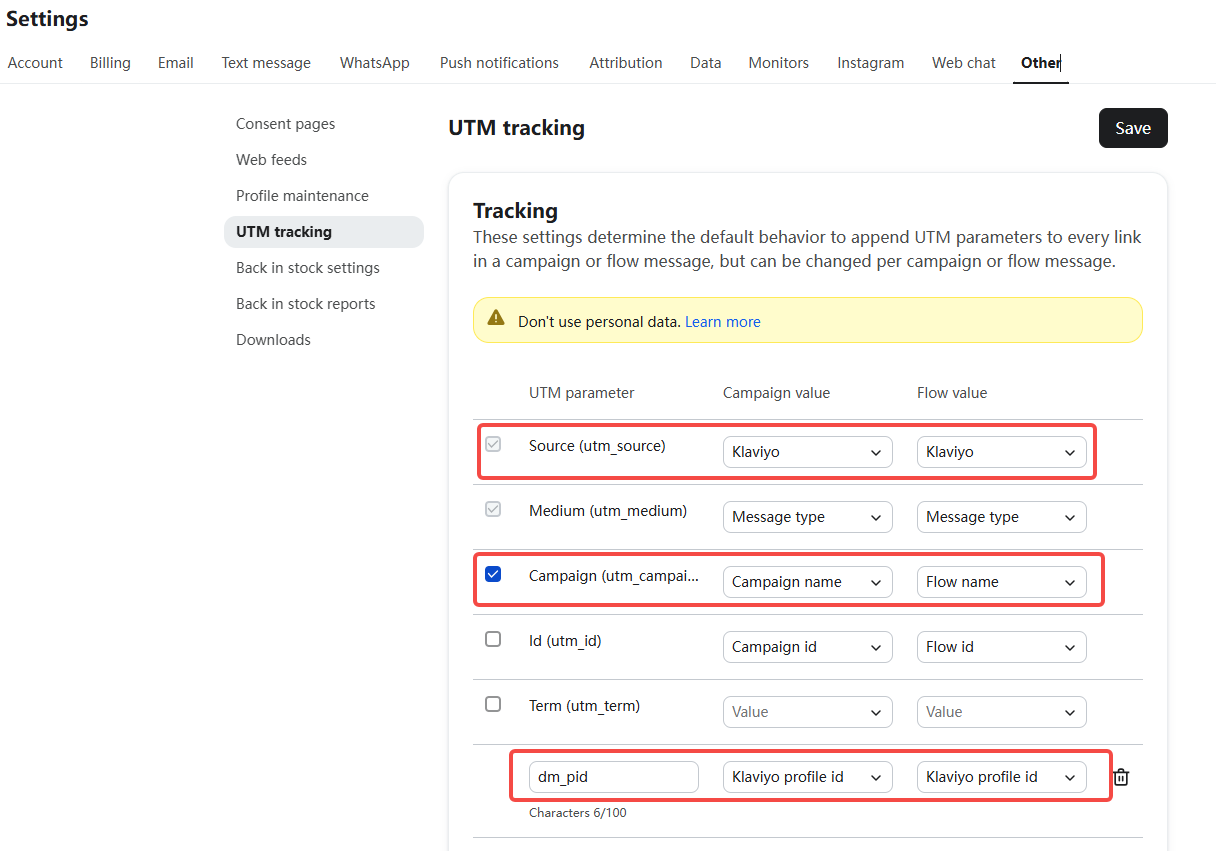
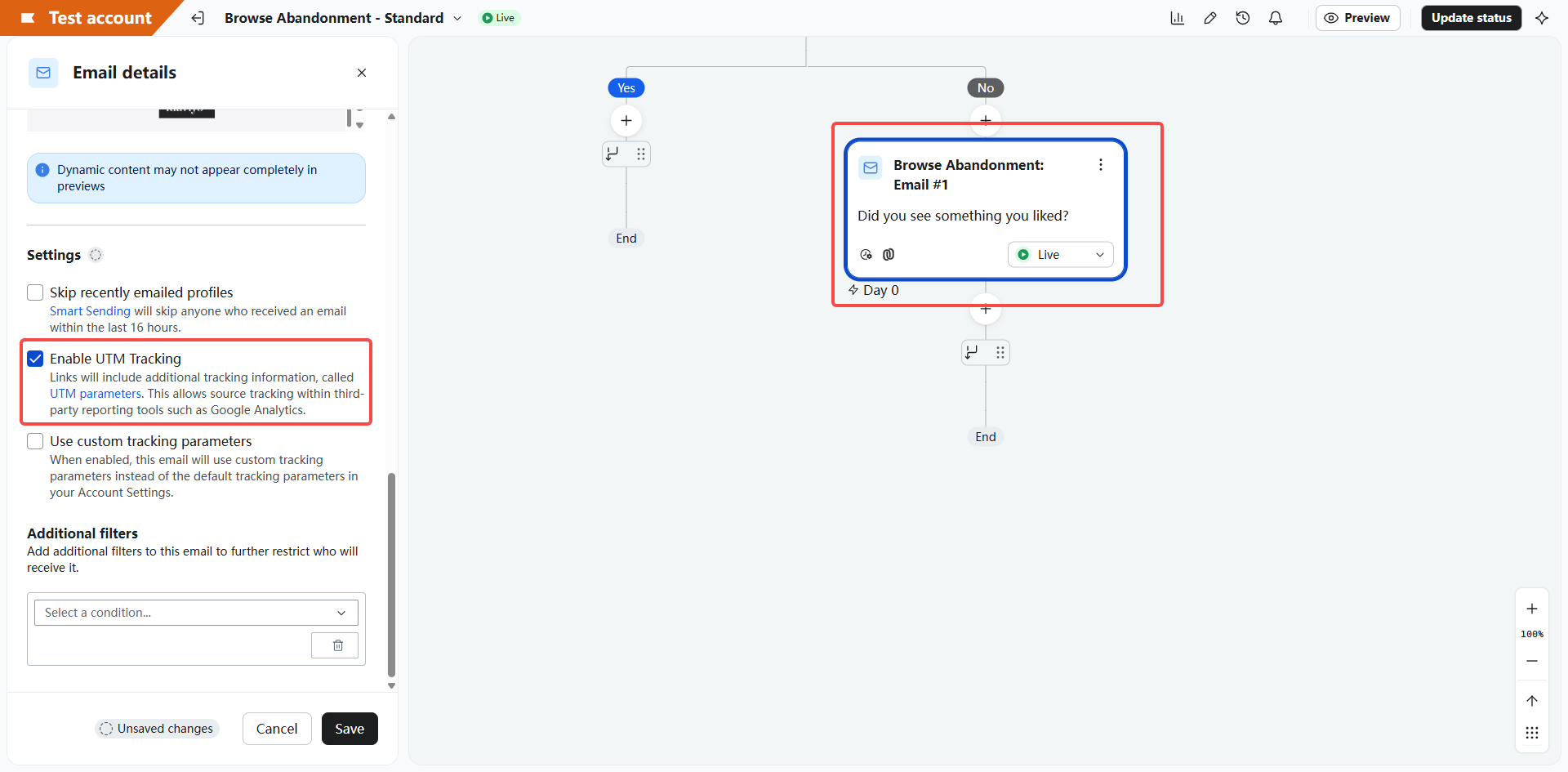
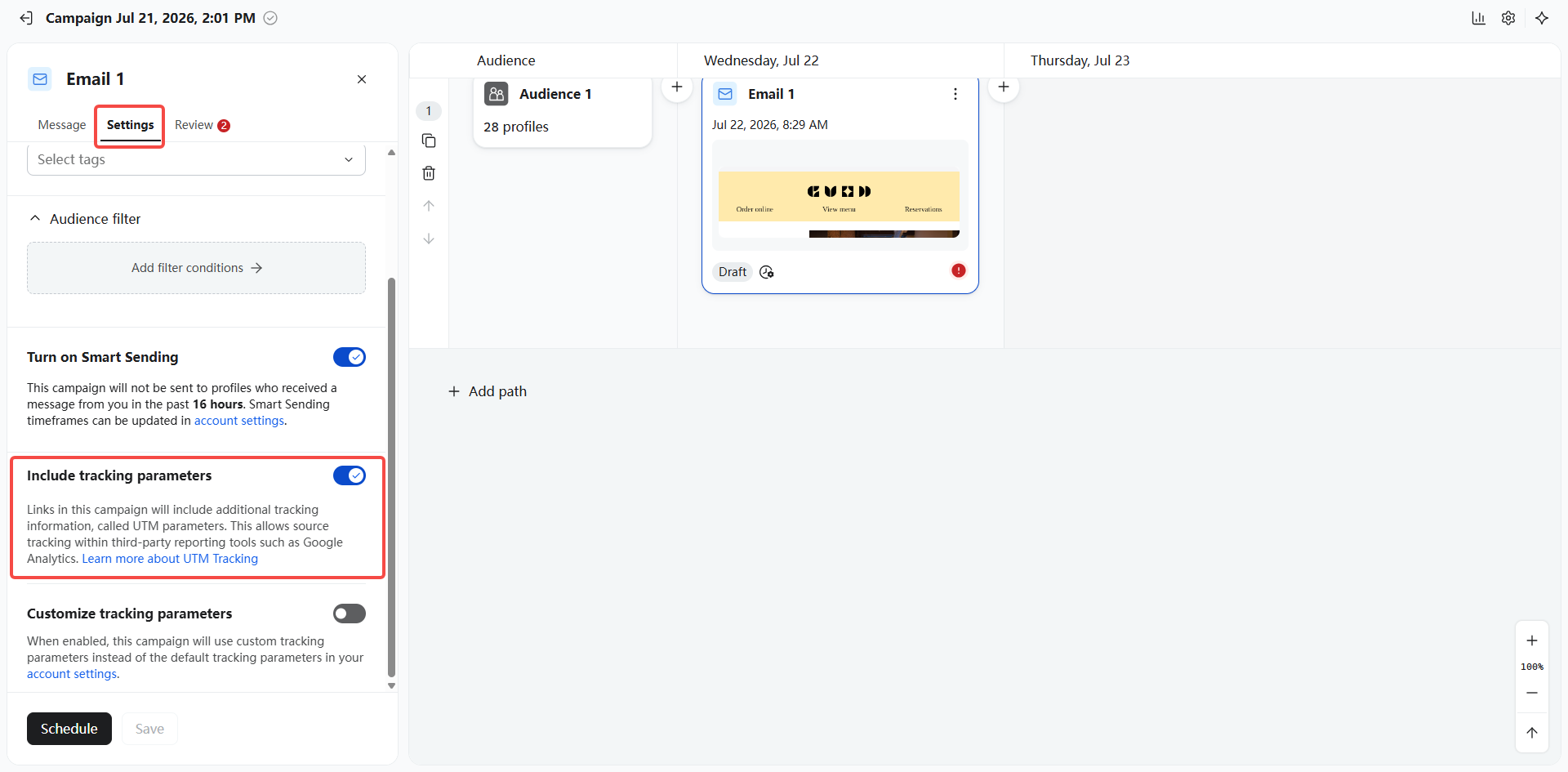
- For every active flow, enable UTM Tracking for each email and SMS. For campaign emails, select Include tracking parameters. If using customized parameters, retain
utm_source=klaviyoanddm_pidwith the Klaviyo profile ID.
Create the destination
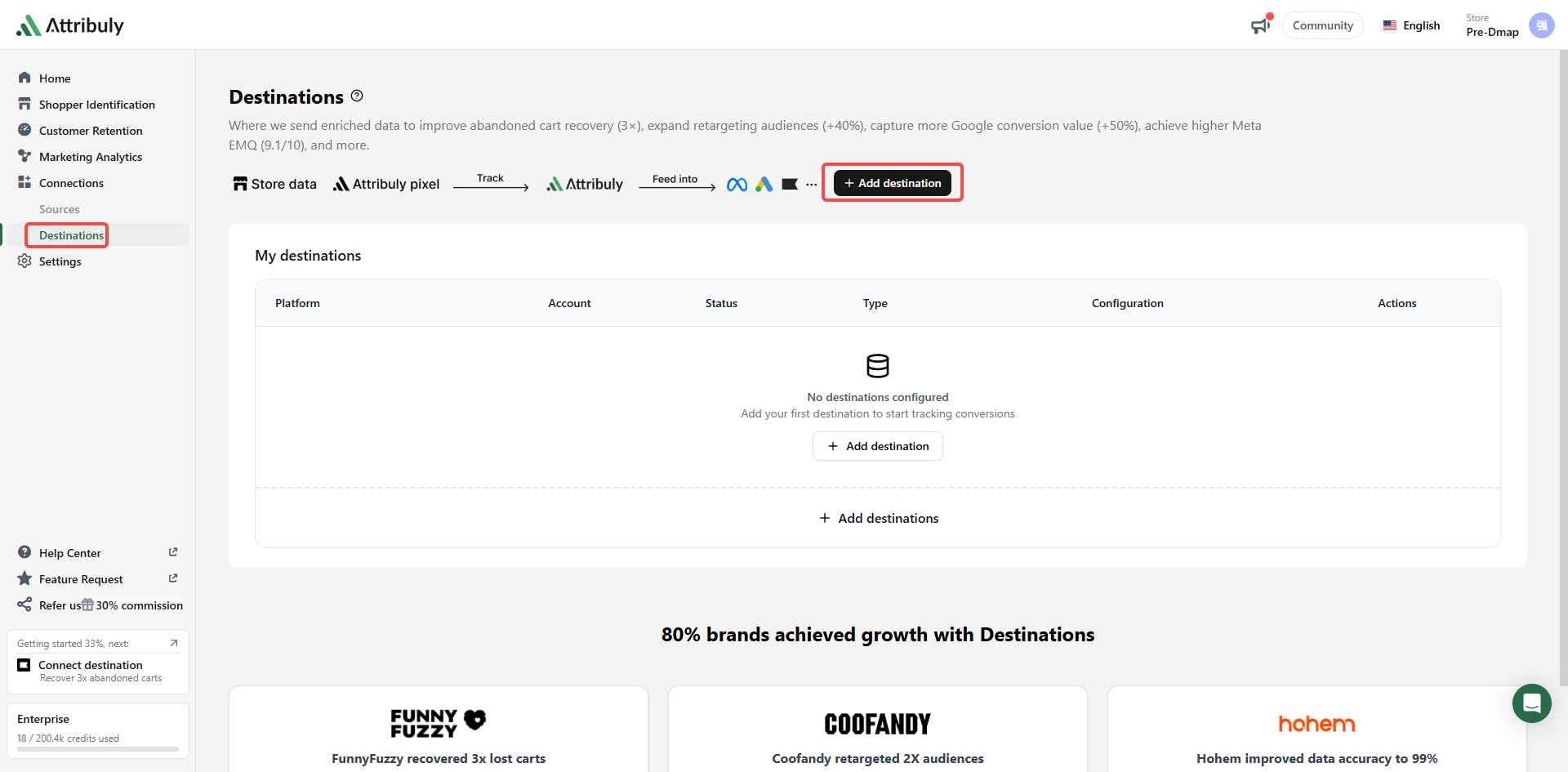
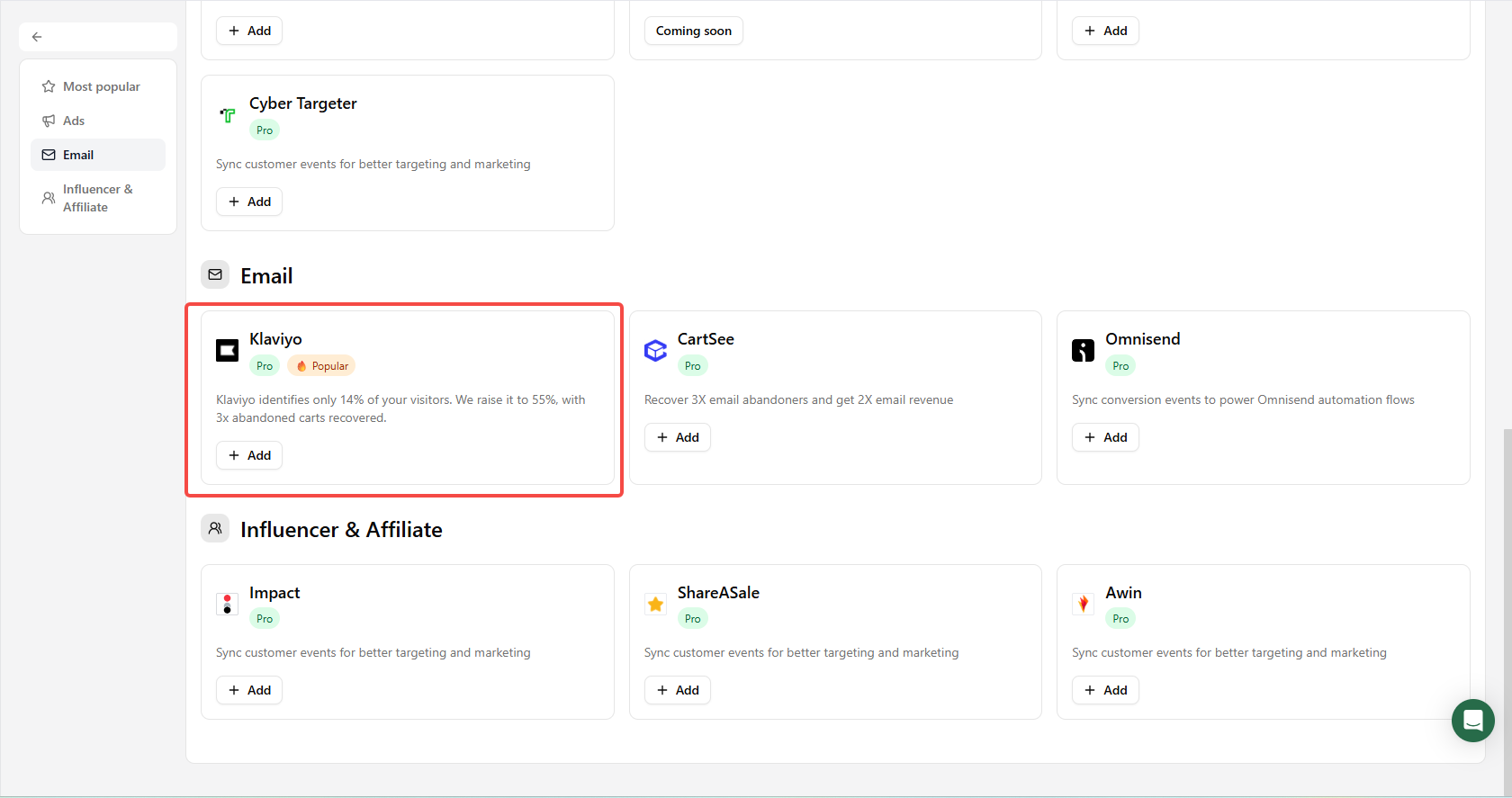
Open Connections → Destinations → Add destinations in Attribuly and select Klaviyo. Complete the configuration.
Create a separate recovery flow
- Clone an existing abandonment flow so the Attribuly event triggers a separate copy without changing the original. Watch the cloning walkthrough.
- Add a conditional split to exclude people already covered by Klaviyo's native event. Watch the deduplication walkthrough. In the newer flow editor, add a Split after the delay.
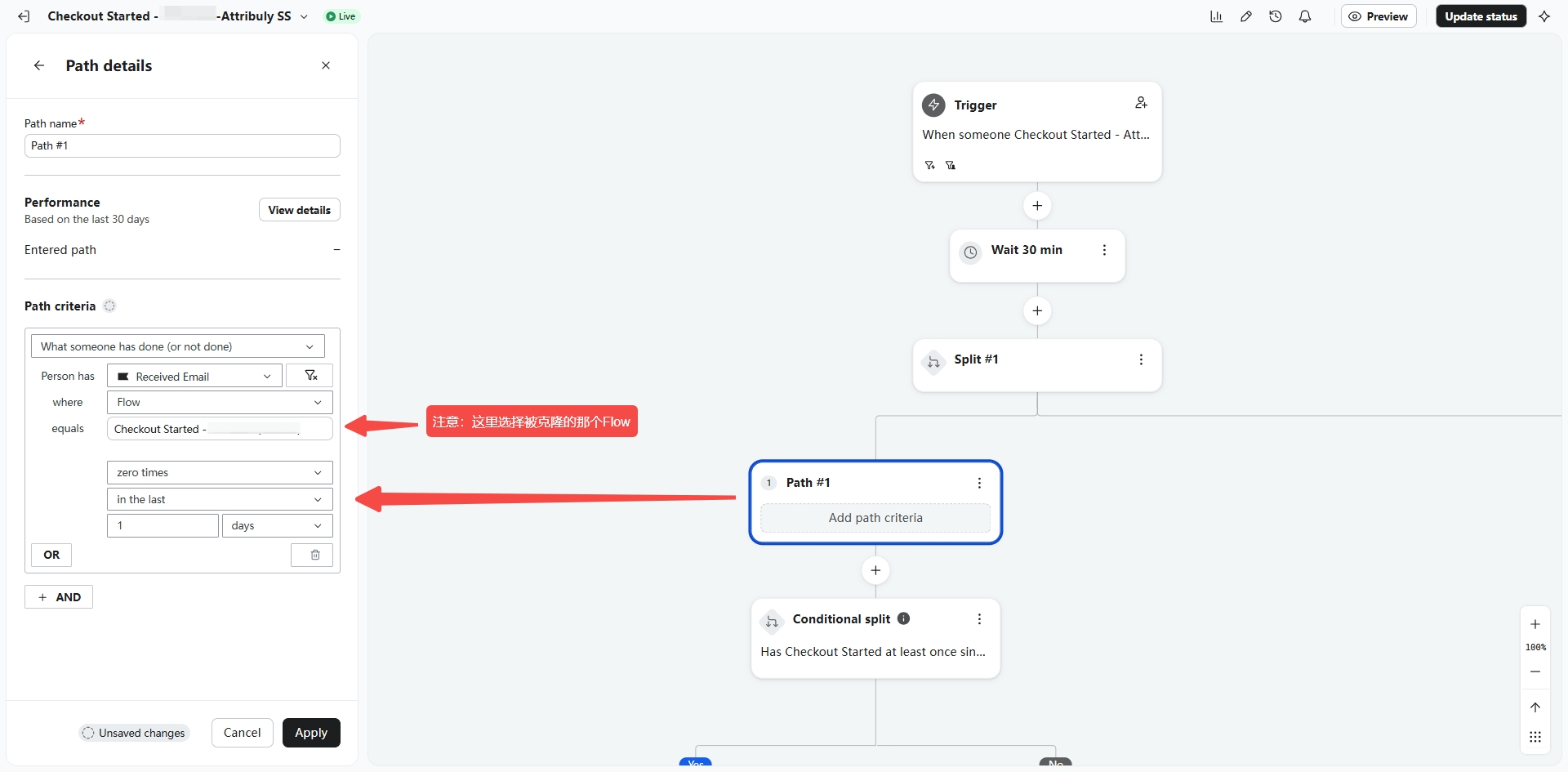 Select the original flow here
- Increase the first delay in the cloned flow by 20 minutes to give Klaviyo time to evaluate the exclusion.
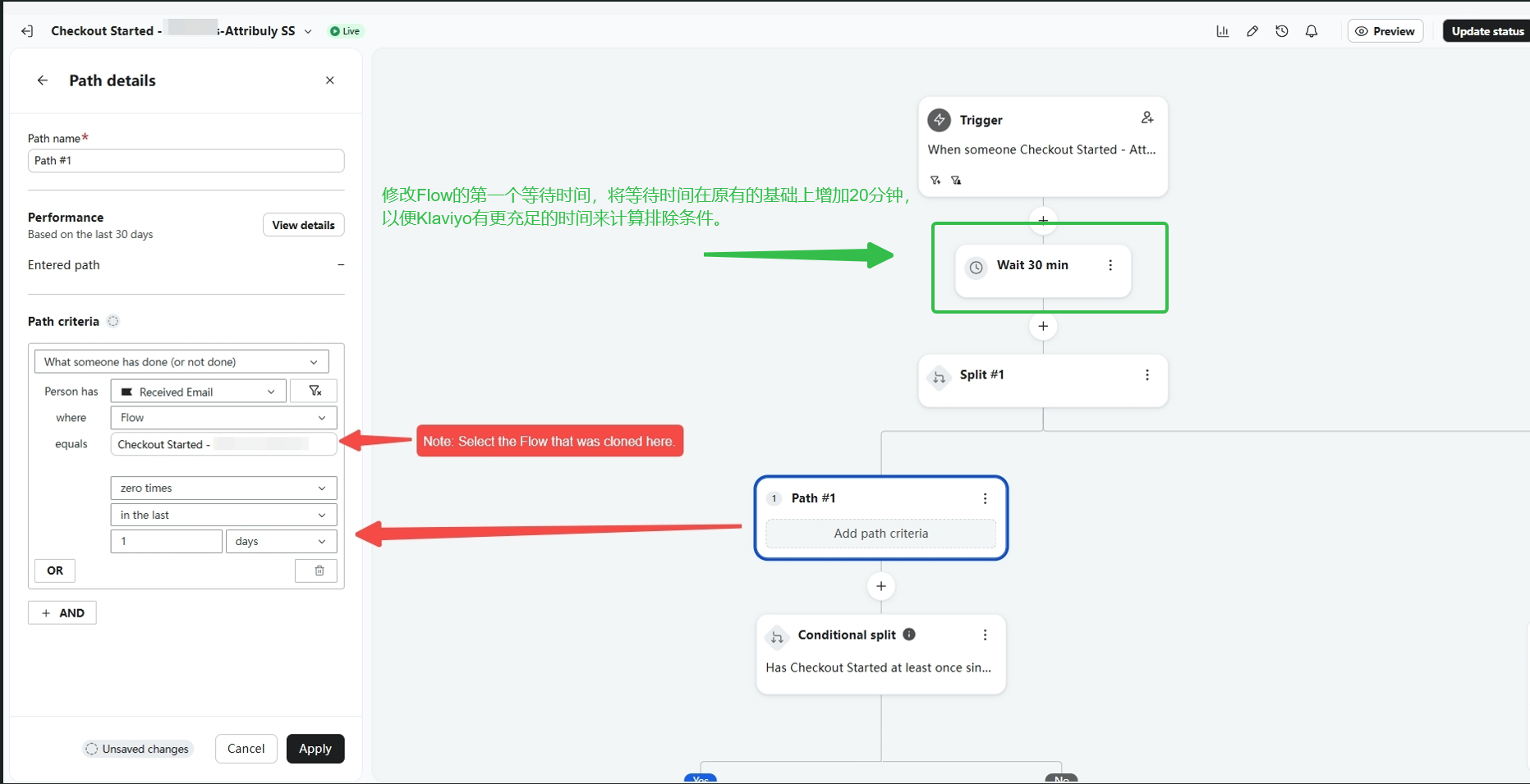 Add 20 minutes to the first delay to allow time for exclusion checks.