Custom domain for short links in Link Builder and Influencer
The custom domain feature lets you create tracking short links with your own brand domain.
Available for Starter, Pro, and Enterprise plan
How to Set up
Go to " Settings"
Click " Custom domain"
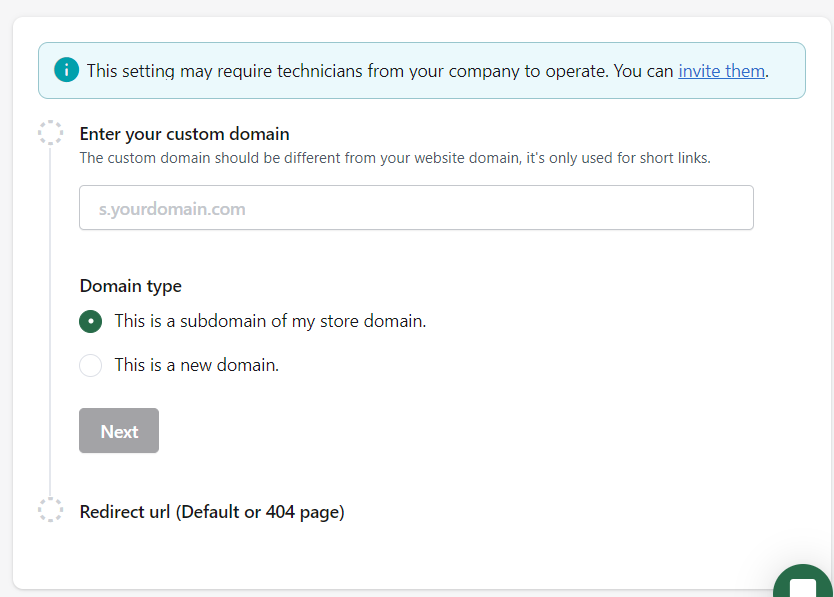
Add custom domain
Enter your custom domain. And choose the domain type.
Subdomain: Such as "s.attribuly.com" is a subdomain of attribuly.com
New domain: You use a totally new root domain for your short links, such as attribuly.com
5. Input your 404 page in case this link is unavailable.
6. Configure DNS.
If you use a subdomain:
1. Log in to your domain registrar's website, and select the domain you want to modify.
2. Find the section for managing DNS entries.
3. Create a new type CNAME record with a name 's(this follows your subdomain's name' and value 'cname.short.io'. Save changes.So you will see a new record:s CNAME cname.short.io
If you use a new domain:
1. Log in to your domain registrar's website, and select the domain you want to modify.
2. Find the section for managing DNS entries
3. Edit the existing A Records for your site, Set the IP addresses to 52.21.33.16 and 52.2.56.64, and ensure the Hostname is the character “@” or your base domain (both mean the same thing).
4. If there is only one A Record or none, add more. So you will see two new records: @ A 52.21.33.16 @ A 52.2.56.64
7. Verify your domain. There are 3 statuses:
Draft: The domain has not been in the verification process.
Verifying: The domain is in the verification process. It may take 1-2 hours for a DNS update. Attribuly will keep on querying the status.
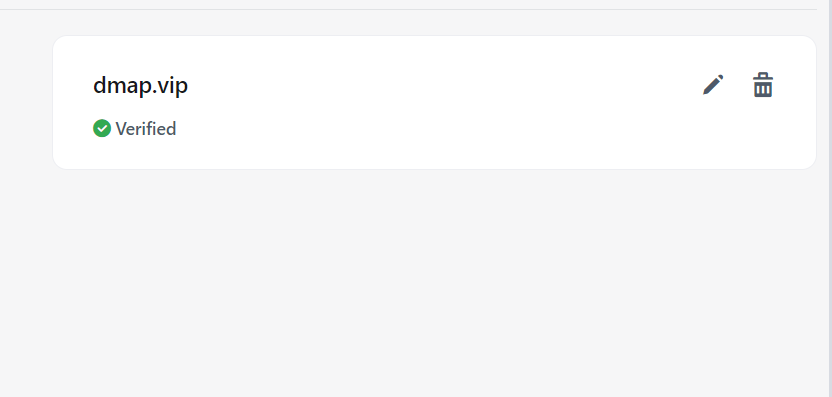
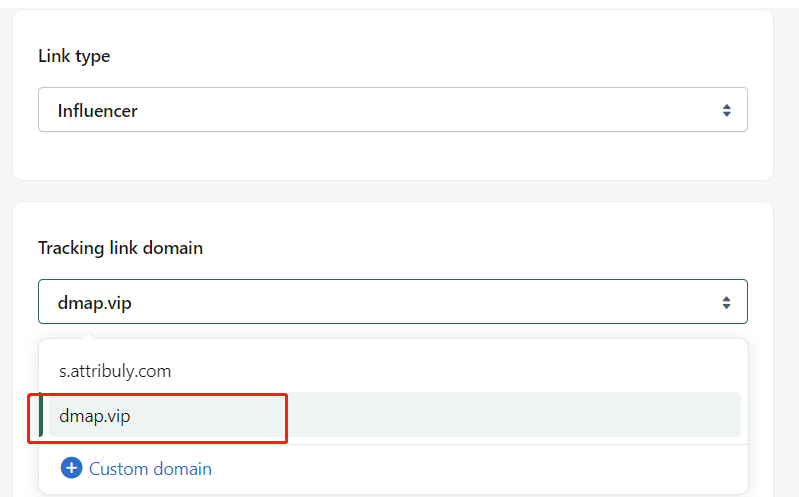
Verified: The custom domain is configured successfully, now you can use it for your short links.
Note:
Only 1 custom domain is supported in every store.
Delete a custom domain
You can delete this domain in settings: https://app.attribuly.com/cherry/#/settings/custom-domain
delete the CNAME record
Contact us to delete the custom domain manually.
FAQ
Can I use one custom domain for multiple stores?
No, you may need to configure custom domain for each store in Attribuly.