Attribution trial and setup guide
How Attribuly tracks traffic
Attribuly tracks visits to your store rather than obtaining click events from advertising platforms. Before channel identification is configured, traffic is classified using general rules; complete channel configuration before evaluating attribution.
Attribuly only tracks visits after installation. For example, an order placed after installation may appear as Direct if its Facebook visit happened before installation.
Configure the channels you want to test
- Identify the channels relevant to your campaigns or test.
- Follow the channel identification guide to configure each channel.
Check the results
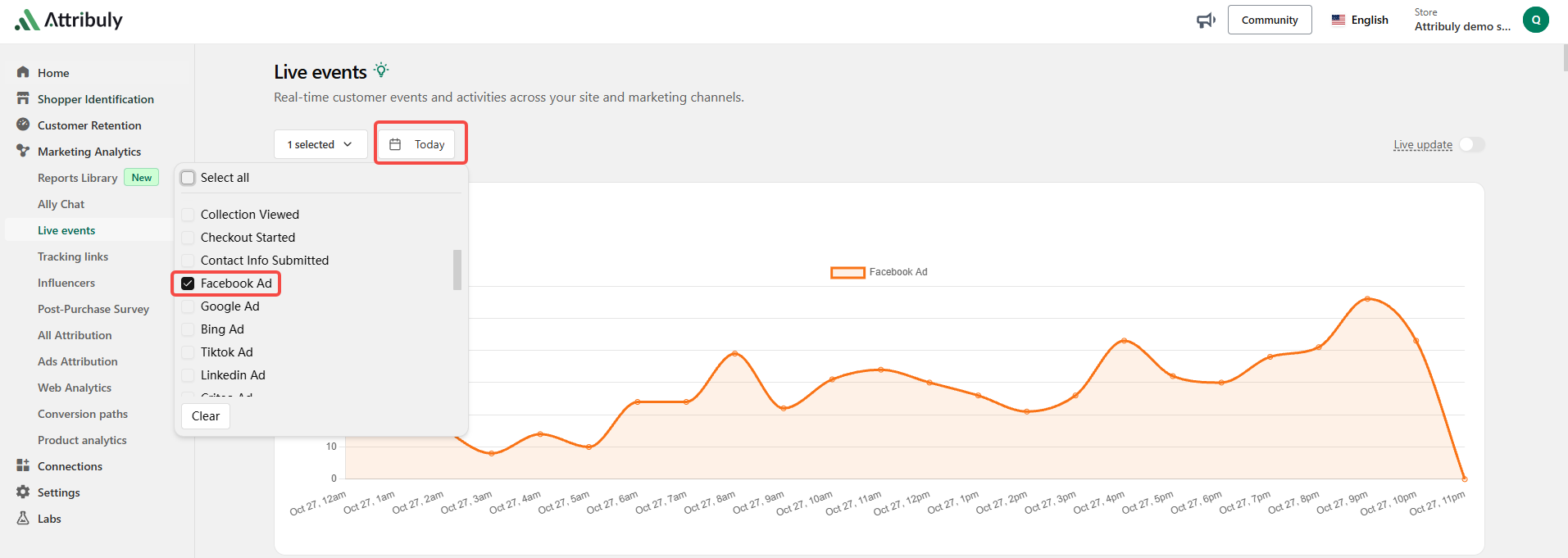
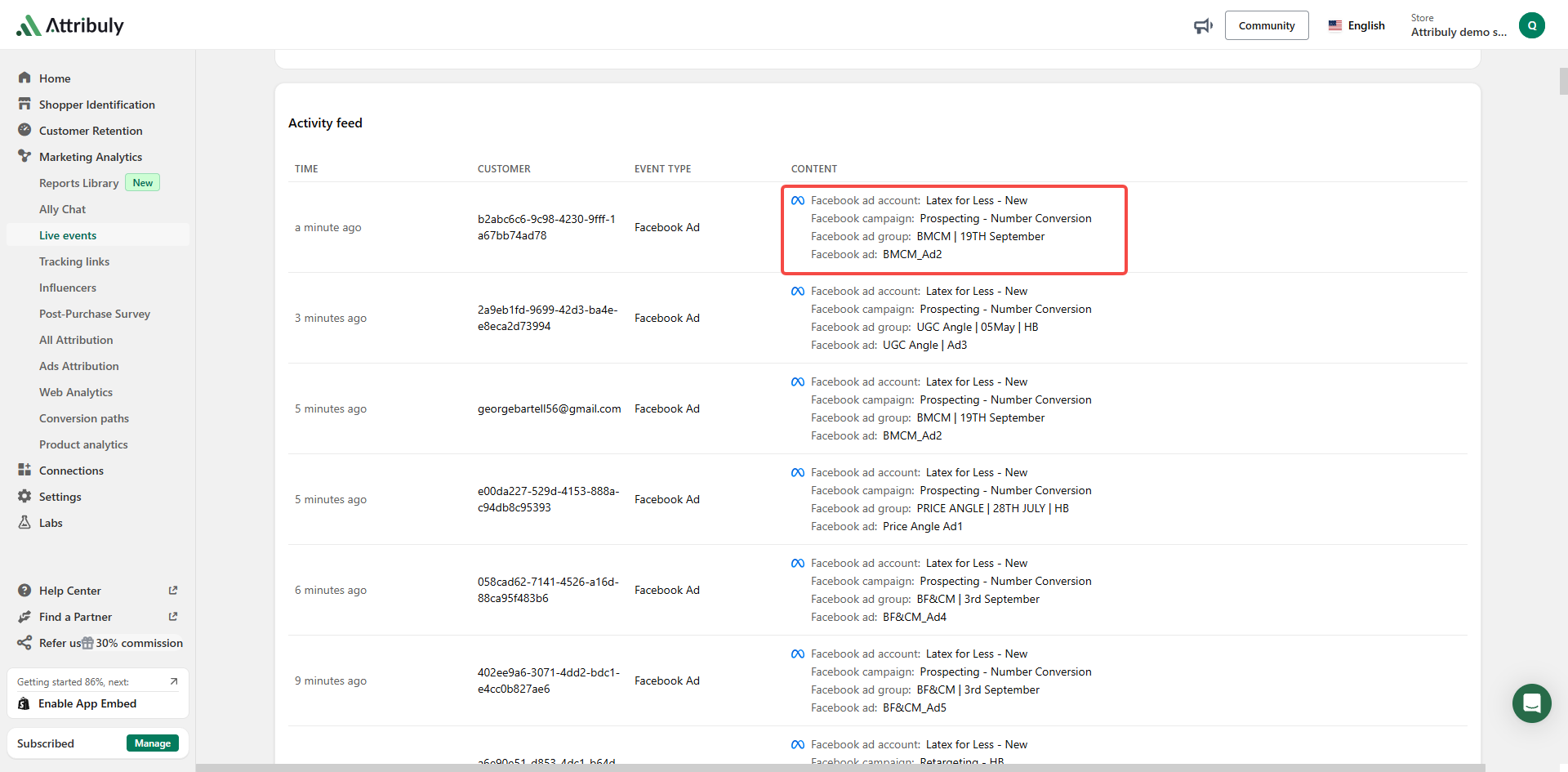
Open Live Events, select today and filter one channel at a time. Check the identified clicks below the filters. For Facebook ads, verify that account and campaign names are complete and correct.
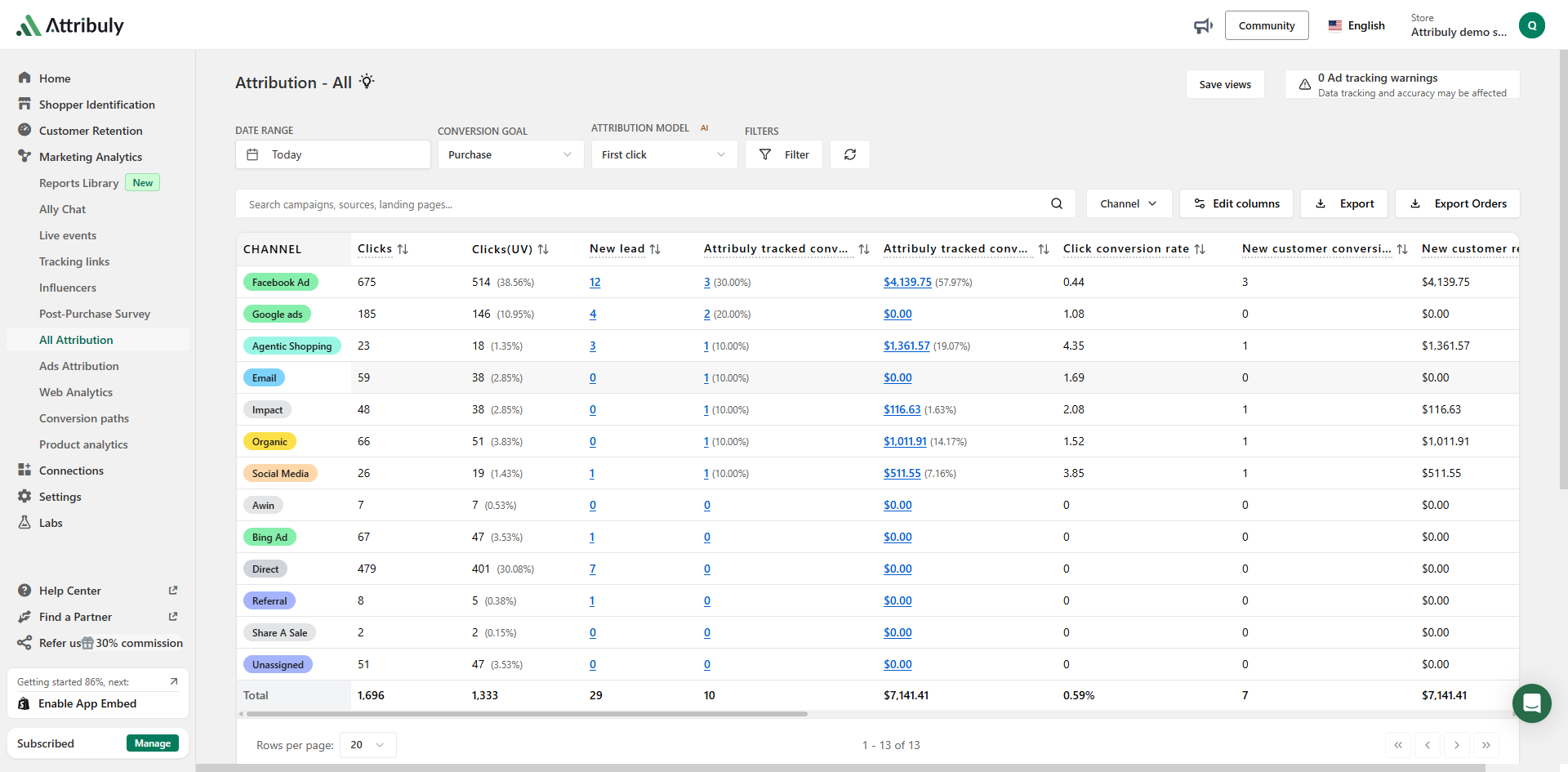
Once traffic is identified correctly, open All Attribution and review recent conversions for unusual attribution results.
Complete channel identification as early as possible. For attribution logic and reporting walkthroughs, see the product videos.
Investigate Unassigned traffic
Unassigned visits contain UTM parameters but do not match another current channel rule. Review the default channel rules, then either update the campaign links to match the appropriate rule or create a custom channel in Settings → Channel group.