Set up Recapture with Cartsee
Connect Cartsee and configure tracking
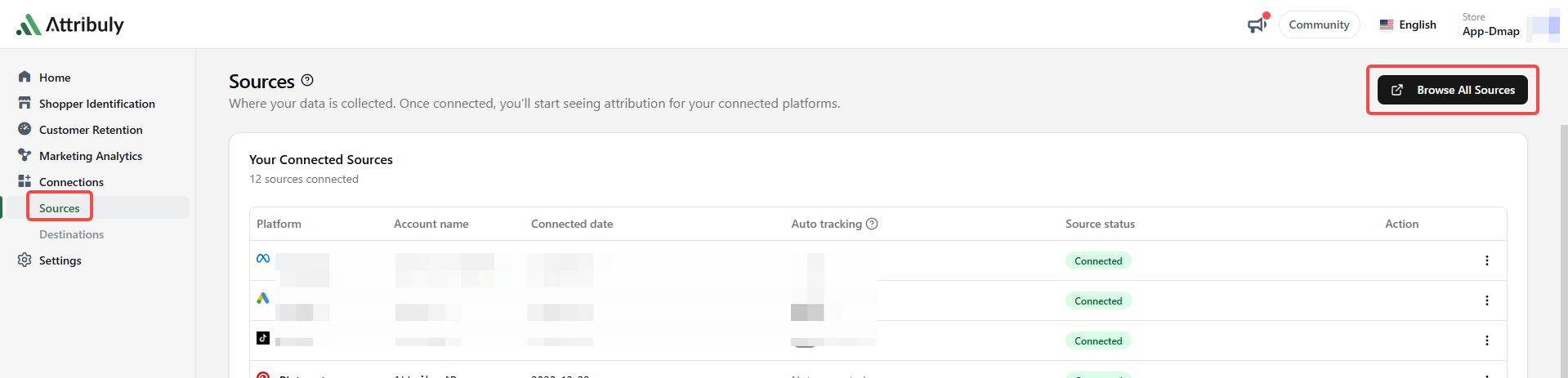
- Connect Cartsee on the Attribuly Sources page. Request the Company ID, App ID and App Key from your CartSee contact; the source guide says these are sent in an authorization email.
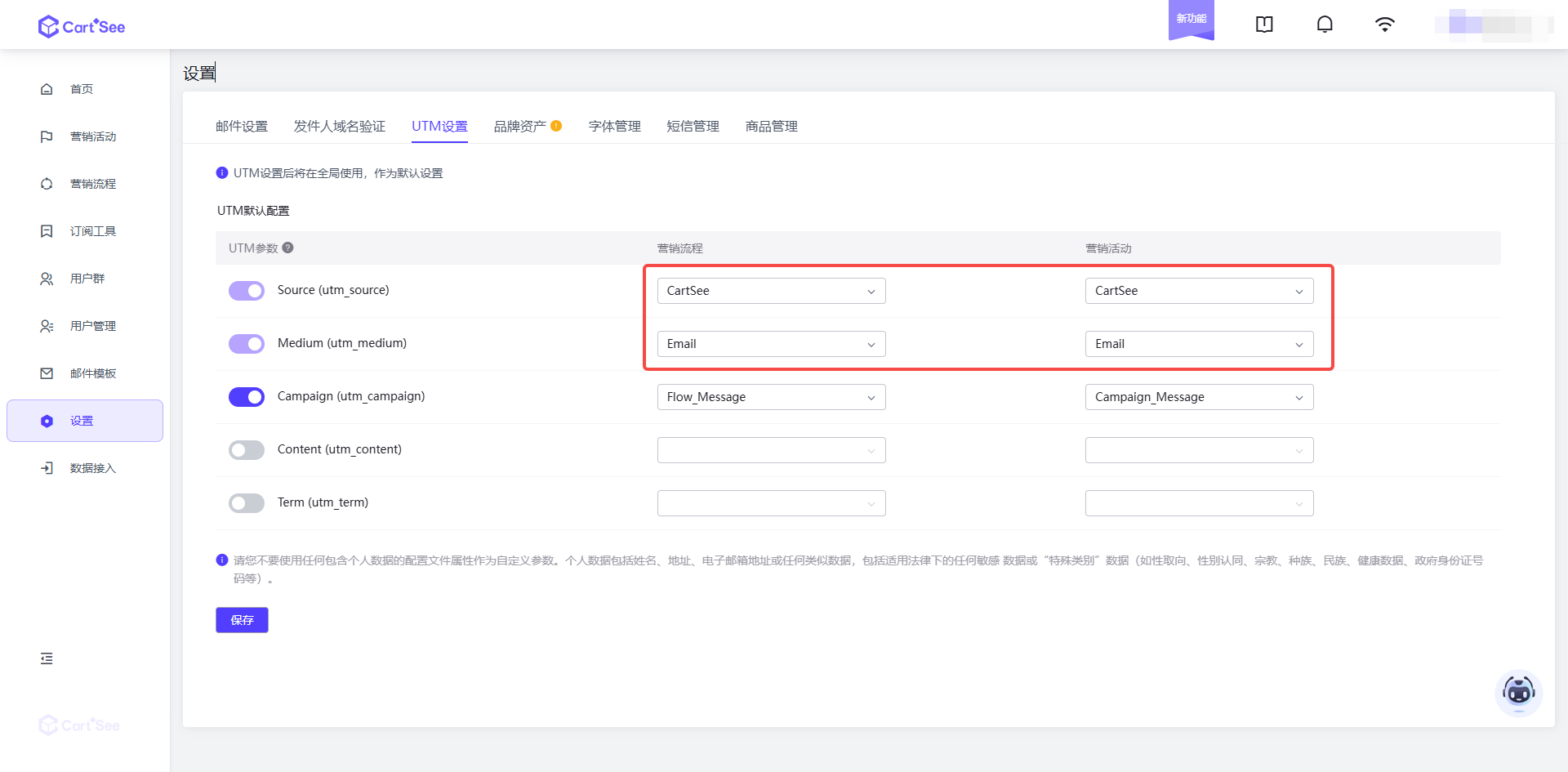
- In Cartsee, set
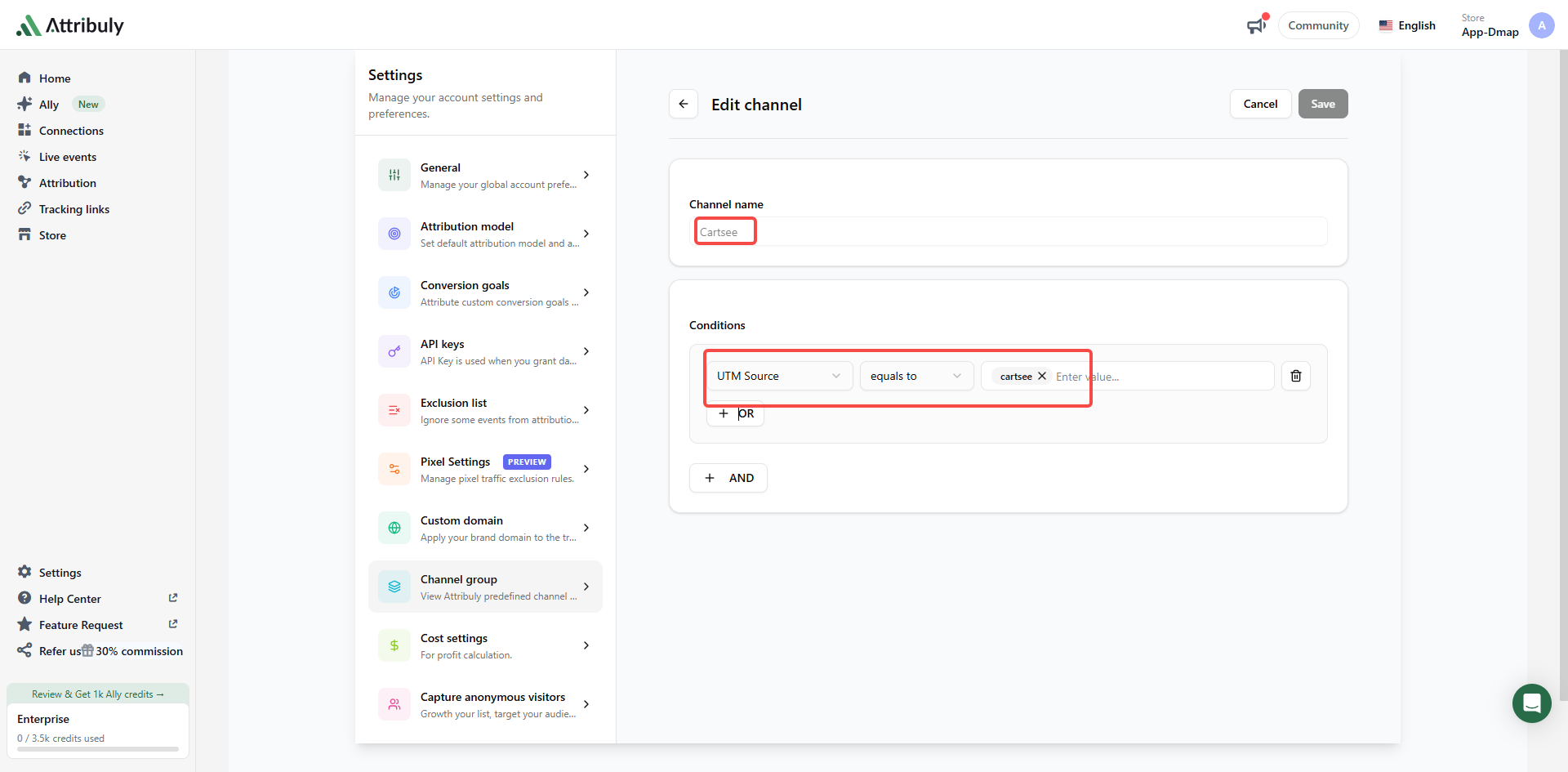
utm_sourceto Cartsee andutm_mediumto Email for both workflows and campaigns. Configureutm_campaignas shown.
If utm_medium cannot be changed to Email, create a Cartsee custom channel in Settings → Channel group, ensure both workflow and campaign sources are Cartsee, and move the custom channel above Email in priority.
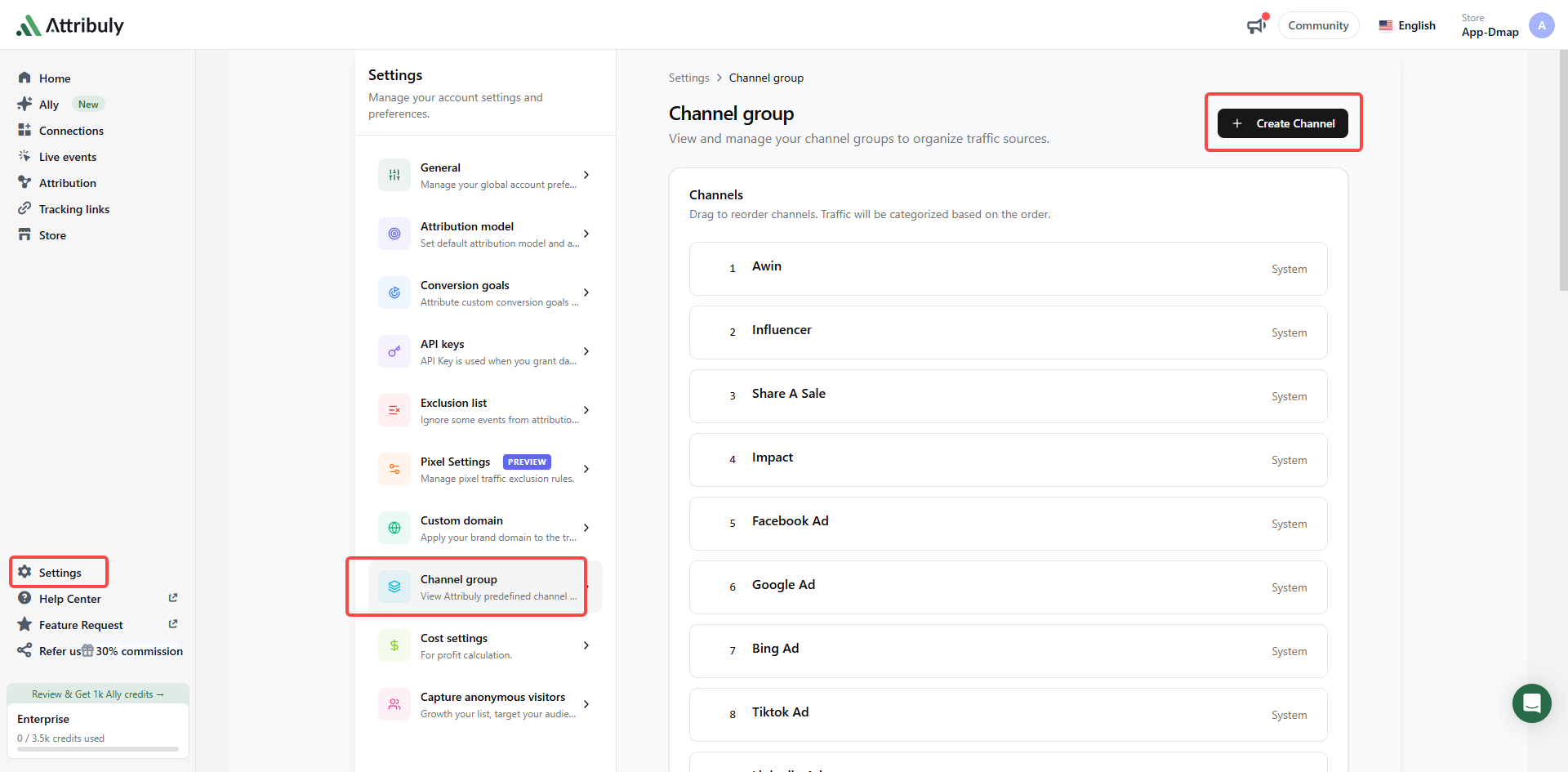
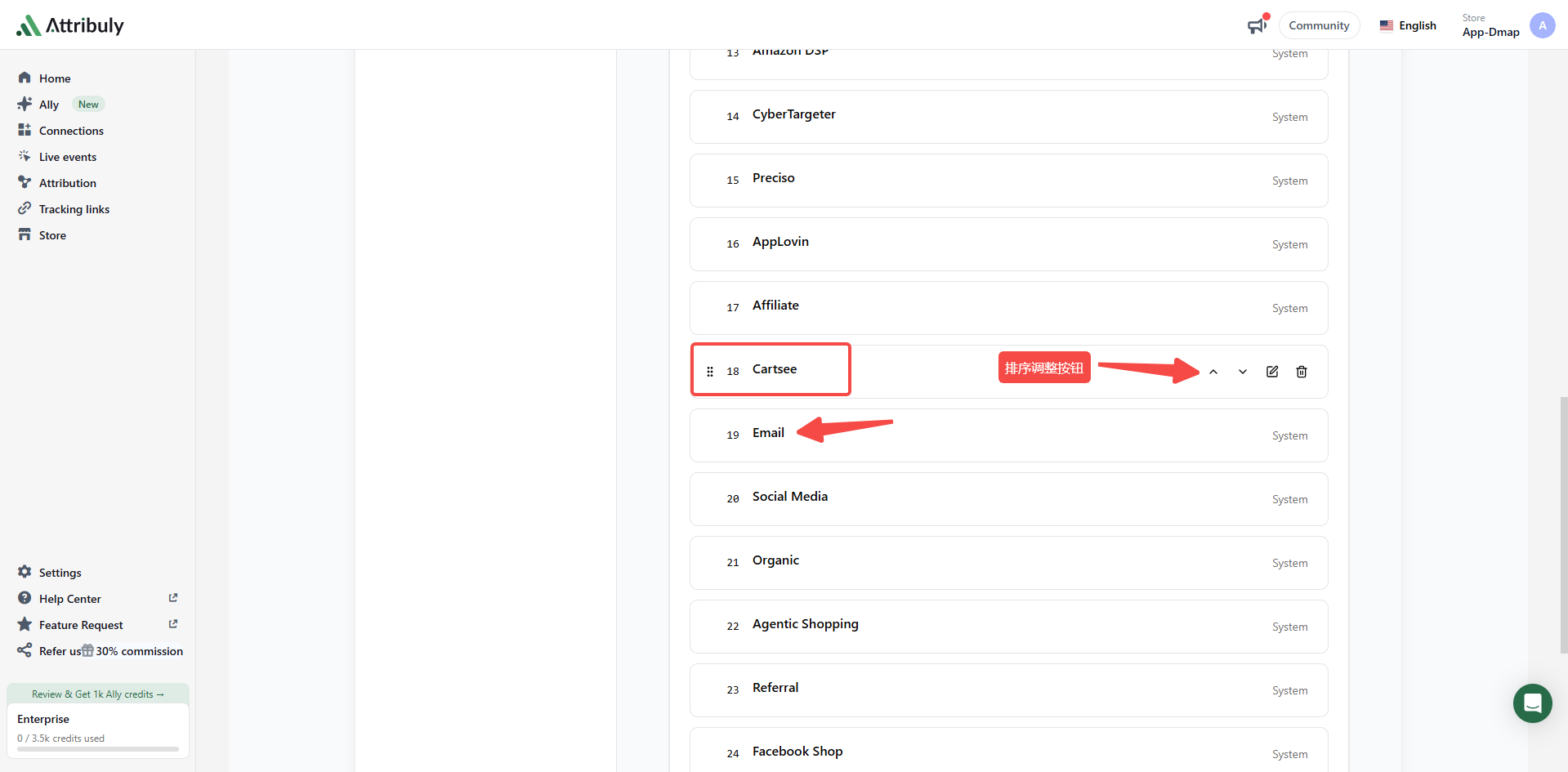 Reorder
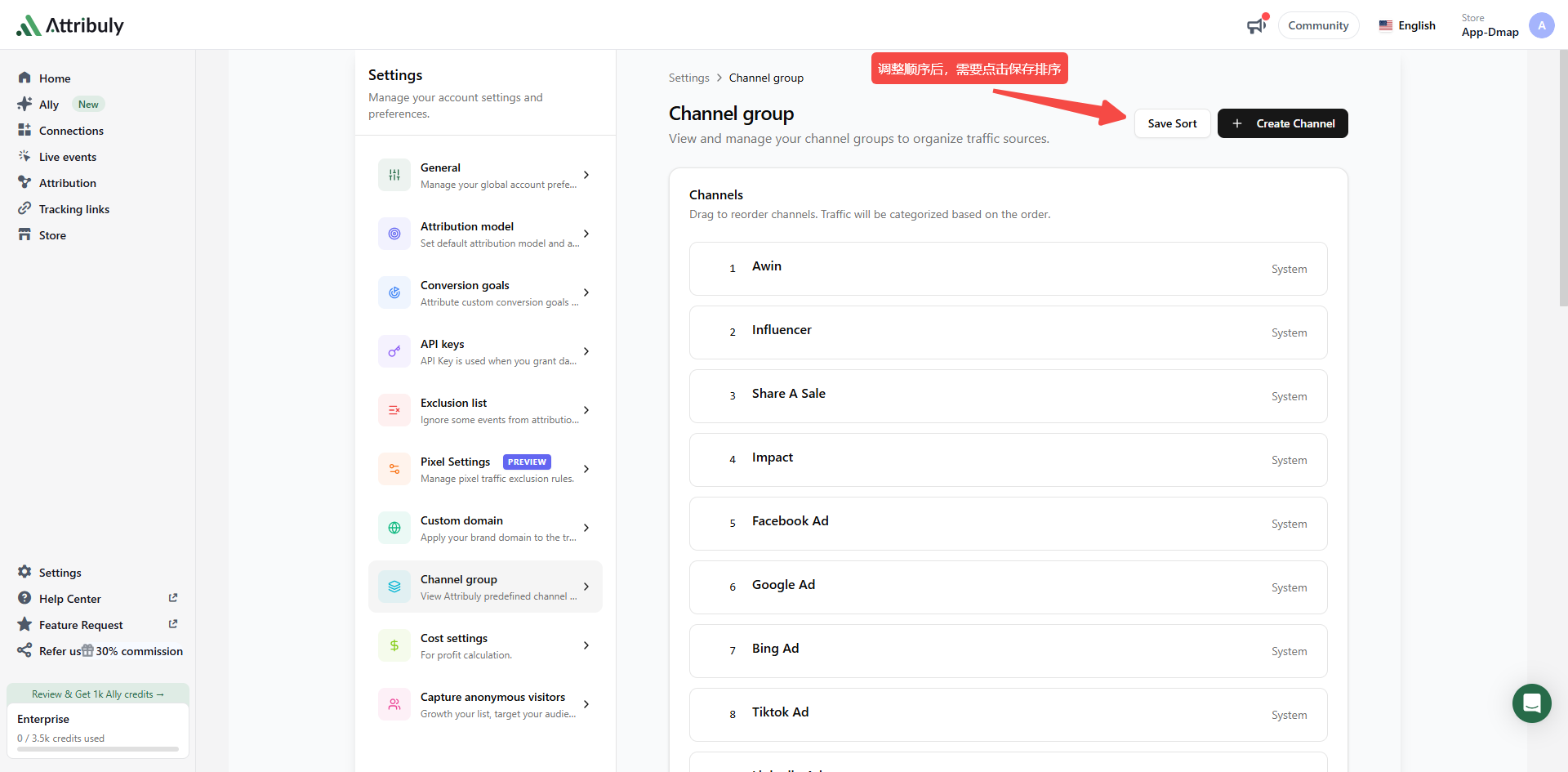 Save the new order
Create a Cartsee destination
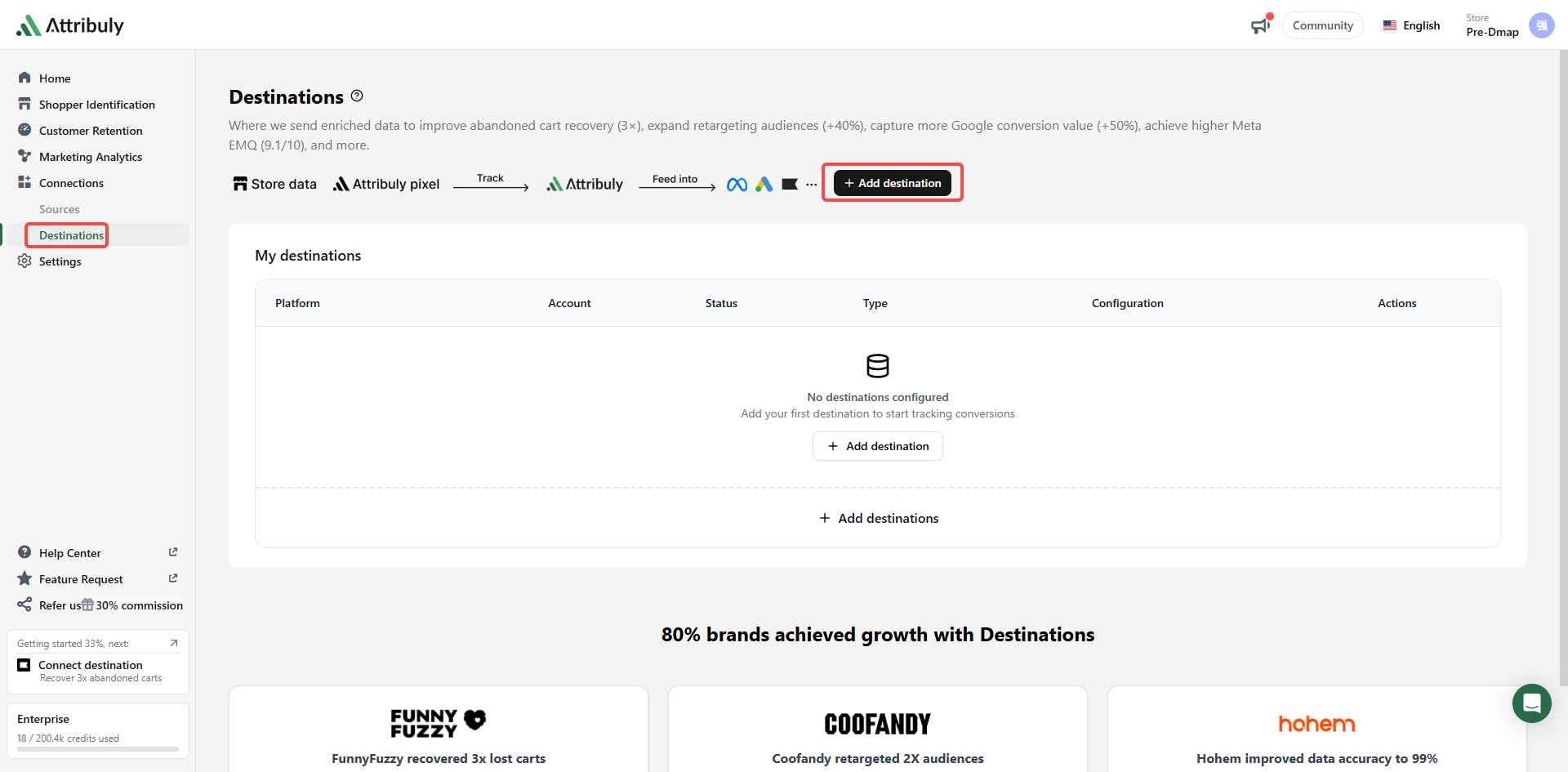
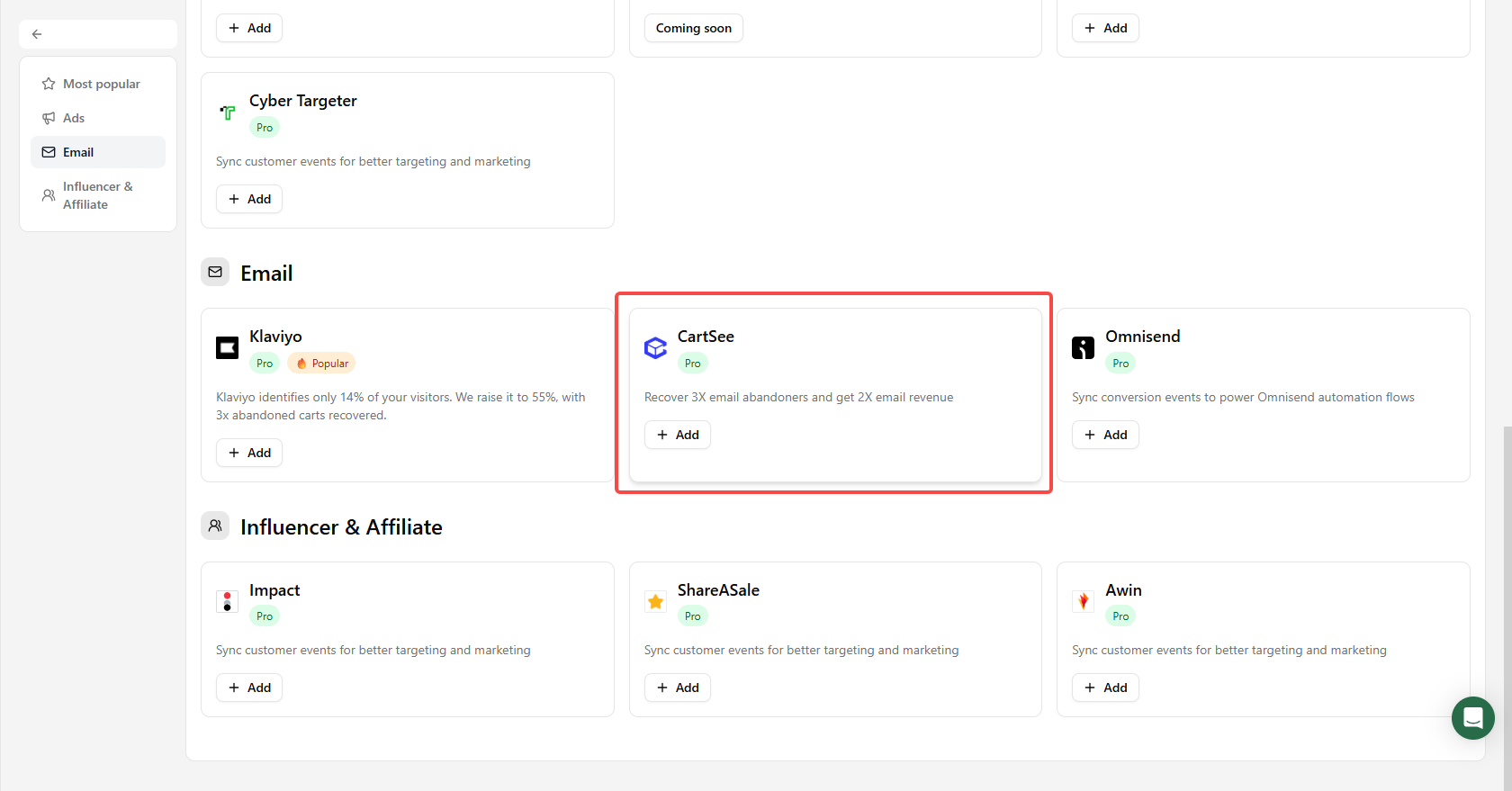
Open Connections → Destinations → Add destinations and choose CartSee.
Clone an abandonment workflow
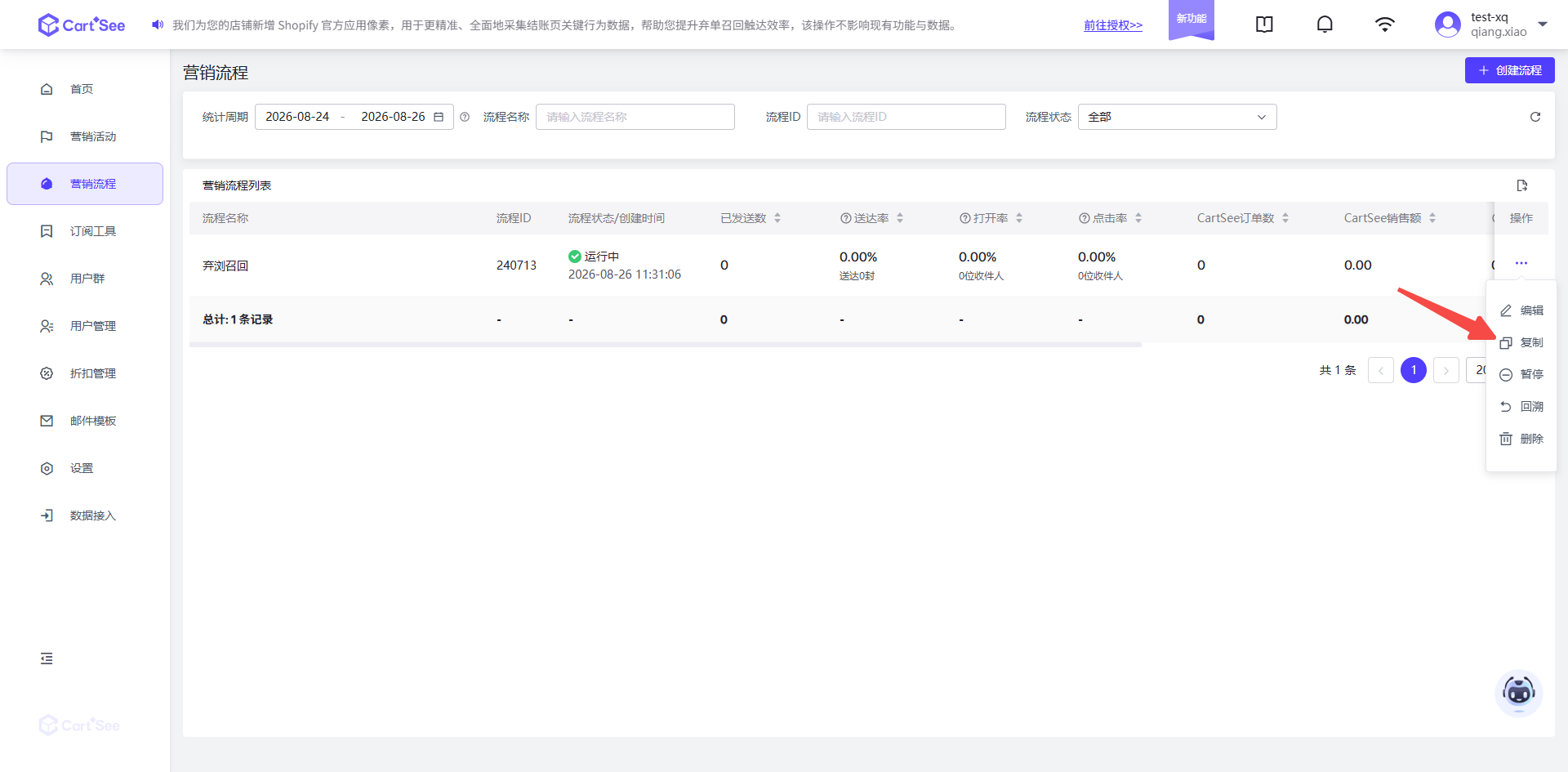
- Copy the workflow and add
-Attribulyto its name, leaving the original in place.
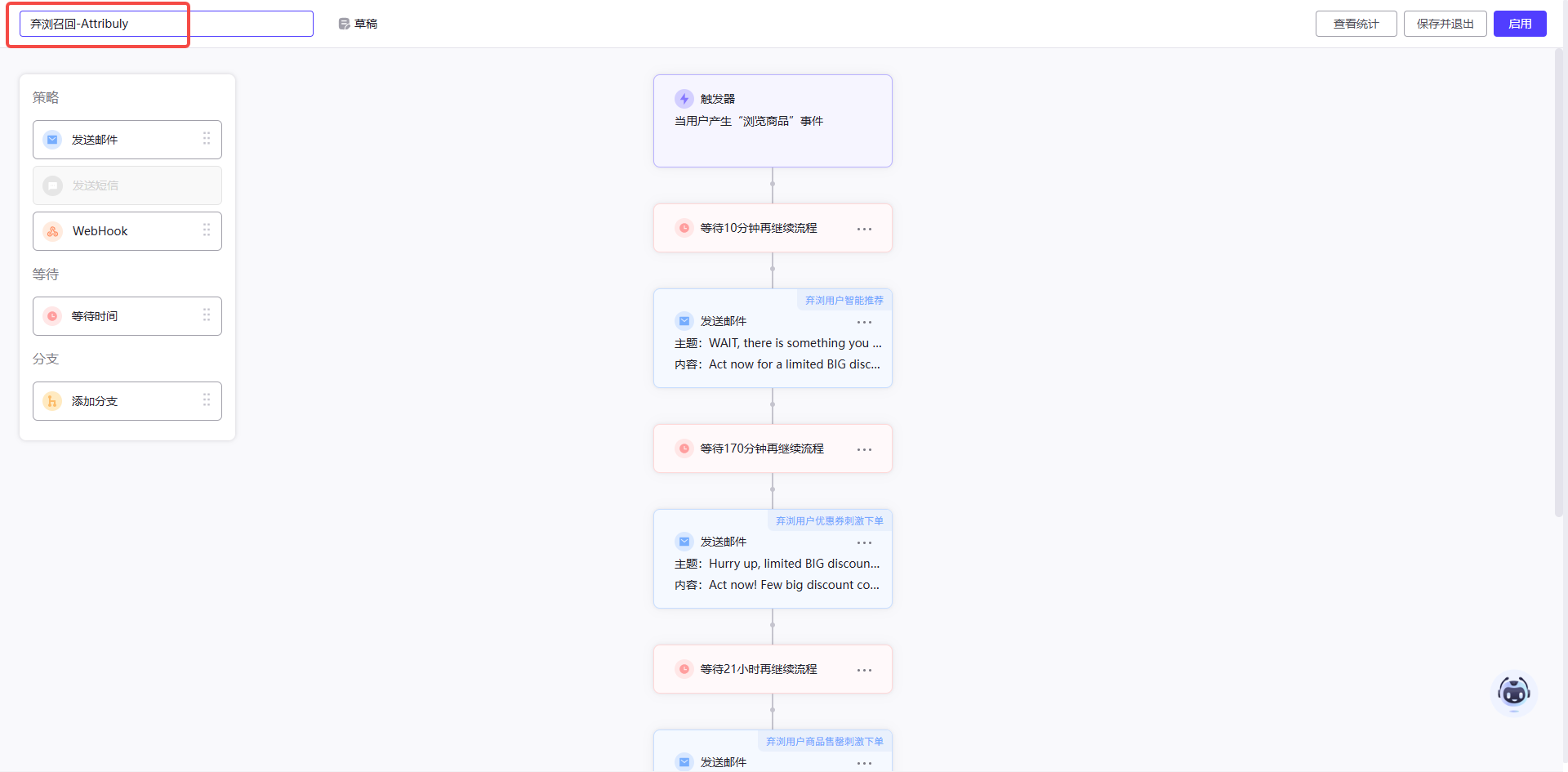
- Change the completed-event trigger to the corresponding Attribuly event; for example, change Viewed Product to Viewed Product (Attribuly).
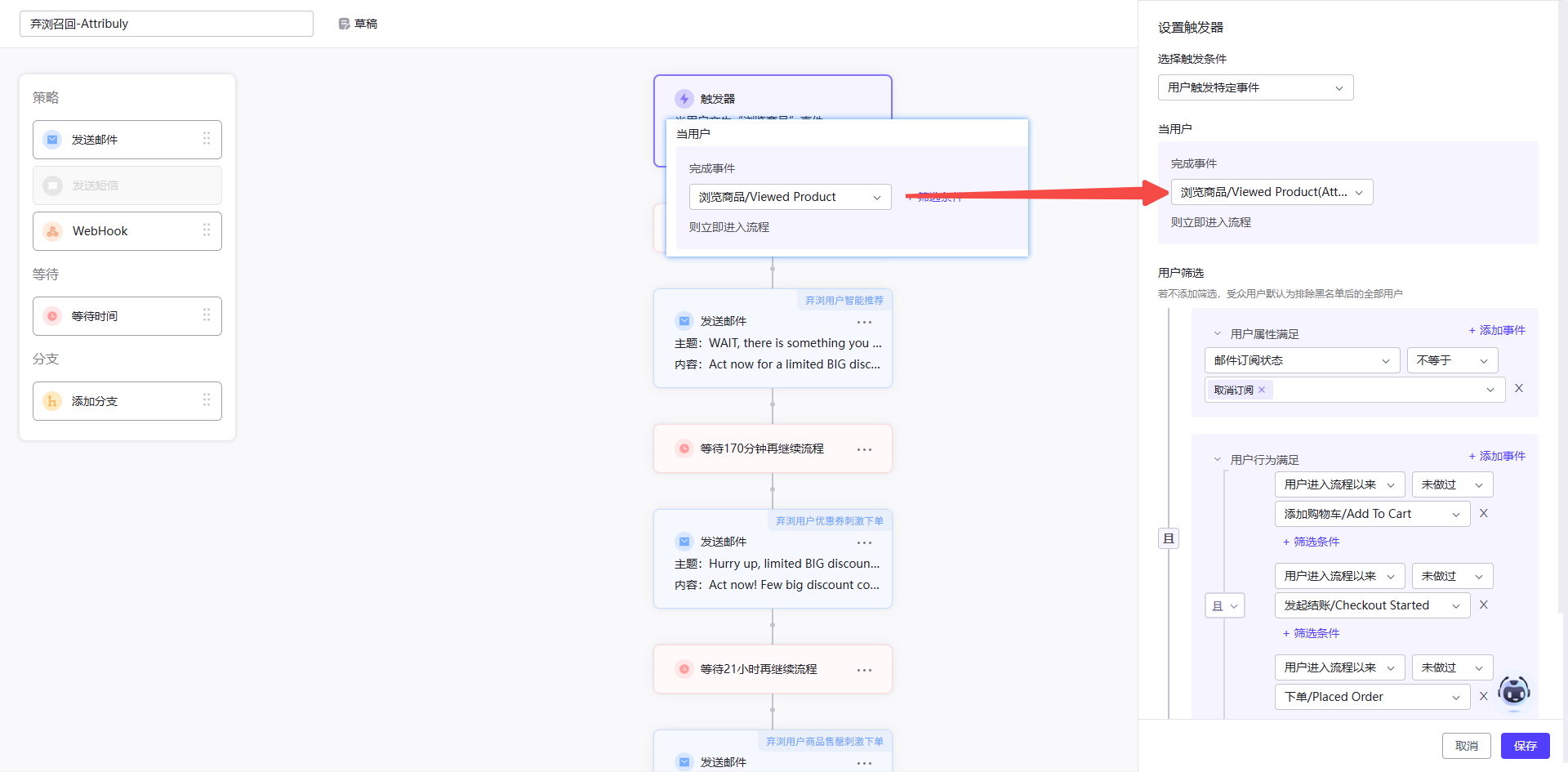
- In user filters, exclude contacts who have performed the corresponding native Cartsee event since entering the workflow. Match Viewed Product, Add To Cart and Checkout Started to their respective native events.
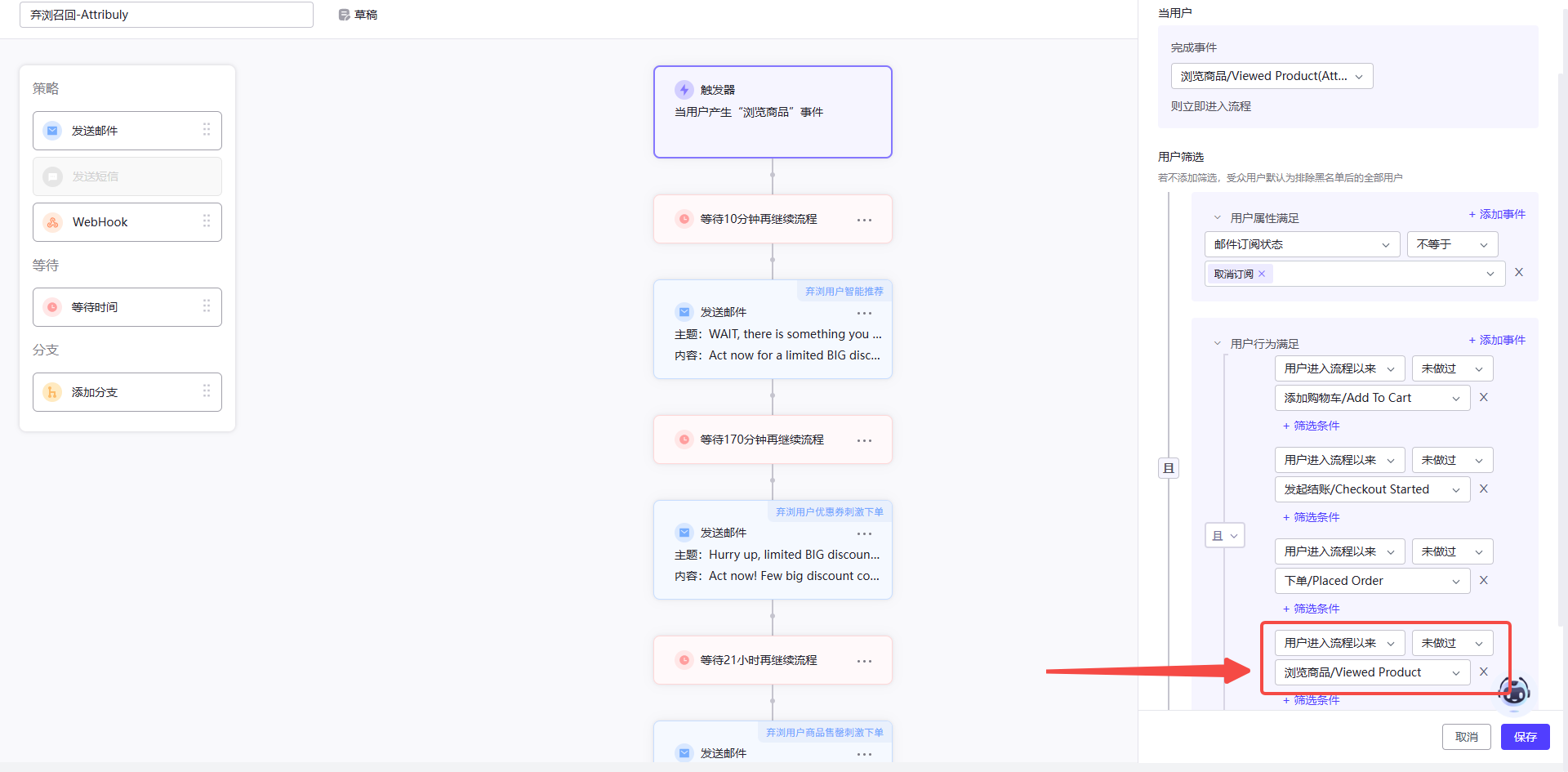
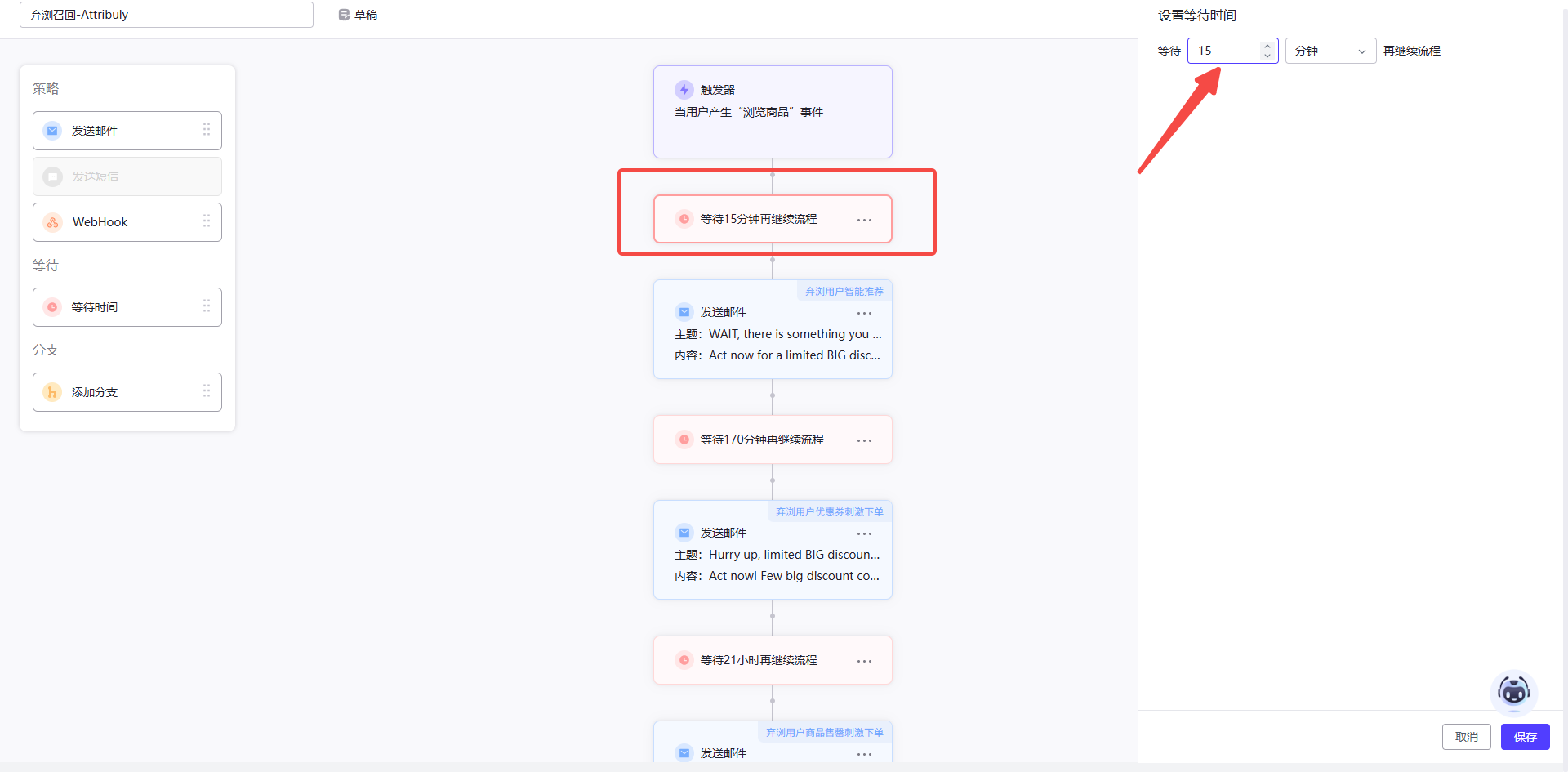
- Add 5 minutes to the first wait so the exclusion can be evaluated, then enable the copy. Your Cartsee contact can help with cloning and filters.
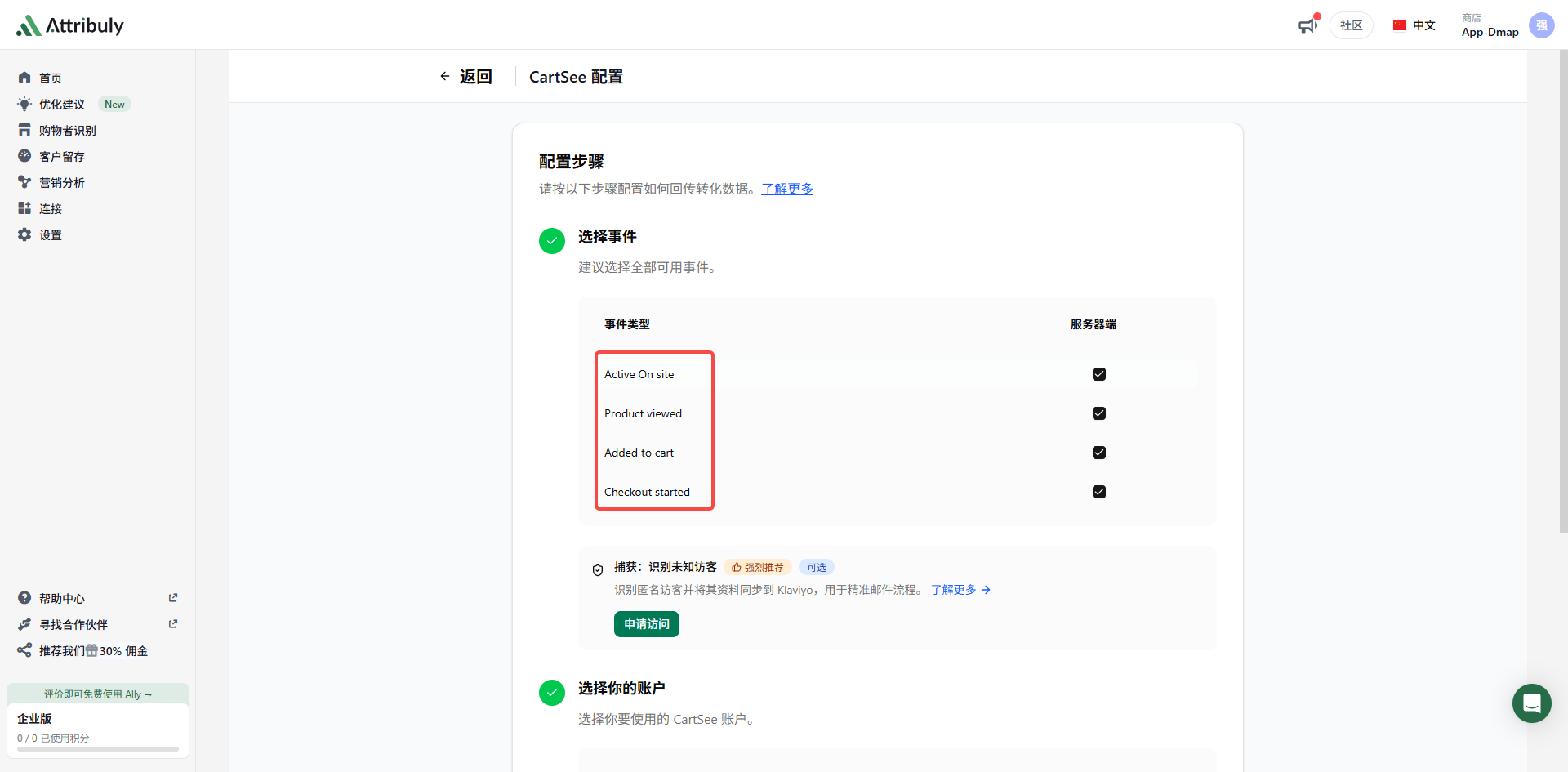
Attribuly supports Active On site, Product viewed, Added to cart and Checkout started for Cartsee. Clone the workflows that use these event types and switch the copied triggers to the Attribuly events.