Install Attribuly on SHOPLINE
Install the app
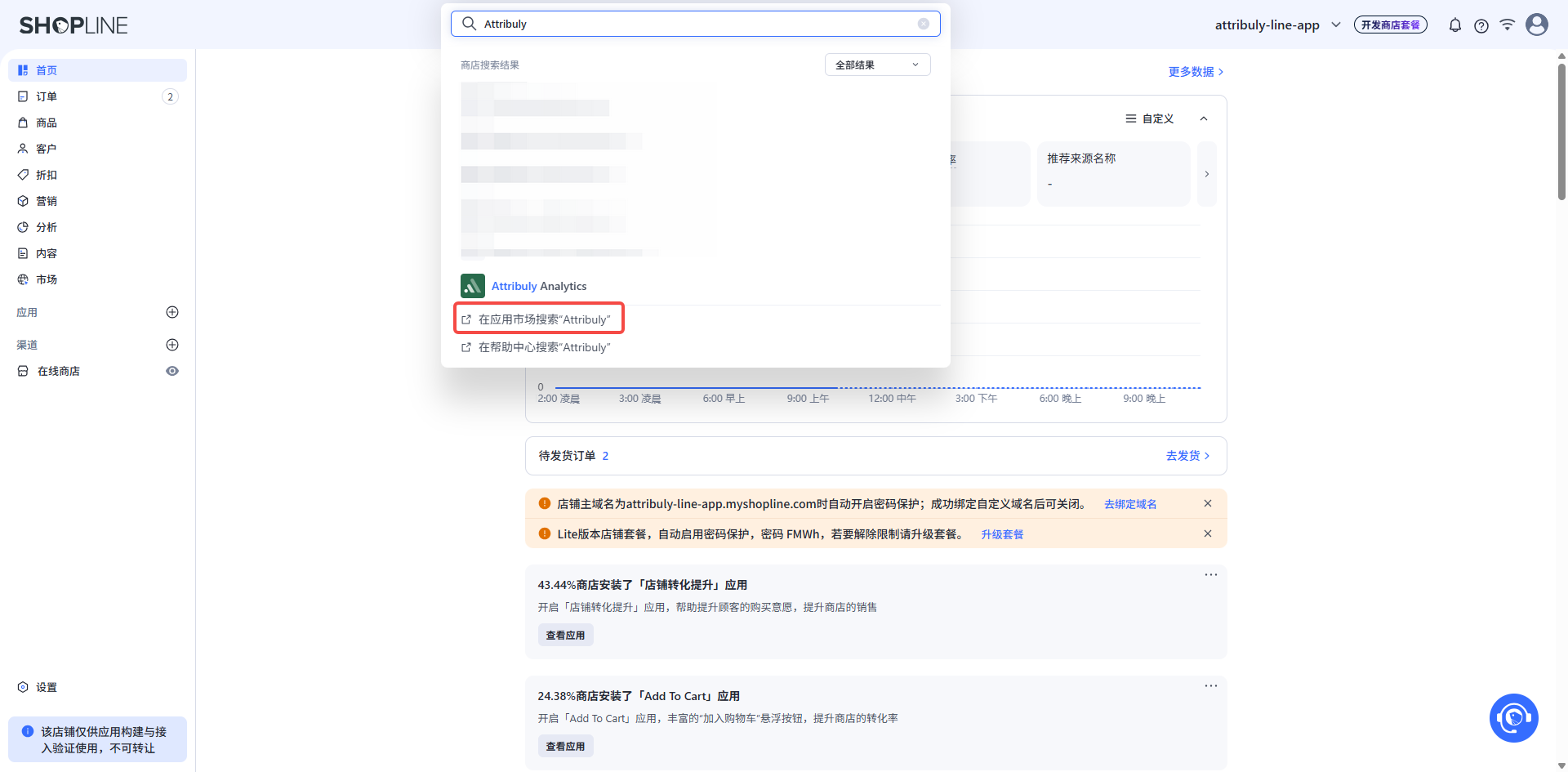
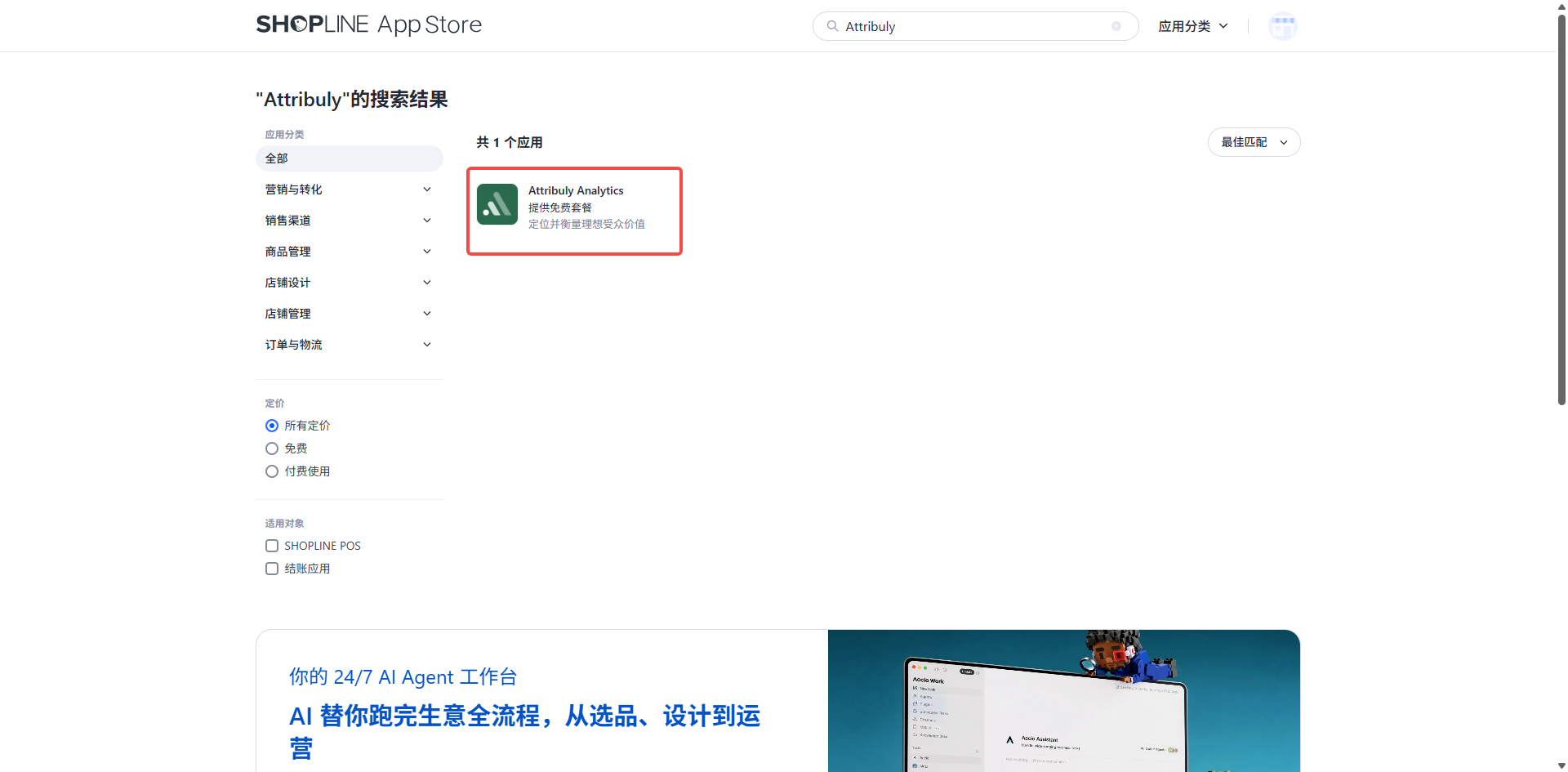
In the SHOPLINE app marketplace, search for Attribuly and install it.
Add a custom pixel
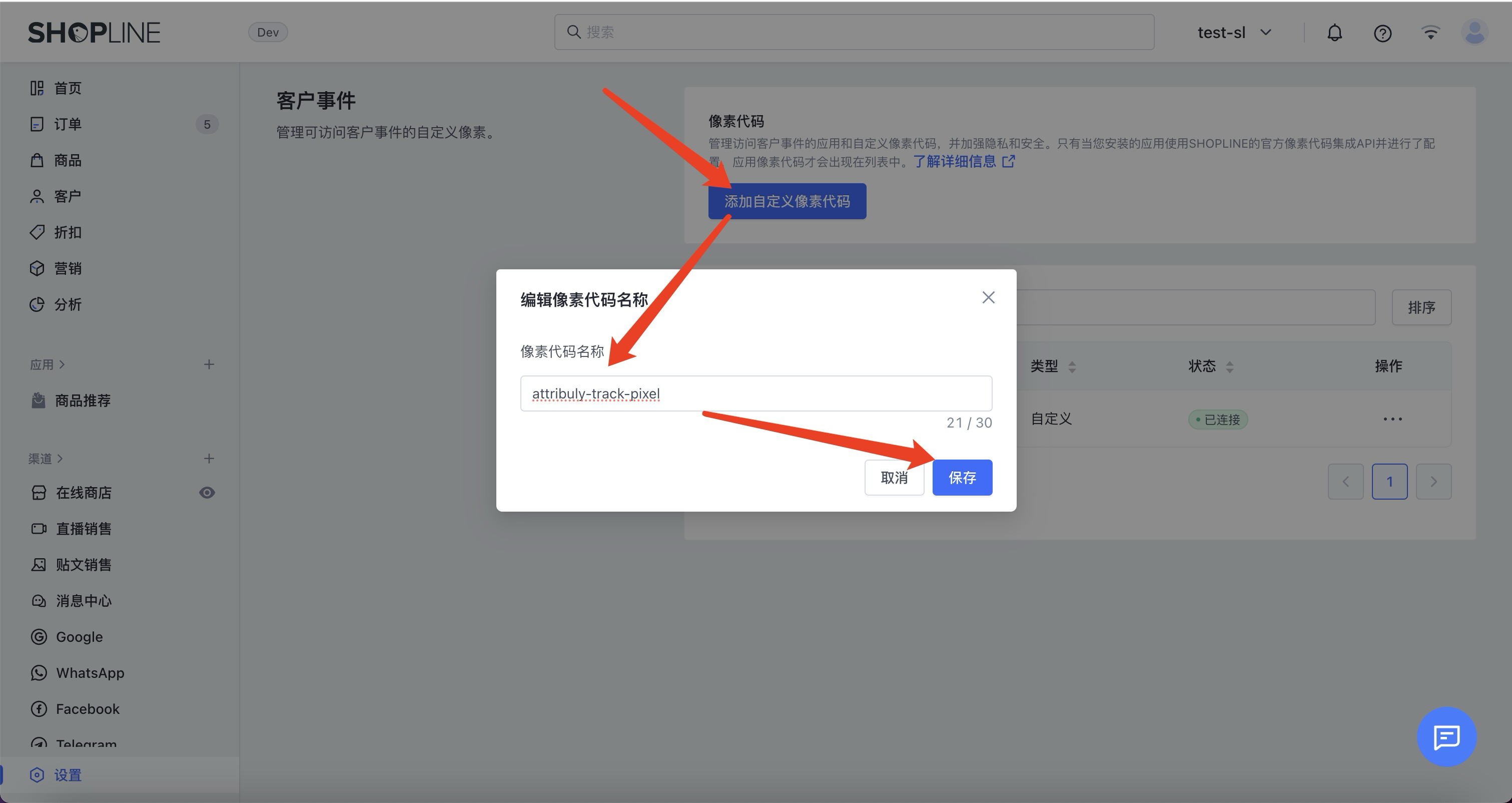
- In your SHOPLINE admin, open Settings → Customer events. If Customer events is not available, contact SHOPLINE to enable it.
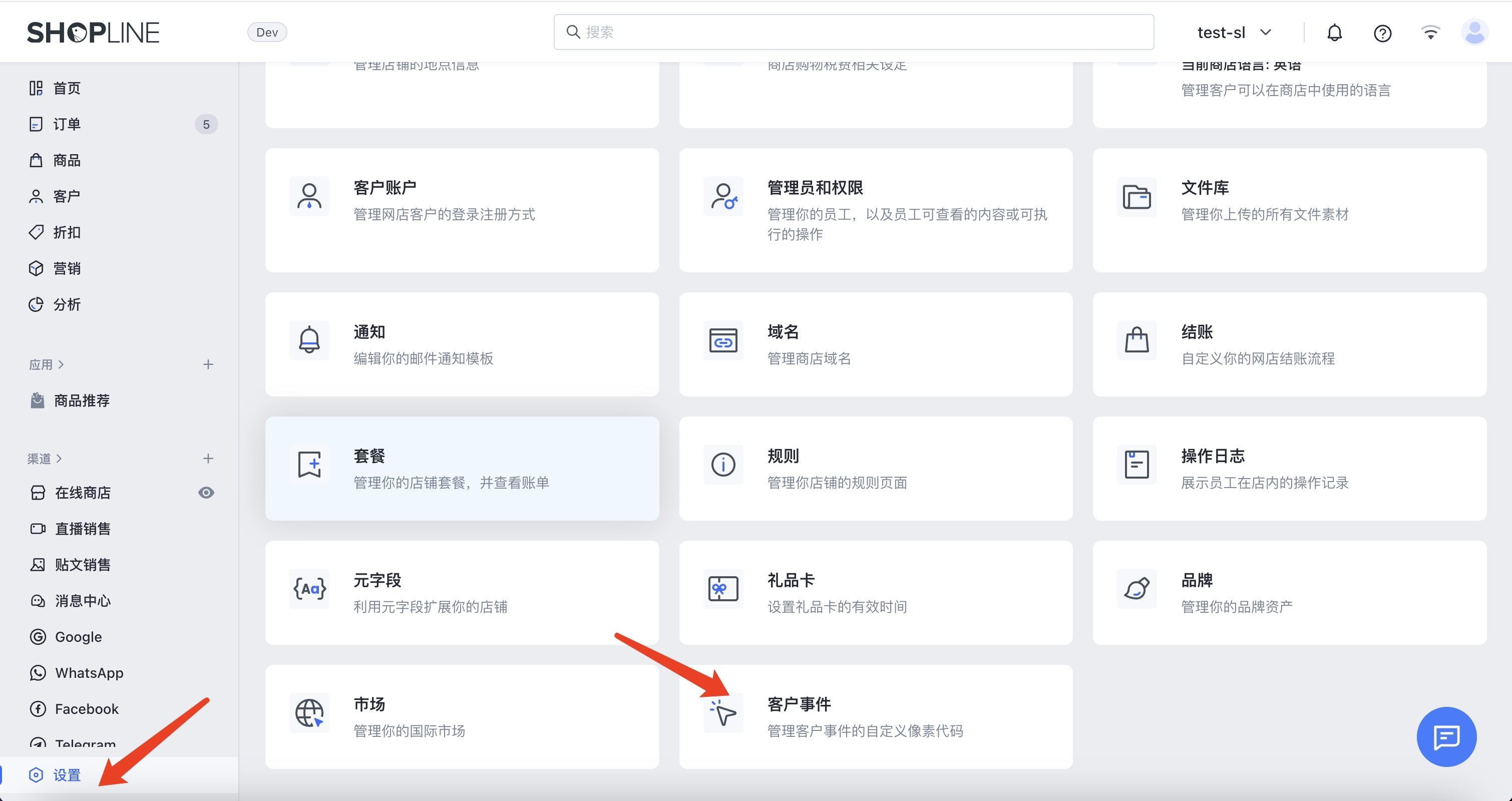
- Add a custom pixel named
Attribuly-track-pixel.
- After installing the app, contact us for the pixel code. Enter it, save, then click Connect.
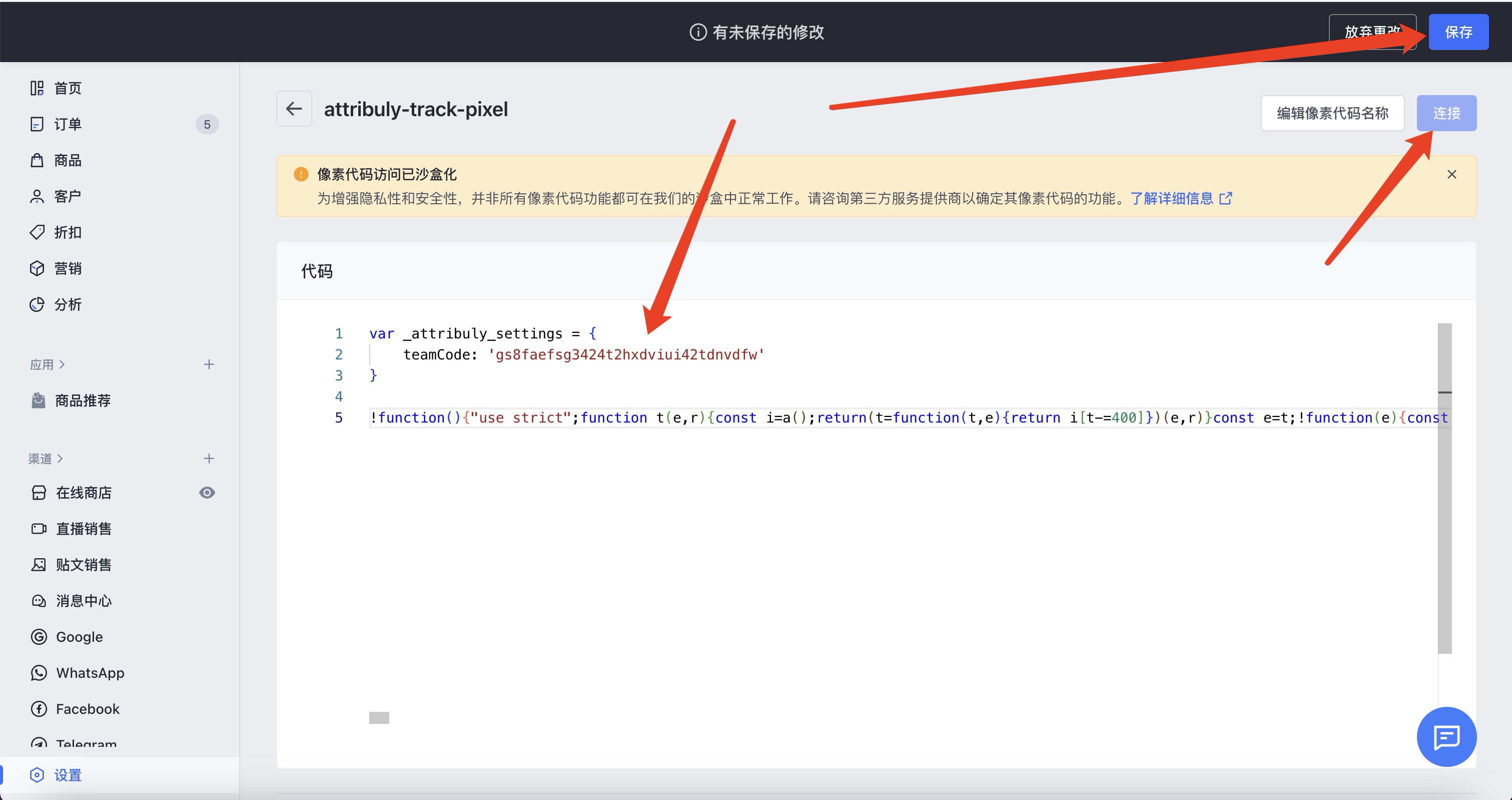
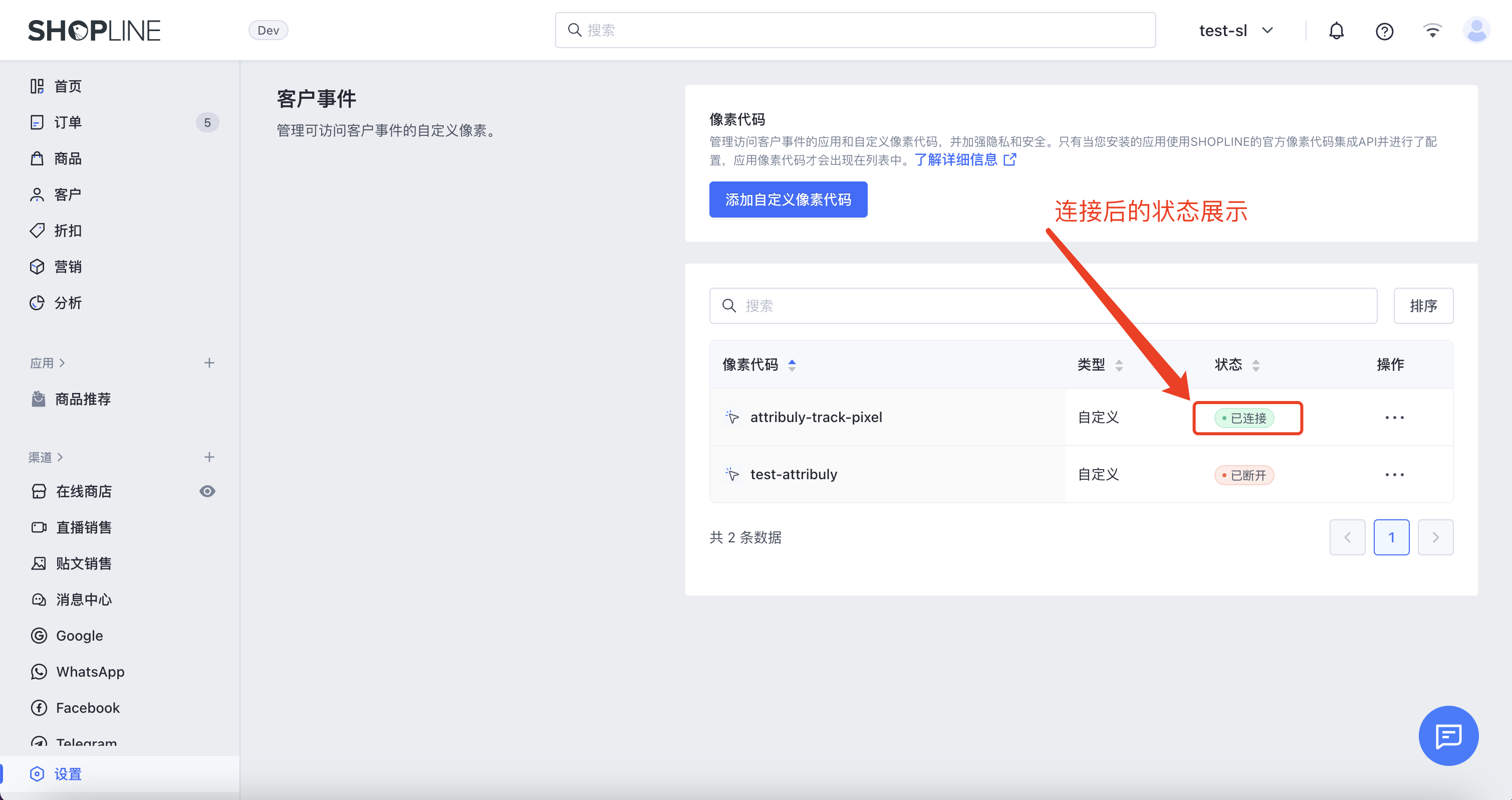
- Check that the pixel shows a connected status.