
How to Update Klaviyo Flow After Adding Visitor ID
Learn how to update Klaviyo flows after adding Visitor ID. Step-by-step guide on trigger remapping, anti-duplication filters, and Liquid tags.
Related articles
TL;DR
- Standard Klaviyo abandonment flows rely on browser-based cookies, such as the __kla_id cookie or _kx URL parameter, to trigger events like Viewed Product or Added to Cart .
- Before modifying individual settings inside Klaviyo’s Flow Builder, you must decide whether to update your existing native flows or build dedicated, parallel flows for server-side events.
- In this setup, you keep your current flow structure but adjust the primary trigger or incorporate dual-trigger logic using custom metrics.
- Creating dedicated flows specifically for server-side identity events (for example, events ingested through custom integrations or tools like Attribuly ) gives you granular control over message timing, copy, and audience segmentation.
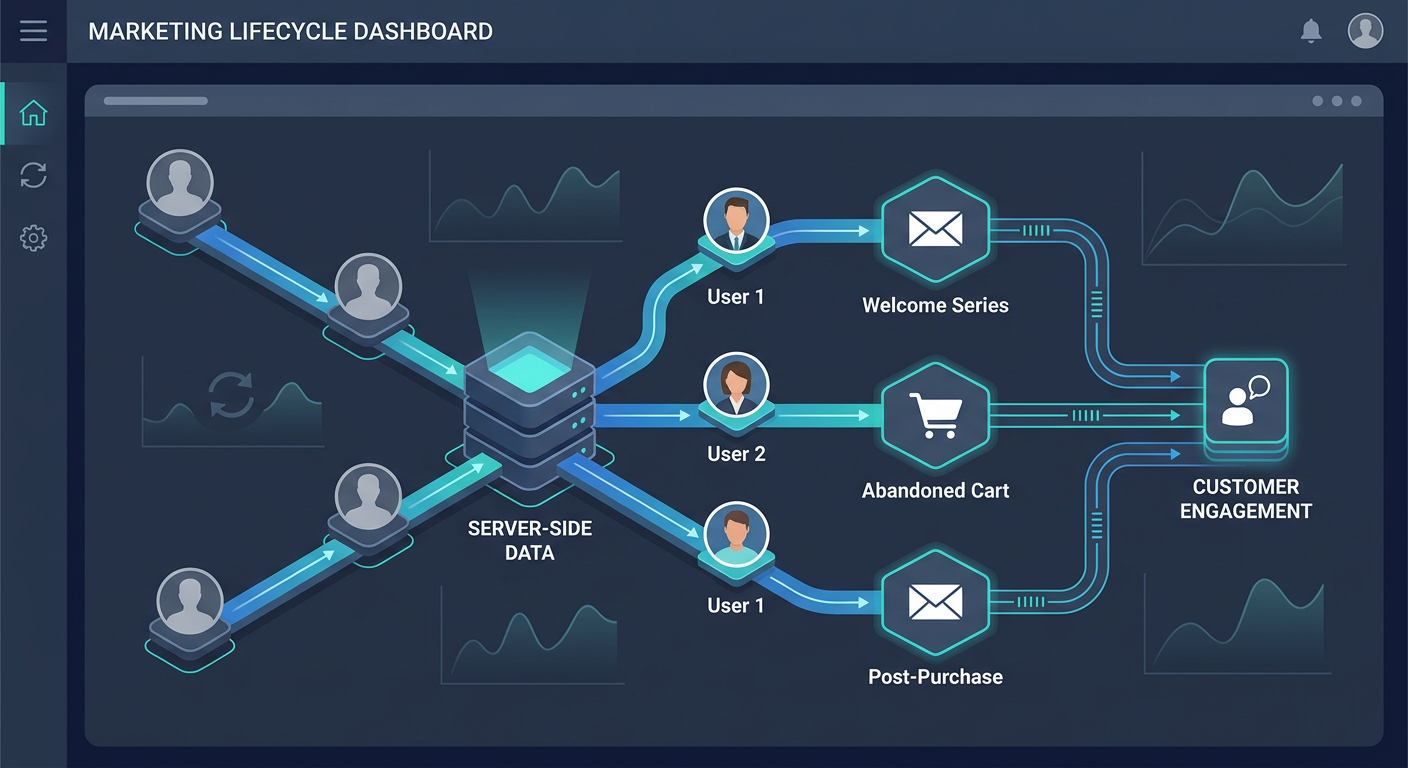
Implementing a Visitor Identification (Visitor ID) or identity resolution solution fundamentally transforms how an e-commerce store recognizes on-site shoppers. Standard client-side tracking scripts, such as standard klaviyo.js, typically identify only 10% to 15% of daily site traffic—primarily returning contacts who click an email link on that specific browser. By incorporating server-side identity resolution, brands can de-anonymize up to 50% or more of their anonymous visitors.
However, ingesting these newly recognized contacts and high-intent session events directly into Klaviyo introduces operational friction. If you deploy identity resolution without adjusting your existing lifecycle workflows, you risk sending duplicate abandonment emails, breaking dynamic product recommendations in email templates, or damaging your sender reputation. Learning how to update Klaviyo flow after adding visitor ID ensures your automated messaging remains accurate, timely, and compliant.
Why Adding Visitor ID Requires Flow Adjustments
Standard Klaviyo abandonment flows rely on browser-based cookies, such as the __kla_id cookie or _kx URL parameter, to trigger events like Viewed Product or Added to Cart. Server-side identity resolution tools operate differently: they match first-party device signals and network data to identify the shopper, pushing high-fidelity event payloads back to Klaviyo via API.
For a comprehensive explanation of how cookie parameters interact with identity resolution, refer to the Klaviyo Identity Resolution Guide.
When these server-side feeds enter your account alongside native client-side tracking, three primary challenges arise:
Event Collision & Double-Sending: A single user session might trigger both a client-side
Viewed Productevent and a server-side visitor ID event. Without anti-duplication logic, the shopper will receive two separate browse abandonment sequences.Payload Structure Differences: Native Klaviyo events pass product variables using specific key names. Server-side event payloads often structure cart items or catalog metadata inside nested JSON arrays, requiring updated Liquid syntax in email templates.
Consent & Deliverability Sensitivity: De-anonymized profiles must be managed carefully. Sending aggressive promotional blasts to newly identified contacts without proper flow filtering can elevate spam complaint rates beyond acceptable deliverability thresholds.
Step 1: Audit Your Current Flow Trigger Strategy
Before modifying individual settings inside Klaviyo’s Flow Builder, you must decide whether to update your existing native flows or build dedicated, parallel flows for server-side events.
Option A: Update Existing Native Flows
In this setup, you keep your current flow structure but adjust the primary trigger or incorporate dual-trigger logic using custom metrics. This approach keeps your flow library clean and consolidates reporting in one place.
Option B: Build Parallel Server-Side Flows
Creating dedicated flows specifically for server-side identity events (for example, events ingested through custom integrations or tools like Attribuly) gives you granular control over message timing, copy, and audience segmentation. You can test performance independently before sunsetting native flows.
If you choose parallel flows, strict cross-flow suppression filters are essential to prevent cross-channel collisions.
Step 2: Reconfigure Flow Triggers for Key Abandonment Sequences
Updating your recovery series involves remapping event metrics across your primary abandonment workflows: Browse Abandonment, Cart Abandonment, and Checkout Started.
1. Browse Abandonment Flow
Navigate to Klaviyo Admin > Flows and select your Browse Abandonment flow.
Trigger Metric: Change the flow trigger from the standard
Viewed Productmetric to your server-side identity event (e.g.,Attribuly SS Viewed Productor customVisitor Identifiedevent).Trigger Filters: If your visitor ID provider passes identity confidence scores, set a Trigger Filter such as
Confidence Level equals Highto ensure only verified profile matches enter the flow.
2. Cart Abandonment Flow
Cart abandonment workflows capture shoppers who express clear purchase intent but leave before entering checkout.
Trigger Metric: Update the trigger to your server-side
Added to Cartevent feed.Handoff Filters: Add a profile filter stipulating
Started Checkout 0 times since starting this flow. This guarantees that shoppers who advance to the checkout stage exit the cart sequence immediately.
To review foundational configurations for unauthenticated cart recovery, read How to Build Klaviyo Abandoned Cart Flows for Anonymous.
3. Checkout Started Flow
Checkout initialization represents your highest-intent automated flow. Connect your server-side checkout trigger and apply strict exclusion filters so that shoppers who complete their transaction are excluded immediately via the standard Placed Order 0 times since starting this flow profile filter.
Step 3: Configure Cross-Flow Filters and Anti-Duplication Logic
To maintain deliverability health and prevent subscriber fatigue, implement explicit Profile Filters across every updated flow. Profile filters evaluate a contact's status prior to sending each individual email step.
Essential Profile Filter Schema
Apply the following standard combination of profile filters to your server-side abandonment flows:
Has placed order 0 times since starting this flowHas not been in this flow in the last 7 daysHas not received email in the last 24 hours(Anti-duplication rule)
[Flow Trigger: Server-Side Event]
       │
       ▼
[Profile Filter Check]
  ├── Has placed order 0 times? ──► YES
  ├── Not in flow in last 7 days? ──► YES
  └── No email in last 24 hours? ──► YES
       │
       ▼
[Send Email Step 1 (Smart Sending ON)]
Smart Sending & Frequency Capping
Always enable Klaviyo’s Smart Sending toggle on every initial action step in your recovery flows. Set your account-level Smart Sending window between 16 and 24 hours. If a shopper triggers both a Browse Abandonment and a Cart Abandonment sequence within two hours, Smart Sending automatically suppresses the lower-intent browse email in favor of the higher-intent cart recovery message.
Step 4: Map Dynamic Liquid Variables for Server-Side Event Payloads
When switching flow triggers from client-side script events to server-side feeds, template tags that render product images, titles, and checkout links must be updated. Server-side payloads structure item arrays differently than standard web scripts.
To update your email templates, open the email builder, select a dynamic text or image block, and map the Liquid variables to match your new event schema:
Product Data Attribute | Standard Client-Side ( | Server-Side / Enriched Payload Syntax |
|---|---|---|
Product Name |
|
|
Product Image URL |
|
|
Product Price |
|
|
Rebuild Cart / Checkout URL |
|
|
To verify your variables in Klaviyo, click Preview & Test inside the email template editor, select Event as your preview data source, choose your server-side metric, and select the target properties directly from the payload tree.
Step 5: Compliance, Consent, and End-to-End QA Testing
Identity resolution allows you to recognize previously anonymous visitors, but it does not replace explicit marketing consent. Ensure all server-side recovery flows have "Do not send to suppressed profiles" toggled ON in the email settings tab. Reserve broad promotional newsletters for subscribers who have explicitly opted in via signup forms or checkout consent boxes.
Before changing flow statuses from Draft or Manual to Live, complete this four-step quality assurance verification:
Incognito Session Test: Open a fresh Incognito browser window. Browse a product, add an item to your cart, and proceed to checkout using a designated test email.
DevTools Inspection: Open Browser Developer Tools (
F12), navigate to the Network tab, and filter bytrackorevents. Confirm that the server-side payload generates a stableunique_idand fires properly. For details on how event feeds pass data, review the ReCapture Integration Guide.Profile Activity Feed Verification: Locate your test profile under Klaviyo > Audience > Profiles. Confirm that the server-side event appears in the Activity Feed without double-firing alongside native events.
Flow Preview: In the Flow Builder, click Preview Trigger Setup using your test profile. Ensure the profile passes all Profile Filters and queues for Step 1 without trigger conflicts.
By auditing your metrics, applying strict cross-flow filters, and updating your template variables, you can safely scale your recovery revenue using visitor identification without compromising inbox deliverability or customer experience.
| Product Data Attribute | Standard Client-Side ( klaviyo.js ) Syntax | Server-Side / Enriched Payload Syntax |
|---|---|---|
| Product Name | {{ event.Name }} | {{ event.ProductName }} or {{ event.Items.0.title }} |
| Product Image URL | {{ event.ImageURL }} | {{ event.ProductImage }} or {{ event.Items.0.image_url }} |
| Product Price | {{ event.Price }} | {{ event.Value }} or {{ event.Items.0.price }} |
| Rebuild Cart / Checkout URL | {{ event.Extra.responsive_checkout_url }} | {{ event.CheckoutURL }} or {{ event.CartURL }} |
About Attribuly
Attribuly helps DTC brands recover abandoned cart revenue. We identify anonymous visitors and existing subscribers your ESP (like Klaviyo) missed, enrich their profiles, and feed the signals back — so your abandonment flows fire and your retargeting audiences grow, and you recover at least 15% more revenue. Shopify featured app, Klaviyo tech partner. Trusted by 20,000+ brands. Guaranteed 4× ROI.