
Channels and ads
Which channels changed most in ROAS over the last 7 days?
Attribuly MCP is live
Connect your Attribuly store to ChatGPT, Codex and other AI tools. Authorize with OAuth, then ask about attribution, ad performance, products, website traffic and orders.
Choose the store you authorize · Read-only data access
ChatGPT · Codex · Claude Desktop
Try asking
Which channels changed most in ROAS over the last 7 days?
Which products earned the most revenue in the last 30 days?
Which orders are attributed to this campaign?
Add the MCP server in your AI tool.
Sign in, choose your store and allow read-only access.
Confirm the store name and domain, then start analyzing.
OAuth authorizes read-only data access for your selected store, without an API key. Order details may include customer names and email addresses; review the requested access when authorizing.
Available reports and date ranges depend on your plan. Specify dates, store timezone and attribution model when comparing data. Attributed revenue and order payments are different measures.
Connect Attribuly to ChatGPT, Codex or Claude Desktop with OAuth.
Illustrated guide · Key actions are highlighted. Your interface may vary by version.
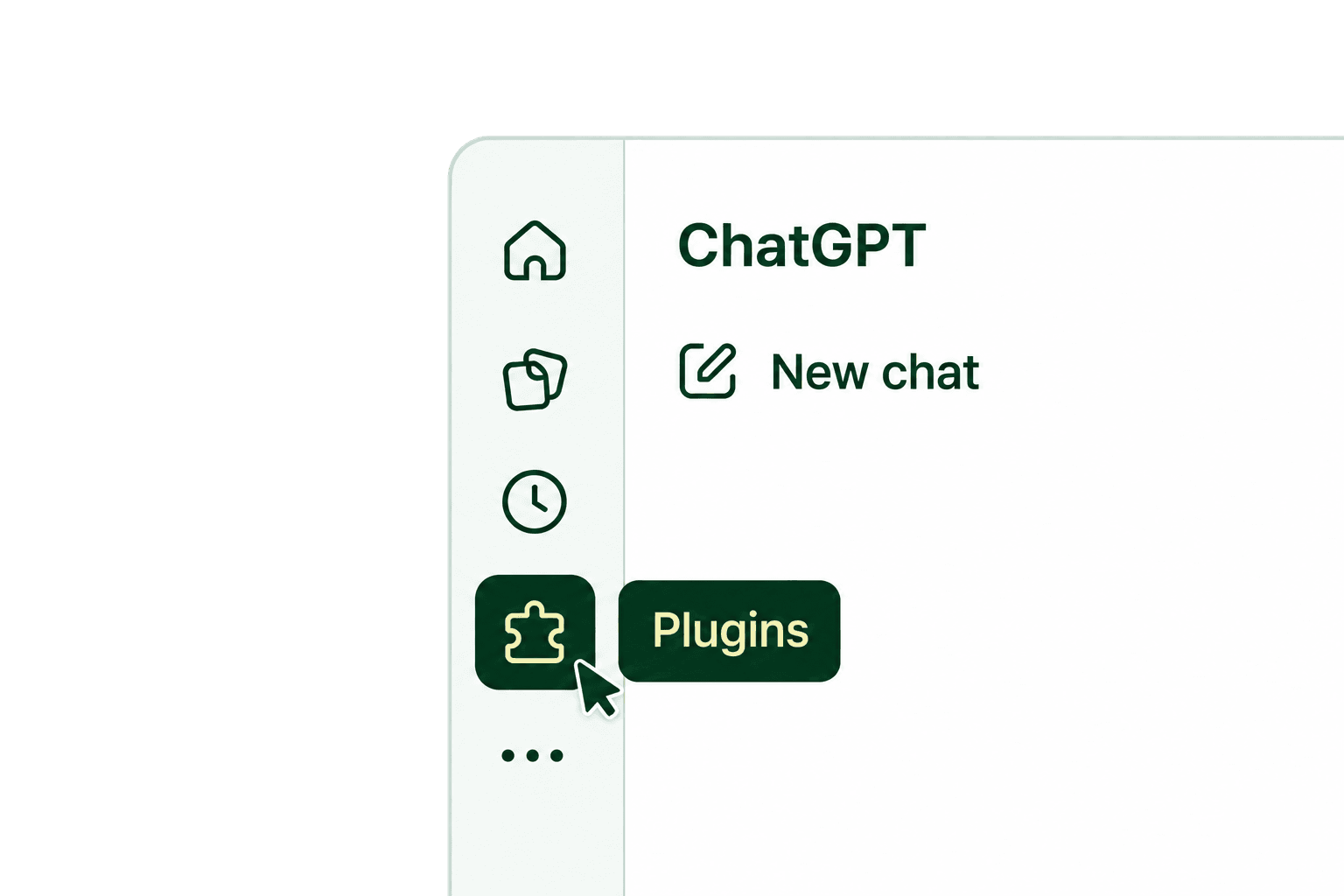
Select Plugins in the left navigation in ChatGPT.
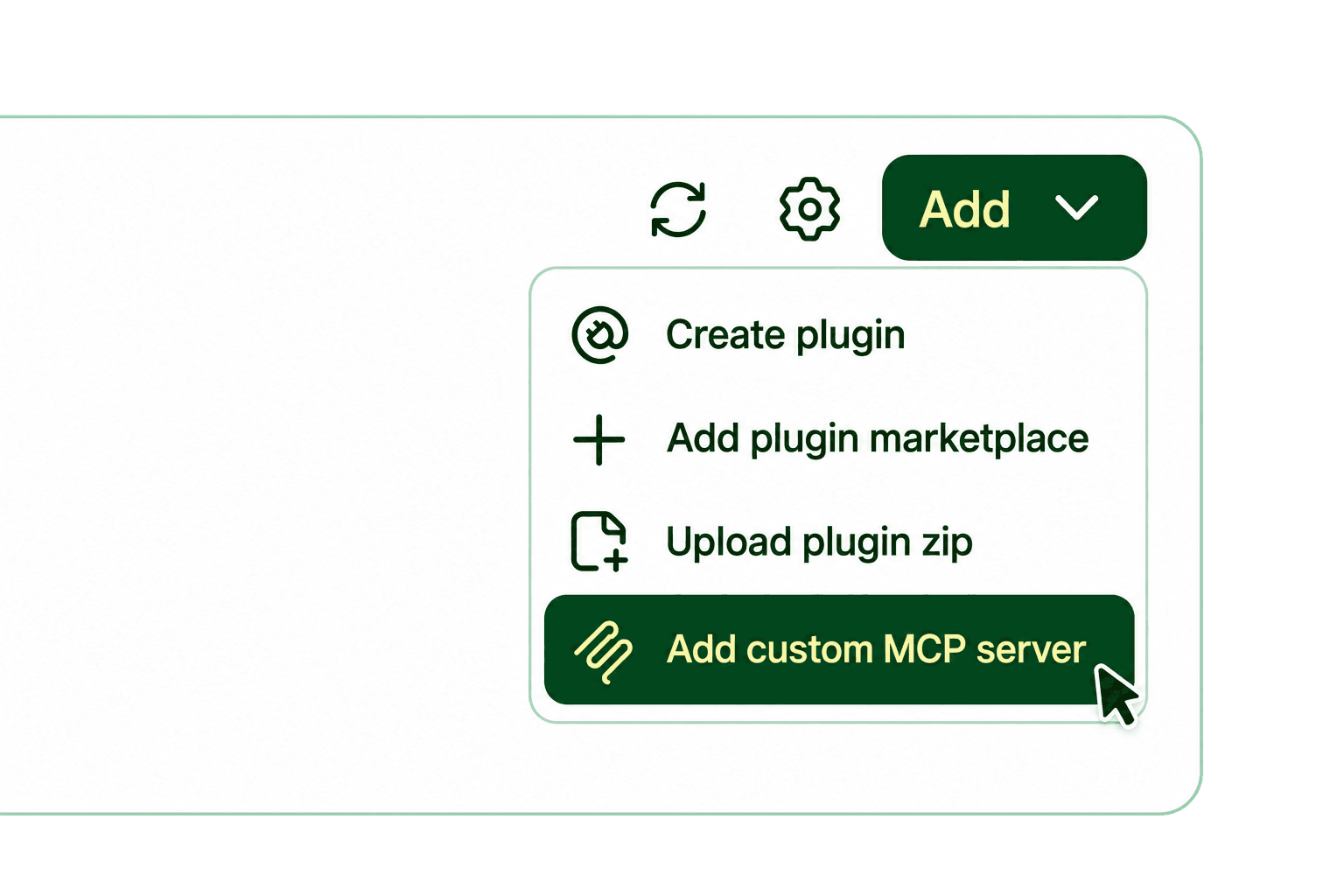
Select Add in the top right, then choose Add custom MCP server.
Name it Attribuly, paste the address below into Server URL and select OAuth authentication. Review the connection notice, select the acknowledgment checkbox when prompted, then select Create plugin.
https://data.api.attribuly.com/mcp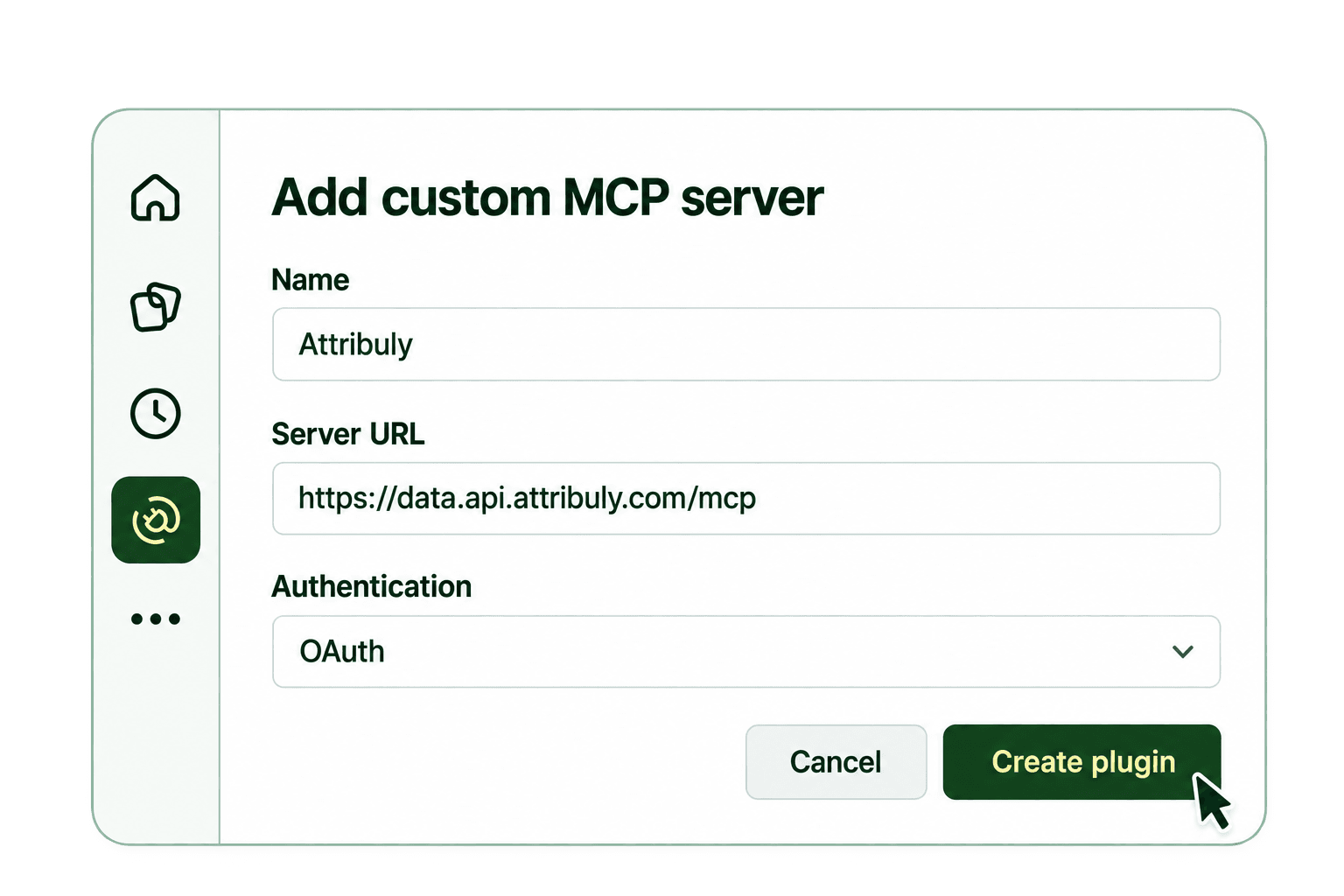
Sign in to Attribuly when prompted, choose your store, review the read-only permissions and select Allow access. Return to ChatGPT and select Attribuly in a new conversation. Confirm the connected store name and domain before querying your data.
https://chatgpt.com/oauth/client.jsonLeave Client Secret empty. This OAuth connection does not require an API key or bearer token.
Custom MCP availability depends on your ChatGPT account and workspace permissions. If the option is missing, check account availability or contact your workspace administrator.
Show the name and domain of my connected Attribuly store.