
9 Omnisend Integrations to Get More Value from Your Email Marketing
A practical tool-selection guide for ecommerce teams that want better audience coverage, richer personalization, and more useful customer journeys.
Related articles
TL;DR
- Choose Omnisend integrations by the business input you are missing: identity, preferences, reviews, loyalty, support, subscription activity, shipment status, or reporting.
- Attribuly supplements shopper identity, events, and audiences. Other tools serve different jobs; a shipping or loyalty integration should not be evaluated as an identity-resolution product.
- A connected app is only the starting point. Verify its data, destination fields, workflow trigger, exclusions, and actual customer outcome.
- Start with the bottleneck you can measure. Adding every available integration increases configuration work without establishing additional revenue.
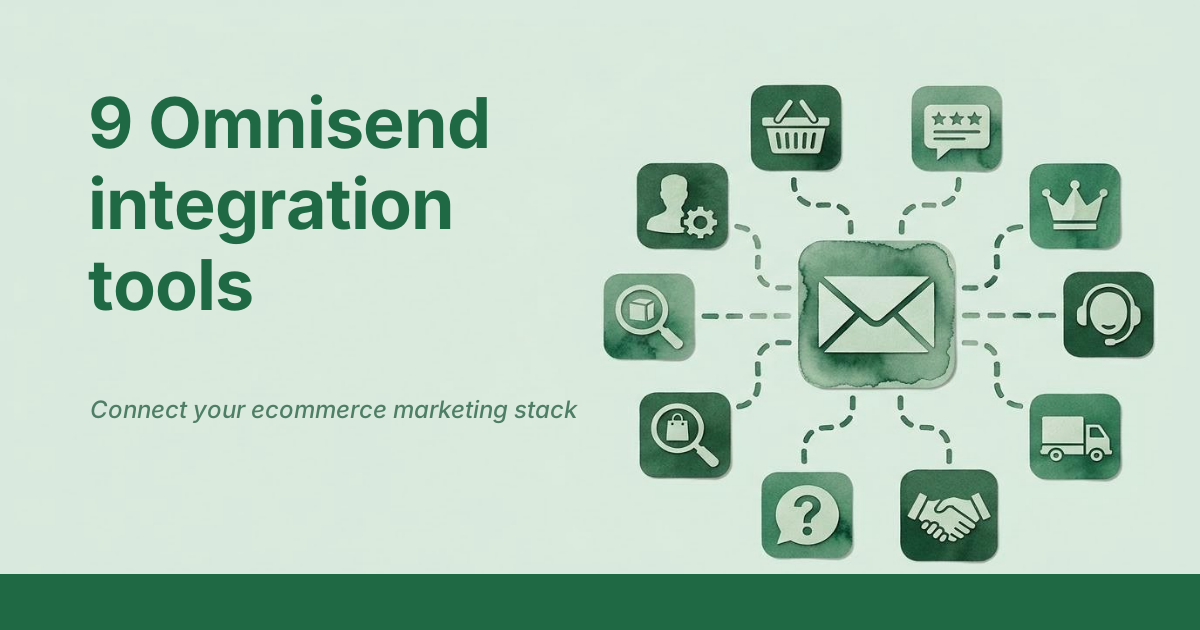
*Choose a tool for the missing capability, then verify the customer journey.*
Getting more value from Omnisend does not always mean sending more campaigns. Your next useful improvement might be recognizing a returning shopper, knowing a customer's product preferences, following a shipment exception, or reminding a member about an available reward.
The right integration gives Omnisend information it can use for a specific customer journey. This guide compares nine tools by that job, explains the value each can add, and shows what to test before rollout. It includes Attribuly alongside complementary tools, rather than treating every integration as another attribution platform.
What is an Omnisend integration?
An Omnisend integration is a connection that exchanges supported data or actions between Omnisend and another tool. It might supply contact properties, shopping events, segment membership, shipment updates, or reporting metrics.
These connections do not all operate in the same direction. Some send data into Omnisend for messaging; an analytics connection may instead pull Omnisend metrics into another dashboard. Match the integration to the task before comparing features.
Which missing capability should you address first?
Use this comparison to shortlist tools. The list is organized by customer job, not ranked from universally best to worst.
| Tool | Main job | Data or action involved | Value to the Omnisend program |
|---|---|---|---|
| Attribuly | Identity and shopping-activity coverage | Supported custom events and customer segments | More eligible shoppers available for relevant follow-up |
| Loox | Review collection and response | Review-request and review-submitted events | Review journeys coordinated through Omnisend |
| Smile.io | Loyalty communication | Points, VIP tiers, and referral information | More relevant reward and member messages |
| Gorgias | Support-aware messaging | Supported SMS replies, tags, and satisfaction data | A handoff between customer messaging and support |
| Recharge | Subscription lifecycle | Subscription starts, changes, cancellations, and reactivations | Messages based on subscription status |
| AfterShip | Shipping communication | Shipment-stage events and tracking details | Updates based on what is happening to an order |
| Typeform | Preference and contact collection | Form submissions and custom properties | Welcome and segmented messages informed by answers |
| Triple Whale | Consolidated reporting | Omnisend campaign and automation metrics | Comparison of email results with other channels |
| Zapier | Connecting external workflows | Contact updates and customer events | Less manual transfer between otherwise separate tools |
The appropriate choice depends on the missing input and the action your team will take with it.
Explore the identity and event connection: See how Attribuly works with Omnisend.
1. Attribuly: extend shopper identification and event coverage
Attribuly fits stores that already use Omnisend but want additional eligible shopping activity to become usable for follow-up. It also supports sending customer audiences into Omnisend segments.
ReCapture addresses missed activity from existing subscribers. Capture adds identification for eligible high-intent visitors who have not supplied the store with an email. Omnisend then applies the configured workflow and sending rules; Attribuly is not the email sender in this connection.
The official integration guide documents separate event and segment destinations. For a store asking whether it must download a segment and import it manually, the useful first step is to examine that supported sync path.
The Attribuly–Omnisend integration supports two distinct jobs. Omnisend custom events provide shopping activity for event-triggered workflows. Omnisend audience sync supplies membership for Omnisend customer segments. Validate each path against the campaign or workflow that will use it.
Validate before rollout: Check an actual contact, event, segment, recovery message, and overlap with native workflows. Do not treat identified contacts or synced segment members as completed sales.
2. Loox: organize review requests and feedback-based follow-up
Loox is a relevant addition when the missing input is customer reviews and review activity. Its Omnisend connection supports review-request workflows and sends review-submitted events with information such as rating, product, and whether a photo or video was included.
That information lets a team design different follow-up for different feedback, rather than sending everyone the same request. For example, a review submission can inform a thank-you or service-follow-up workflow, subject to your settings.
The integration is available on Loox's Convert plan and above. Switching review requests to Omnisend also affects which Loox reminders run, so inspect both systems. See Loox's Omnisend instructions.
Validate before rollout: Confirm one request and one submitted review arrive in the right workflow, and check that reminders do not duplicate.
3. Smile.io: turn loyalty information into relevant messages
Smile.io is useful when your store has a rewards program but emails do not reflect the customer's membership. It syncs loyalty properties such as points balance, VIP tier, and referral URL into Omnisend.
You can use that information for reward reminders, member-specific campaigns, and personalized content. A points milestone can support a segment-based journey when configured appropriately.
According to the official Smile integration guide, real-time data syncs automatically, while historical records need a manual transfer. The sync does not override an existing contact's subscription status.
Validate before rollout: Check the balance and tier on a sample contact, test segment membership, and preserve unsubscribe preferences during any historical import.
4. Gorgias: connect supported SMS conversations with customer support
Gorgias fits a team that needs a process for customers replying to marketing messages. The documented Omnisend connection supports replies from US SMS recipients, with responses handled through Gorgias, plus supported tags and satisfaction data for marketing use.
A useful application is to adjust communication based on the service experience. A team could exclude an unresolved unhappy customer from a promotion or use satisfaction information for a relevant follow-up.
Do not describe this as unrestricted global, two-way communication across every channel. The official Gorgias guide specifies US SMS restrictions and reply-handling rules.
Validate before rollout: Test a supported incoming reply, agent response, and the profile data used by your segments.
5. Recharge: build subscription-status journeys
Recharge is relevant to Shopify merchants selling subscriptions. Its Omnisend integration passes subscription lifecycle events, including starts, updates, cancellations, and reactivations.
These events can support onboarding and messages tailored to a subscriber's status. A cancellation event can supply context for an appropriately configured follow-up, including available cancellation-reason data.
There is an important limitation: Omnisend's Recharge documentation warns that abandoned-checkout links for Recharge products do not work as expected and recommends against using that cart-recovery path. Evaluate Recharge here for subscription communication, not as a general abandoned-cart recovery fix.
Validate before rollout: Test supported subscription changes and avoid duplicate order confirmations. Check the current recovery limitation before promising subscription-cart reminders.
6. AfterShip: trigger messages from shipment stages
AfterShip adds shipping events that let Omnisend respond to an order's progress. Supported stages include transit, delivery, and exceptions, with tracking details available for message personalization.
This is useful when the customer journey needs more than an initial shipping confirmation. Your team can design separate updates for the stages that matter and handle exceptions with an appropriate message.
The AfterShip integration guide explains the event connection and testing. A connected shipment tool does not automatically create every communication you want; you still configure the corresponding workflows.
Validate before rollout: Send a test status update, confirm the event appears, and check the tracking URL in the resulting message.
7. Typeform: use customer answers for segmentation and personalization
Typeform fits stores that want structured customer input beyond a simple signup field. It can sync contact information, answers, tags, and custom properties into Omnisend.
For example, a form can collect product interests or buying preferences, which your team can then use for relevant segments and welcome content. This is customer-provided preference data; it serves a different purpose from identifying an anonymous visitor.
The official Typeform guide requires an email or phone field to create a contact. It also explains that the standard welcome trigger is not the correct path for these submissions: configure the Typeform submission event instead.
Validate before rollout: Submit a test form, inspect the mapped answers, and verify the intended workflow starts. Do not assume imported answers alone initiate a message.
Decide which audience gap matters: Compare ReCapture for known subscribers with Capture for eligible anonymous visitors.
8. Triple Whale: bring Omnisend metrics into cross-channel reporting
Triple Whale fits a reporting problem: your team wants Omnisend results next to other marketing data. The integration imports campaign and workflow metrics, including revenue and message-performance measures, into Triple Whale.
This can reduce manual reporting work and make channel reviews more consistent. It does not mean the imported metrics independently prove which sales would not have happened without an email.
The official Triple Whale guide says the metrics use Omnisend's attribution model and describes reporting limitations, including refund and cancellation handling.
Validate before rollout: Reconcile a sample period, attribution window, refresh timing, and revenue definition before comparing dashboards.
9. Zapier: move external contacts and events into Omnisend
Zapier is useful when the missing connection is a workflow between tools rather than a specialist ecommerce capability. Supported Omnisend actions include creating or updating contacts and sending customer events.
A team might connect an external form or appointment tool to a customer journey without a recurring CSV import. The relevant question is whether the available trigger and action provide the fields and timing the journey needs.
Use the official Zapier setup guide to confirm the supported actions. A general connector should not be assumed to reproduce every capability of a native integration.
Validate before rollout: Check field mapping, repeat submissions, identity handling, errors, and whether the event starts the intended workflow once.
How should you choose an Omnisend tool combination?
Start with a measurable business problem and add the connection that supplies the missing information. The following are planning examples, not universal stacks every store should buy.
| Store situation | Tools to evaluate | First outcome to test |
|---|---|---|
| Working recovery flows, incomplete eligible audience coverage | Omnisend + Attribuly | Additional shoppers actually receiving relevant follow-up |
| Rewards program with generic messaging | Omnisend + Smile.io | Accurate member segments and useful reward messages |
| Need better preference data and customer feedback | Omnisend + Typeform and/or Loox | Correct answers or review events used in a specific journey |
| Complex post-purchase communication | Omnisend + AfterShip + Gorgias where supported | Shipping updates and supported replies reaching the right team |
| Subscription business | Omnisend + Recharge | Accurate subscription-status messages |
| Fragmented reporting | Omnisend + Triple Whale | Comparable metrics across a defined reporting period |
Add another tool only when it solves another verified gap. If two products supply similar events, define ownership and suppression before enabling both.
A six-step integration acceptance checklist
- Define the input: Contact property, event, segment membership, or reporting metric.
- Verify a real sample: Inspect the expected person or order on both sides.
- Check timing: Confirm when data arrives and whether a historical import is supported.
- Test the action: Verify the intended segment, workflow, message, or dashboard outcome.
- Check overlap: Review duplicate contacts, repeated events, and competing messages.
- Evaluate value: Measure the chosen outcome, costs, and customer experience before expanding.
For recovery programs, use the Omnisend recovery optimization guide to establish the baseline. If a message is missing, follow the abandoned-cart email troubleshooting checklist.
Choose the missing capability, then prove the connection works
Omnisend gains value when useful customer information turns into relevant action. Identify the missing input, test the appropriate connection, and expand only after the journey works as intended.
Open Attribuly to assess your Omnisend identity and recovery setup.
Related reading
- ReCapture versus Capture: recognizing subscribers or identifying new visitors
- Shopper identification benchmarks for evaluating coverage
*Selection and research note: Attribuly publishes this guide and includes its own product. Tools were selected for distinct ecommerce use cases and a documented Omnisend connection, not an independent performance ranking. Official integration documentation was checked on November 18, 2026. No comparative performance test or pricing study was conducted.*