
Klaviyo Abandoned Cart Flow: Complete Guide
Master the Klaviyo abandoned cart flow with this complete guide on trigger setups, dynamic Liquid syntax, conditional splits, and recovery strategies.
Related articles
TL;DR
- A foundational error in e-commerce lifecycle marketing is conflating the Added to Cart event with the Started Checkout event.
- Unlike Started Checkout , which fires natively via standard e-commerce platform integrations, the Added to Cart event requires client-side JavaScript snippet installation.
- Deploying simultaneous recovery flows for Added to Cart and Started Checkout creates a risk of messaging overlap.
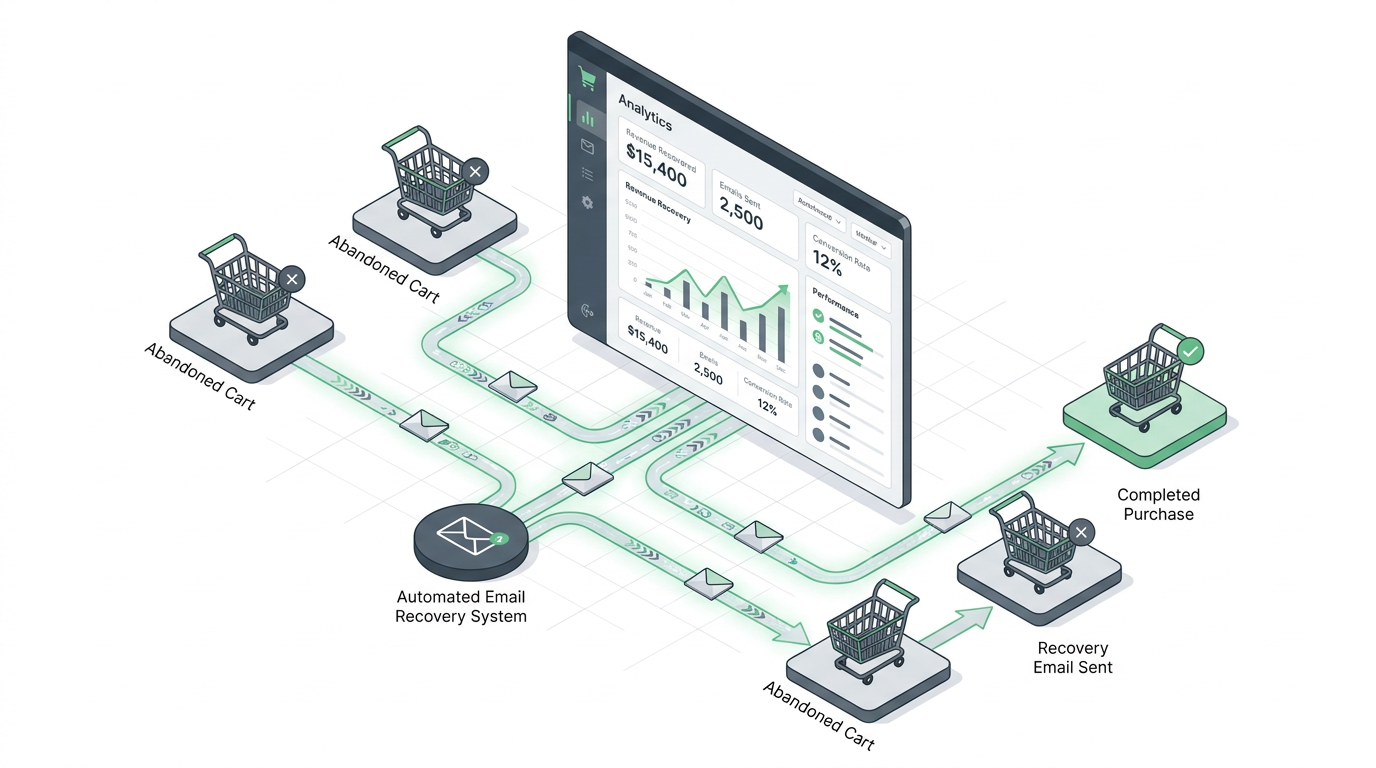
Cart abandonment remains one of the largest revenue leaks in direct-to-consumer (DTC) e-commerce. Across global retail, roughly seven out of every ten shoppers who add items to a digital cart exit without completing their purchase. While basic transactional emails once sufficed to recapture a fraction of these users, modern performance marketing demands a structured behavioral recovery architecture.
Setting up a high-performing Klaviyo Abandoned Cart Flow requires precise event trigger engineering, conditional logic segmentation, dynamic block syntax, and multi-channel orchestration. This guide covers the technical and strategic blueprints required to build, optimize, and scale an enterprise-grade cart recovery engine.
1. Understanding Trigger Mechanics: Added to Cart vs. Started Checkout
A foundational error in e-commerce lifecycle marketing is conflating the Added to Cart event with the Started Checkout event. While both track exit points in the conversion funnel, their technical setups, user intent profiles, and data payloads differ significantly.
Funnel Entry Point:
[ Product Page ] ──> ( Added to Cart ) ──> [ Cart Page ] ──> ( Started Checkout ) ──> [ Order Placed ]
                           │                                        │
                    Top/Mid Intent                           High Intent
                   (Cookie Required)                     (Email/Phone Captured)
Comparative Structural Breakdown
Parameter / Feature | Added to Cart (ATC) | Started Checkout (Checkout Started) |
|---|---|---|
Funnel Stage | Middle Funnel (Product/Cart Page) | Lower Funnel (Initiated Checkout Page) |
Native Availability | Requires custom JavaScript tracking snippet ( | Native standard integration (Shopify, WooCommerce, BigCommerce) |
Identification Method | Requires cookied browser profile or prior identity resolution | Captures contact info entered during Step 1 of checkout |
Data Payload Scope | Single item payload ( | Complete cart array ( |
Volume vs. Intent | High volume, moderate purchasing intent | Lower volume, exceptionally high purchasing intent |
Technical Setup: Added to Cart Web Tracking Snippet
Unlike Started Checkout, which fires natively via standard e-commerce platform integrations, the Added to Cart event requires client-side JavaScript snippet installation. For standard Shopify stores utilizing Online Store 2.0 themes, paste the following asynchronous tracking script into your main product template or theme snippet file:
var _learnq = _learnq || [];
function addedToCart() {
  fetch(`${window.location.origin}/cart.js`)
  .then(res => res.clone().json().then(data => {
    var cart = {
      total_price: data.total_price / 100,
      $value: data.total_price / 100,
      total_discount: data.total_discount,
      original_total_price: data.original_total_price / 100,
      items: data.items
    };
    _learnq.push(['track', 'Added to Cart', cart]);
  }));
}
Capturing Added to Cart triggers allows growth marketers to engage high-intent browsers earlier in their consideration phase before they reach the formal checkout page.
2. Advanced Flow Logic, Boolean Operators, and Filters
Deploying simultaneous recovery flows for Added to Cart and Started Checkout creates a risk of messaging overlap. If a customer adds an item to their cart and immediately proceeds to checkout before exiting, both flows could trigger concurrently, bombarding the user with redundant notifications.
To maintain message delivery discipline, you must construct explicit exclusion rules using flow filters and strict boolean logic.
Flow Exclusion Blueprints
1. Started Checkout Flow Filter Configuration
Because Started Checkout represents higher intent, this flow takes priority over the general cart flow. The base filter configuration requires:
Has Placed Order 0 times since entering this flow.
2. Added to Cart Flow Filter Configuration
To prevent a user who eventually reaches checkout from receiving the early-stage cart abandonment sequence, enforce dual-layer suppression filters:
Has Placed Order 0 times since entering this flow AND
Has Started Checkout 0 times since entering this flow AND
Has Started Checkout 0 times in the last 7 days.
Mastering Boolean Logic (AND vs OR)
Understanding how boolean conditions evaluate is critical during flow filter construction:
ANDOperator (Restrictive Join): Requires every single condition to evaluate as true for the profile to stay in the flow. UseANDwhen adding safety suppressions (e.g., Has Placed Order = 0 AND Has Received Email in Last 24 Hours = 0).OROperator (Inclusive Join): Requires at least one condition to evaluate as true. UseORwhen grouping alternative user statuses (e.g., Country equals United States OR Country equals Canada).
3. Dynamic Liquid Syntax and Dynamic Cart Rebuild Rules
To maximize click-through rates (CTR) and eliminate checkout friction, recovery emails must dynamically render the exact items abandoned and return the customer directly to their active session.
Populating Dynamic Item Blocks
Within the Klaviyo email editor, configure a dynamic table block that iterates over the cart item array. Set the Row Collection to event.extra.line_items (or event.Items depending on your platform integration payload) and use the alias item.
Use the following Liquid tags within the template:
Item Title:
{{ item.product_title }}Variant Name:
{{ item.variant_title }}Quantity:
{{ item.quantity }}Item Image:
{{ item.image }}
Dynamic Checkout Return URL Syntax
The simplest mechanism to restore a session is Klaviyo's native checkout link variable:
{{ event.extra.checkout_url }}
For advanced setups where you need to rebuild the cart programmatically from line items across devices, construct a dynamic permalink URL structure:
{% with event.extra.line_items as items %}{{ organization.url|trim_slash }}/cart/{% for item in items %}{{ item.variant_id }}:{{ item.quantity|floatformat:'0' }}{% if not forloop.last %},{% endif %}{% endfor %}{% endwith %}?checkout%5Bemail%5D={{ email }}
Auto-Applying Incentive Discounts
When offering dynamic recovery incentives, eliminate manual code entry by appending discount parameters directly to the dynamic checkout button anchor:
{{ event.extra.checkout_url }}?discount=RECOVER10
This automatically injects the coupon code RECOVER10 into the Shopify checkout form, reducing conversion friction for mobile users.
4. Building the High-Converting 4-Email Recovery Sequence
A high-yield cart recovery flow balances helpful customer service messaging with strategic urgency. Below is a tested four-part sequence cadence for standard DTC brands.
Time Post-Abandonment:
[ 1-2 Hours ] ──────> Email 1: Helpful Care / Customer Service (No Discount)
[ 24 Hours  ] ──────> Email 2: Social Proof & Objection Handling
[ 48 Hours  ] ──────> Email 3: Time-Sensitive Incentive Activation
[ 72 Hours  ] ──────> Email 4: Last Chance / Expiration Warning
Email 1: Helpful Care & Support (1–2 Hours Post-Abandonment)
Objective: Address technical glitches, answer customer queries, and remind users of saved items.
Discount: None. Avoid training customers to abandon carts to obtain instant discounts.
Content: Display the dynamic cart table, confirm that cart items are held in reserve, and provide direct links to customer support or live chat.
Email 2: Social Proof & Objection Neutralization (24 Hours Post-Abandonment)
Objective: Resolve purchasing hesitation regarding product quality, fit, or shipping policies.
Discount: None (or soft perks like highlighting free return policies).
Content: Feature high-converting customer reviews, user-generated content (UGC) photo grids, and explicit satisfaction guarantees.
Email 3: Incentive Activation (48 Hours Post-Abandonment)
Objective: Convert price-sensitive abandoners through dynamic incentives.
Discount: Time-limited offer (e.g., 10% off or free express shipping).
Content: Introduce a dynamic discount bar, auto-apply coupon links, and display a subtle 24-hour expiration notice.
Email 4: Last Chance Warning (72 Hours Post-Abandonment)
Objective: Leverage urgency and scarcity to drive final action.
Discount: Final call on Email 3 incentive.
Content: Emphasize that saved cart items and discount codes expire shortly. Use direct call-to-action (CTA) copy such as "Complete Your Order Before Cart Clears."
5. High-Yield Segmentation & Multi-Channel Orchestration
Generic, unsegmented recovery sequences yield sub-optimal performance. Advanced automation workflows leverage conditional splits to customize incentives based on order value, customer history, and channel consent.
                             [ Started Checkout Trigger ]
                                          │
                            Is Average Order Value >= $100?
                                  /               \
                             ( YES )             ( NO )
                                /                   \
                    High AOV Path                   Low AOV Path
                  (VIP Support/Gift)             (10% Discount Tier)
AOV-Based Conditional Splits
Setting conditional splits based on cart value protects gross margins while concentrating higher-value incentives on top-tier transactions:
High-AOV Branch (e.g., Cart Value ≥ $100): Avoid blanket percentage discounts that degrade gross profit. Instead, offer white-glove customer care, complimentary express shipping, or a premium gift with purchase.
Low-AOV Branch (e.g., Cart Value < $100): Deploy standard percentage discounts ($10 off or 10% off) or recommend complementary add-on items to bump total basket size over the threshold.
Customer Lifecycle Splits
Never treat repeat loyal customers identical to first-time site visitors:
First-Time Visitors: Focus heavily on brand authority, founder stories, risk-reversal guarantees, and welcome incentives.
Returning VIPs: Omit entry-level discount codes. Focus messaging around loyalty point balances, early access perks, and direct account manager assistance.
SMS + Email Multi-Channel Routing
Combining SMS with email increases total flow engagement when implemented with proper consent checks.
                           [ Started Checkout Trigger ]
                                        │
                            Is Consented for SMS?
                                /           \
                           ( YES )         ( NO )
                              /               \
                       Send SMS (2 Hrs)    Send Email 1 (2 Hrs)
                              │
                    Has Clicked SMS Link?
                       /          \
                  ( YES )        ( NO )
                     /              \
                Exit Flow     Fall Back to Email 2
Consent Gate: Apply a conditional split checking: If Person is Profile Property $consent_method contains SMS.
SMS Branch: Deliver a concise SMS reminder 1–2 hours post-abandonment with a direct link (
{{ event.extra.checkout_url }}).Fall-Back Rule: If the user does not convert via SMS within 24 hours, fall back to the main email sequence starting at Email 2.
6. E-Commerce Recovery Benchmarks & Performance Optimization
To judge whether your cart recovery flows are performing effectively, evaluate your metrics against established industry performance standards.
Performance Target Framework
Key Performance Indicator (KPI) | Industry Average Benchmark | Top 10% Performers Benchmark |
|---|---|---|
Flow Open Rate | 45.0% – 50.5% | 65.3%+ |
Click-Through Rate (CTR) | 6.0% – 8.5% | 12.2%+ |
Placed Order Conversion Rate | 3.3% – 4.5% | 7.7%+ |
Revenue Per Recipient (RPR) | $3.50 – $4.50 | $28.00+ |
Evaluating these target metrics using structured Abandoned Cart Recovery Benchmarks allows team leaders to diagnose underlying weaknesses in subject lines, body copy, or offer thresholds.
7. Maximizing Recovery Reach: Server-Side Tracking and Identity Resolution
A major systemic challenge facing email marketers is client-side tracking failure. Standard client-side tracking scripts (klaviyo.js) rely heavily on browser cookies to link site visitors to existing Klaviyo profiles.
Privacy changes, including Apple’s Safari Intelligent Tracking Prevention (ITP), ad blockers, and incognito browsing, frequently clear local cookies. Consequently, standard pixel setups often fail to identify up to 70% of non-logged-in site visitors who abandon items in their carts, preventing abandonment triggers from firing.
To overcome client-side cookie degradation and restore flow reach, growth teams deploy server-side event tracking and first-party identity resolution frameworks. Implementing server-side event tracking platforms like Attribuly allows merchants to de-anonymize returning site traffic, capture true server-side Added to Cart and Started Checkout events, and pass enriched identity signals back into Klaviyo.
By capturing identity parameters at the server level before browser cookies are cleared, brands expand the eligible profile pool entering recovery flows, restoring lost reach and increasing total automated revenue recovery.
Conclusion & Actionable Next Steps
An optimized Klaviyo abandoned cart architecture turns lost traffic into automated revenue. To scale your store's recovery setup, follow this practical checklist:
Audit Triggers: Verify native
Started Checkoutpayloads and deploy client-sideAdded to Carttracking scripts.Apply Flow Filters: Implement strict
ANDsuppression logic to prevent flow overlap between cart and checkout flows.Refine Liquid Blocks: Populate dynamic item images and cart links with auto-applied discount parameters.
Segment by Value & Consent: Implement AOV-based conditional splits and SMS branching logic.
Enrich First-Party Signals: Upgrade data capture using server-side tracking to capture anonymous cart abandoners and maximize flow reach.
| Parameter / Feature | Added to Cart (ATC) | Started Checkout (Checkout Started) |
|---|---|---|
| Funnel Stage | Middle Funnel (Product/Cart Page) | Lower Funnel (Initiated Checkout Page) |
| Native Availability | Requires custom JavaScript tracking snippet ( klaviyo.js ) | Native standard integration (Shopify, WooCommerce, BigCommerce) |
| Identification Method | Requires cookied browser profile or prior identity resolution | Captures contact info entered during Step 1 of checkout |
| Data Payload Scope | Single item payload ( AddedItemName , AddedItemPrice ) | Complete cart array ( Items , $value , CheckoutURL ) |
| Volume vs. Intent | High volume, moderate purchasing intent | Lower volume, exceptionally high purchasing intent |
| Key Performance Indicator (KPI) | Industry Average Benchmark | Top 10% Performers Benchmark |
|---|---|---|
| Flow Open Rate | 45.0% – 50.5% | 65.3%+ |
| Click-Through Rate (CTR) | 6.0% – 8.5% | 12.2%+ |
| Placed Order Conversion Rate | 3.3% – 4.5% | 7.7%+ |
| Revenue Per Recipient (RPR) | $3.50 – $4.50 | $28.00+ |
About Attribuly
Attribuly helps DTC brands recover abandoned cart revenue. We identify anonymous visitors and existing subscribers your ESP (like Klaviyo) missed, enrich their profiles, and feed the signals back — so your abandonment flows fire and your retargeting audiences grow, and you recover at least 15% more revenue. Shopify featured app, Klaviyo tech partner. Trusted by 20,000+ brands. Guaranteed 4× ROI.