
Furniture & Home Decor Product Page Checklist
Use this furniture and home decor product page checklist to answer questions about fit, materials, delivery, returns, reviews, and comfort.
Related articles
TL;DR
- Put decision-critical facts near the first purchase decision, not behind a generic FAQ.
- Show product and package dimensions, access requirements, materials, care, delivery, assembly, and return conditions.
- Use real photography and customer media to reduce the gap between the screen and the room.
- Match proof to the product: comfort proof for seating, scale proof for tables, finish proof for wood, and installation proof for lighting.
- Treat repeated visits, dimension checks, swatch requests, delivery checks, and return-policy views as stronger intent than a single product view.
- Fix missing information before using recovery messages or discounts.
That gap appears repeatedly in public furniture discussions. Buyers worry that a sofa will feel different from its description, a finish will look different from the photos, dimensions will omit the one measurement that matters, or a damaged item will be almost impossible to return. In one detailed discussion, shoppers asked for real customer photos, complete measurements, fabric samples, material details, delivery clarity, and realistic return options—not another generic sales message.
The conversion problem is therefore often informational before it is promotional. A discount cannot tell a shopper whether a sectional will clear a stairwell.
This checklist shows furniture and home decor brands what to add to a product page, where to place it, and what to measure before spending more money to bring the same uncertain shopper back.
Why furniture shoppers leave a product page
Online furniture buyers are not only asking “Do I like it?” They are also asking:
- Will it fit the room, doorway, elevator, and stairs?
- Is the photographed color accurate in ordinary light?
- What is the frame, fill, fabric, veneer, or finish actually made of?
- How will it feel for a shorter or taller person?
- When will it arrive, and who brings it inside?
- What happens if it arrives damaged?
- Can it be returned without arranging freight myself?
- Is this store credible enough for a high-value order?
Public furniture discussions make the cost of unanswered questions clear. Shoppers describe inaccurate photos, insufficient measurements, unexpectedly poor quality, long delivery delays, damage, and impractical returns. These are not objections a countdown timer can solve.
The product page should reduce the risk of making an expensive, inconvenient mistake.
The above-the-fold decision block
The first screen does not need every specification, but it should establish orientation and trust.
Include:
- A descriptive product name that includes the type and defining material or configuration.
- Price and any configuration-dependent price changes.
- Delivery estimate or a clear “check delivery” control.
- Variant and material choices with labels, not color circles alone.
- Essential dimensions.
- Review summary and number of verified reviews.
- A visible link to returns, warranty, and damage policy.
- The primary action: add to cart, configure, request a swatch, or book a consultation.
Use the action that matches the product. A low-priced lamp may be ready for “Add to cart.” A made-to-order sectional may need “Choose your configuration” before price and delivery become final.
What not to put first
Avoid leading with a large email popup, a vague brand story, or a full-screen promotion before the shopper can inspect the product. If the visitor has not yet found value, the request for contact information feels unrelated.
Show dimensions that answer fit questions
“80 inches wide” is rarely enough.
For seating, show overall width, depth, height, seat width, seat depth, seat height, arm height, back height, leg clearance, and removable components. For tables, include top thickness, apron clearance, leg spacing, and recommended seating count. For storage, show internal dimensions. For lighting, include canopy, cord, drop, and shade dimensions.
Also add:
- packaged dimensions and weight;
- minimum doorway width;
- whether legs, arms, backs, or leaves detach;
- stair, hallway, and elevator guidance;
- a diagram that labels every measurement; and
- downloadable spec sheets for trade or high-consideration buyers.
Place a short dimension summary near the purchase controls and the complete diagram lower on the page. Link the two with “Will it fit? View all measurements.”
Replace render-only confidence with visual proof
Polished room images create desire, but they should not be the only evidence.
A useful gallery combines:
- a clean front view;
- side and back views;
- close-ups of texture, seams, hardware, grain, and joinery;
- the product in more than one lighting condition;
- a scale reference or person using the product;
- configuration-specific images;
- customer photos in real rooms; and
- a short video showing movement, cushions, drawers, reclining, or assembly.
Label digitally rendered images when they are used. Do not let a shopper assume a render is a photograph.
For color-sensitive products, explain that screens vary and make swatches easy to request. The swatch CTA should sit next to fabric or finish selection, where the uncertainty occurs.
Suggested microcopy:
> Not sure about the color? Order a swatch to see this fabric in your own light.
Explain materials in plain language
Terms such as “premium wood,” “performance fabric,” and “luxury fill” are not specifications.
Name the actual material and construction:
- solid wood, veneer, engineered wood, or composite;
- wood species and finish;
- fabric composition and abrasion rating where relevant;
- foam density, spring system, cushion fill, and whether covers are removable;
- frame and joinery method;
- metal type and coating;
- certifications that can be verified; and
- expected variation in natural materials.
Then translate the specification into a buyer consequence. For example: “The removable cushion covers can be spot-cleaned” is more useful than “family friendly.”
Put delivery information before checkout
Furniture delivery is part of the product decision, not a surprise fee at the end.
Near the price or purchase control, let shoppers see or calculate:
- estimated dispatch and delivery range;
- whether the item is in stock, made to order, or back-ordered;
- parcel, threshold, room-of-choice, or white-glove service;
- assembly and packaging removal options;
- regional restrictions;
- surcharge conditions; and
- what happens if the carrier cannot complete delivery.
If the exact fee requires a postal code, ask for it in context and explain why: “Enter your postal code for delivery cost and the earliest available date.”
Do not advertise “free shipping” if common furniture destinations or services create large exceptions that appear only at checkout.
Make damage and returns operational, not vague
“Easy returns” means little for a 90-kilogram sofa.
State:
- the return window;
- whether opened or assembled furniture is eligible;
- restocking and return freight fees;
- who arranges pickup;
- original packaging requirements;
- the process and deadline for reporting damage;
- whether repair, replacement, partial refund, or full return is available; and
- made-to-order exclusions.
Link to the complete policy, but summarize the conditions that change the buying decision on the product page itself.
Use reviews to answer product-specific uncertainty
A star average is not enough. Help shoppers filter reviews by the questions they are trying to resolve.
Useful review attributes include:
- height or body type for seating comfort;
- room size;
- selected fabric or finish;
- pets or children;
- time owned;
- assembly experience;
- delivery experience; and
- customer photos or video.
Bring the most decision-relevant excerpts closer to the relevant section. A comment about firmness belongs near cushion details; a photo of the oak finish belongs near finish selection.
Never manufacture reviews or hide recurring product limitations. Clear limitations help the right shopper buy and reduce the wrong purchase.
Match the CTA to the unresolved question
A furniture page can support more than one legitimate next step.
| Shopper uncertainty | Contextual CTA | Placement |
|---|---|---|
| Color or texture | Order a free swatch | Beside fabric or finish selection |
| Fit | Check dimensions and access | Beside the dimension summary |
| Delivery | Check delivery to my postal code | Near price and purchase controls |
| Configuration | Build my sectional | Primary purchase area |
| Comfort or suitability | Ask a product specialist | After comfort/construction details |
| Not ready today | Save this configuration | After the shopper has configured or revisited |
| High-intent return visitor | Continue where you left off | On-site, after prior state is available |
The CTA should offer the next useful service, not interrupt every shopper with the same discount.
Connect product-page intent to email marketing without interrupting every visitor
Not every shopper who uses a dimension guide, compares fabrics, or checks delivery will add to cart in the same visit. That does not mean the store should immediately display a generic email popup. It means the next request should match the value the shopper is already seeking.
Examples include:
- ask for an email when the shopper requests a swatch or saved configuration;
- offer delivery updates after the shopper checks availability;
- offer a price-drop or restock alert on an unavailable variant; and
- let a shopper send a configuration to themselves or another decision-maker.
For high-intent visitors who leave without completing one of those actions, Capture is designed to help eligible US shoppers become reachable through supported email and advertising destinations. Use it after product-page questions are answered, and apply the store's consent, privacy, suppression, and frequency rules.
For people already in the store's ESP, a different gap can occur: the subscriber exists, but the current product, cart, or checkout activity is not connected to that profile. ReCapture is designed to reconnect eligible existing subscribers with missed high-intent activity so the recovery flows a brand already operates can fire. That is a flow-coverage fix, not a substitute for better email copy or a functioning checkout.
Measure whether the page resolves uncertainty
Track more than add-to-cart rate. Useful events include:
- viewed dimension guide;
- changed configuration;
- opened material or care details;
- requested a swatch;
- entered a postal code;
- viewed delivery or return details;
- played product video;
- opened customer photos;
- contacted a specialist;
- saved a product or configuration;
- returned to the same product; and
- added to cart or began checkout.
Analyze these events by product, traffic source, device, new versus returning visitor, and purchase outcome. A high return-policy view rate may mean shoppers are cautious; it is not automatically negative. The useful question is whether those viewers later progress and whether the information reduces support contacts or returns.
Product-page conversion also affects acquisition efficiency. If paid traffic repeatedly reaches a page that does not answer fit, delivery, or return questions, the store can pay to acquire interest without acquiring a customer. The New Customer CPA Benchmark compares a store's New Customer CPA with stores in a similar AOV range and shows differences across channels such as Meta and Google. Use that comparison alongside product-page and checkout data: a high channel CPA may indicate traffic quality, a landing-page mismatch, unresolved purchase friction, or a combination of all three.
Diagnose before you retarget
If a product receives traffic but few carts, use this order:
- Confirm the traffic matches the product and price point.
- Check the product page against fit, material, proof, delivery, and return questions.
- Review behavior by device and source.
- Fix broken configuration, postal-code, cart, and checkout interactions.
- Confirm key events reach analytics and lifecycle tools.
- Determine what share of high-intent visitors is eligible for follow-up.
- Only then design recovery messages around the remaining objection.
This prevents a common mistake: paying to bring shoppers back to a page that still withholds the information they need.
If product and checkout friction are already addressed, use the Shopper Identification Audit to estimate the reachable-audience gap. Then decide whether Capture, ReCapture, or both match the actual gap. These products can support eligible visitor recognition and recovery, but they do not replace product clarity, consent requirements, or a functioning checkout.
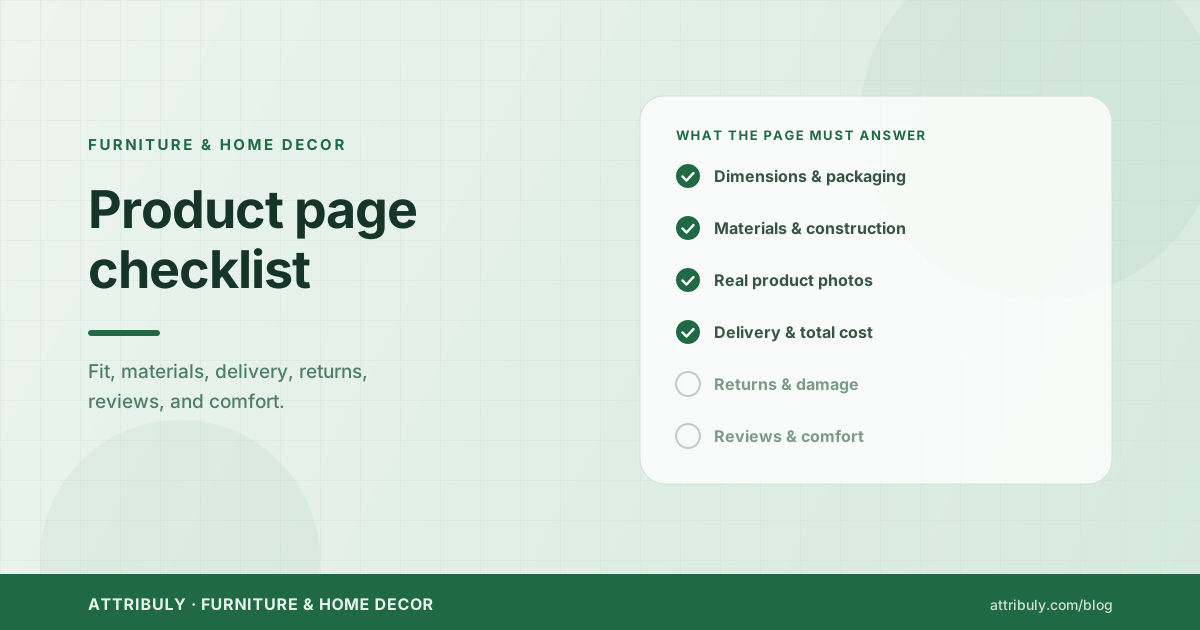
Furniture product page checklist
Before publishing or refreshing a page, confirm:
- ✓The first screen shows product type, price, variants, delivery cue, proof, and a relevant action.
- ✓Complete product and package dimensions are present.
- ✓Access constraints are explained.
- ✓Photos show multiple angles, texture, scale, and real environments.
- ✓Rendered images are labeled.
- ✓Materials and construction are specific.
- ✓Care, assembly, warranty, and expected variation are clear.
- ✓Delivery timing, service level, and fee logic appear before checkout.
- ✓Damage and bulky-item return processes are operationally clear.
- ✓Reviews help shoppers evaluate comfort, fit, durability, and delivery.
- ✓Swatch, fit, delivery, consultation, save, and purchase CTAs appear only where relevant.
- ✓Decision-support interactions are tracked.
Turn product-page interest into an observable journey
The strongest furniture product page does not force an immediate purchase. It helps the shopper make a confident decision and makes meaningful progress measurable.
Run the shopper identification audit to see how much high-intent activity your current stack can recognize, then use that benchmark alongside product-page and checkout improvements.
Editorial research basis
FAQs
What information should a furniture product page include?
Where should dimensions appear?
Should a furniture store offer discounts to reduce abandonment?
How can furniture stores follow up without using a generic popup?
About Attribuly
Attribuly helps DTC brands recover abandoned cart revenue. We identify anonymous visitors and existing subscribers your ESP (like Klaviyo) missed, enrich their profiles, and feed the signals back — so your abandonment flows fire and your retargeting audiences grow, and you recover at least 15% more revenue. Shopify featured app, Klaviyo tech partner. Trusted by 20,000+ brands. Guaranteed 4× ROI.