
Furniture & Home Decor Cart Abandonment: Why Shoppers Leave and How to Recover Sales
Learn why furniture and home decor shoppers abandon carts and how to fix product, shipping, checkout, tracking, identity, and recovery-flow gaps.
Related articles
TL;DR
- Start with product, delivery, and checkout friction; recovery cannot compensate for a broken purchase path.
- Confirm that the expected event arrives with the right product and cart data.
- Compare event volume with identifiable, consented, flow-eligible profiles.
- Test profile stitching so earlier browsing and later identification belong to the same usable customer record where permitted.
- Segment messages by the likely unresolved question: fit, material, delivery, approval, price, or timing.
- Measure eligible carts, entered flows, delivered messages, returning sessions, completed orders, and incremental revenue separately.
These are different failures. They need different fixes.
Public ecommerce and Klaviyo discussions show why “our abandoned cart flow is not working” is too broad a diagnosis. Sometimes the blocker is shipping cost or an unclear return policy. Sometimes the event is bound to the wrong trigger. Sometimes the shopper is anonymous to the email platform. Sometimes pre-purchase activity and the later identified profile are split. Sometimes the message simply arrives with no useful decision support.
This guide gives furniture and home decor brands a diagnostic order that prevents the team from treating every abandoned cart as an email-copy problem.
Furniture abandonment is not one problem
Furniture adds more decision risk than a typical low-cost purchase:
- the item may not fit the room or access path;
- color and material are hard to judge on a screen;
- freight or white-glove delivery can change the total cost;
- made-to-order lead times delay gratification;
- returns can require pickup, freight, or restocking fees;
- another household member may need to approve the decision; and
- the shopper may return across several sessions or devices.
An abandoned cart is therefore a symptom. Diagnose the layer that failed before choosing the intervention.
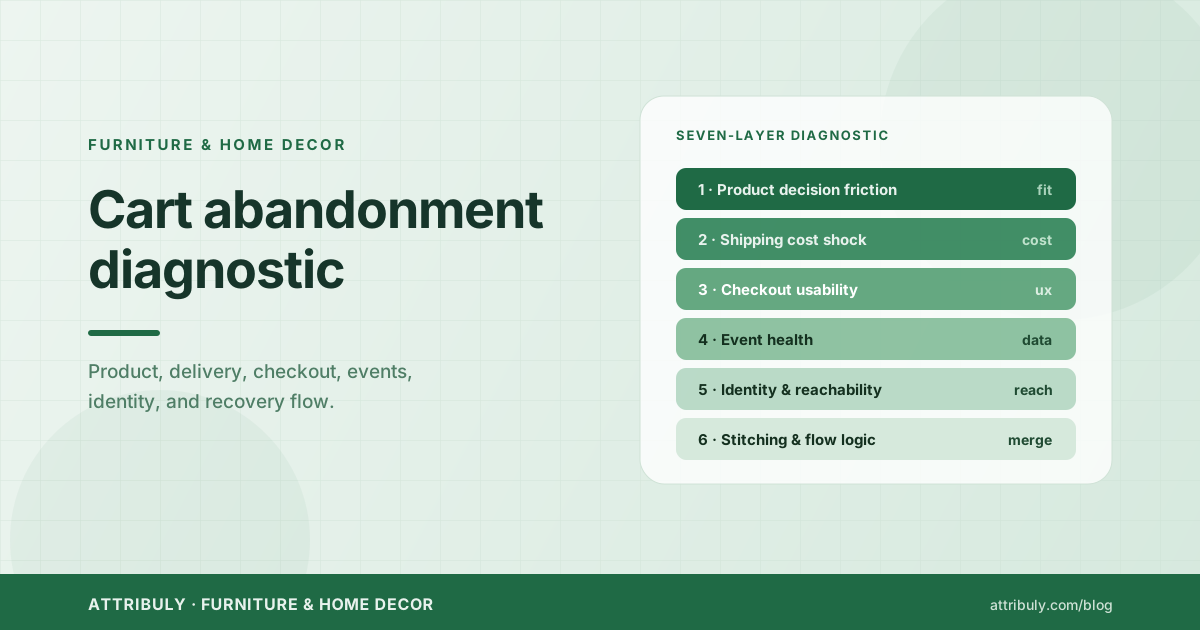
The seven-layer diagnostic
Layer 1: Product decision friction
Ask whether the shopper had enough information to commit.
Audit the product page for:
- complete product and package dimensions;
- doorway, stair, and elevator guidance;
- material and construction details;
- real product and customer photography;
- comfort or firmness guidance where relevant;
- swatches or finish samples;
- assembly requirements;
- warranty; and
- clear damage and return handling.
Review support tickets, chat transcripts, search terms, and product-page interactions. If many cart abandoners open the dimension guide or contact support about delivery, the recovery message should not begin with a discount. The page and message should answer that concern.
Use the furniture ecommerce product page checklist before changing the flow.
Layer 2: Shipping and total-cost shock
Bulky-item shipping can create a large difference between product price and checkout total.
Check:
- when the first realistic delivery fee appears;
- whether service level is clear;
- whether postcode exclusions or surcharges appear late;
- taxes and duties for cross-border orders;
- assembly or room-of-choice fees;
- estimated delivery dates; and
- financing terms and total repayment.
Show the likely delivery cost and date before checkout whenever possible. If an exact quote requires location, provide a postcode calculator on the product page or cart.
Layer 3: Checkout usability
Test checkout on real mobile devices and common browsers.
Look for:
- forced account creation;
- unavailable payment methods;
- validation errors that do not explain the fix;
- address problems;
- coupon fields that encourage shoppers to leave and search for codes;
- financing widgets that fail or reset the cart;
- slow loading;
- inaccessible controls; and
- unclear delivery appointment steps.
Do not send more traffic or recovery messages until a shopper can complete the transaction reliably.
Layer 4: Event health
Confirm the system records the behavior you intend to use.
For a cart or checkout flow, inspect:
- event name and source;
- timestamp;
- product ID and variant ID;
- SKU and catalog mapping;
- quantity and cart value;
- currency;
- product URL and image;
- cart or checkout restore URL;
- customer or anonymous identifier; and
- consent status where required.
Then compare store events, analytics events, and ESP events. A flow cannot repair an event that never arrives or carries the wrong product identity.
Layer 5: Shopper identity and eligibility
An event can exist without an email-ready profile.
Separate these counts:
- total carts or checkout starts;
- carts associated with a usable profile;
- profiles permitted and eligible for the intended message;
- profiles that meet flow filters;
- messages delivered; and
- shoppers who return and purchase.
The difference between step 1 and step 2 is not automatically a software bug. The visitor may never have provided a usable identifier, may not have been recognized in the current session, or may not be eligible for the channel.
Attribuly supports two different use cases:
- ReCapture reconnects eligible existing ESP subscribers to missed high-intent activity so connected flows can act on it.
- Capture helps identify eligible net-new high-intent visitors for supported destinations and use cases.
These capabilities should be used with the store's consent, privacy, and platform requirements. Do not imply that every anonymous visit can or should become an email.
Layer 6: Profile stitching and flow logic
Test with controlled profiles that represent real paths:
- a known subscriber returning through an email;
- a known subscriber returning directly;
- a logged-in customer;
- a new visitor who identifies during checkout;
- a visitor who switches devices; and
- an ineligible or suppressed profile.
For each test, confirm:
- browsing and cart activity attach to the intended profile;
- the trigger uses the correct metric;
- filters reference properties the event actually supplies;
- the catalog can resolve the product data;
- suppression and frequency rules behave as intended; and
- purchase completion removes the profile from recovery.
If pre-identification activity sits on one record and the email address sits on another, the flow may appear empty even though both pieces of data exist. Fix identifier consistency at the event source, then clean up existing records according to platform guidance.
Layer 7: Message relevance
Only after the first six layers are healthy should the team optimize messaging.
Furniture recovery should help the shopper continue a considered decision.
| Likely blocker | Message promise | Useful content | CTA |
|---|---|---|---|
| Fit | Confirm it works in the room and access path | Dimension diagram, package size, measuring guide | Check the fit |
| Material or color | Reduce screen-to-room uncertainty | Swatch, close-ups, customer photos | Order a swatch |
| Comfort | Explain feel and construction | Firmness, seat depth, fill, suitable body/usage notes | Compare comfort details |
| Delivery | Make timing and service concrete | Postal-code estimate, service level, assembly | Check my delivery date |
| Household approval | Make the choice shareable | Saved configuration and concise spec summary | Share this configuration |
| Price | Clarify value before incentive | Construction, warranty, financing | Review payment options |
| Timing | Preserve progress | Saved cart/configuration | Continue where I left off |
Do not claim to know why an individual left unless the behavior provides a reliable signal. Phrase the message as help, not surveillance.
A practical flow architecture
Timing should reflect the buying cycle and the event—not a universal formula.
Message 1: Restore context
Send only to eligible profiles after allowing time for natural completion.
Include:
- the exact product and selected configuration;
- a working restore link;
- delivery estimate or a path to calculate it;
- one relevant decision aid; and
- support access.
Subject-line direction: Your [product] configuration is saved
CTA: Continue with my configuration
Message 2: Resolve uncertainty
Choose content based on product and behavior. Do not send the same proof block to every category.
For a sofa, highlight dimensions, comfort, fabric, customer rooms, and delivery. For lighting, emphasize scale, installation, bulb compatibility, and finish. For a dining table, cover seating capacity, leg clearance, material care, access, and assembly.
CTA: Review the details
Message 3: Offer human help or a justified incentive
For high-consideration products, a consultation, swatch, or delivery answer may be more useful than a coupon.
If an incentive is used, define eligibility, margin limits, exclusions, and a test group. Measure incrementality, not just coupon-attributed orders.
CTA options:
- Ask a product specialist
- Order a swatch
- See available delivery options
- Complete my order
What to measure
Use a funnel that separates technical coverage from persuasion:
| Stage | Metric | Question answered |
|---|---|---|
| Demand | Product viewers and repeat viewers | How much evaluation is happening? |
| Intent | Add-to-cart and checkout-start rate | Do shoppers progress? |
| Event coverage | Valid event / store event | Does the stack receive usable behavior? |
| Identity coverage | Usable profiles / valid events | Can the destination associate the event with a profile? |
| Eligibility | Flow-eligible profiles / usable profiles | Can this channel legally and operationally reach them? |
| Delivery | Delivered messages / attempted messages | Does the message arrive? |
| Response | Return sessions and restored carts | Does it restore evaluation? |
| Outcome | Completed orders, revenue, margin, returns | Does it create valuable purchases? |
| Incrementality | Test versus holdout | What happened because of the flow? |
Open rate is diagnostic, not the business outcome.
A 14-day implementation plan
Days 1–3: Establish the baseline
- Export product views, carts, checkout starts, orders, delivery charges, cancellations, and returns.
- Break results down by product, device, source, new/returning visitor, and geography.
- Compare cart events with profiles that entered the existing flow.
Days 4–6: Fix the purchase path
- Audit the five highest-traffic furniture product pages.
- Make delivery price and timing visible earlier.
- Test mobile checkout, financing, coupons, and address handling.
Days 7–9: Validate data and identity
- Inspect event payloads and catalog mapping.
- Test the six profile paths described above.
- Document consent, suppression, and frequency rules.
Days 10–12: Build message variants
- Create fit, material, delivery, and saved-configuration modules.
- Select modules from observed behavior and product category.
- Verify restore links and purchase exits.
Days 13–14: Launch a controlled test
- Hold back a representative eligible group.
- Monitor technical health daily.
- Evaluate returning sessions, completed orders, margin, cancellations, and returns over an appropriate window.
Fix the right gap
A furniture cart can be abandoned because the product still feels risky, delivery changes the economics, checkout fails, an event is malformed, a profile is not reachable, or a message is irrelevant. Treating all six as “send another email” hides the real work.
Explore ReCapture if existing subscribers are missing from cart and checkout flows. If the larger question is how much high-intent activity your store can recognize, run the shopper identification audit.
Editorial research basis
FAQs
Why does a cart event appear in analytics but not in the email flow?
Should furniture brands offer a discount in the first recovery message?
Can every anonymous furniture shopper be identified and emailed?
What is the difference between Capture and ReCapture?
About Attribuly
Attribuly helps DTC brands recover abandoned cart revenue. We identify anonymous visitors and existing subscribers your ESP (like Klaviyo) missed, enrich their profiles, and feed the signals back — so your abandonment flows fire and your retargeting audiences grow, and you recover at least 15% more revenue. Shopify featured app, Klaviyo tech partner. Trusted by 20,000+ brands. Guaranteed 4× ROI.