June 2026

New features, improvements, and fixes in Attribuly.

Have an idea? Share feedback · Roadmap

10 updates

Export Conversion Data to CSV

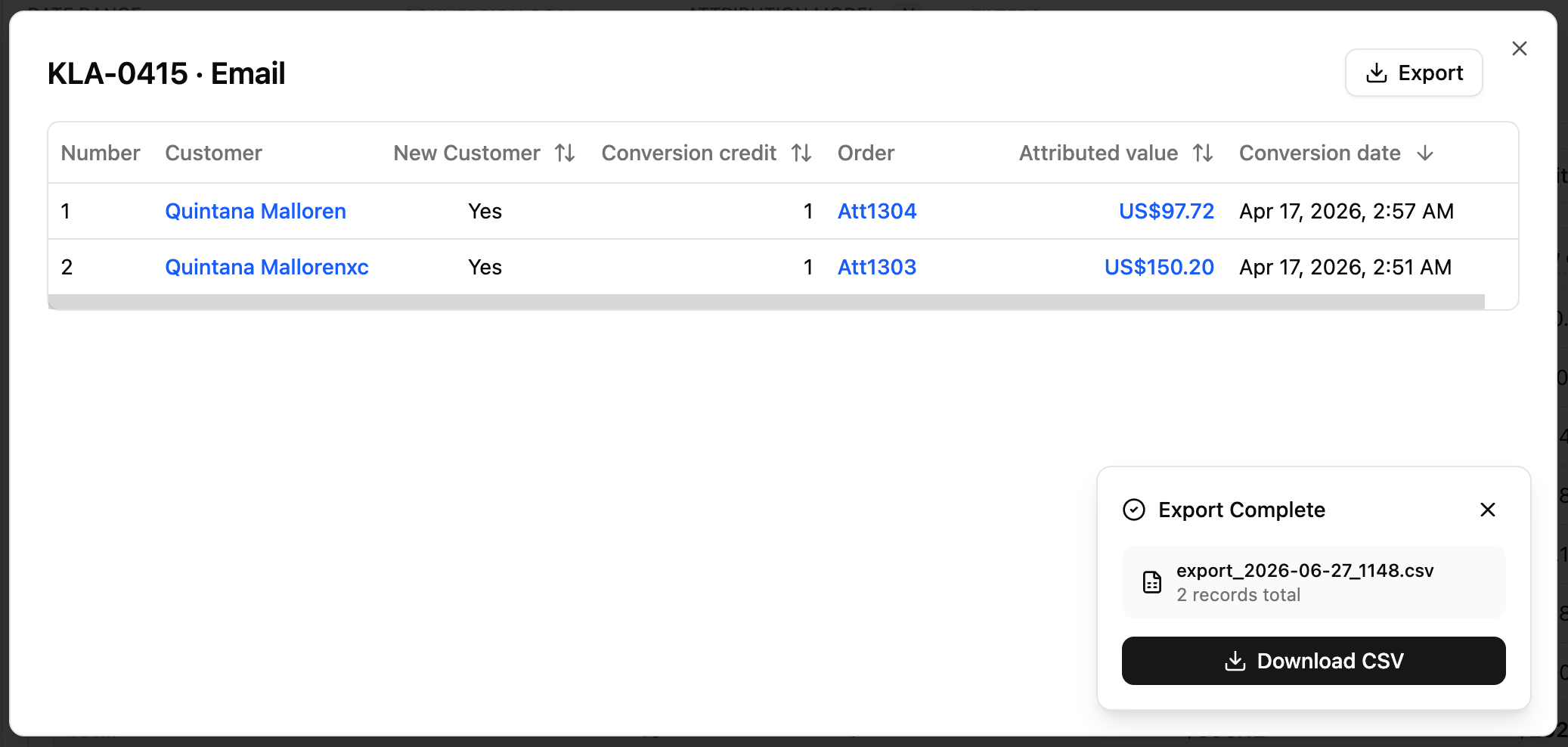
You can now export the full conversion list from any attribution detail dialog directly to a CSV file — no email required. image
Where to find it

  • Open any attribution report → click a conversion count or value cell to open the detail dialog
  • Works on both All Channels and Ads attribution detail views

How to use

  1. Click the Export button in the top-right corner of the detail dialog
  2. A progress panel appears in the bottom-right — it shows how many records have been fetched so far
  3. Once all data is ready, the panel shows a Download CSV button along with the filename and total record count
  4. Click Download CSV to save the file to your device
  5. To cancel at any time, click Cancel in the progress panel

Notes

  • The export fetches all records across all pages, not just what's currently visible
  • The CSV file includes all columns shown in the table, with the same column order and display format
  • The filename is automatically generated with the current date and time, e.g. export_2026-06-27_1430.csv
View update

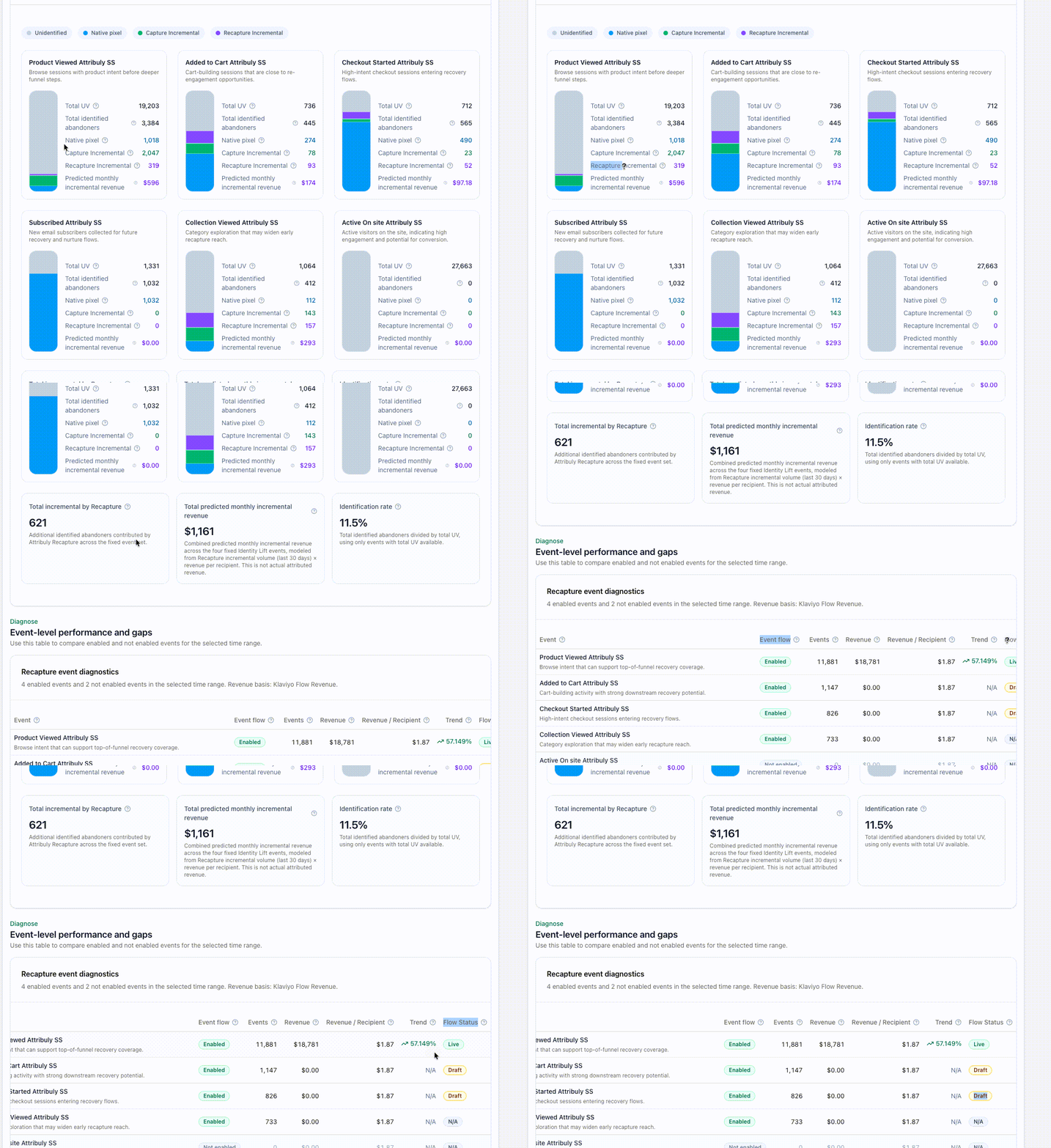
Recapture updates

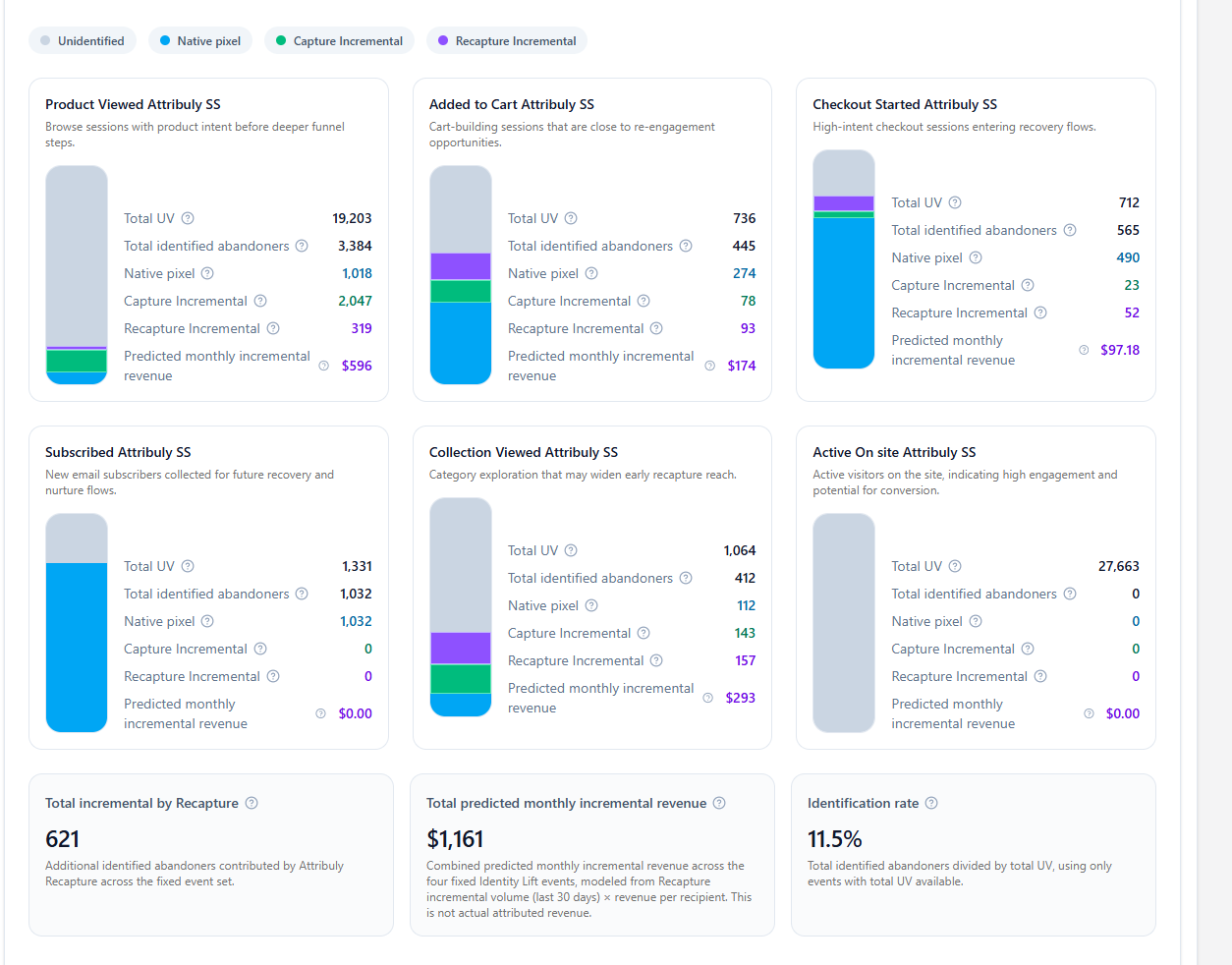
  • Predicted monthly incremental revenue is now calculated using a more transparent formula based on identified recipients and revenue per recipient over the last 30 days.
  • Several table labels and tooltips have been updated to make event delivery and flow status easier to understand.
  • Flow Status badges are now easier to scan, with clearer visual treatment for active versus non-active states.
  • Event names have been aligned with Klaviyo destination naming, so it is clearer which events are sent by Attribuly.
  • The metric previously shown as Revenue / Event is now displayed as Revenue / Recipient , based on Klaviyo flow data. 20260627-112127
View update

New Recapture Events Added

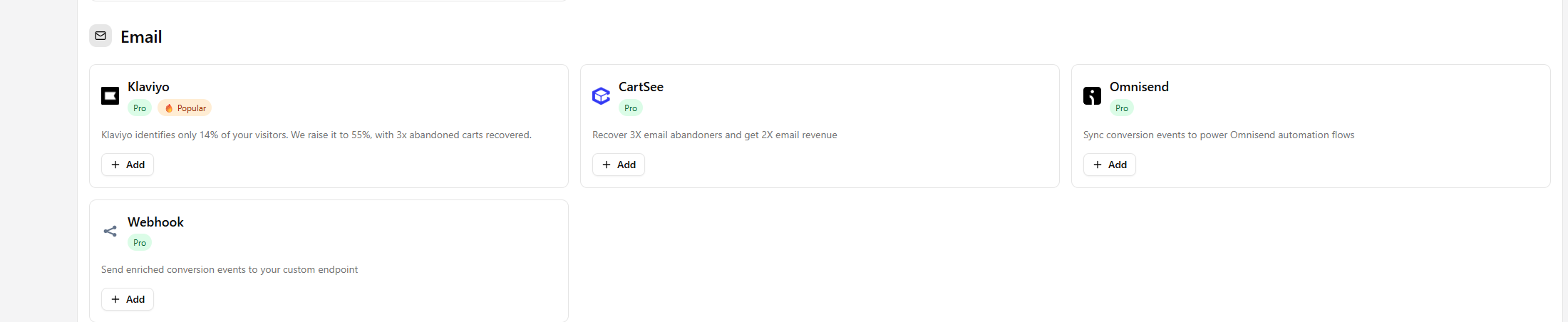
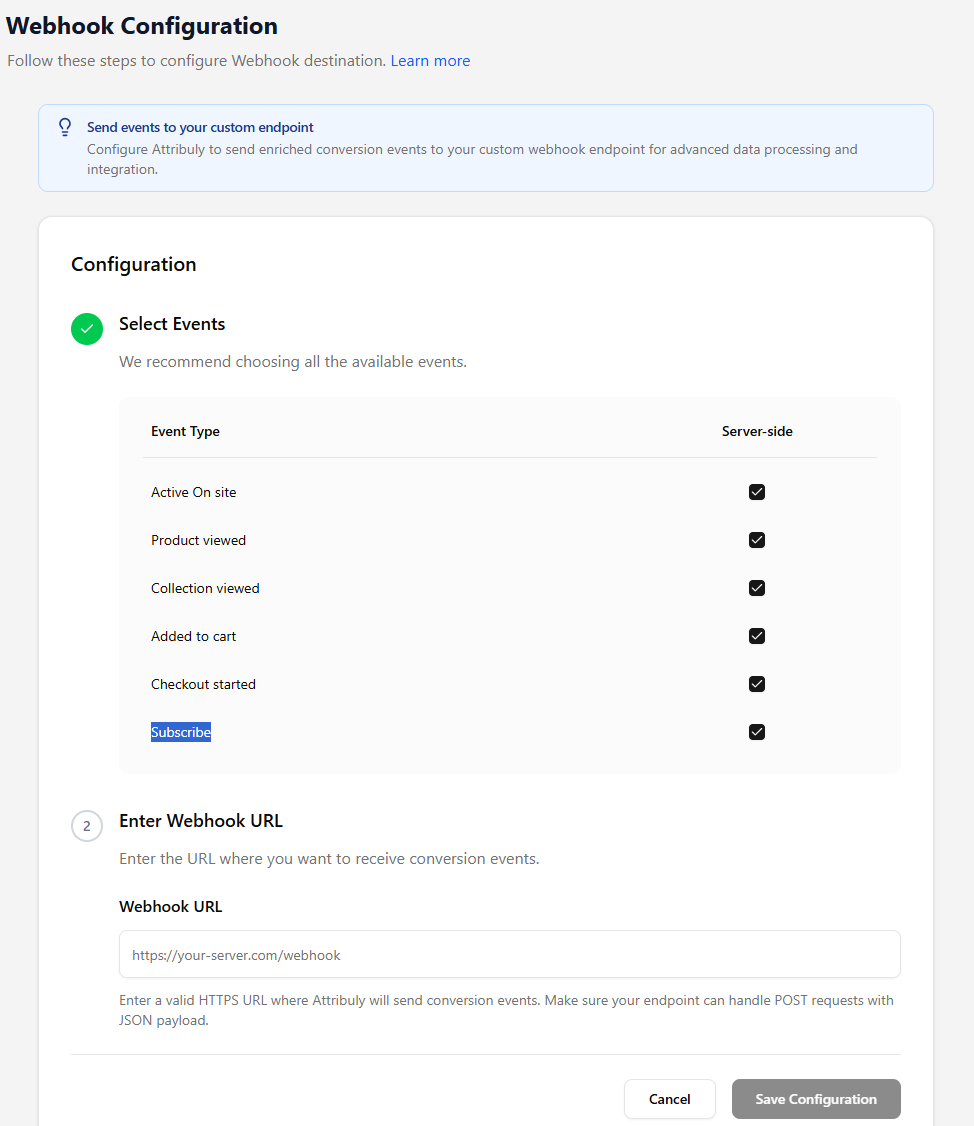
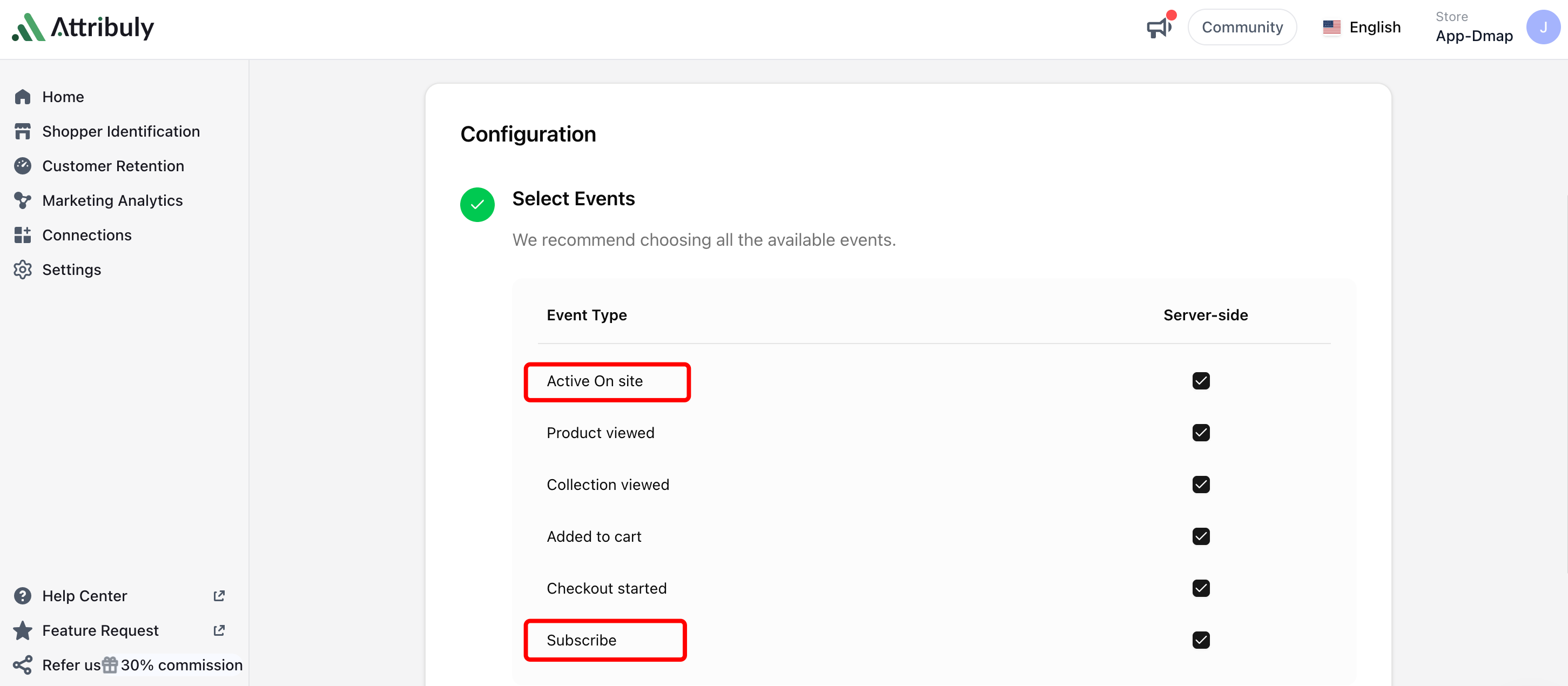
We’ve added two new server-side events to Recapture (the feature that recovers abandoned carts on email service providers like Klaviyo): Active On Site and Subscribe.

Recapture can now identify more shopper activity besides product viewed, collection viewed, added to cart, and checkout started. This gives Klaviyo recovery flows more complete behavior signals and helps identify more users who are showing intent but may not have triggered your abandonment events yet.

  • Active On Site: This event helps identify visitors who are actively engaging with your site, even before they view a product or add something to cart. It expands early-stage recovery coverage for shoppers who show interest but leave before taking a stronger action.
  • Subscribe: This event captures new subscribers through the server-side flow, making it easier to connect subscriber identity with future recovery and nurture opportunities in Klaviyo.

With these two new events, Recapture can cover more of the shopper journey and provide Klaviyo with richer signals for abandoned user recovery, audience building, and follow-up flows.

Update your configuration with new events

image

View update

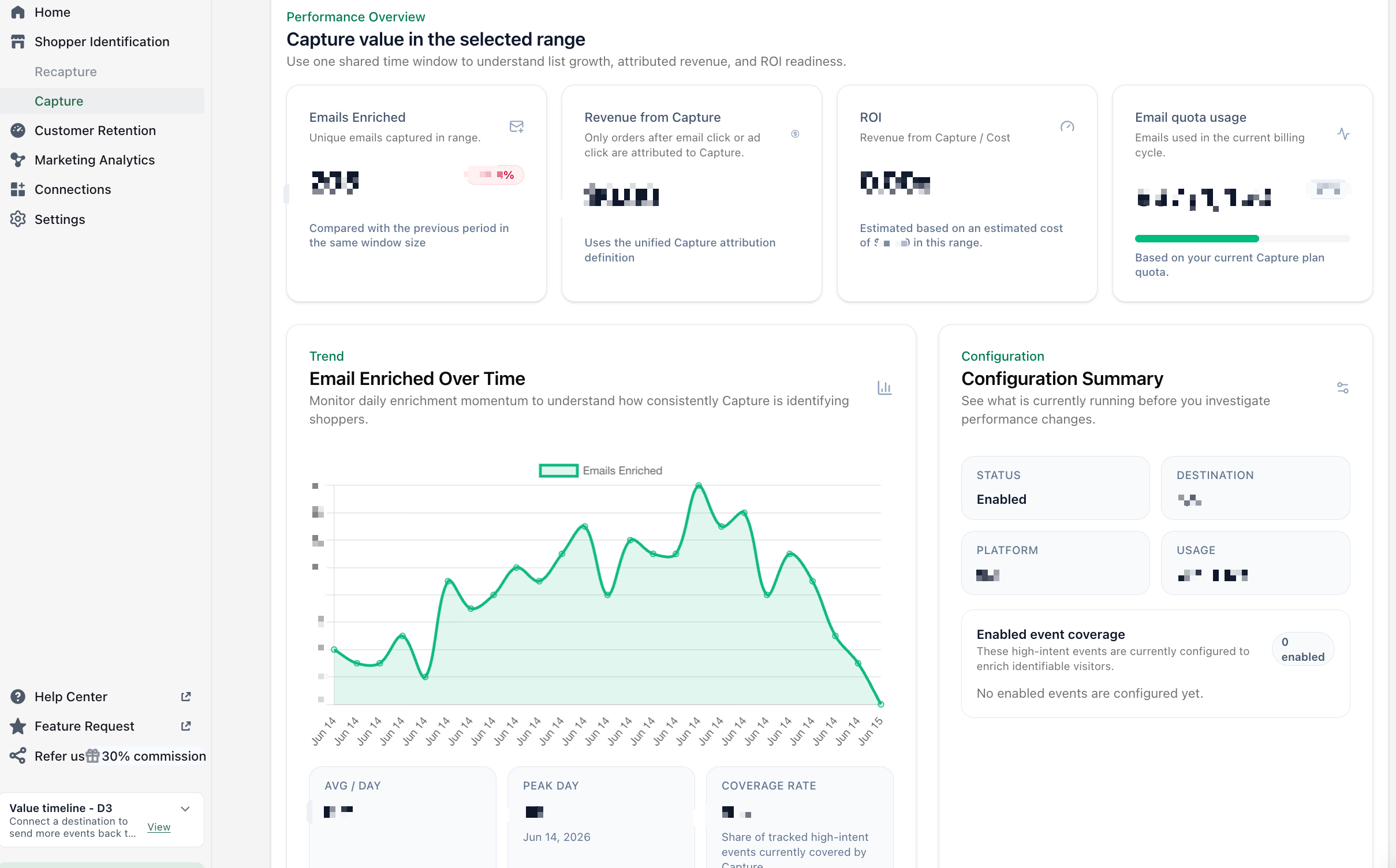
Capture Dashboard for Anonymous User Identification

We’ve built a dedicated Capture dashboard to provide a deeper and more complete view of anonymous user identification and its impact across revenue, identity, and funnel activity.

Until now, Capture insights were surfaced inside the Home page and focused mainly on two key outputs: identified anonymous users and attributed revenue. While this provided a basic performance signal, it did not fully reflect how Capture performs across identity enrichment, user behavior, and system-level usage.

With this update, Capture is now available as a standalone dashboard with expanded visibility across its full impact.

What’s new:

  1. You can now view Capture performance in a unified dashboard, including emails enriched, revenue attributed to Capture, ROI, and email quota usage.
  2. The dashboard also adds a time-based view of identity growth, helping you understand how anonymous users are progressively identified over a given period.
  3. A configuration summary shows the current setup status and enabled coverage, making it easier to understand how Capture is operating at a glance.

Check it now

image

View update

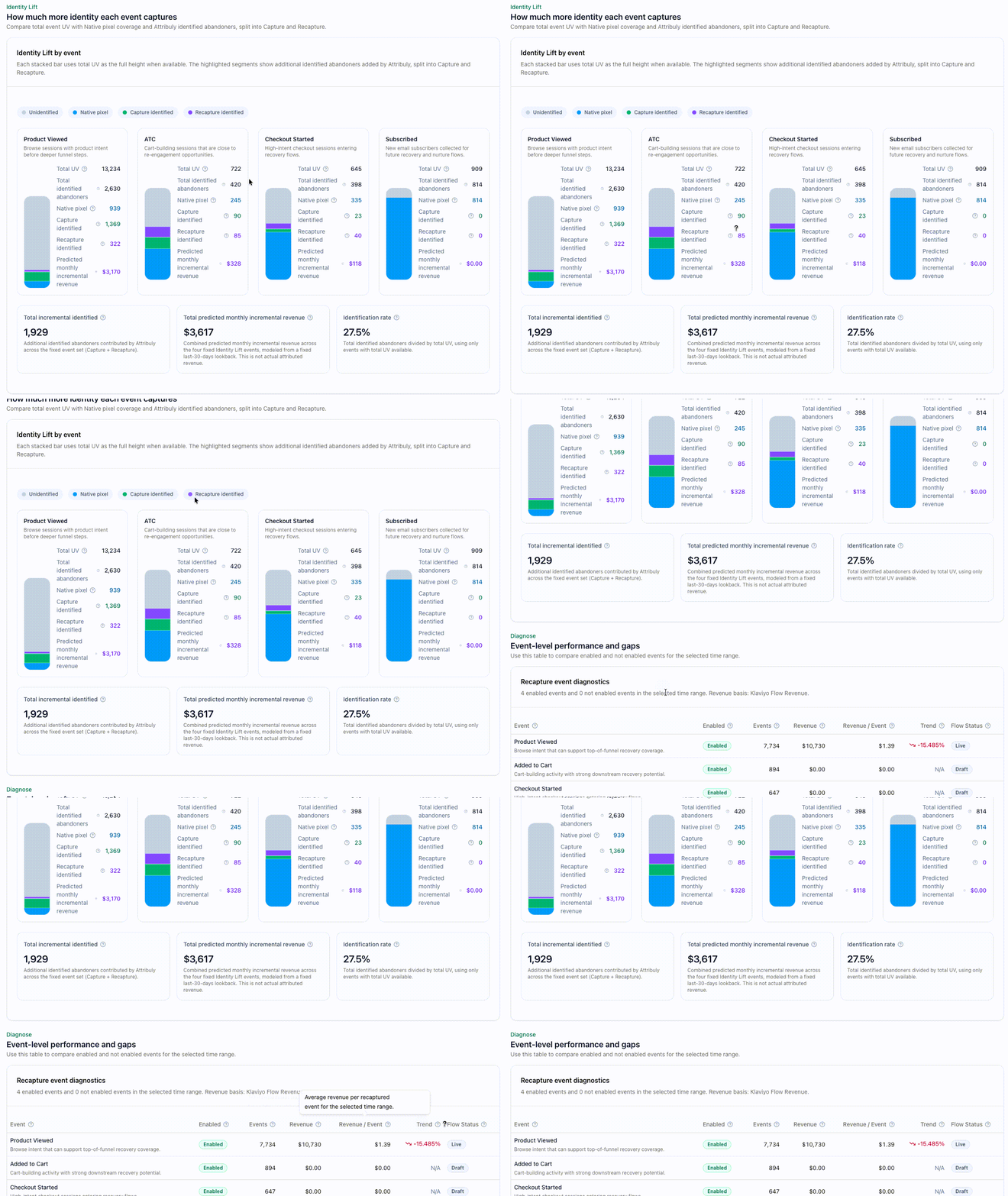
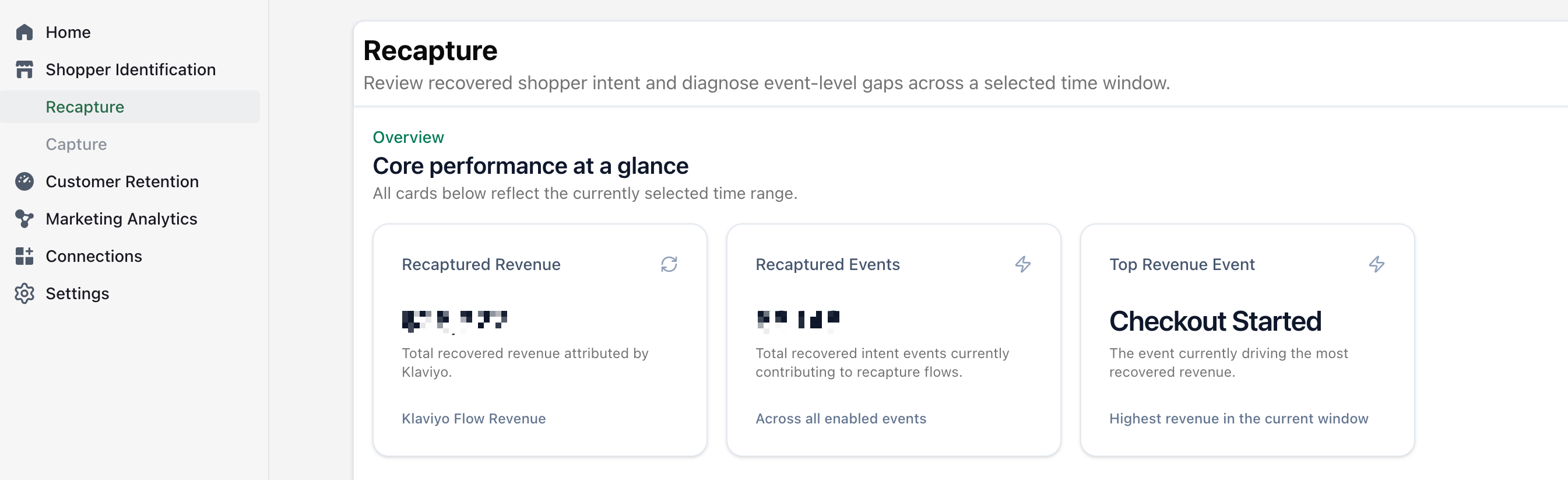
Recapture Dashboard — Unified View for Klaviyo Recovery Performance

We’re introducing a new Recapture dashboard for Klaviyo recovery performance, giving you a complete view of how recovered users and revenue are generated across key funnel events.

Previously, Recapture already worked in the background — improving identity resolution and increasing recoverable users — but the data was only partially visible in the Home page and Klaviyo destination metrics. There was no dedicated place to understand full performance across events and revenue impact.

This update consolidates everything into a single dashboard.

What’s new

  1. Unified Klaviyo recovery view: A single view of how Recapture contributes to Klaviyo recovery, including revenue, events, and key flow impact.
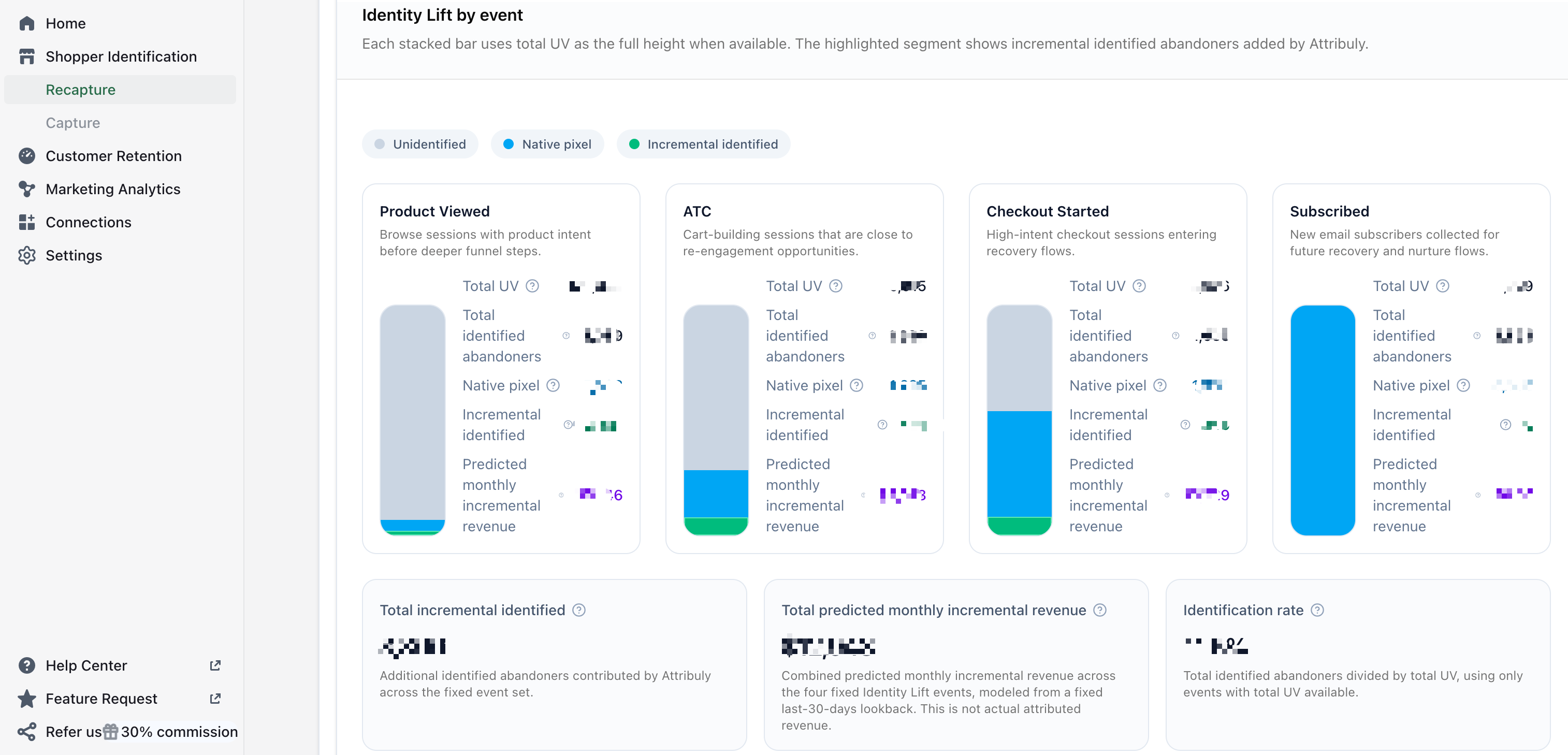
  2. Identity lift by event: Understand how much additional identity each event captures beyond native pixel tracking, and how that translates into predicted recovery revenue across key funnel events. It also estimates the incremental revenue each event could generate.
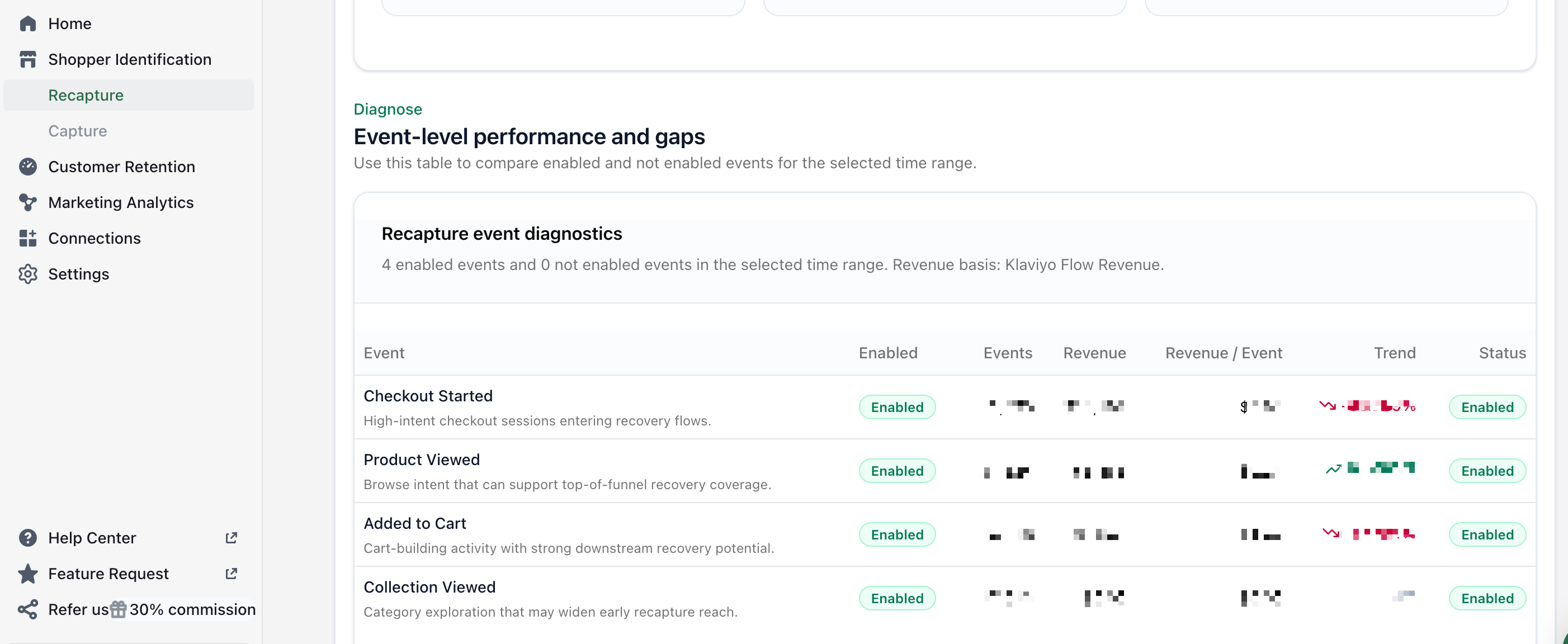
  3. Event diagnostics: Gives a quick view of which events are enabled for Klaviyo recovery flows, event-level revenue contribution, and trend and performance of each event. So you can quickly identify where recovery coverage is strong — and where flow impact is underperforming.

Check it now image image image

View update

Tracking Link Added to Link Builder & Influencer Export

We’ve added tracking links to the export data in both the Link Builder and Influencer pages.

Previously, users needed to manually generate or match tracking links after exporting, which added extra steps when managing campaigns or reviewing performance.

Now, each exported row includes its corresponding tracking link directly, aligned with the relevant link or influencer record.

This makes exported data ready to use for tracking, reporting, and campaign management without additional processing.

View update

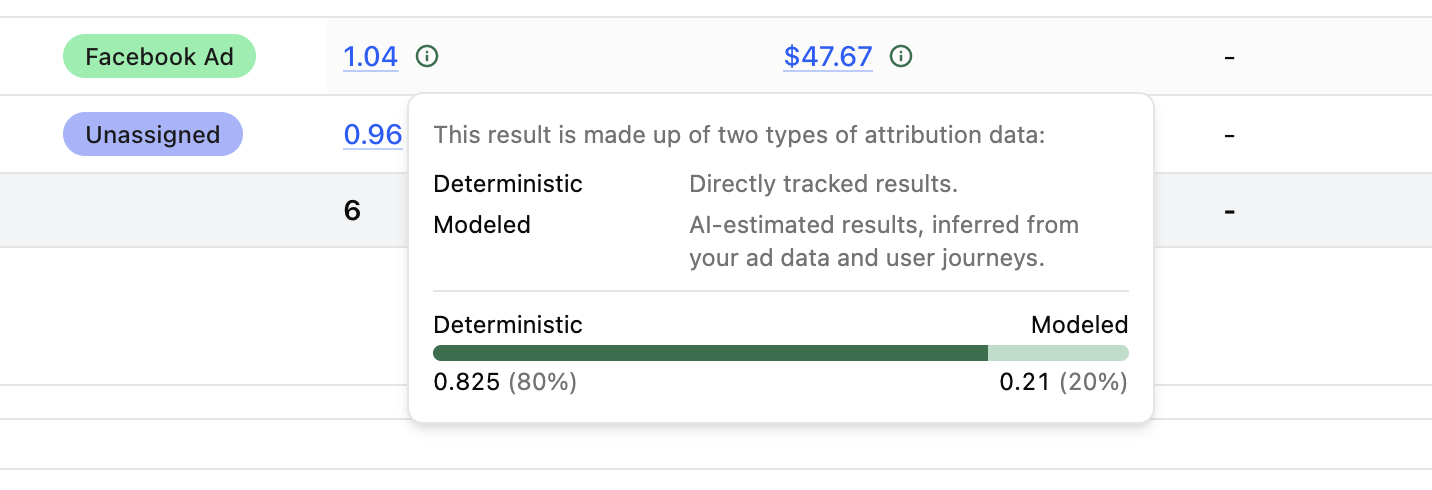
Full Impact AI Attribution now supports data composition breakdown

Full Impact AI Attribution now lets you see how each attribution result is made up. Each result is broken down into two types of attribution data:

  • Deterministic data: directly tracked results based on observed customer journeys and tracked touchpoints.
  • Modeled data: AI-estimated results inferred from your ad data and customer journeys.

With this update, you can better understand how much of each Full Impact result comes from directly tracked data versus AI-modeled attribution. This makes Full Impact results more transparent and easier to evaluate.

image

View update