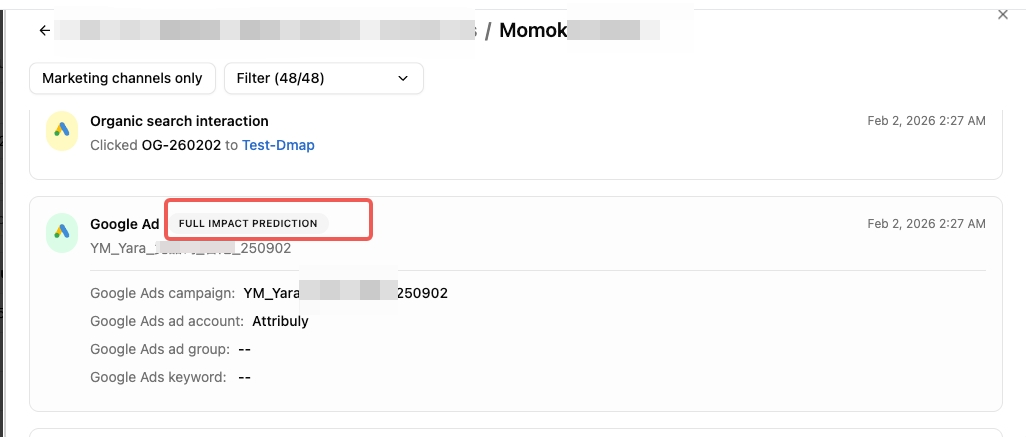
Predicted touchpoint in Full Impact AI model
After selecting the Full Impact model, you can see which touchpoints in the customer journey are predicted by AI.
New features, improvements, and fixes in Attribuly.
Have an idea? Share feedback · Roadmap
4 updates
After selecting the Full Impact model, you can see which touchpoints in the customer journey are predicted by AI.
Google Analytics may lose some key data, so we have launched this feature.
Full-stack web analytics module for Acquisition, Behavior, and Conversion analysis, enabling end-to-end user behavior tracking from traffic source click to purchase completion
Cause & Effect core analysis model that categorizes user events into traffic source actions (Cause) and conversion results (Effect), with User ID-based correlation for accurate conversion attribution
Session & Engaged Session mechanism with 30-minute inactivity-based new session determination and multi-condition high-quality access identification (10s+ duration, >1 page depth, or critical cart/checkout events)
Comprehensive Traffic & Spend metrics including multi-channel cost aggregation (spend), unique session counting (total sessions), deduplicated user stats (unique users), and returning user tracking (returning users)
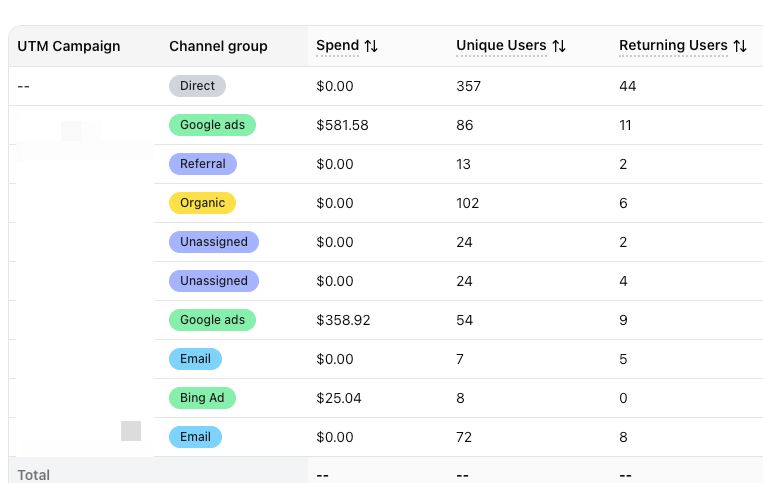
Unassigned is the value Analytics uses when there are no other channel rules that match the event data.
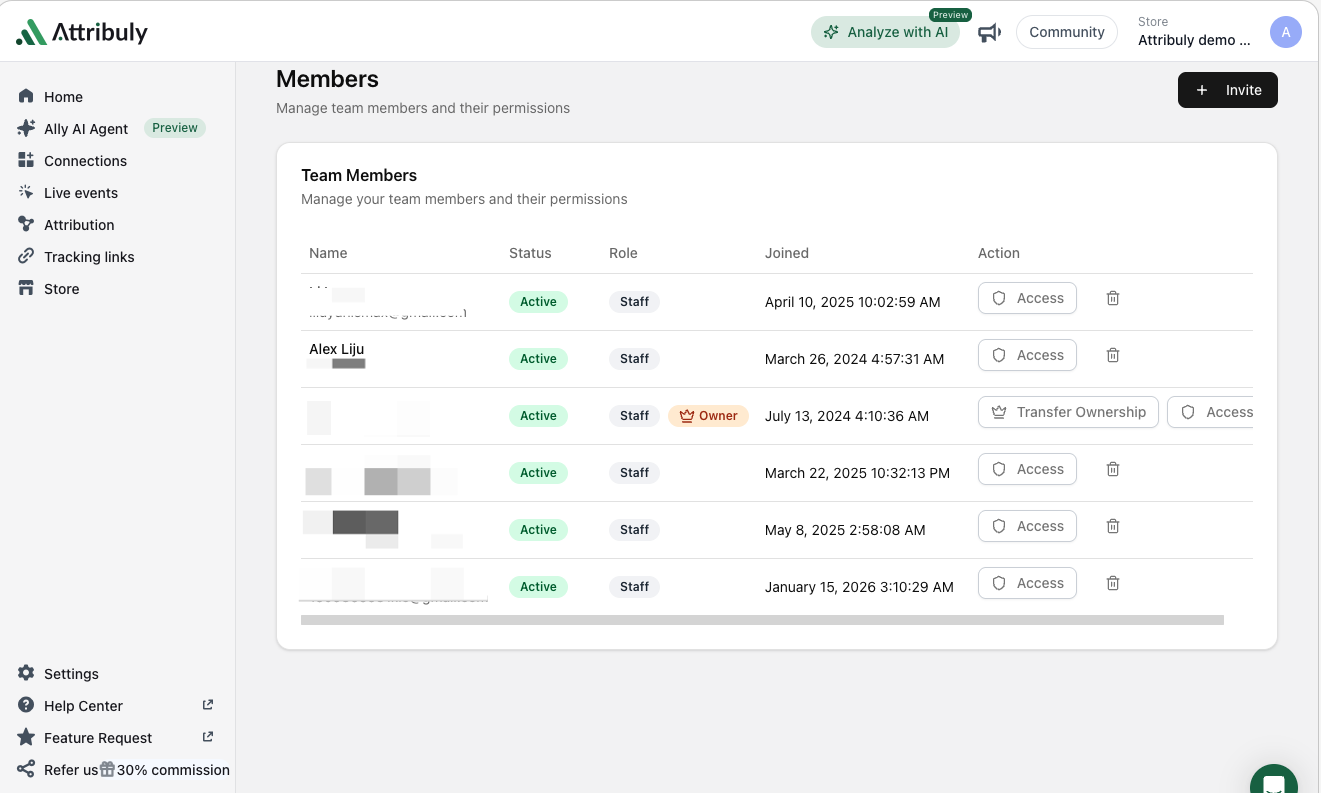
Granular Page/Route-Level Control (For Administrators)
What it means: You can now manage access to specific tool pages (e.g., the full Attribution module vs. only its Billing sub-page) instead of all-or-nothing access.
> arrow) to toggle sub-permissions (e.g., let analysts access Attribution data but restrict them from billing settings). Clear Parent-Child Permission Logic
What it means: Selecting a parent module (e.g., Retargeting) auto-selects its sub-features; deselecting a sub-feature marks the parent as "partially accessible." This prevents accidental over-granting of access.
"My Permissions" View (For All Users)
What it means: Every team member can check their own access rights in read-only mode to avoid 403 errors or missing menu items.