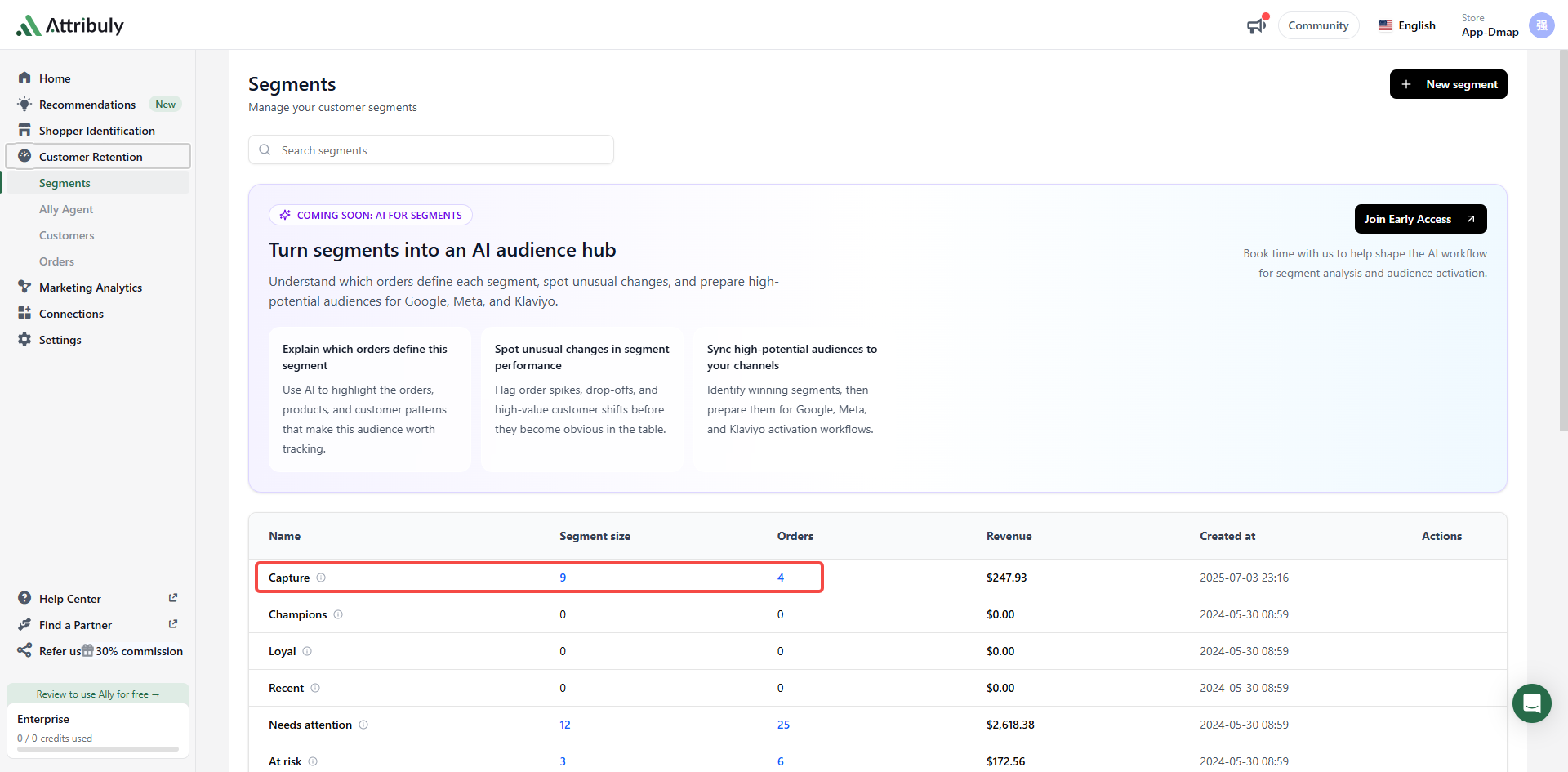
Sync Capture emails to Shopify
Sync email addresses identified by Capture to Shopify, then use the Attribuly Capture tag to build a dynamic group in your email platform, such as Cartsee, so you can reach these visitors automatically.
Set up the Shopify destination
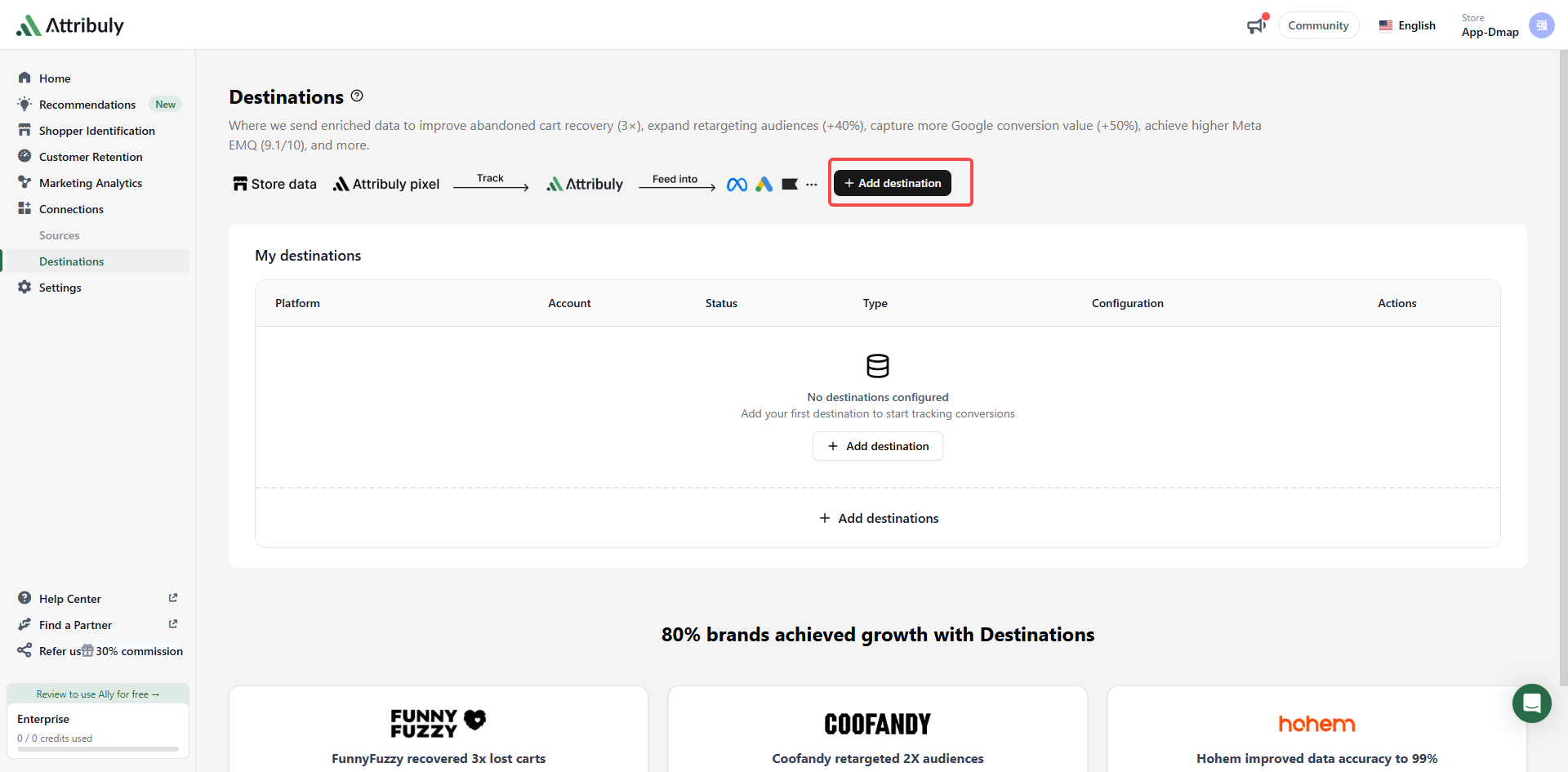
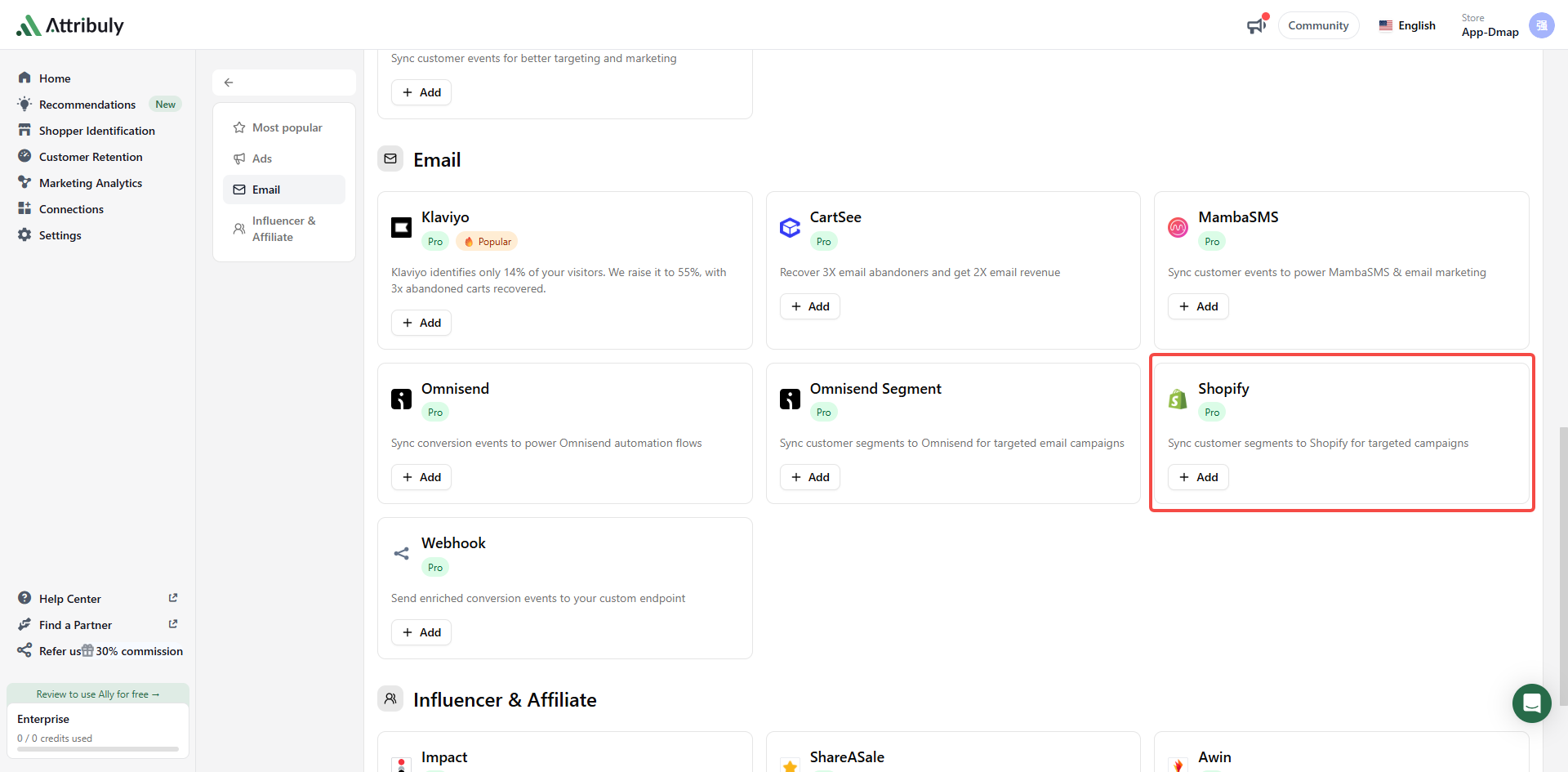
- In Attribuly, open Connections → Destinations, click Add destinations, and choose Shopify.
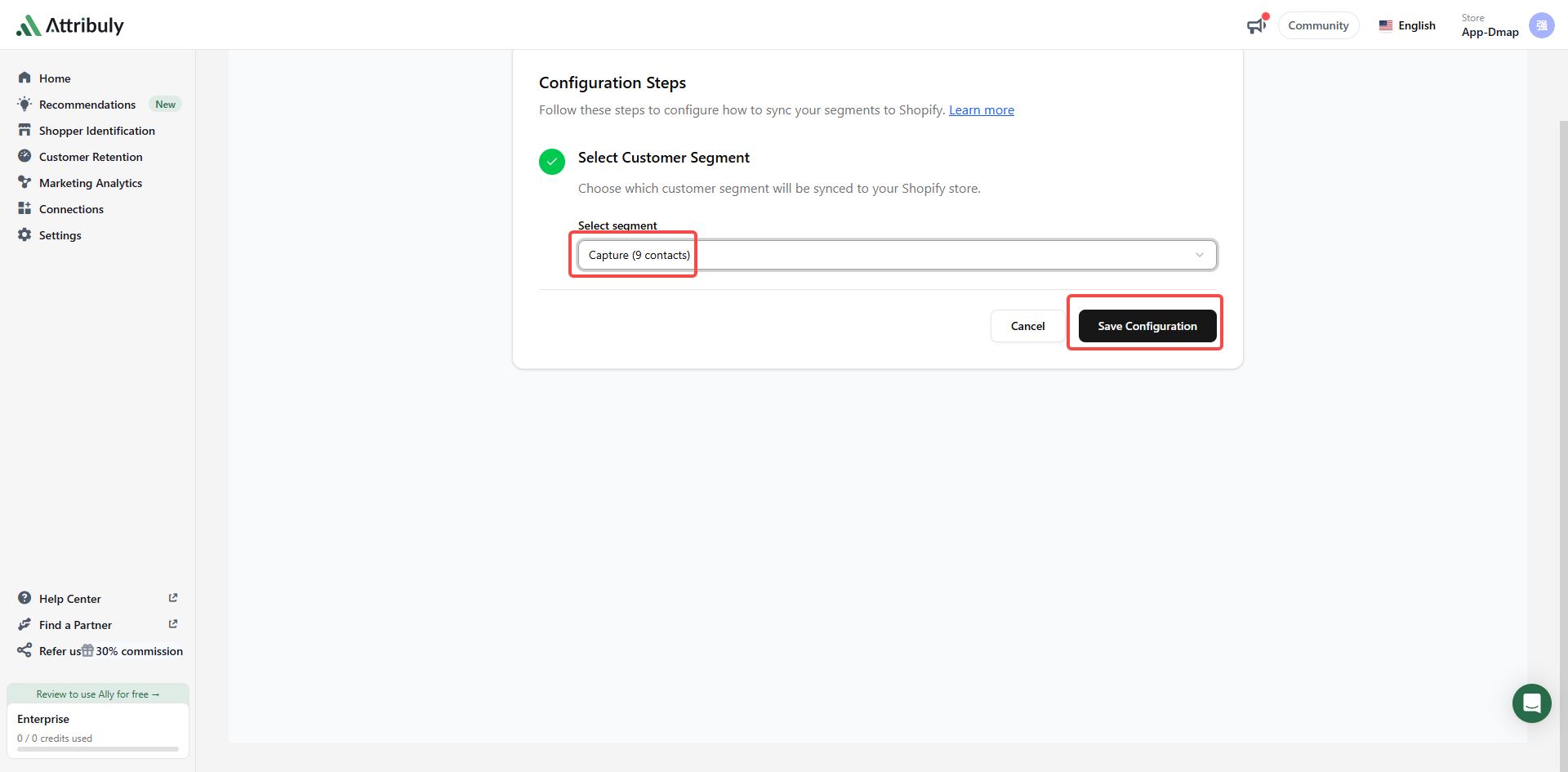
- Under Segment, select Capture and click Save Configuration.
Create a dynamic group in your email platform
Your email platform pulls customer emails and tags from Shopify, so you can create a group that uses the tag as its condition.
Cartsee
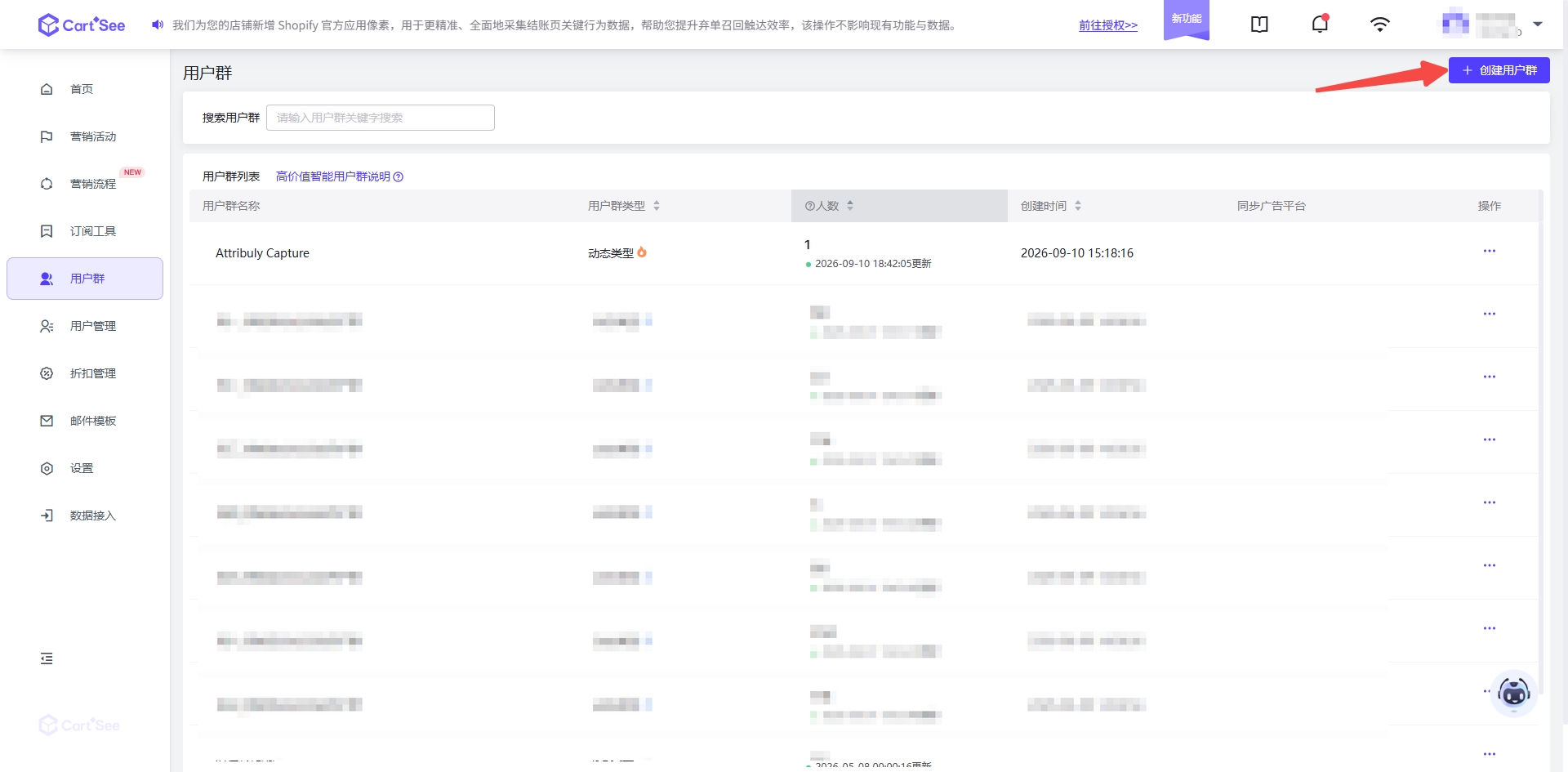
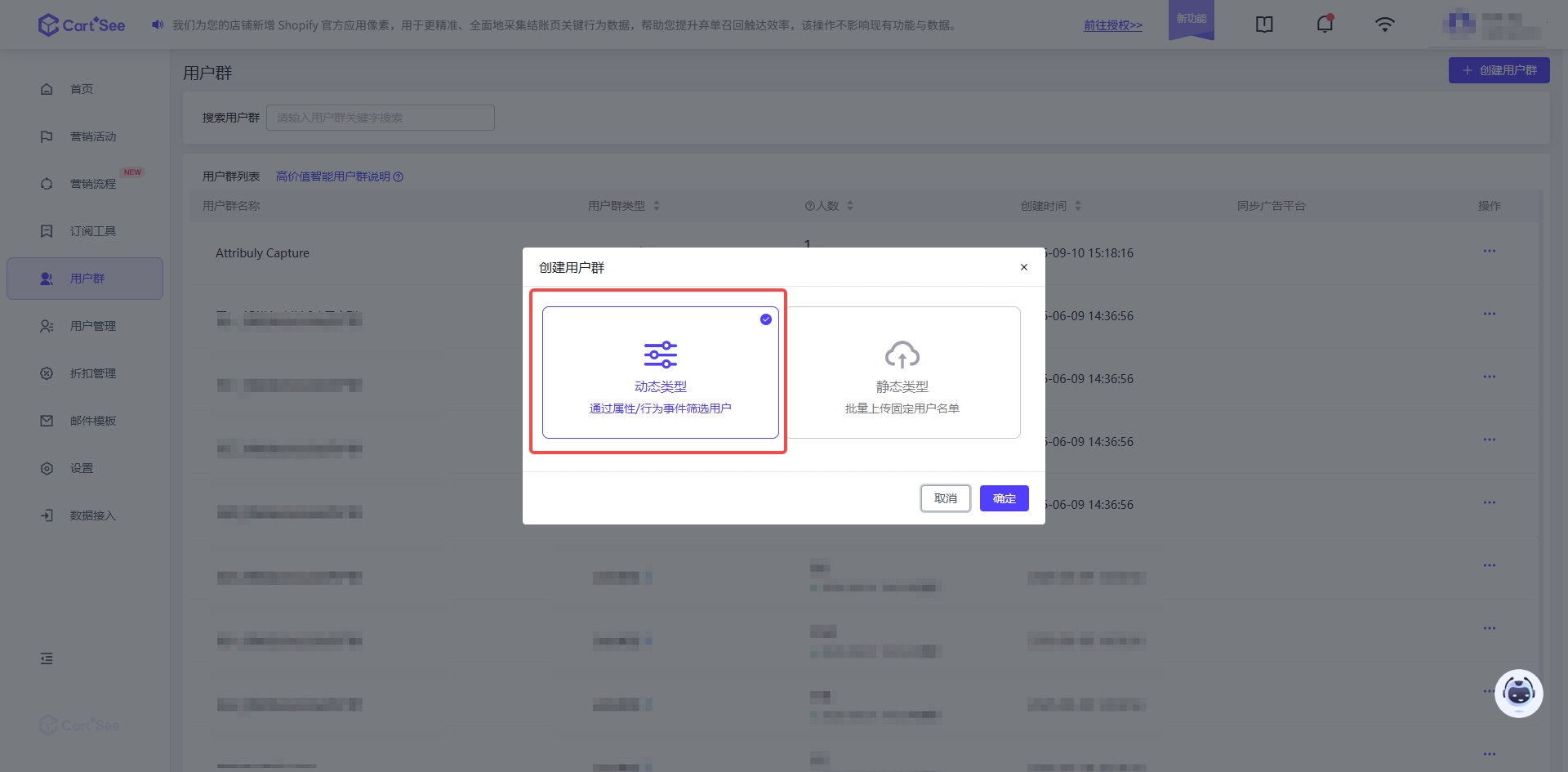
- Click Create user group and choose the dynamic type.
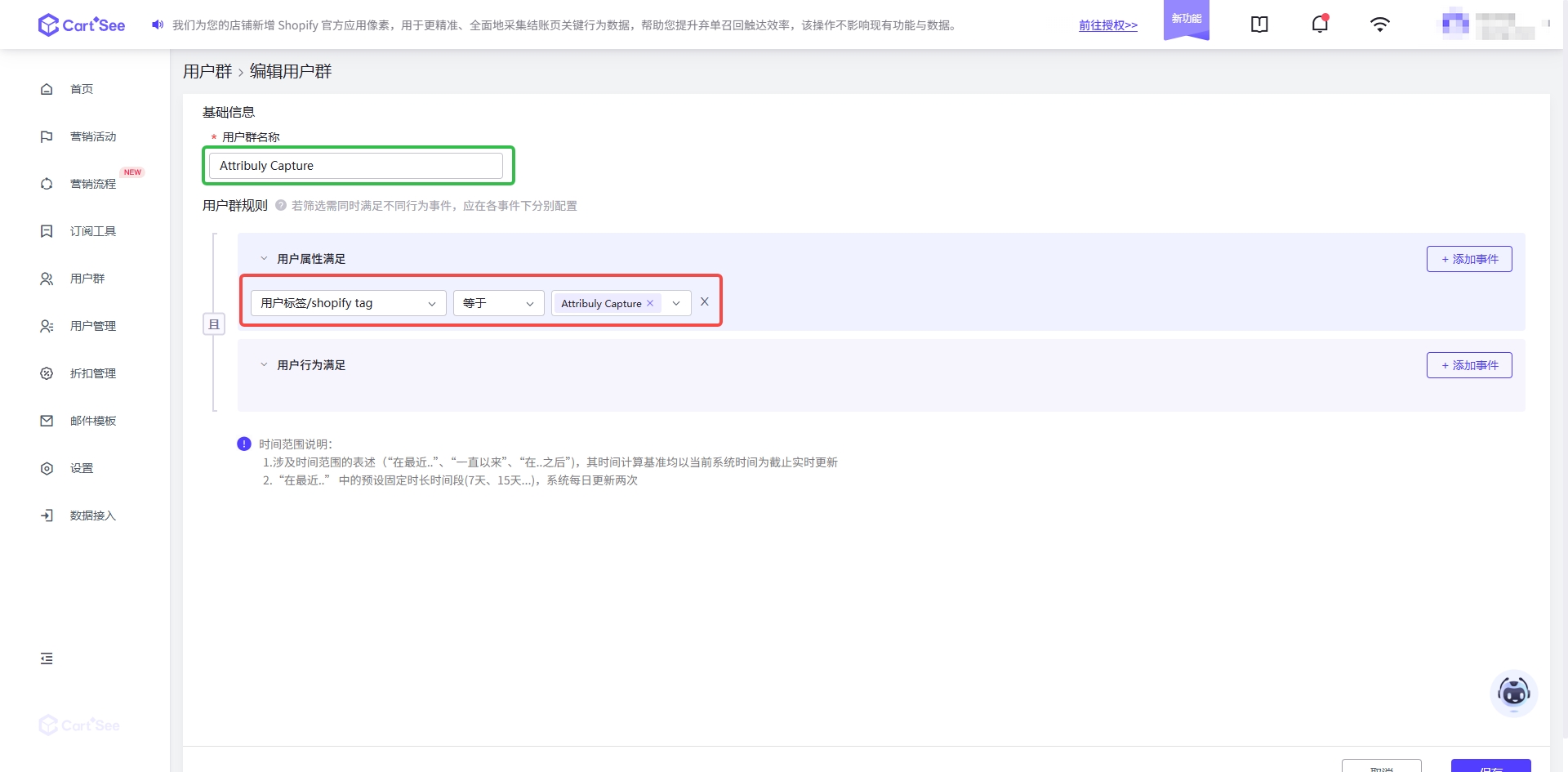
- Name the group “Attribuly Capture” and set the rule to User tag / Shopify tag equals “Attribuly Capture”.
Attribuly Capture
Mamba
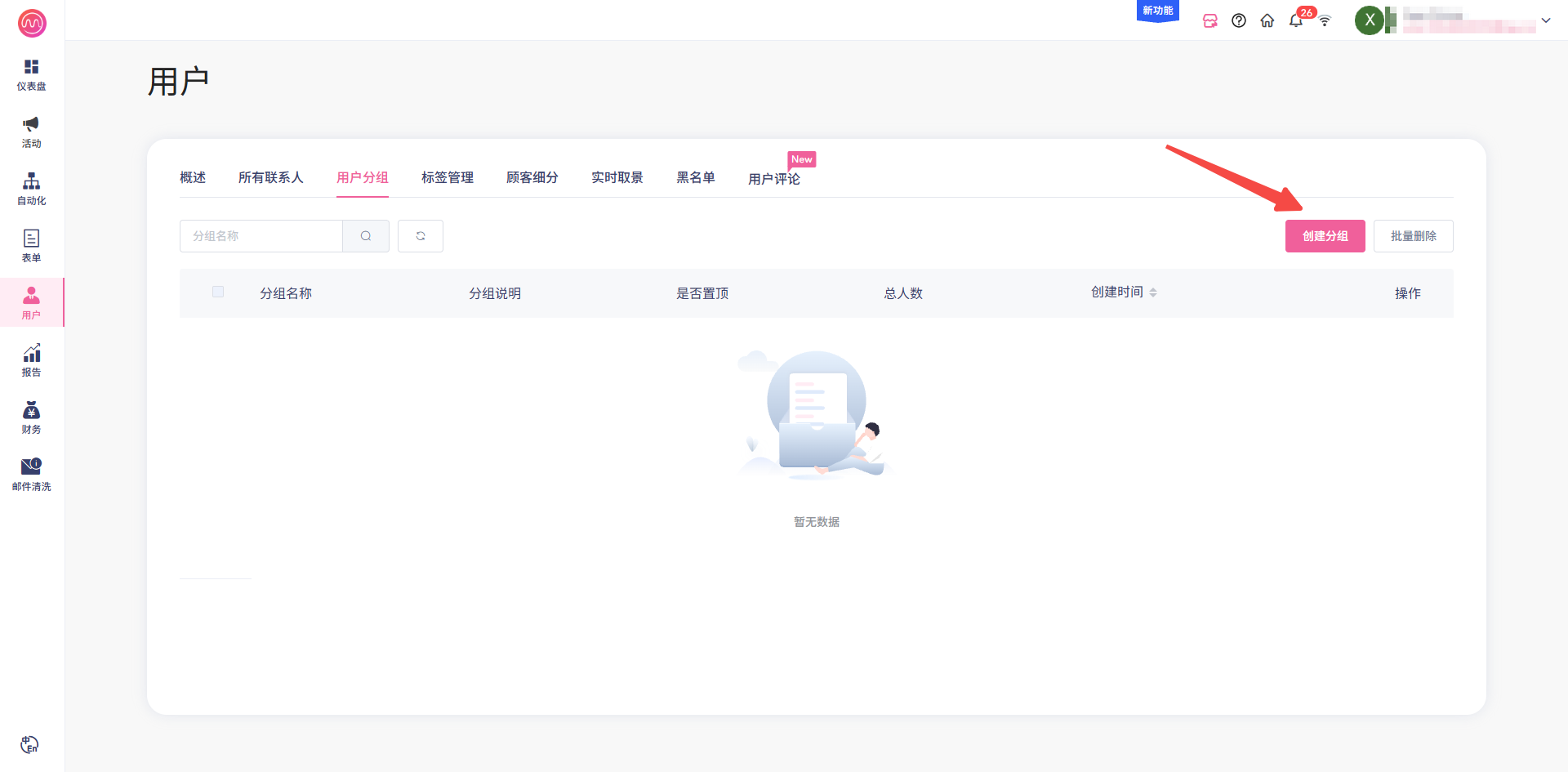
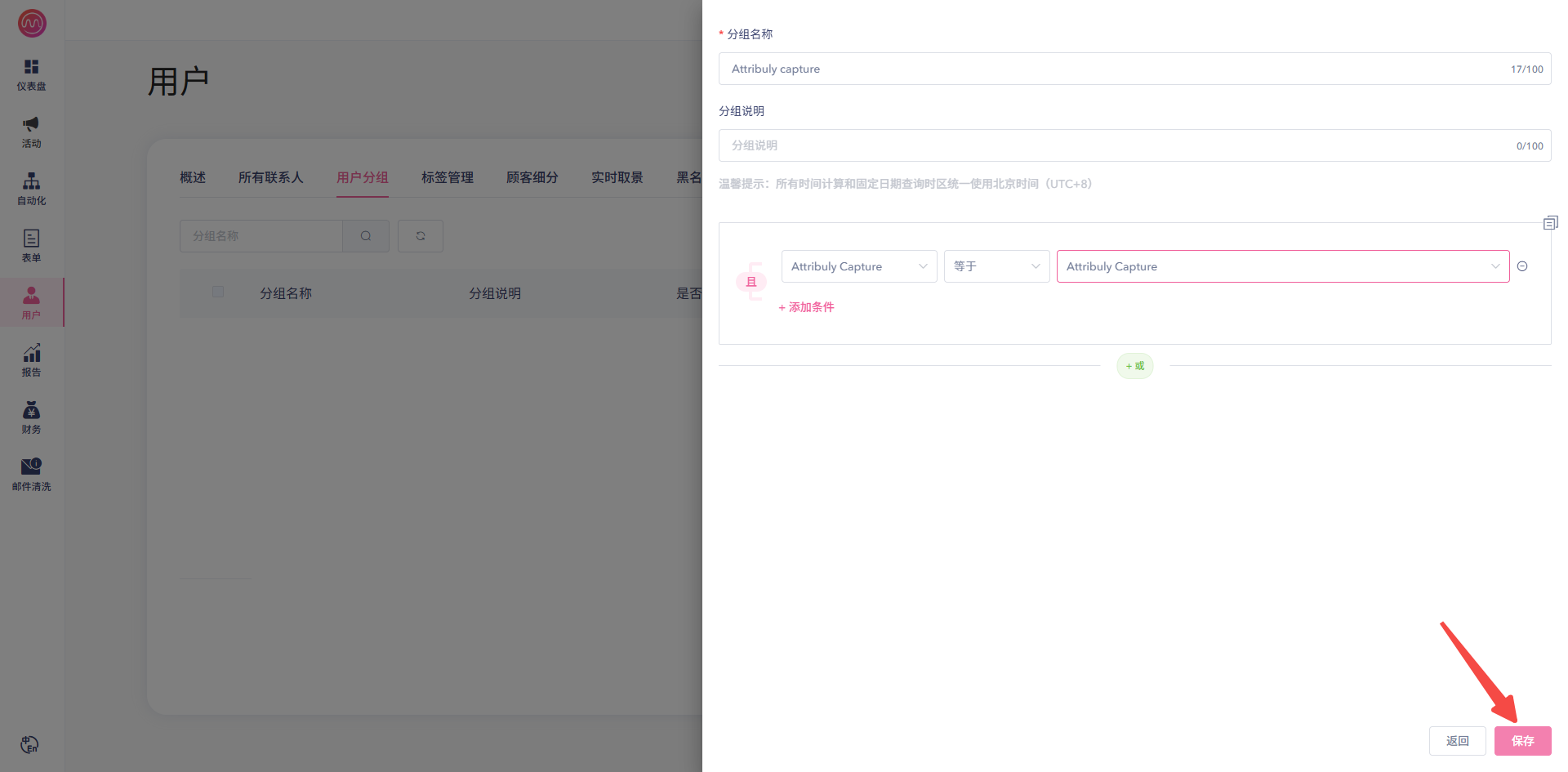
- Click Create group and name it “Attribuly capture”.
- For the condition, choose “Attribuly Capture” under Shopify tag, select equals, choose “Attribuly Capture” as the value, and click Save.
Check the results
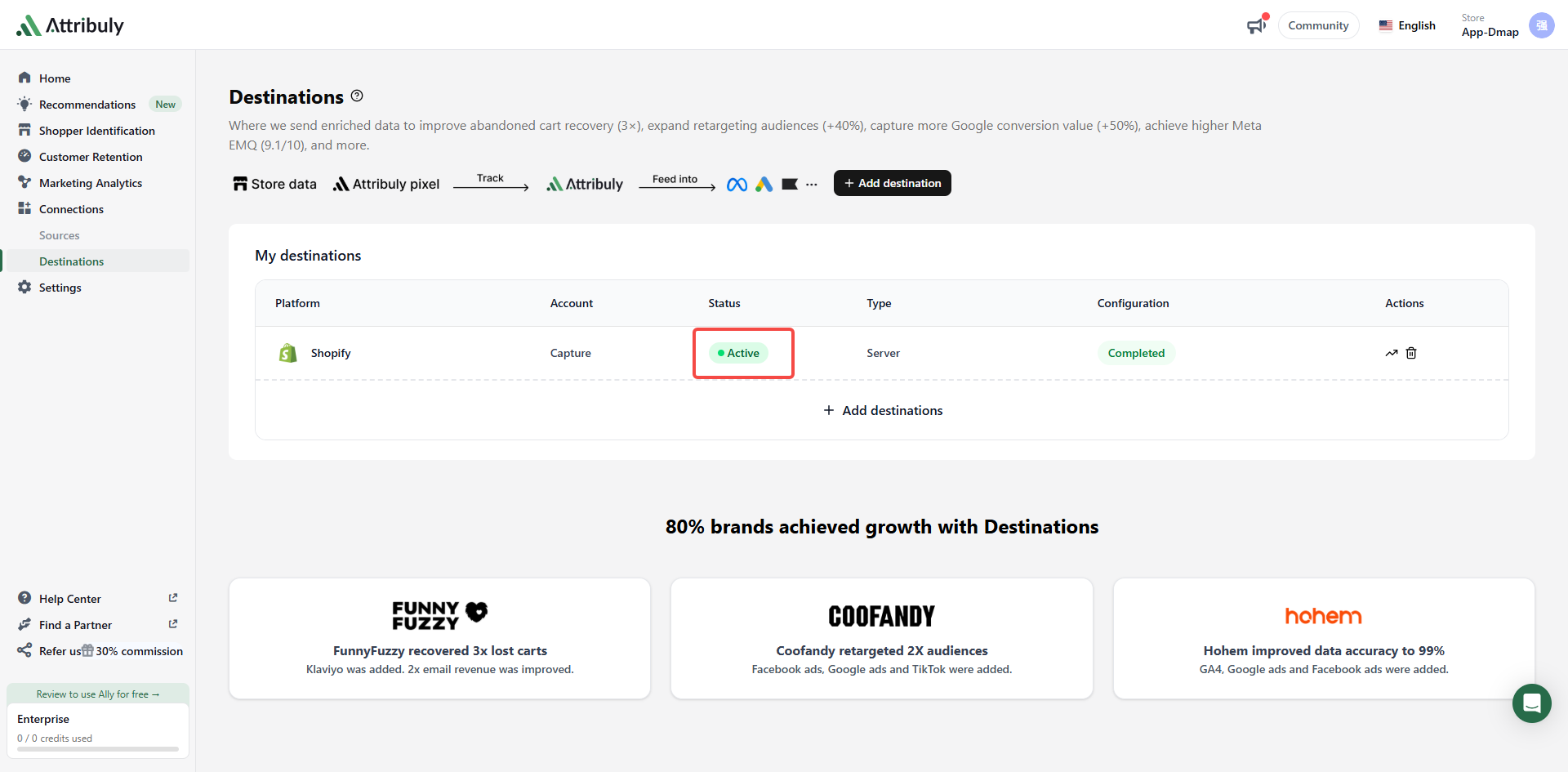
- In Attribuly, confirm the destination is enabled and working.
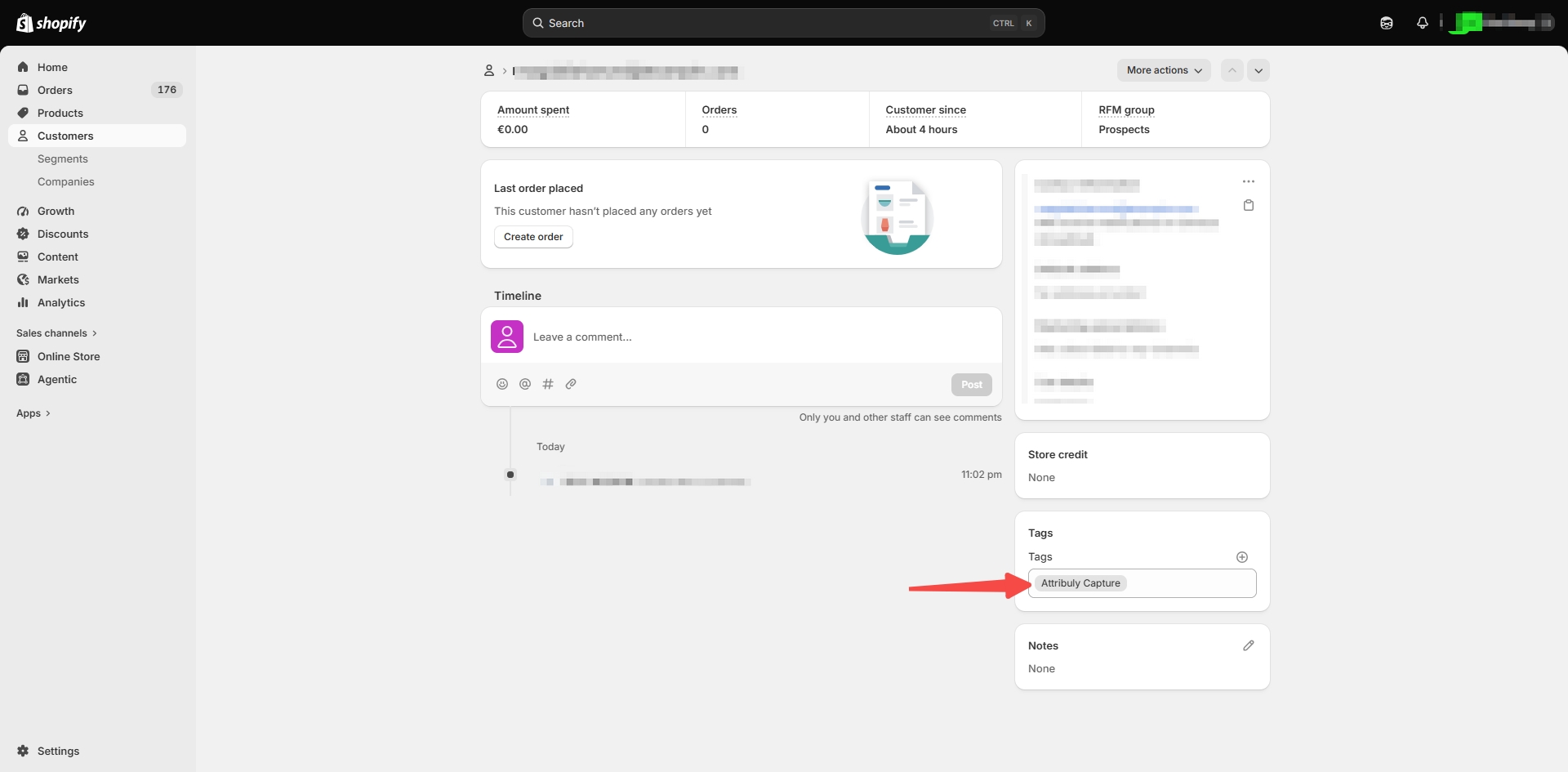
- Once Capture identifies an email, search for it in Shopify and open the customer. Attribuly Capture should appear under Tags in the bottom-right.
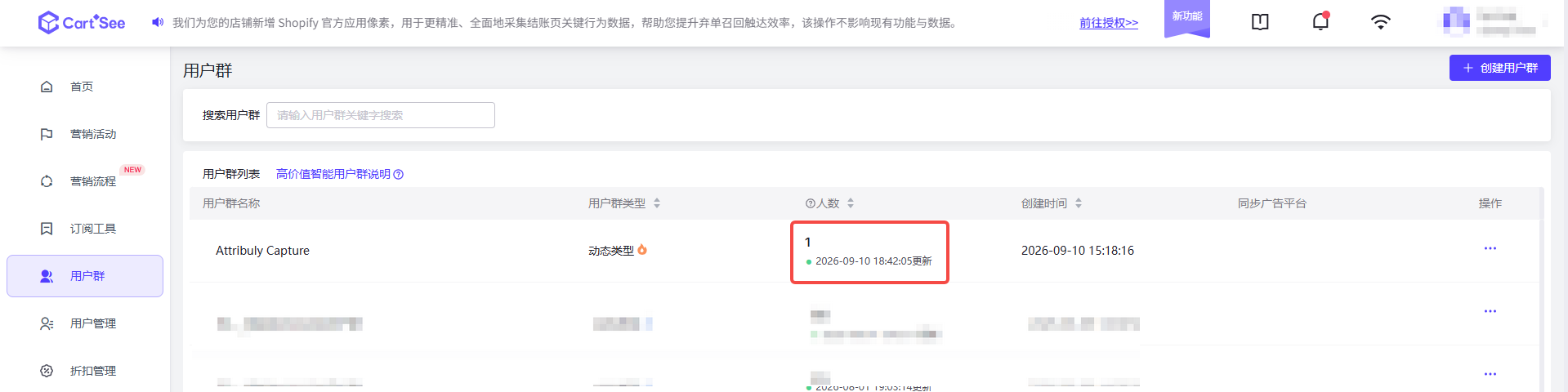
- In your email platform, check that the dynamic group picks up the email after it refreshes automatically or manually.
Questions and answers
Why am I asked to reauthorize when I create the Shopify destination?
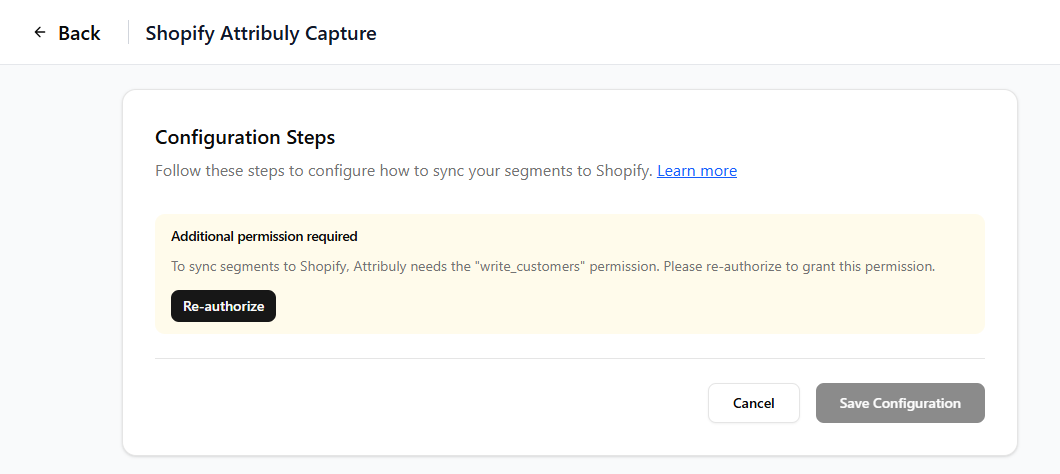
The permissions granted when Attribuly was installed on Shopify aren't enough. Using a Shopify account that can install apps, open Attribuly from the Shopify admin to update its permissions.
How do I know whether Capture has identified emails and synced them to Shopify?
Emails identified by Capture are added to the Capture segment on the Segments page every day between 9 and 10 a.m. Beijing time, and are then synced to Shopify automatically.