Access Control & Permissions
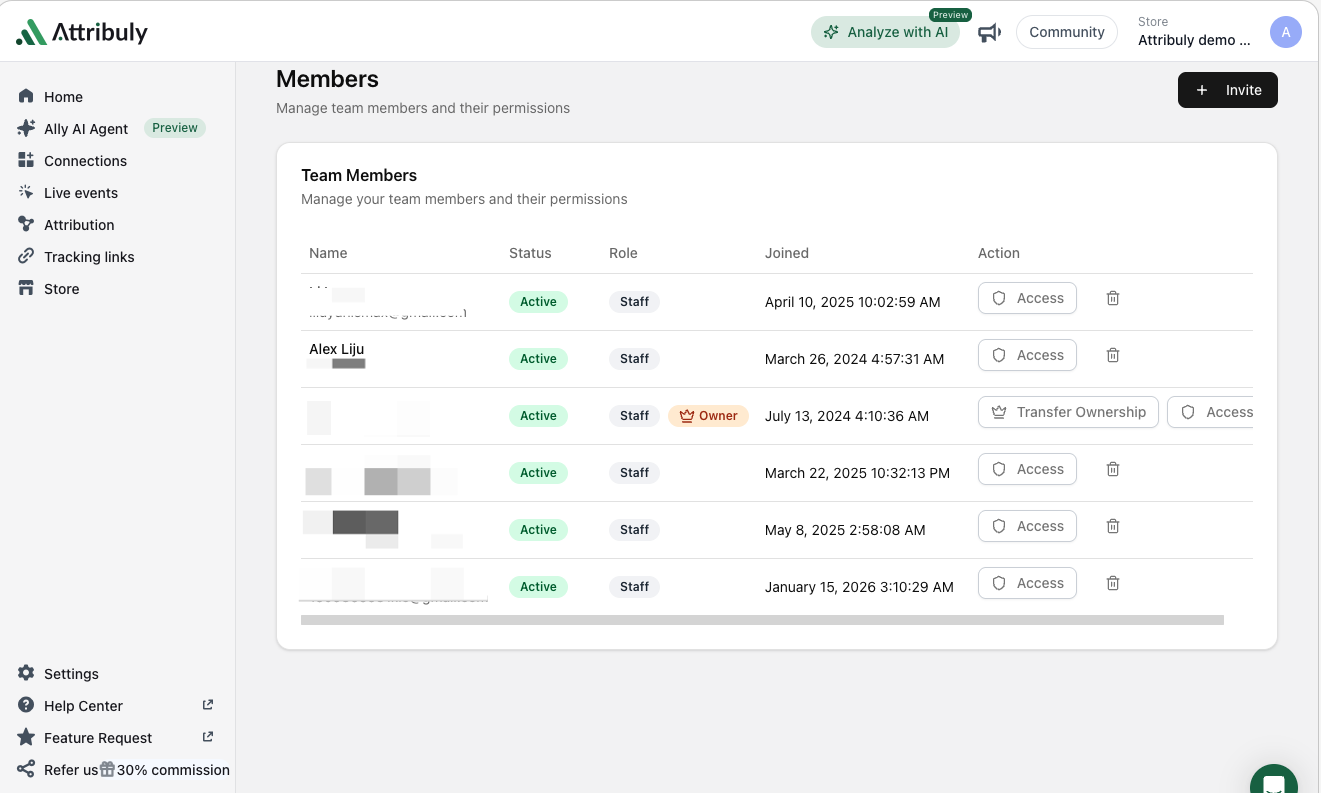
Granular Page/Route-Level Control (For Administrators)
What it means: You can now manage access to specific tool pages (e.g., the full Attribution module vs. only its Billing sub-page) instead of all-or-nothing access.- Navigate to Team Settings → select a team member → click the Access Control (shield) button to open a module tree view.
- Use "Select All Pages" for quick full access grants/revokes, or expand categories (via
>arrow) to toggle sub-permissions (e.g., let analysts access Attribution data but restrict them from billing settings). - Changes take effect immediately (users may need a page refresh/logout for full UI updates).
Clear Parent-Child Permission Logic
What it means: Selecting a parent module (e.g., Retargeting) auto-selects its sub-features; deselecting a sub-feature marks the parent as "partially accessible." This prevents accidental over-granting of access."My Permissions" View (For All Users)
What it means: Every team member can check their own access rights in read-only mode to avoid 403 errors or missing menu items.