Turn on the Attribuly app embed in Shopify
If Attribuly shows an Enable app embed prompt, turn on the Attribuly app embed in your Shopify theme.
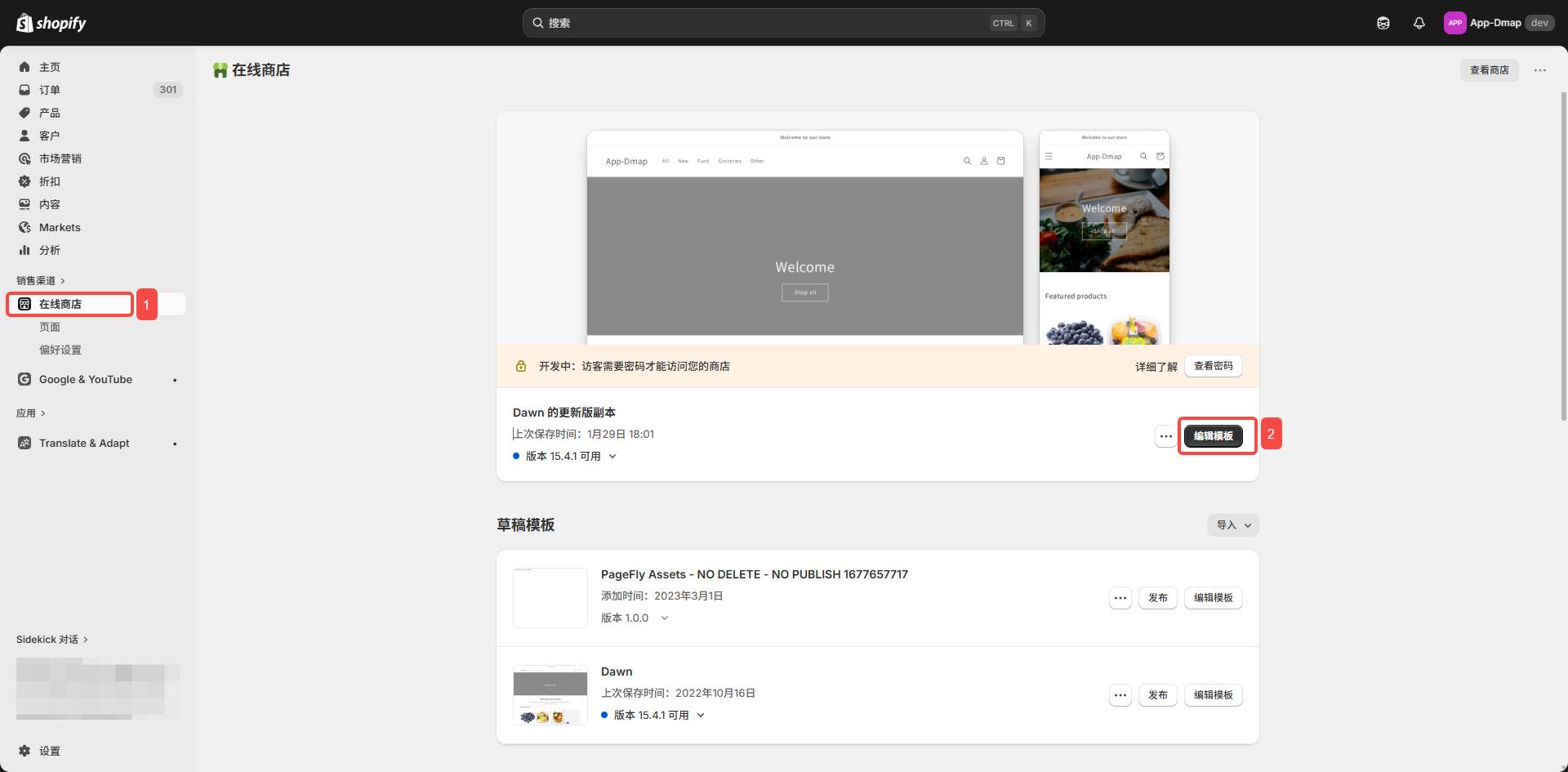
- In your Shopify admin, go to Online Store and click Customize on your current theme.
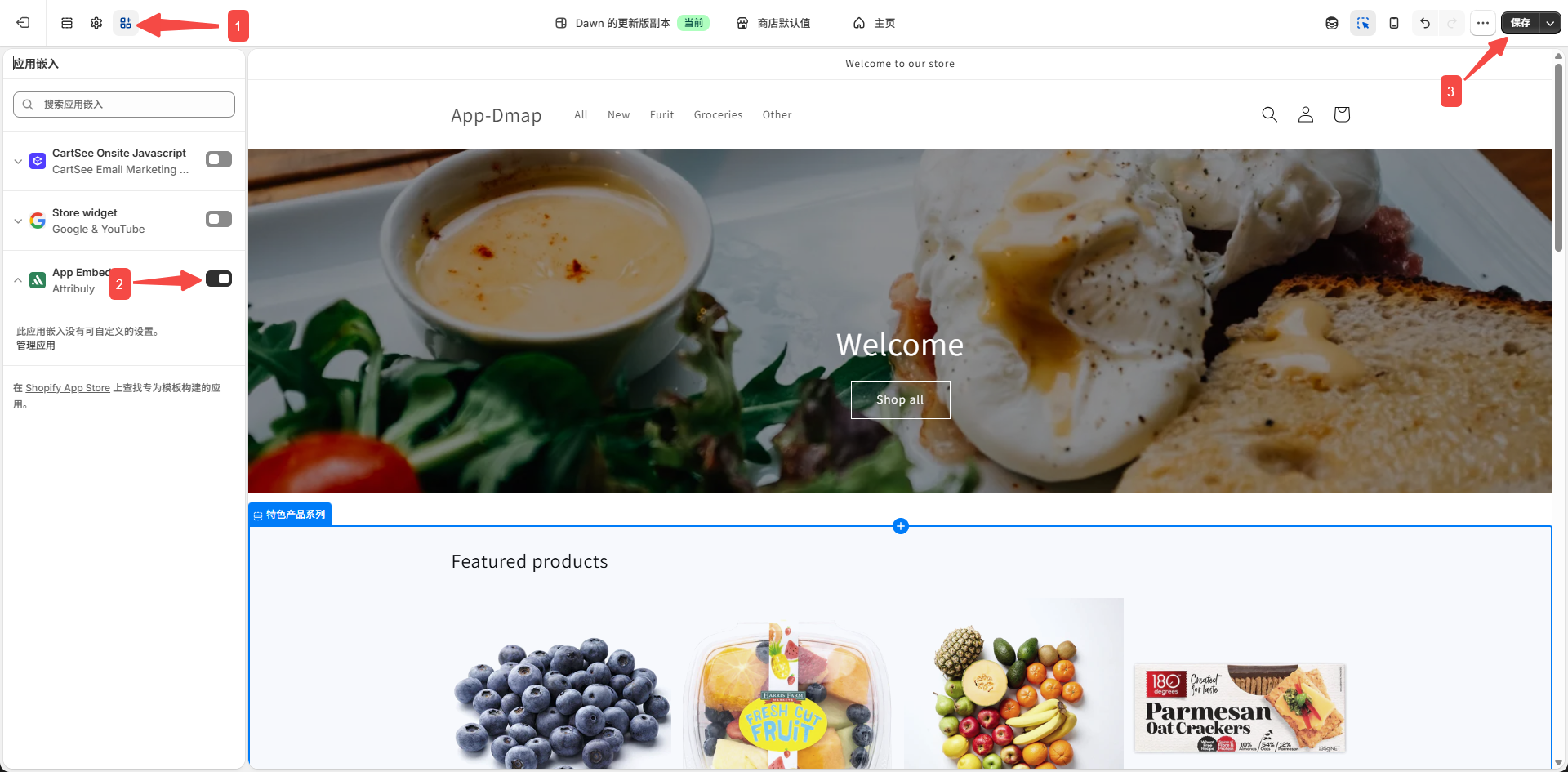
- Click App embeds, find Attribuly and turn it on, then click Save in the top-right corner.
If the switch is already on, you can ignore the prompt in Attribuly.