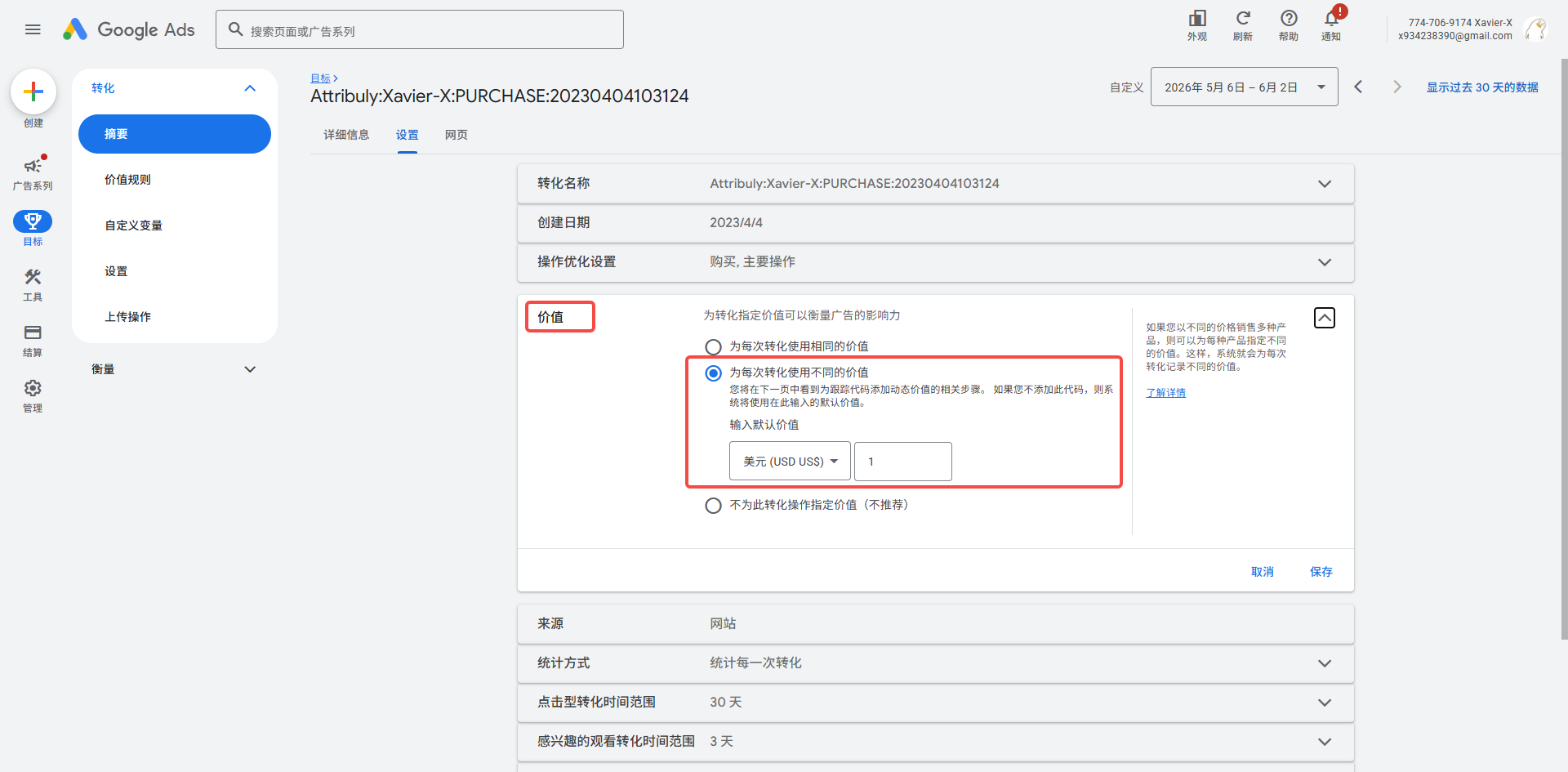
Set Attribuly as the primary action for Google Ads conversion goals
After Attribuly sends conversion events to Google Ads, set the Attribuly conversion action as the primary action for each conversion goal.
Set the primary action
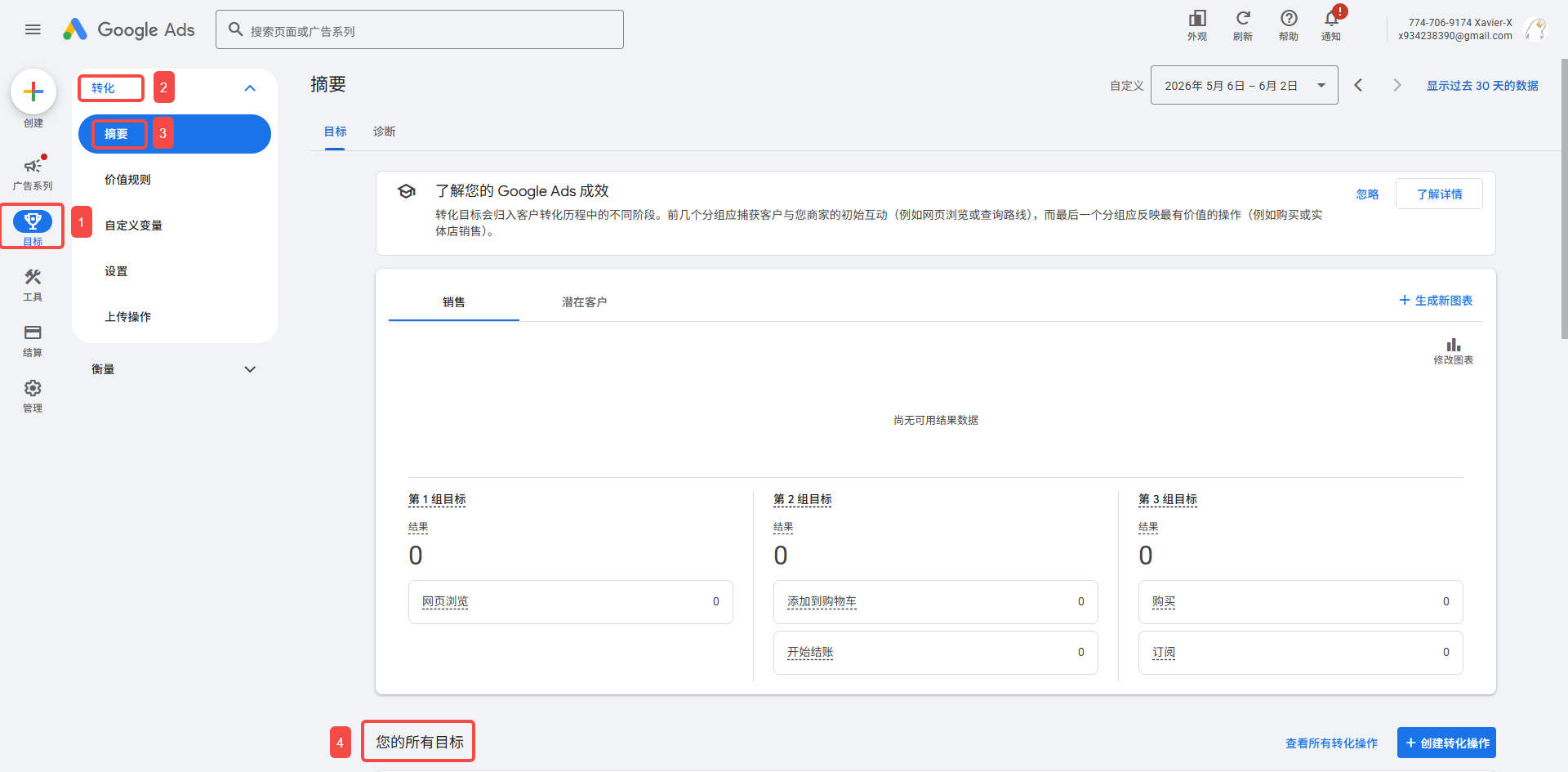
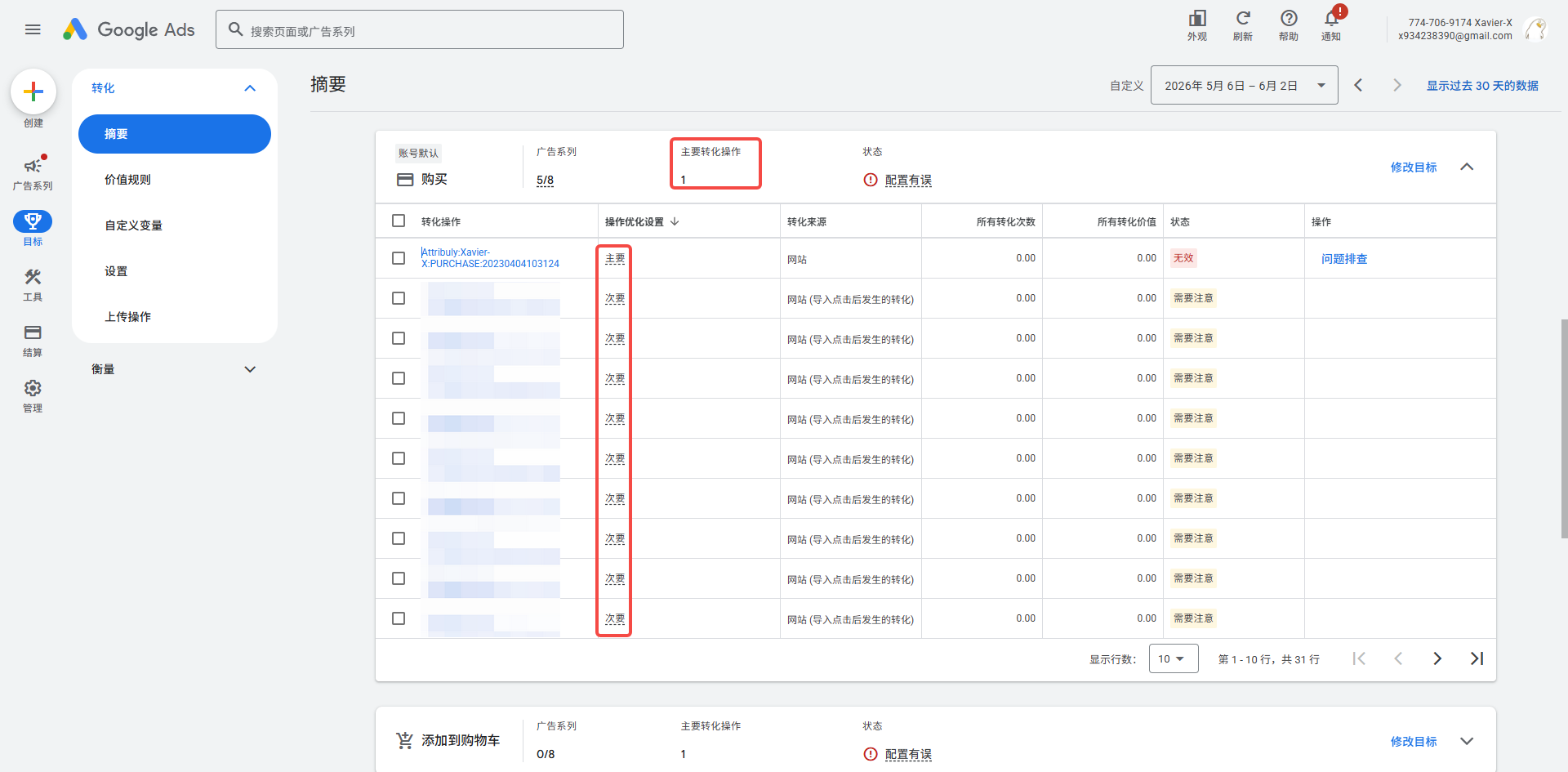
- In Google Ads, go to Goals → Conversions → Summary. Scroll down to the list of all your goals, which shows Google's default goals.
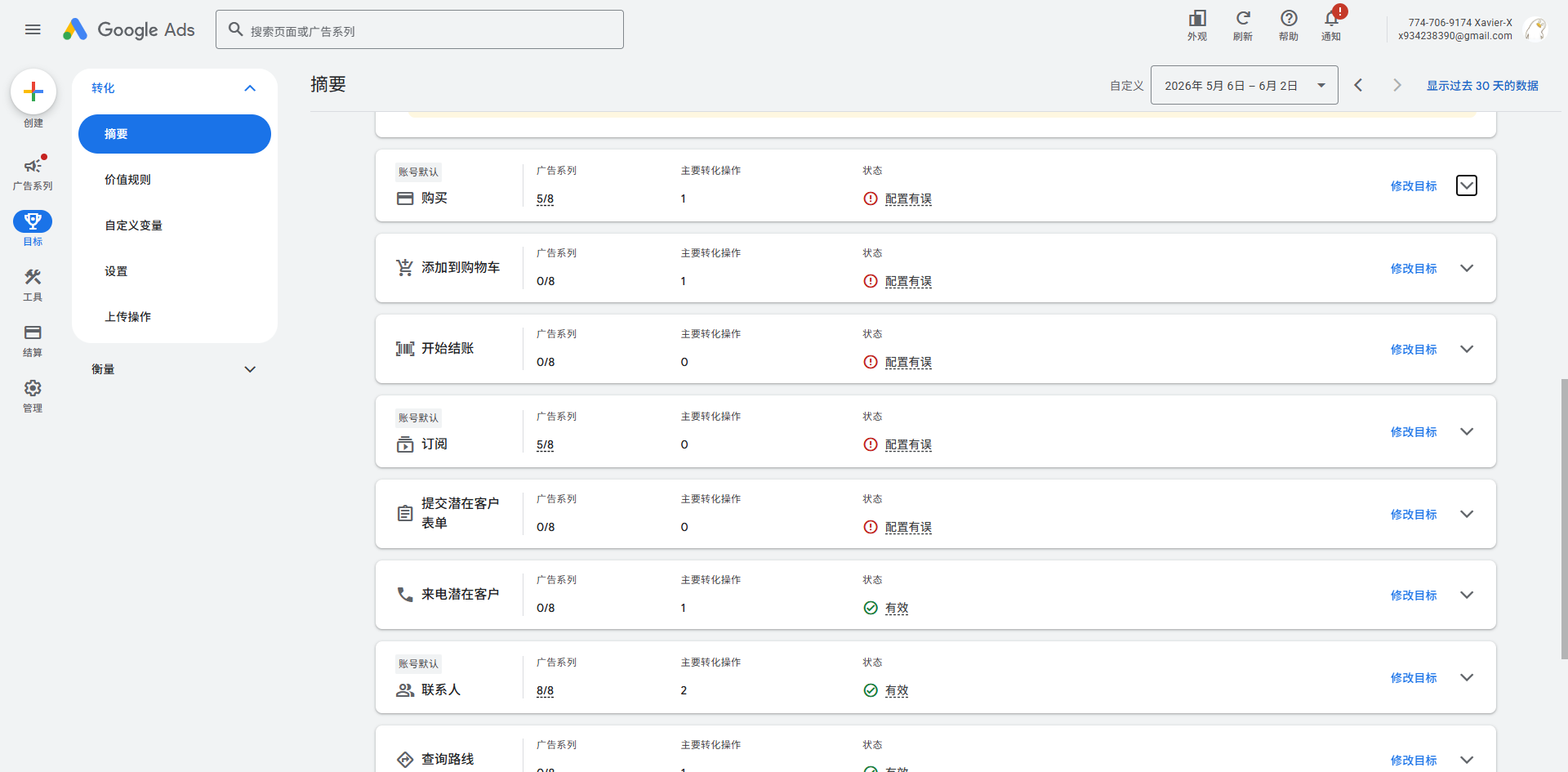
- Using Purchase as an example, click the expand button on the right.

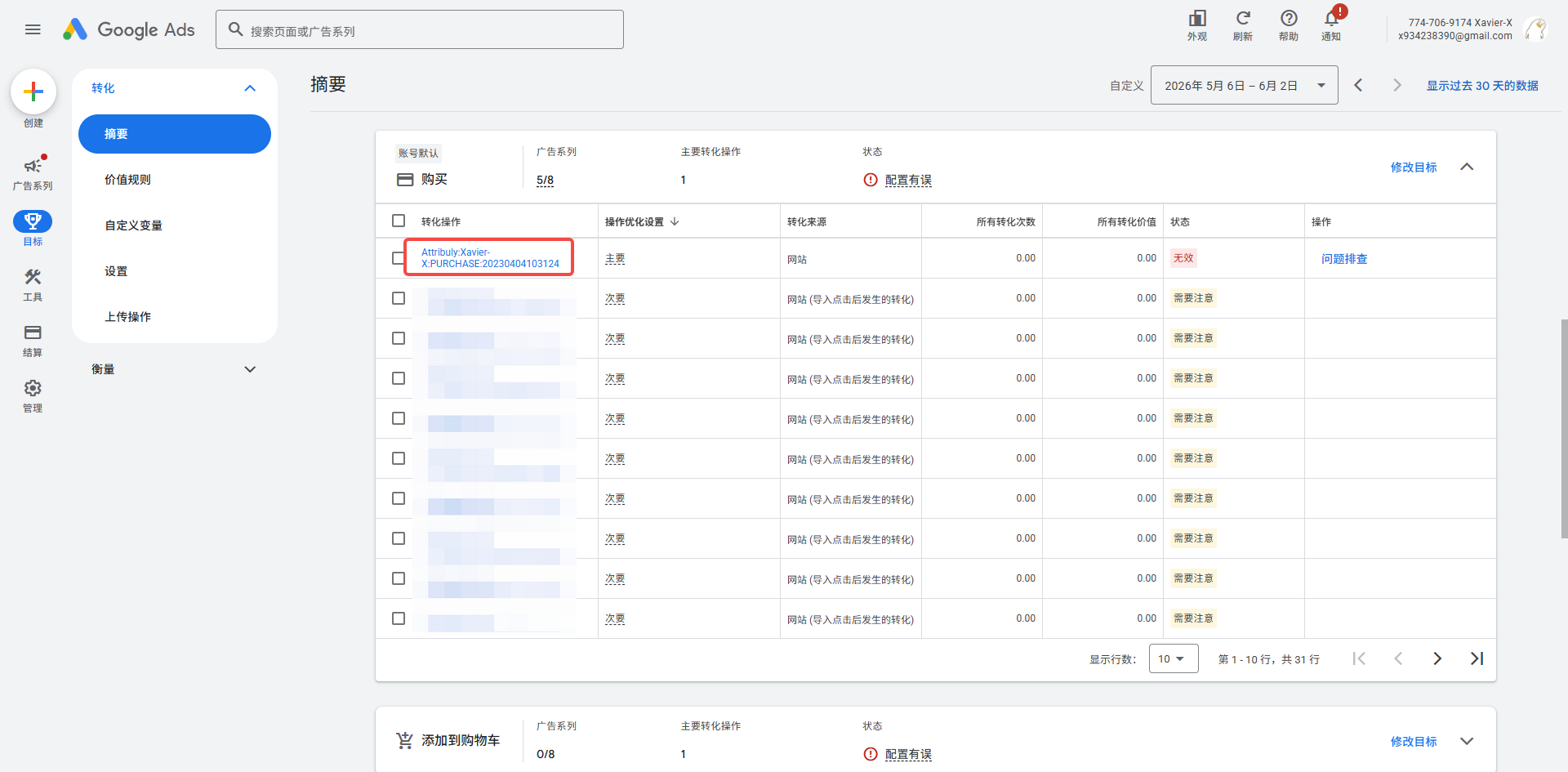
- Find the conversion action with “Attribuly” in its name and click the name.
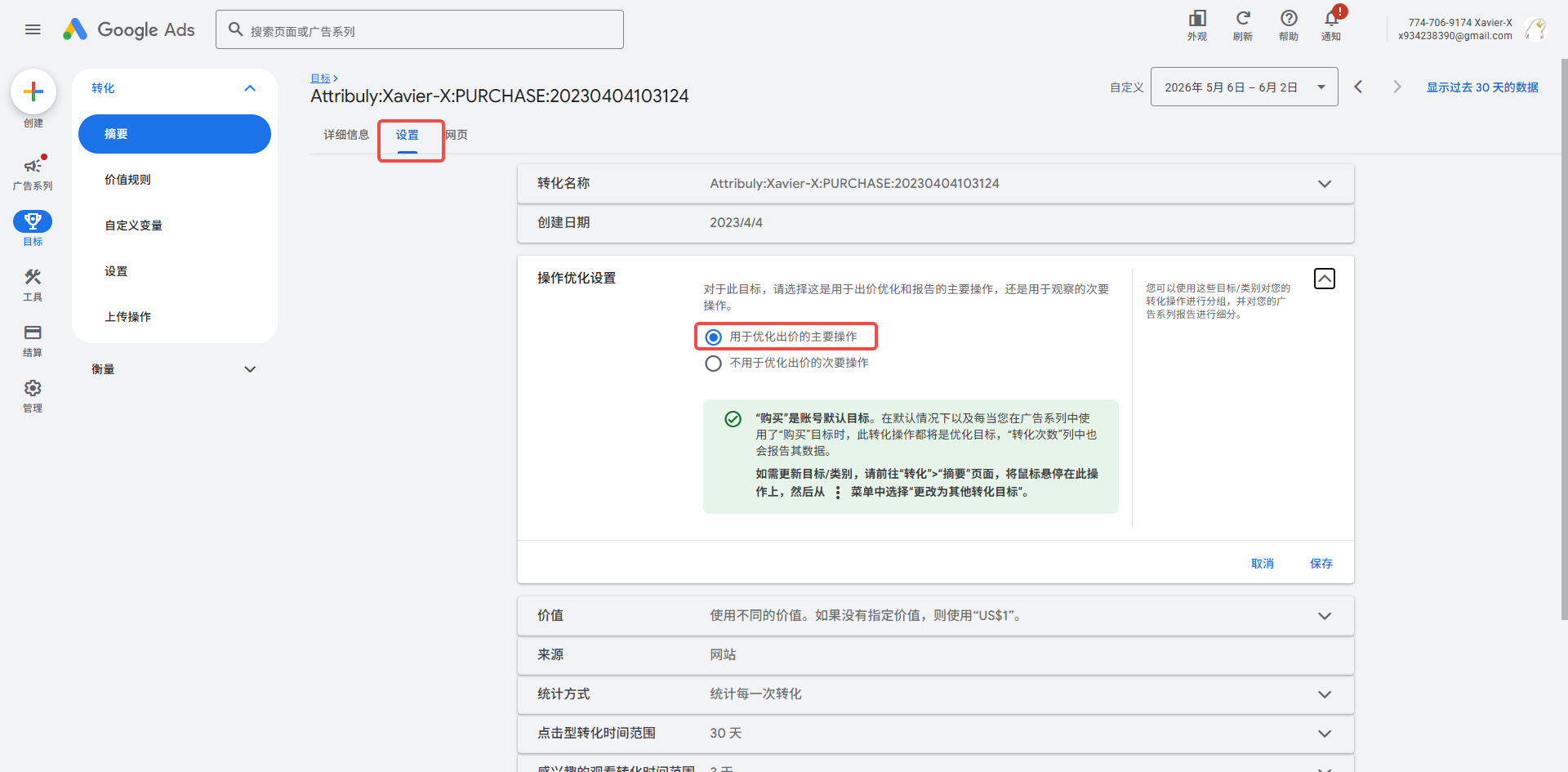
- On the details page, open Settings, expand Action optimization, and select Primary action used for bidding optimization.
Notes
- Each conversion goal can have only one primary action.
- Attribuly events include the actual order value, so Value is set to Use different values for each conversion by default. Don't change this option.