Add tracking parameters without restarting Meta ad learning
Editing the URL parameters of a live Facebook ad directly can send the ad back into the learning phase.
Why this happens
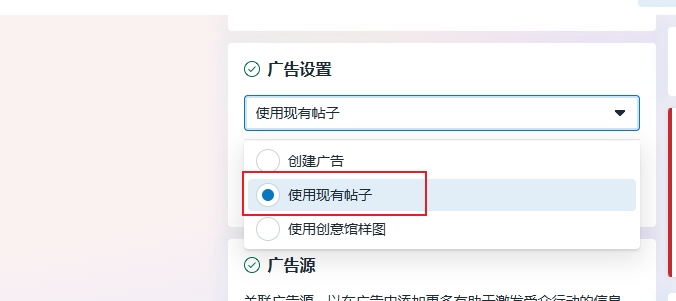
When you edit a Facebook ad, Ad setup defaults to Create ad.
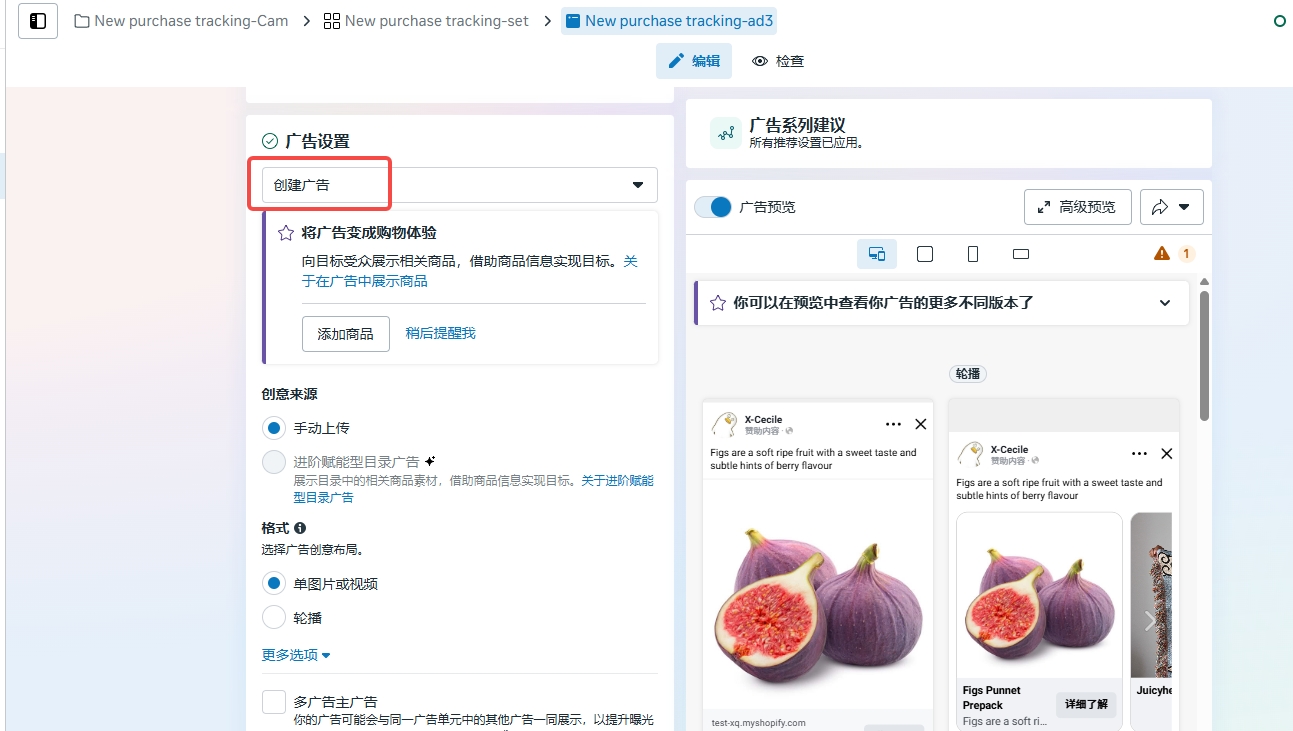
This changes the post ID in the ad creative. If you then edit the tracking template and publish, Facebook treats it as a new ad, and the ad re-enters the learning phase.
Keep the existing post
The steps below work around this behavior. Facebook may still treat the change as an edit to the ad creative, so it can't be avoided completely. For ads that are already running, decide case by case whether to make the change. For new ads, set the URL parameters when you create them.
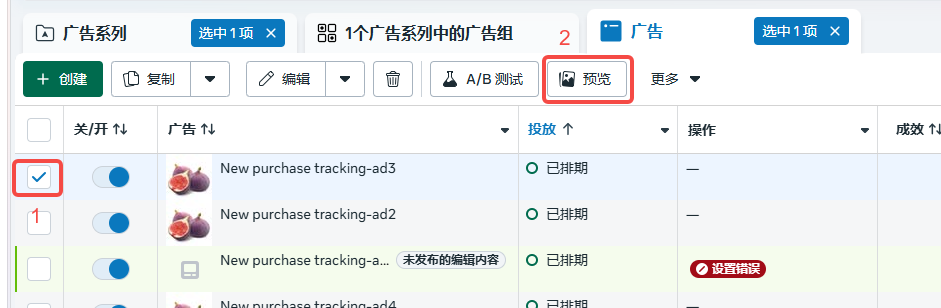
- Find the ad you want to change, select it, and click Preview.
- Choose Facebook post with comments.
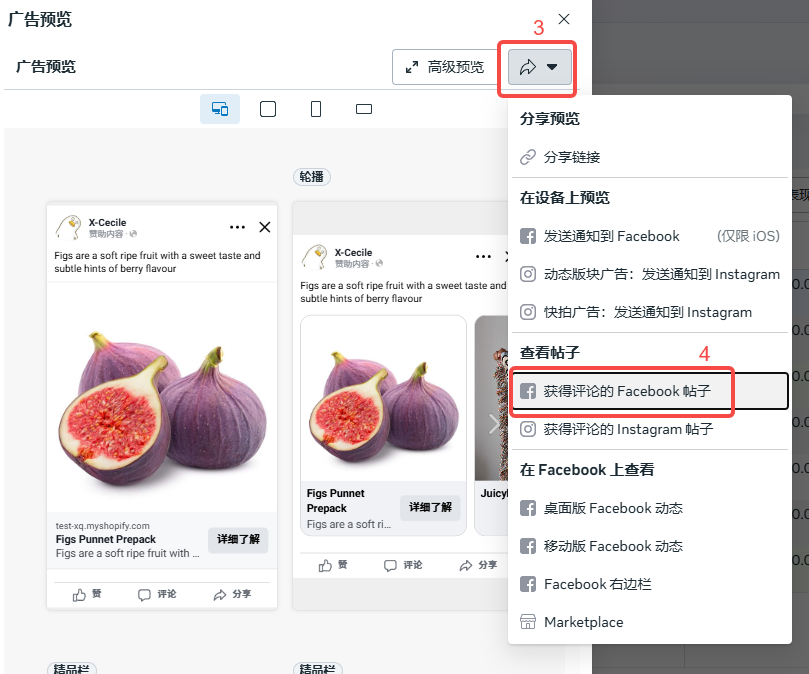
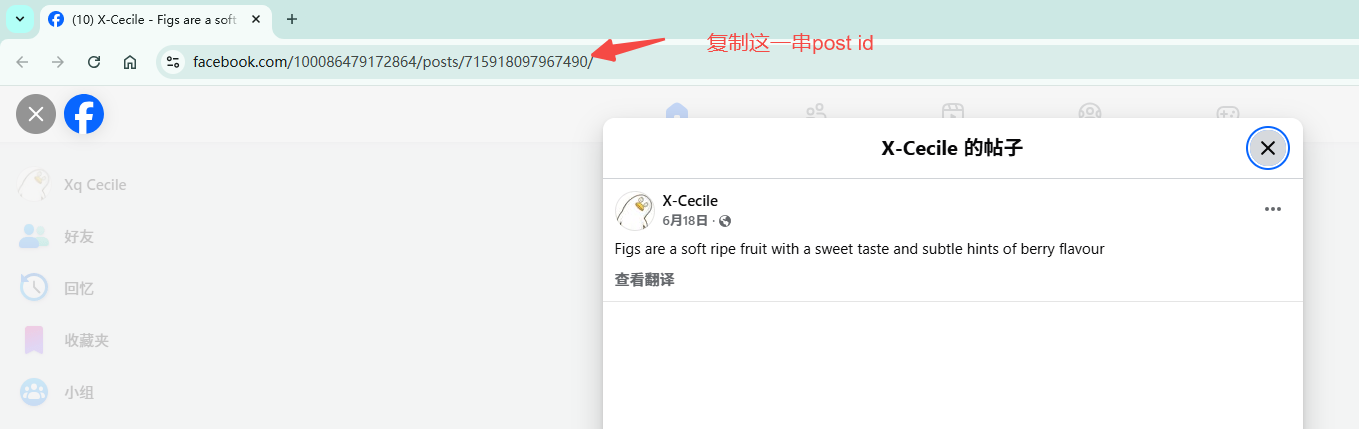
- Copy the post ID from the preview link.
- Open the ad's edit page, find Ad setup, and change it to Use existing post.
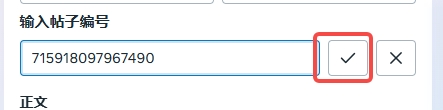
Then, under the ad creative, find Enter post ID.
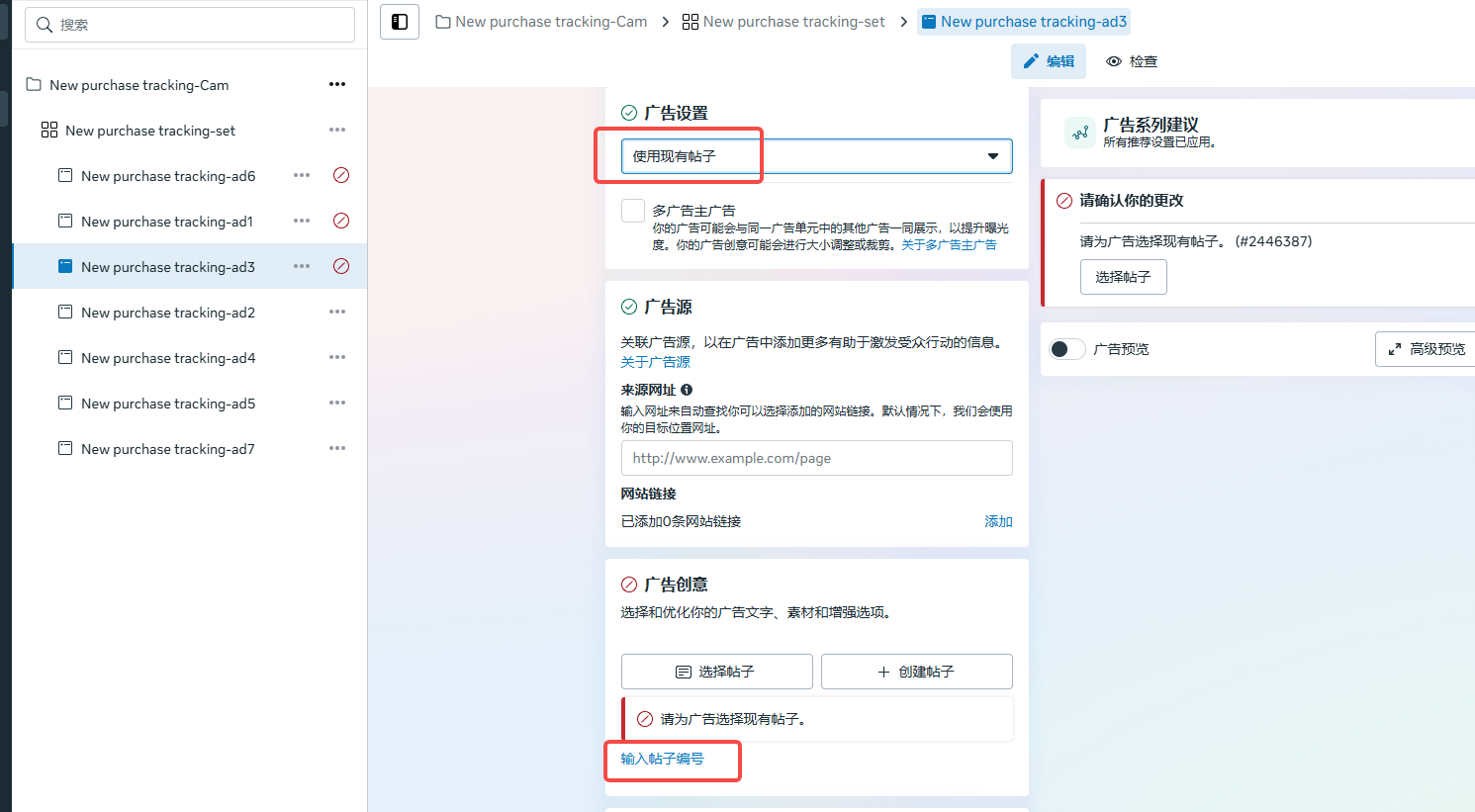
Paste the ID and click ✓ to confirm.
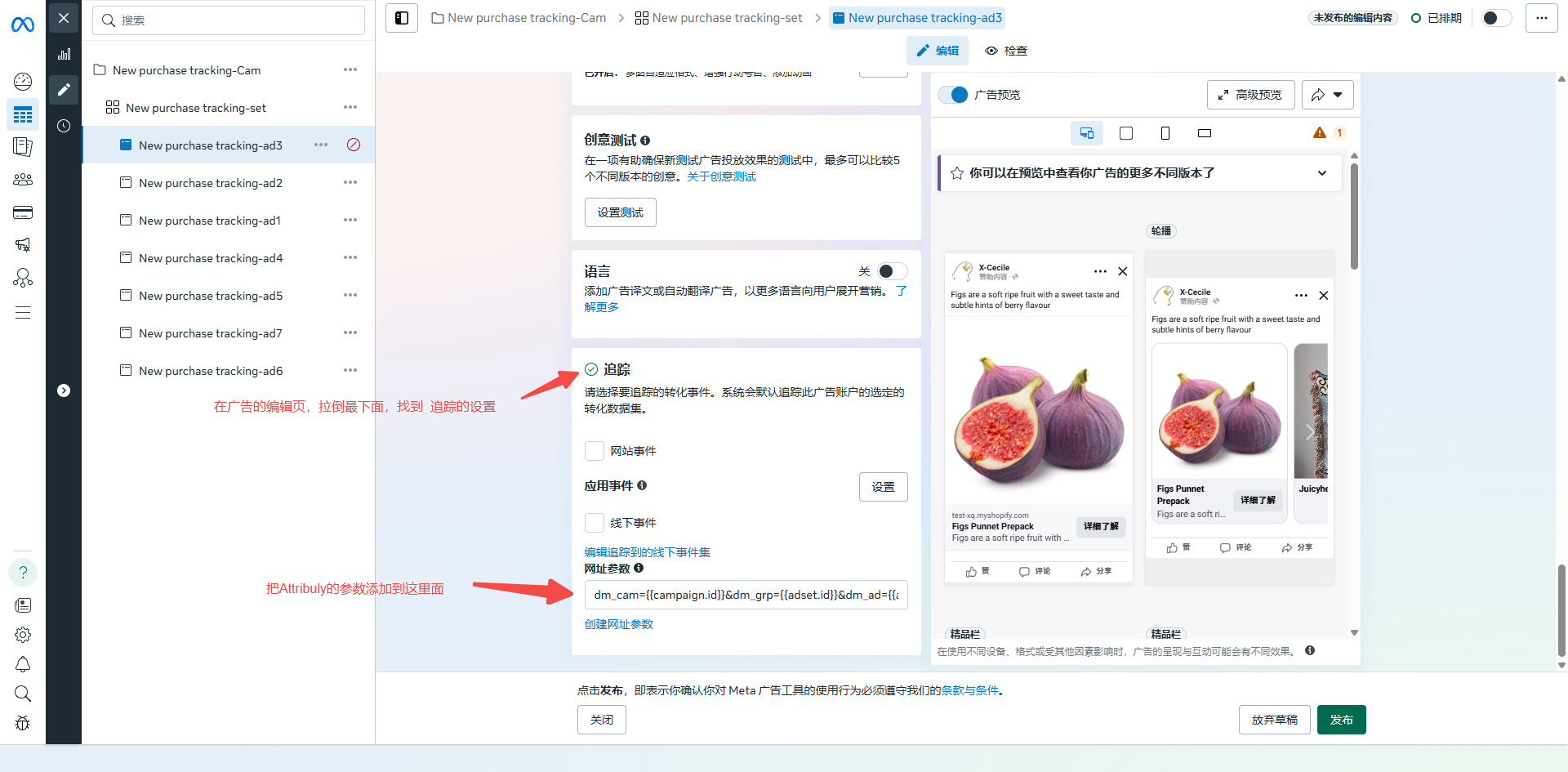
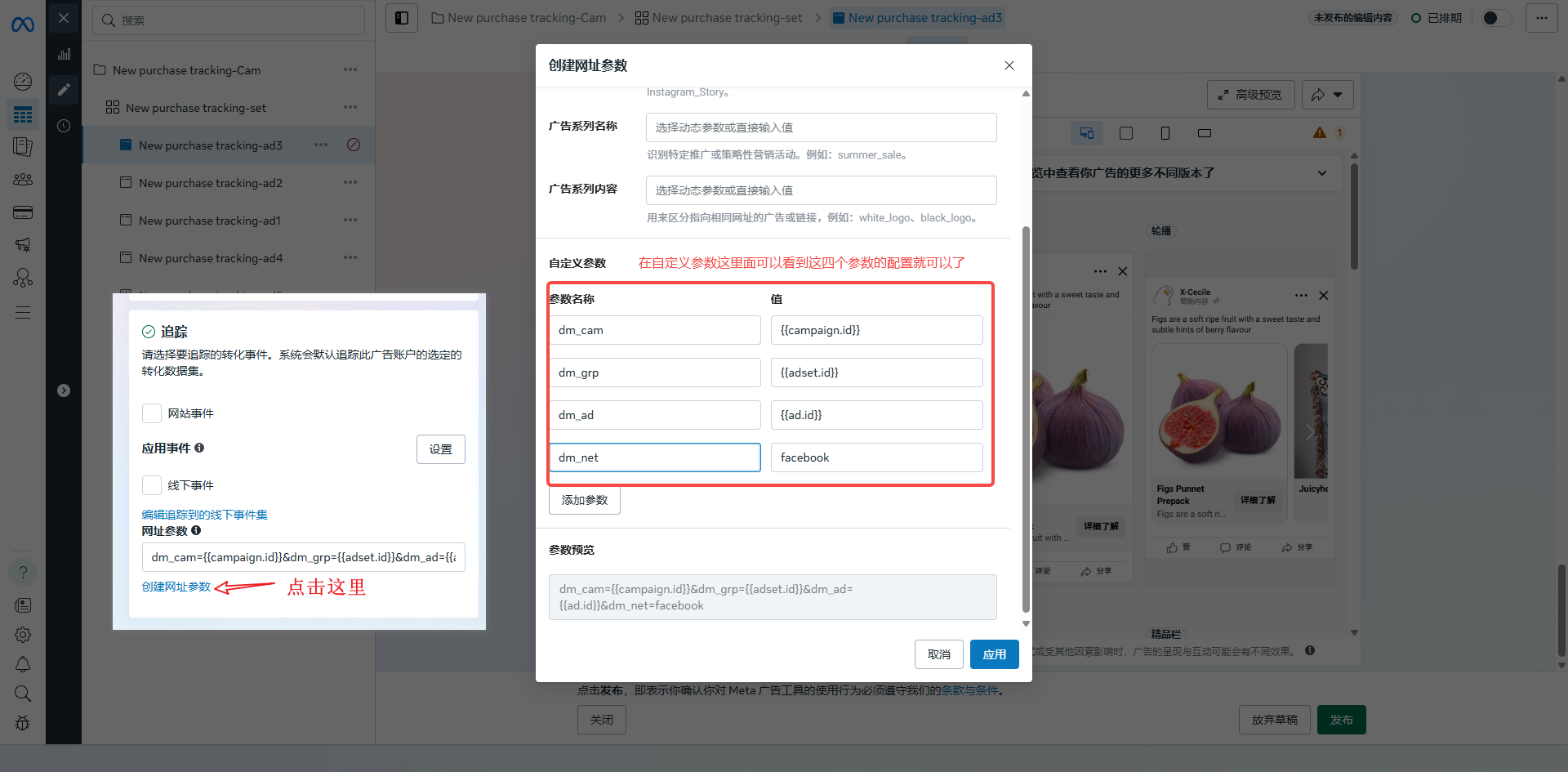
- Scroll down to Tracking, edit URL parameters, and publish. You don't need to remove the existing parameters. Just add the Attribuly parameters to them.
dm_cam={{campaign.id}}&dm_grp={{adset.id}}&dm_ad={{ad.id}}&dm_net=facebook