
Put Shopify + ads + attribution truth into Claude. Diagnose why CPA/ROAS changed — in one prompt.
When you need cross-source diagnosis (audience, creative, landing page, funnel stage), Attribuly aligns definitions first so Claude can recommend the next best actions.
Safe by default — Your ad accounts won't get flagged or banned
What you can do with Claude + Attribuly
Ask in any language
Ask questions like “What changed in Meta prospecting this week?” and get a clear, data-backed response.
Shopify + ads in one conversation
Claude can reason across Shopify orders and multi-platform ads context in a single workflow.
Diagnosis on consistent definitions
Contrast platform reporting with attribution truth to separate real performance shifts from measurement noise.
Safe by default
Clear setup steps, explicit connections, and privacy-conscious handling of credentials and access.
No data silos. That’s how diagnosis becomes reliable.
For growth diagnosis, the key isn’t “more data” — it’s connecting sources and explaining changes with consistent definitions.
Shopify + Claude (best for store questions)
- Store questions: orders, products, customers, refunds
- For ad performance shifts, context often lives across multiple systems
Attribuly + Claude (best for growth diagnosis)
- Connect Shopify (orders/customers/products) + ad platforms (Meta/Google)
- Align definitions: explain shifts with attribution truth and recommend next actions (cut/scale/test)
Copy-friendly prompts for growth diagnosis
Paste these into Claude to explain shifts with consistent definitions and get next actions.
Diagnose the shift
Find overstated wins
Prompt
bash
Identify campaigns/audiences that look strong in Meta/Google reporting but don’t hold in Shopify orders/profit. Explain why (e.g. overlap, retargeting taking credit).Propose a low-risk experiment
Prompt
bash
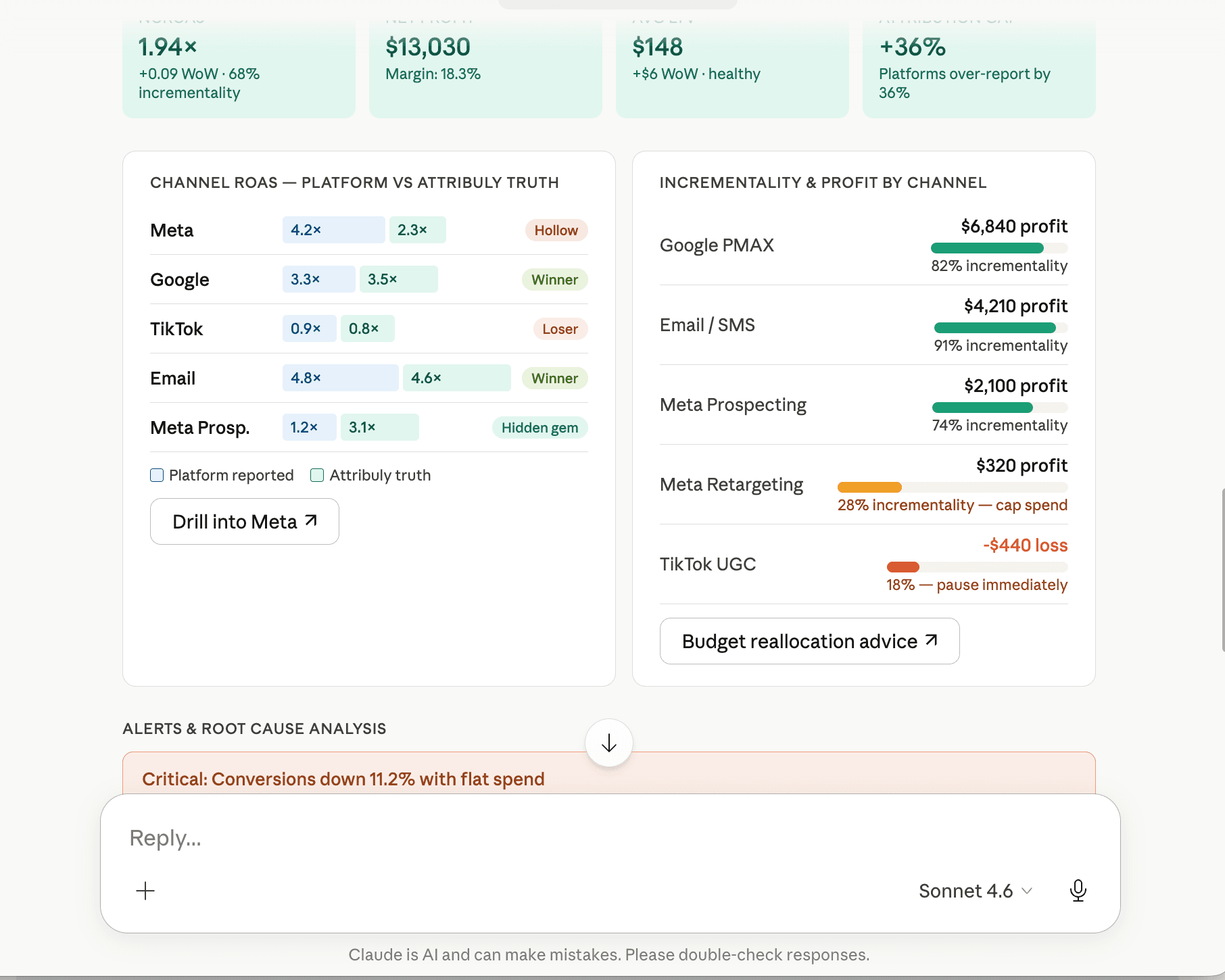
Based on last week’s data, propose a minimum-risk test plan: what to cut, what to scale, expected impact, and how to validate.What changed this week (and why)
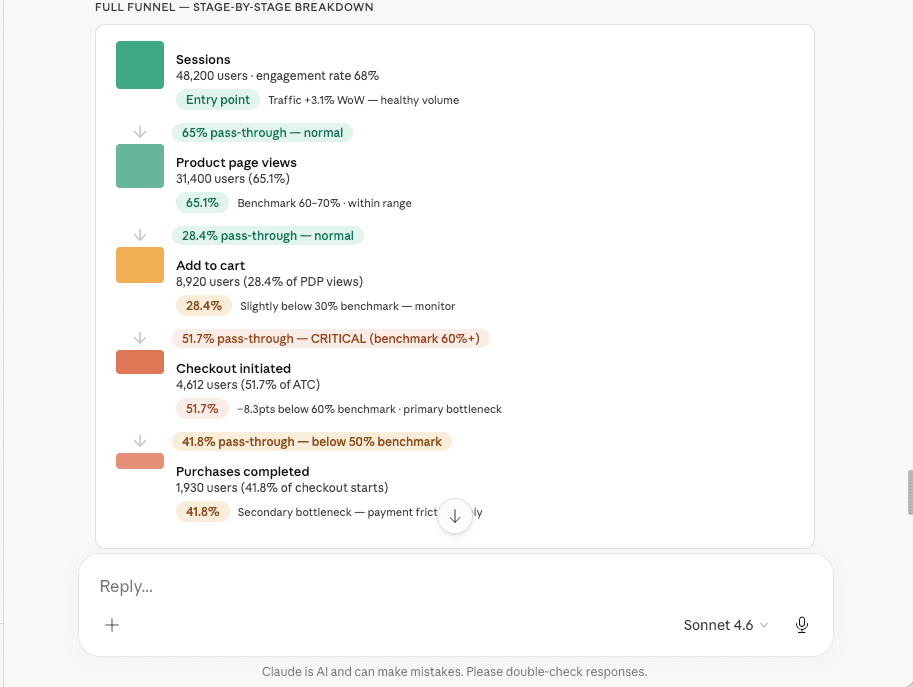
Where the bottleneck is (and what to fix first)
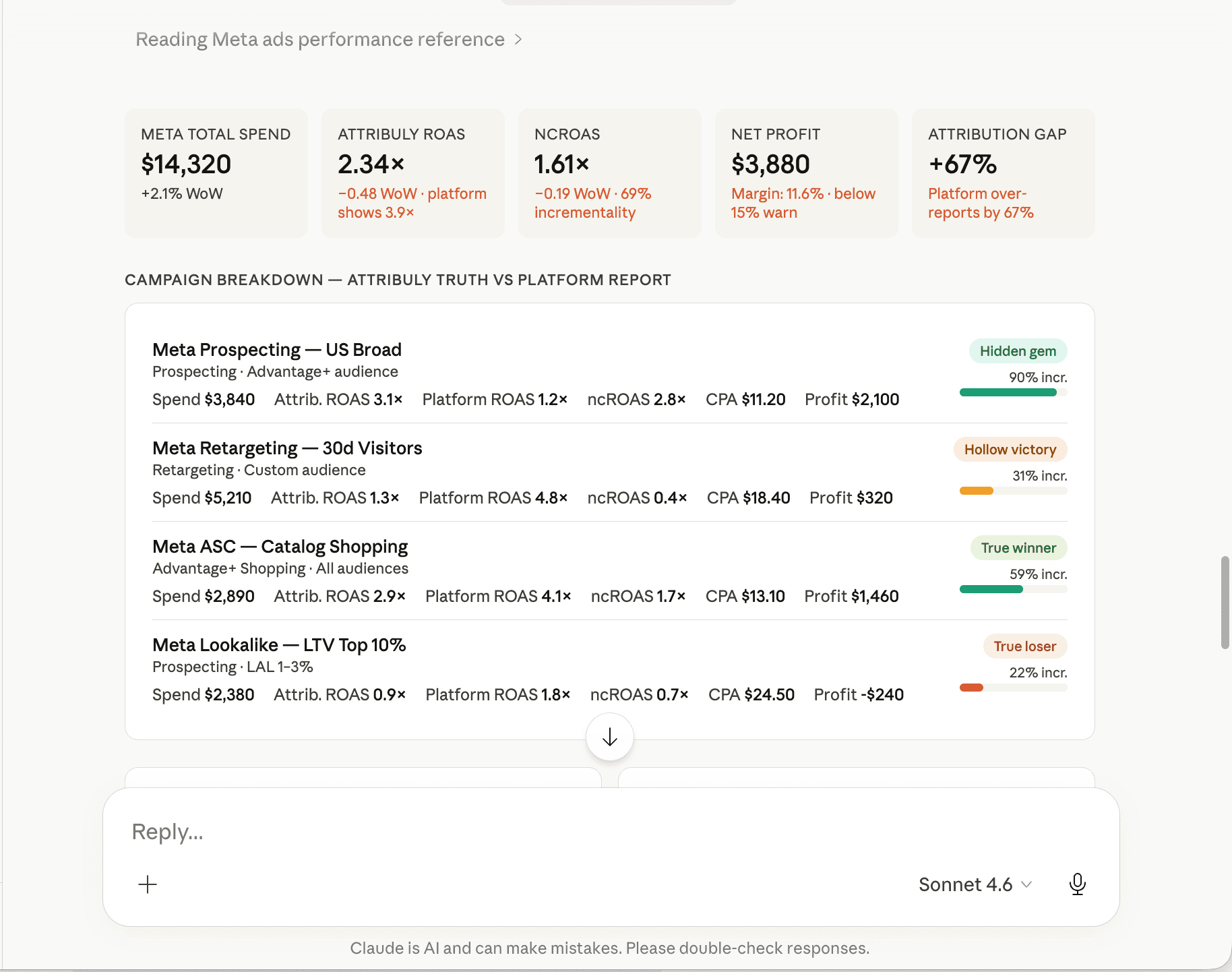
What platform reporting is overstating (with attribution truth)
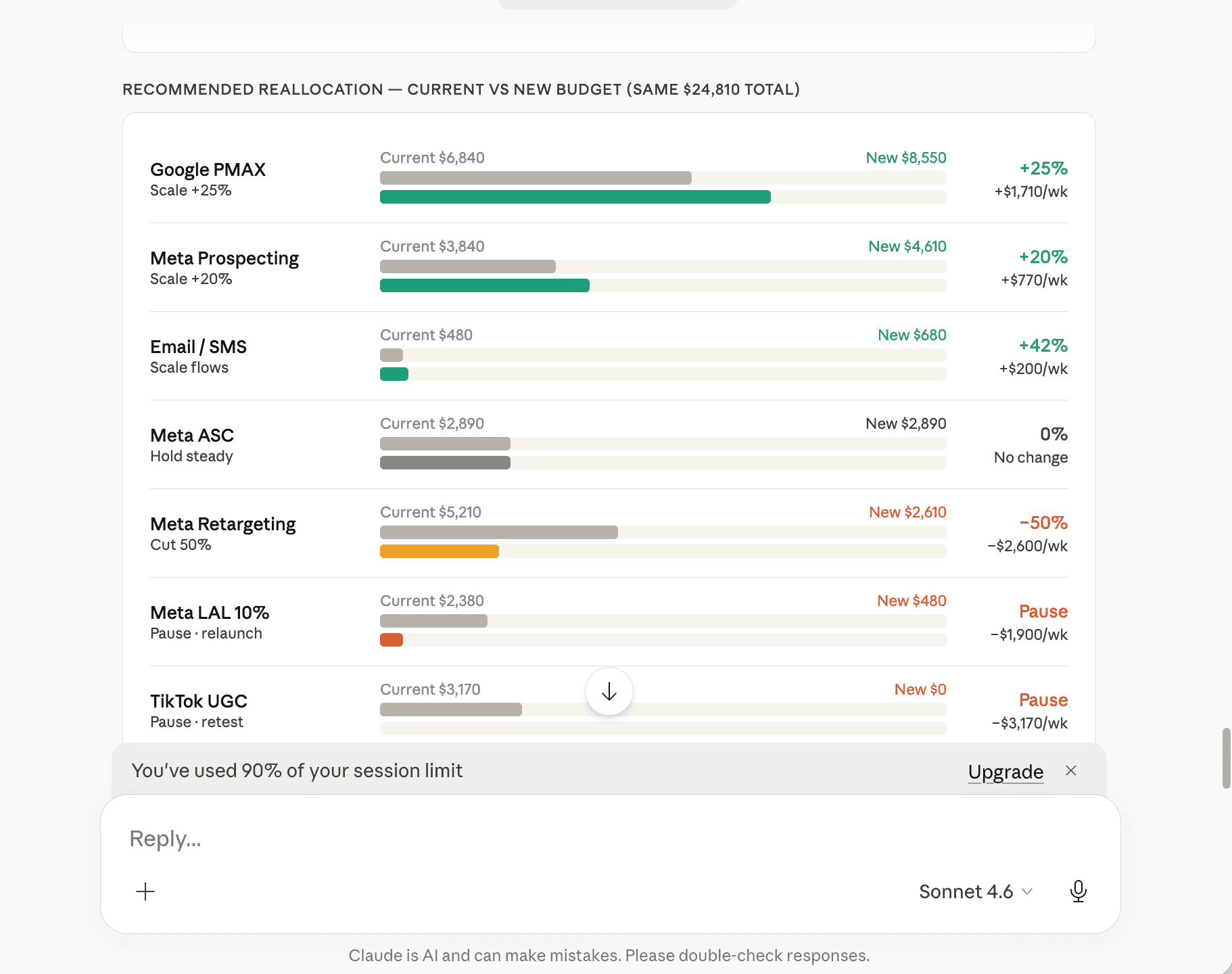
How to reallocate budget next (and what to expect)
Setup guide
Four steps from zero to “Claude, what should I do next?”.
Connect accounts
- Connect in a few clicks
- Collect customer events
- Get true attribution
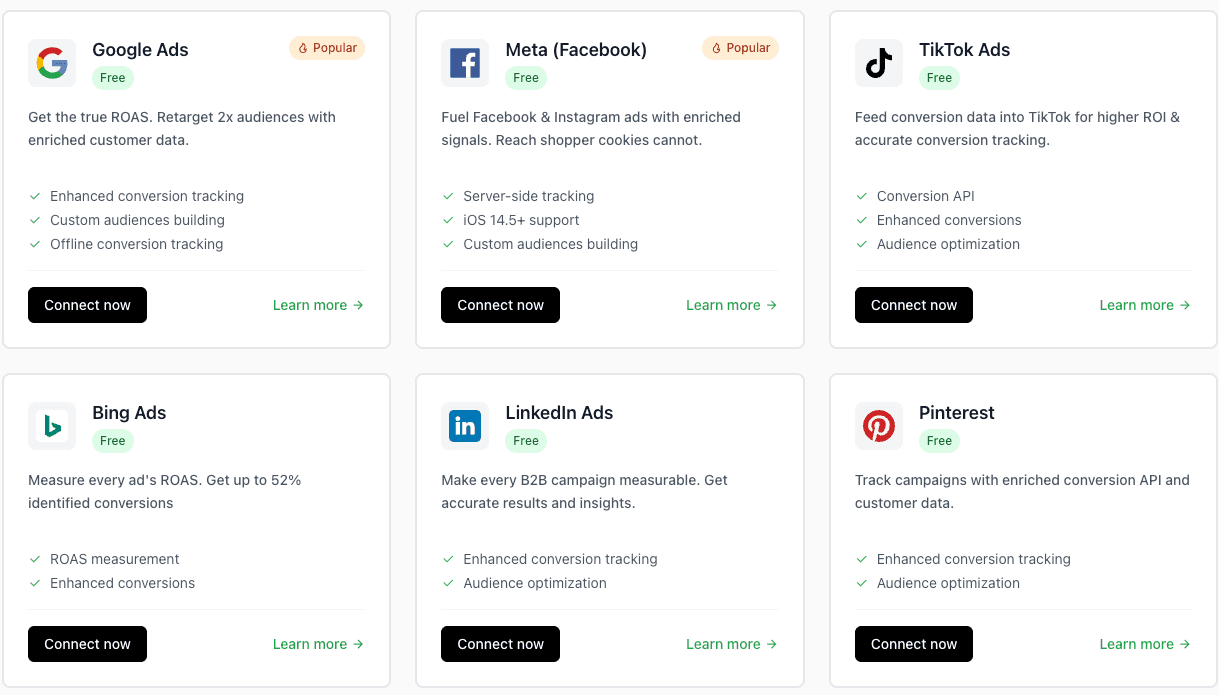
Connect Attribuly API
After signing up, configure Attribuly in Claude Desktop via mcp-remote so Claude can access your attribution data.
Note: Claude.ai web Custom Connector doesn’t support custom Headers, so it can’t pass the API Key — you’ll see “Logged out”. Use Claude Desktop instead.
Show full setup steps
Prerequisites
- Claude Desktop (installed and logged in)
- Node.js (required by mcp-remote — verify with node -v)
- Attribuly API key (Settings → API Keys)
Config file location
claude_desktop_config.json
bash
# macOS~/Library/Application Support/Claude/claude_desktop_config.json # Windows%APPDATA%\Claude\claude_desktop_config.jsonAdd to your config (keep existing preferences)
mcpServers
json
{ "mcpServers": { "attribuly": { "command": "npx", "args": [ "mcp-remote", "https://data.api.attribuly.com/mcp", "--header", "ApiKey: your-attribuly-api-key" ] } }}Replace your-attribuly-api-key with your actual Attribuly API key.
Restart and verify
- Save the file, then fully quit Claude Desktop (right-click the menu-bar icon → Quit, not just close the window).
- Reopen Claude Desktop — attribuly should appear under Connectors → Desktop.
- Optional: verify the connection from your terminal.
Verify in terminal
bash
npx mcp-remote https://data.api.attribuly.com/mcp --header "ApiKey: your-attribuly-api-key"Already added it on the web? Go to claude.ai → Settings → Connectors, find Attribuly Custom, click ⋮ → Disconnect — otherwise Claude will prefer the old keyless connection.
Tip: read-only usage; rotate/revoke keys anytime.
Install skills
Optional: install Attribuly skills so Claude can securely access the sources you choose to connect.
Show (optional)
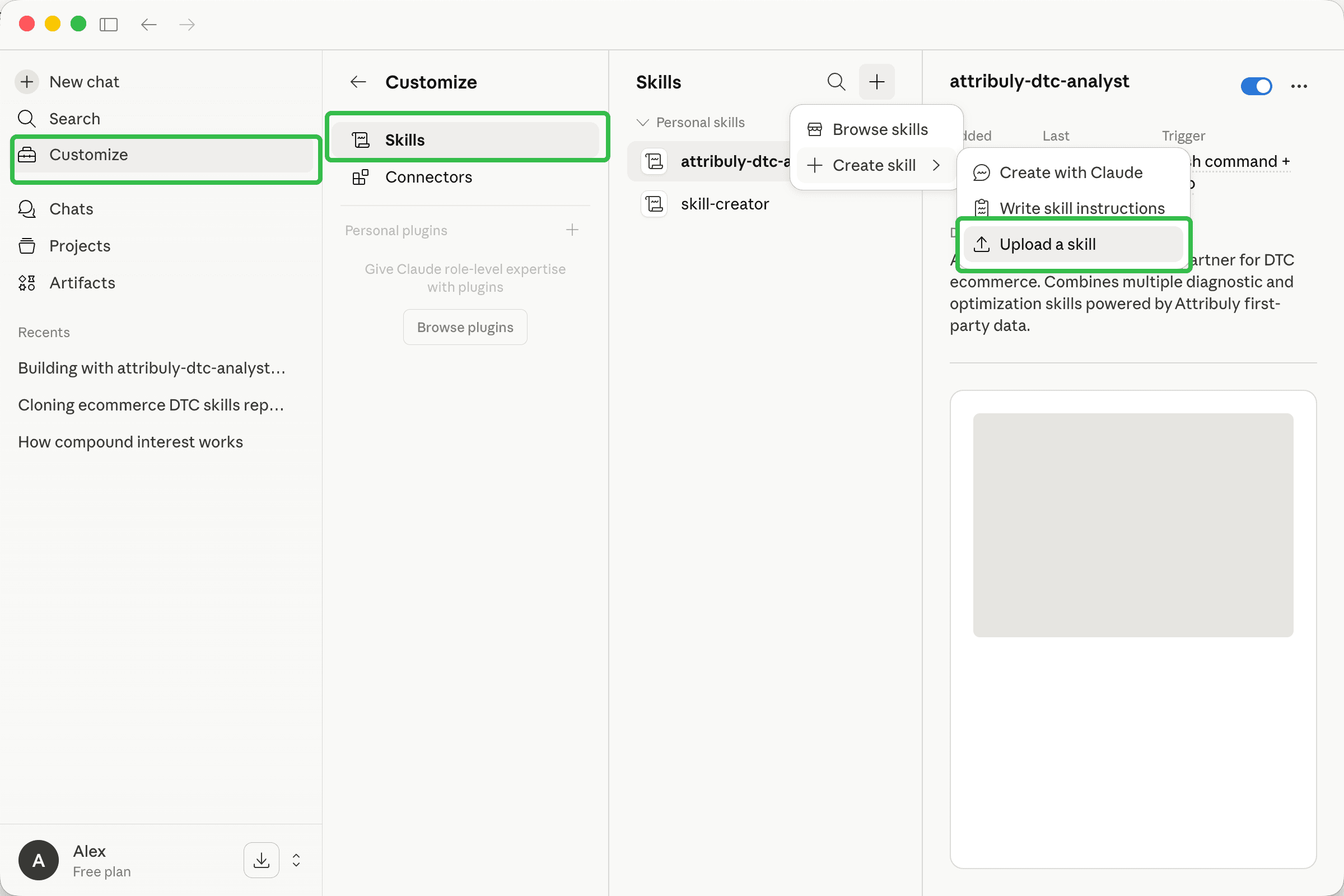
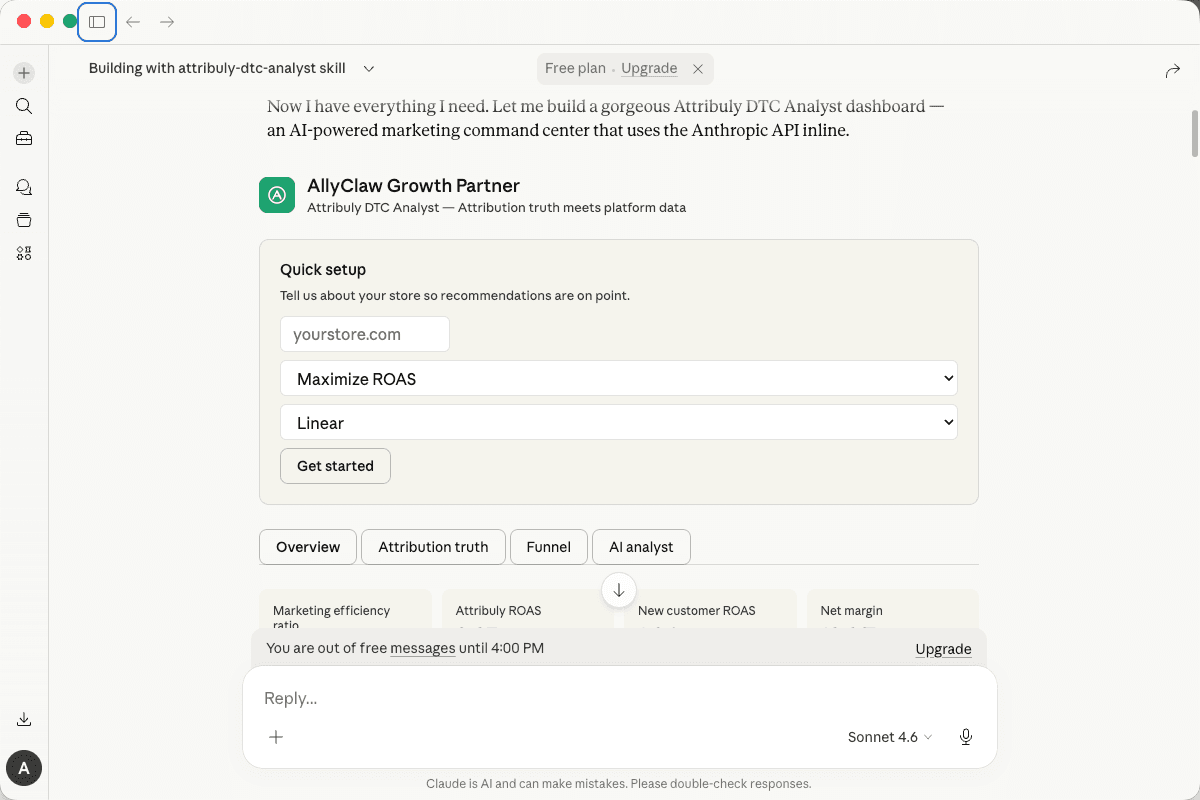
Analyze your marketing
Start with this prompt:
"Compare Meta vs Google performance this week using Attribuly truth. Where is platform reporting overstating results, and what should I change next?"
Ready to connect?
We’ll help you connect Shopify and ad accounts, then show exactly how to ask Claude the questions that move revenue — with Attribuly attribution as your source of truth.
Prompt
bash