
Connect your Shopify and ad accounts to OpenClaw in minutes.
Use Attribuly attribution data inside OpenClaw to analyze Shopify, Google Ads, and Meta Ads in one workflow.
Safe by default - you control what gets connected and what keys are stored
What you can do with OpenClaw + Attribuly
One source of truth
Bring Shopify orders + multi-platform ads into a single attribution-grade view.
Platform vs truth
Compare platform reporting to Attribuly first-party attribution so decisions are grounded in profit.
Actionable recommendations
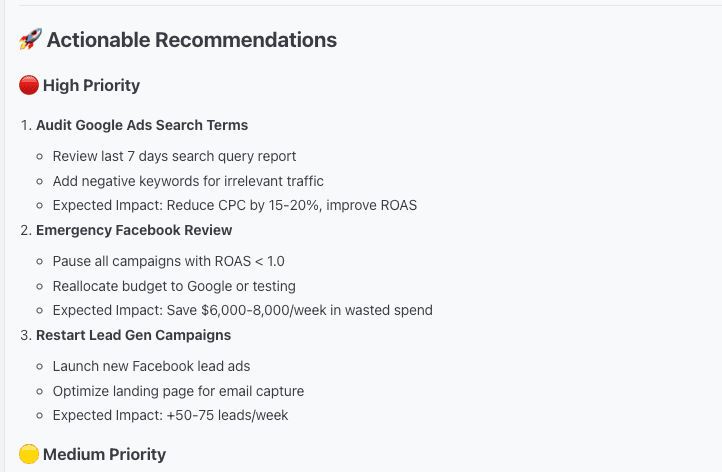
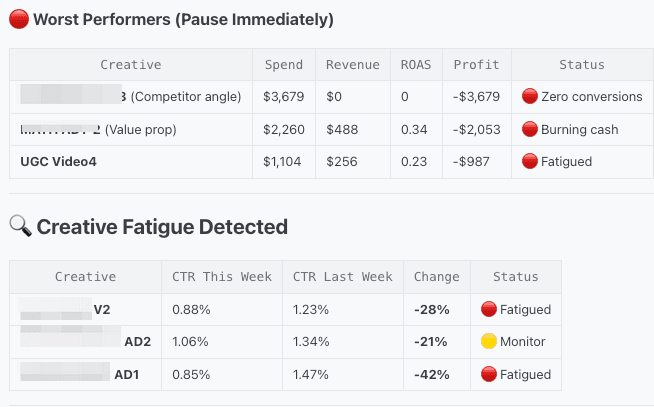
Surface hidden winners/losers, creative fatigue, and budget moves you can execute this week.
Secure by design
Explicit connections and scoped API keys. You control access via OpenClaw config.
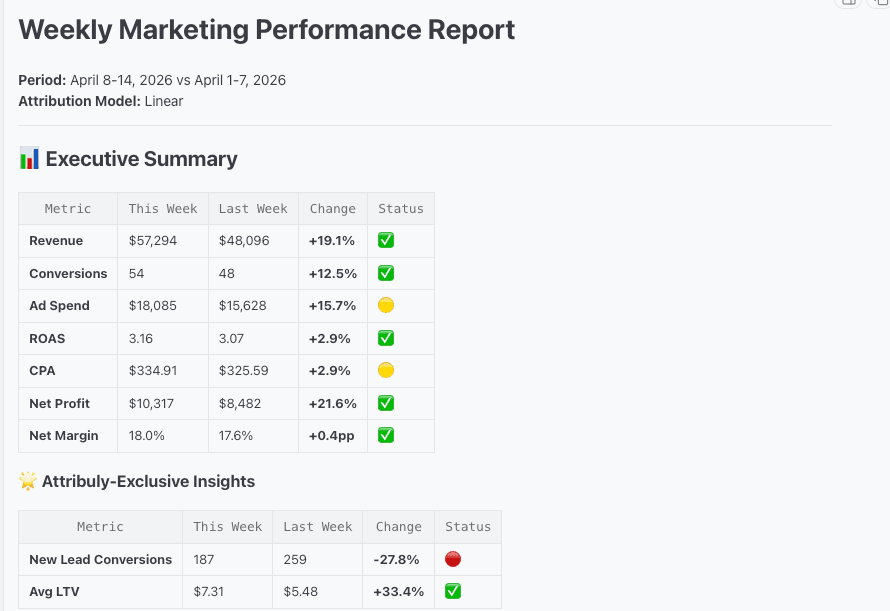
Weekly Marketing Performance Report
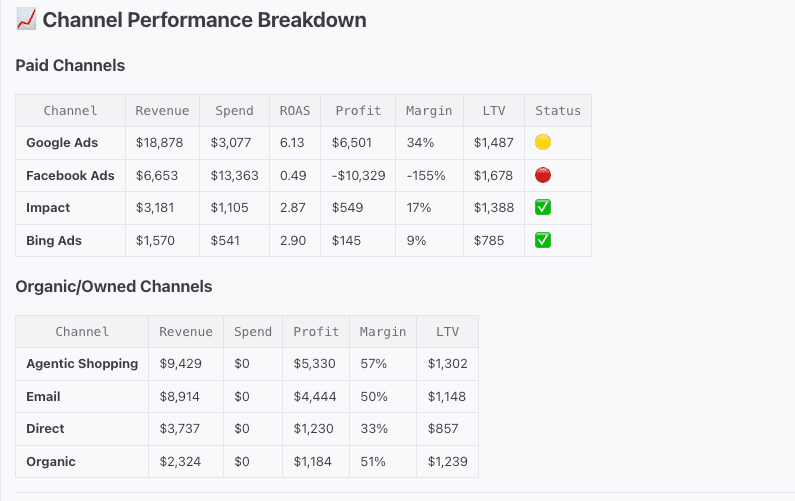
Channel Performance Breakdown
Actionable Recommendations
Creative Analysis
Setup guide
Three steps from zero to "What should we do next?" - powered by Attribuly attribution data.
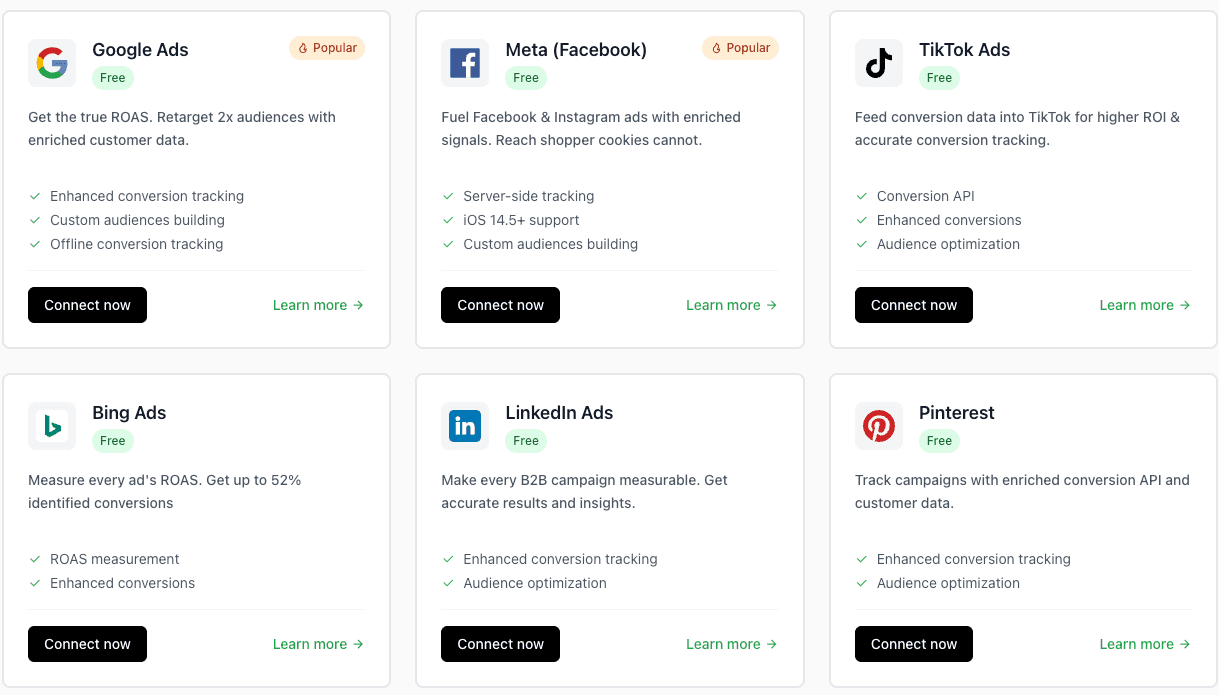
Connect accounts
- Connect in a few clicks
- Collect customer events
- Get true attribution
Connect Attribuly API
Set your Attribuly API key in OpenClaw so skills can query attribution-grade metrics securely.
You'll need
- Attribuly API key
Install the skill
Install the Attribuly DTC Analyst skill from ClawHub to unlock performance and creative analysis workflows.
You'll need
- OpenClaw setup
- ClawHub access
After installing, start with a simple prompt:
"Compare Meta vs Google performance this week using Attribuly truth. What should I change next?"
Tip: Ask for "Attribuly truth vs platform report" to catch over-attribution or hidden winners.
Ready to connect OpenClaw?
Connect Shopify + ads, set your Attribuly API key, then install the skill to start generating weekly performance reports and actionable recommendations.
OpenClaw config
bash
Store keys securely and rotate them if you suspect exposure.