
Why Shopify ROAS Misaligns with Meta & Google — FAQ
Executive FAQ explaining why Shopify ROAS differs from Meta and Google—attribution windows, iOS 17 privacy, quick diagnostics to reconcile reporting.
TL;DR Shopify, Meta, and Google don’t measure ROAS the same way. Two forces drive most gaps: different attribution windows and models (including view‑through and modeled conversions) and privacy‑driven signal loss that reduces deterministic tracking. The fastest path to clarity is to align windows, verify identity quality and server‑side delivery, and compare like‑for‑like numbers before making budget calls.
Key takeaways
Most reported gaps are explained by window and model differences plus privacy‑related signal loss rather than media performance swings.
Aligning attribution windows and excluding view‑throughs from comparisons often narrows gaps materially.
Identity quality and server‑side delivery improve coverage, but may increase platform conversions relative to Shopify’s deterministic orders.
Treat modeled conversions and view‑throughs as decision inputs, not one‑to‑one sales counts.
Build your own baseline discrepancy range by device and channel; track it monthly and alert when drift exceeds your norm.
Executive checklist to reduce Shopify ROAS misalignment
Ask your team to compare Shopify orders to platform “Conversions” for the same dates, time zone, and aligned attribution windows; create a view that excludes view‑through and non‑comparable modeled metrics.
Verify signal quality: in Meta, raise Event Match Quality; in Google, enable Enhanced Conversions and review diagnostics; in Shopify, confirm Web Pixel and consent behavior.
Confirm deduplication: use consistent event_id across browser and server for Meta Conversions API; validate that no parallel tools double‑send the same event.
Segment and monitor: build a recurring report by device and channel so you can see how privacy contexts (Safari Private Browsing, iOS) change the gaps over time.
FAQ
Why do Shopify ROAS numbers differ from Meta and Google
Short answer: They use different rules to credit conversions. Shopify reports orders based on your store’s data; Meta and Google can include view‑through exposure and modeled conversions within different attribution windows, so they’ll often credit more conversions than Shopify shows for the same spend.
Quick diagnostic: Ask your team to 1) align attribution windows across all systems, 2) compare platform “Conversions” with and without view‑throughs, and 3) reconcile by campaign for the same dates and time zone.
Optional tech note: View‑through credit is intentionally impression‑based. Google documents how view‑through conversions work and where they appear in reporting; see the explanation in About view‑through conversions by Google Ads. Modeled conversions also appear in select columns and rely on privacy‑preserving estimation rather than direct user matching.
How much discrepancy is normal
Short answer: Expect a gap. Directionally, brands often see Shopify orders differ from platform conversions by double‑digit percentages, depending on device mix, consent, identity quality, and whether platforms include view‑through or modeled conversions.
Quick diagnostic: 1) Establish your own baseline by channel and device for the last 30–60 days, 2) exclude view‑throughs in one comparison to isolate click‑based credit, 3) note how enabling Enhanced Conversions or raising Meta Event Match Quality changes the gap.
Optional tech note: Privacy contexts can suppress click identifiers and limit cross‑site linking, pushing platforms to rely more on modeled signals. Your “normal” will shift as your audience mix and privacy environments change.
Which system should I trust for budget decisions
Short answer: Treat Shopify as your sales ledger and platforms as optimization instruments. For budget calls, compare apples to apples—use click‑only, aligned‑window platform views next to Shopify orders, and then weigh modeled signals as directional lift indicators.
Quick diagnostic: 1) Align windows at 7 or 28 days based on your sales cycle, 2) build a “click‑only” platform view, 3) layer MER and contribution margin so a single noisy ROAS metric doesn’t drive outsized decisions.
Optional tech note: Platform defaults and availability change. Meta has updated attribution window availability over time; verify current settings in Ads Manager rather than relying on legacy screenshots.
How do iOS 17 privacy changes affect ROAS
Short answer: Some private contexts remove or limit tracking information in URLs and constrain cross‑site measurement. That reduces deterministic matches and shifts more credit to modeled conversions, making platform ROAS diverge from Shopify’s deterministic orders.
Quick diagnostic: 1) Segment your comparisons by iOS and Safari traffic, 2) watch for higher gaps in Private Browsing contexts, 3) double‑check first‑party identity collection and server‑side delivery to mitigate loss.
Optional tech note: WebKit describes protections in Private Browsing that remove tracking information in destination URLs before the page loads, and Google’s Privacy Sandbox documents the industry’s move away from third‑party cookies toward aggregated reporting. These changes affect the observability of conversions and push platforms to model more of the path to purchase.
How do we reconcile Shopify orders with platform conversions fast
Short answer: Align definitions, remove apples‑to‑oranges metrics, and validate that your identity and server‑side setup are healthy.
Quick diagnostic: 1) Create a weekly report that compares Shopify orders to platform click‑only conversions under the same window, 2) in Meta Events Manager, raise Event Match Quality for Purchase, 3) in Google Ads, enable Enhanced Conversions and pass normalized, hashed identifiers.
Optional tech note: Enhanced Conversions use hashed first‑party identifiers to improve matches, while Meta’s Conversions API deduplicates browser and server events when the same event_id and parameters are used. Both reduce undercounting and stabilize comparisons.
When should we pause or scale if platform ROAS looks off
Short answer: Don’t react to a single day of drift. Investigate causes, confirm data quality, and look at MER and contribution margin to avoid whipsawing budgets.
Quick diagnostic: 1) Check whether attribution windows or view‑through inclusion changed, 2) confirm there’s no tracking outage or dedup failure, 3) if MER is steady and blended margin holds, prefer incremental tests over drastic cuts.
Optional tech note: Modeled and delayed conversions can continue to accrue for days; budget moves should consider late credit windows.
What should finance and leadership expect in reporting changes
Short answer: Your dashboards will rely more on modeled and aggregated signals over time. Communicate that platform ROAS is an optimization lens, not a ledger; Shopify remains the sales system of record.
Quick diagnostic: 1) Publish your baseline discrepancy range and refresh it monthly, 2) document which windows and models each team uses, 3) add notes in reports when view‑throughs or modeled conversions are included.
Optional tech note: Expect continued evolution of attribution windows and model availability in platforms as privacy standards mature.
Practical example to reduce Shopify ROAS misalignment
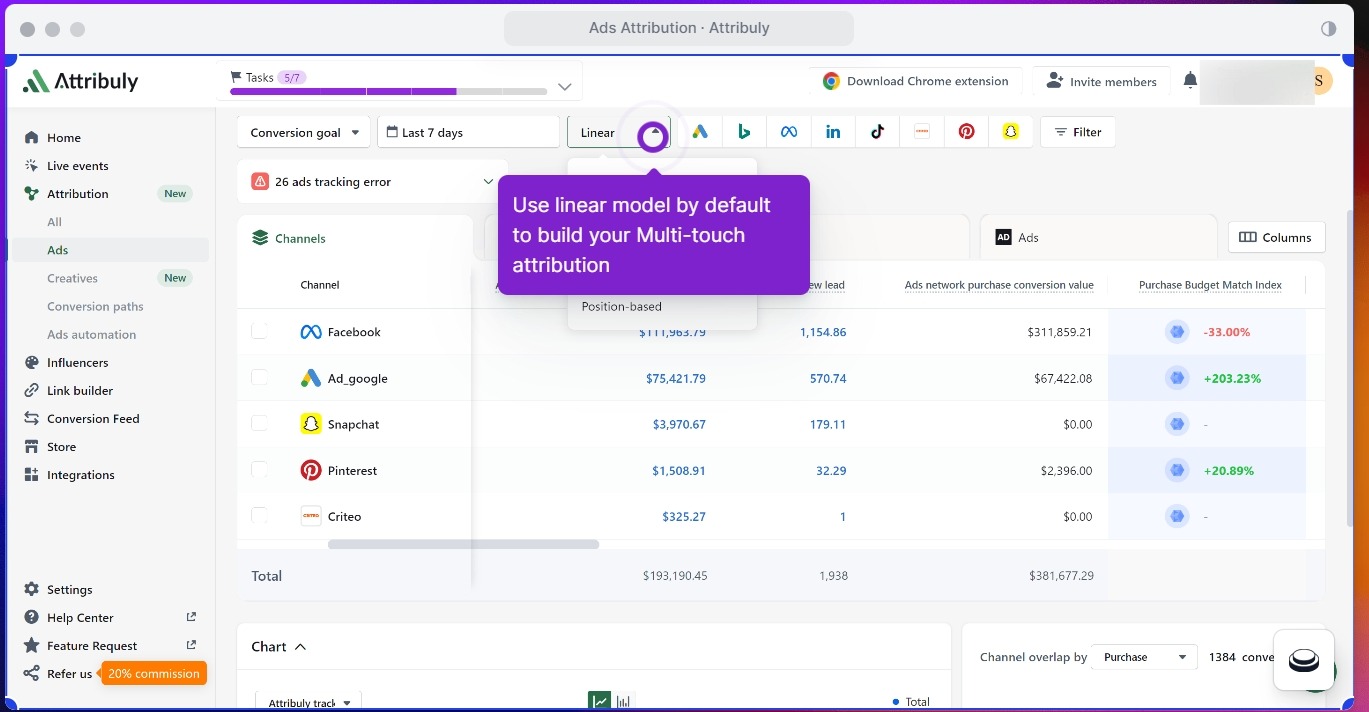
Disclosure: Attribuly is our product. The following is one neutral way teams implement server‑side delivery and deduplication alongside peers.
Workflow example: A growth team enables Google Enhanced Conversions and sets Meta Conversions API to deduplicate browser and server Purchase events using the same event_id. They standardize customer data (lowercased emails, E.164 phone formatting) to raise match rates, and they align attribution windows across Shopify, Meta, and Google for like‑for‑like comparisons. For a hands‑on reference, see Meta’s guidance on Conversions API deduplication and your vendor’s diagnostics for match quality and event health.
Further reading:
How Enhanced Conversions improve match rates and diagnostics in Google Ads is documented in Google’s Enhanced Conversions for web help center.
If you need a primer on cross‑device identity in Shopify environments, see the beginner’s guide in Cross‑Device Tracking for Shopify.
Directional benchmarks and one mini case
These ranges are indicative only; build your own baseline by device and channel.
Comparison | Typical range observed | Notes |
|---|---|---|
Shopify orders vs platform click‑only conversions | 0% to −20% platform relative to Shopify | Client‑side loss and definition differences can undercount platform clicks. |
Shopify orders vs platform conversions including modeled or view‑through | +10% to +30% platform relative to Shopify | Modeled and impression‑based credit increases platform totals. |
Gap change after server‑side delivery and identity improvements | 5–15 point reduction in gap | Depends on consent, hashing quality, and dedup correctness. |
Mini case: A DTC brand saw Shopify vs platform conversion counts diverge by ~28%. After enabling Enhanced Conversions, raising Meta Event Match Quality, and aligning to a 7‑day click window for comparisons, the gap stabilized near 8% month‑over‑month while MER remained steady. Treat as directional, not a promise.
Sources and further context
WebKit describes protections that remove tracking information in certain private contexts in Private Browsing 2.0, affecting click identifier availability. Read the WebKit engineering note in Private Browsing 2.0 by WebKit.
Google details view‑through logic and reporting placement in About view‑through conversions, and explains Enhanced Conversions for web and related diagnostics in its help center.
Google outlines the Privacy Sandbox shift away from third‑party cookies in Ready for Builders, which influences measurement and modeling.
Meta explains how Conversions API deduplicates events when event_id and other parameters match in Original Event Data parameters.
Internal resources for background and how‑to:
For iOS‑era Shopify attribution practices, see Shopify Attribution Accuracy for iOS 17 in Attribuly’s blog.
For cross‑device identity basics, see Shopify Cross‑Device Tracking beginner guide in Attribuly’s blog.
For vendor‑specific Meta server‑side setup notes, see Meta destination server‑side tracking in Attribuly’s support center.
What to do next
This week: Align windows, exclude view‑throughs in one comparison, verify Enhanced Conversions and Meta Event Match Quality diagnostics, and publish your baseline discrepancy range.
This month: Implement consistent event_id dedup, raise match rates with better first‑party data, and build a recurring device‑by‑channel reconciliation report.
Ongoing: Treat platform ROAS as an optimization signal and track MER and margin to guide budget alongside modeled lift.
References and documentation
WebKit Private Browsing protections: https://webkit.org/blog/15697/private-browsing-2-0/
Google Ads view‑through conversions: https://support.google.com/google-ads/answer/16542520
Google Ads Enhanced Conversions for web: https://support.google.com/google-ads/answer/15712870
Privacy Sandbox overview for builders: https://privacysandbox.com/news/ready-for-builders/
Meta Conversions API dedup parameters: https://developers.facebook.com/docs/marketing-api/conversions-api/parameters/original-event/
Related Attribuly guides
iOS 17 attribution guide: https://attribuly.com/blogs/shopify-attribution-accuracy-ios-17-ultimate-guide/
Cross‑device tracking guide: https://attribuly.com/blogs/shopify-cross-device-tracking-beginner-guide/
Meta server‑side tracking KB: https://support.attribuly.com/en/articles/6859245-meta-facebook-destination-the-server-side-tracking