
Shopify Dynamic Product Ads: Complete Setup for Meta, Google, and TikTok
Complete, step-by-step guide to setting up Shopify dynamic product ads across Meta, Google, and TikTok—catalogs, tracking, deduplication, and launch QA. Start now.
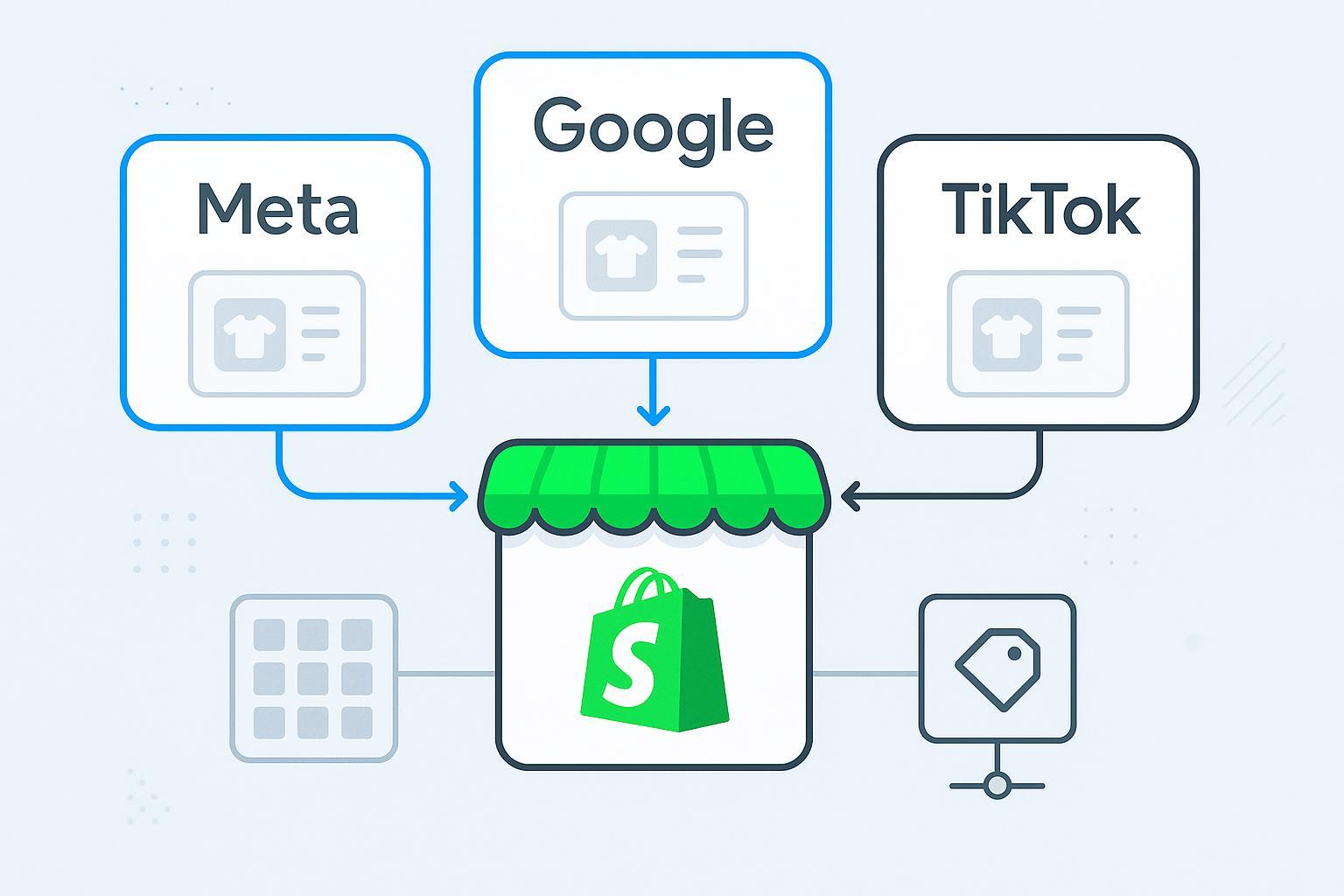
If you sell on Shopify and want always-on revenue from your catalog, this guide walks you through an end‑to‑end setup of dynamic product ads across Meta, Google, and TikTok—using 2026 UI names and requirements. You’ll build healthy product feeds, wire up browser + server tracking with deduplication, launch high‑intent remarketing and prospecting, and validate everything before you scale.
Key takeaways
Dynamic success on Shopify starts with clean product data: correct IDs, GTINs, images, price, and availability.
Pair browser pixels/tags with server‑side signals (Conversions API/Events API/Enhanced Conversions) and use event_id to deduplicate.
Your catalog IDs must match the IDs sent in events: content_ids (Meta/TikTok) or items[].item_id (Google).
Ship fast by using Shopify’s native channels (Facebook & Instagram by Meta, Google & YouTube, TikTok) and add a feed app only if you need advanced mapping.
Validate in-platform: Commerce Manager Diagnostics, Google Merchant Center Diagnostics, and TikTok Catalog Diagnostics—then verify web + server parity in Events Managers.
Launch with exclusions (recent purchasers), correct budgets, and clear audience signals; monitor diagnostics weekly.
Quick platform snapshot
Platform | Shopify channel | Catalog ID mapping | Critical event params | Where to test | Common blockers |
|---|---|---|---|---|---|
Meta (Facebook/Instagram) | Facebook & Instagram by Meta | Catalog id must match |
| Events Manager → Test Events; Commerce Manager → Diagnostics | 0% catalog match from ID mismatch; low Event Match Quality |
Google (Shopping/Display) | Google & YouTube | Merchant Center |
| Merchant Center → Products → Diagnostics; Tag Assistant | Missing GTIN/brand; image/spec issues; account policy flags |
TikTok (Catalog Sales/DSA) | TikTok channel | Catalog id must match |
| TikTok Events Manager → Test Events; Catalog Diagnostics | Web/server dedup not working; dataset not linked to catalog |
Meta catalog docs: see Meta Developers catalog overview and best practices: Catalog overview and Catalog best practices.
Google feed spec: Product data specification (Google Merchant Center).
TikTok catalog diagnostics: How to troubleshoot catalog with Diagnostics dashboard.
Part 1 — Catalog and feed foundation
Strong feeds win. Think of your catalog as your inventory’s passport—any error at this border slows everything downstream.
Required attributes and feed options on Shopify
Shopify native channels sync most essentials:
Facebook & Instagram by Meta: connects Business assets, creates/syncs a Meta catalog, and can send CAPI server events with data sharing set to Maximum.
Google & YouTube: links to Merchant Center and pushes a products feed that must satisfy Google’s spec.
TikTok: links Business Center, creates/selects a Catalog, and installs a Pixel; Events API may be enabled in-channel or via GTM/server.
For Google Merchant Center, follow the official product data spec for 2026: id, title, description, link, image_link, availability, price, brand, and GTIN/MPN where applicable. Reference: Product data specification — Google Merchant Center Help.
For Meta and TikTok, ensure the catalog item IDs exactly match the IDs you will send in events from your store (more on parameters in Part 2).
When to use a feed app: If you need advanced rules (mapping collections to custom labels, merging variant logic, or supplemental feeds), consider a feed manager. Otherwise, start with the native channels to minimize moving parts.
Catalog diagnostics flows
Meta Commerce Manager → your Catalog → Diagnostics: review disapprovals, missing images, or price/availability mismatches. Meta’s catalog docs: Catalog overview and Catalog best practices.
Google Merchant Center → Products → Diagnostics: check Account, Feed, and Item issues. Official tools and policies: Merchant Center Diagnostics, Product landing page requirements.
TikTok Catalog Diagnostics: use the built-in dashboard to locate missing images, pricing, or identifier problems: TikTok Catalog Diagnostics.
Pro tips:
Keep price and availability synced with your storefront to avoid policy flags.
Use high‑resolution images that meet each platform’s minimums; see Google’s guidance on Image too small.
Part 2 — Tracking and events (browser + server)
Dynamic ads depend on accurate event signals. You’ll run a hybrid approach: browser pixel/tag plus server‑side signals (Meta Conversions API, Google Enhanced Conversions and retail dynamic remarketing, TikTok Events API). Deduplication keeps platforms from double counting when both sources fire the same event.
Pixel and server-side overview
Meta: Shopify’s Facebook & Instagram channel can send Pixel (browser) and Conversions API (server) events. Test in Events Manager.
Google: Shopify’s Google & YouTube channel and GA4 tagging support Enhanced Conversions and dynamic remarketing via the Google tag. Validate with Tag Assistant.
TikTok: The TikTok channel installs a Pixel (browser); add Events API (server) via the channel if available or with server-side GTM. Test in TikTok Events Manager.
Learn the foundations of server‑side tracking on Shopify with this primer: Shopify server-side tracking guide.
Canonical event parameters by platform
Meta (Pixel + CAPI):
Required/critical for Dynamic Ads and optimization:
content_ids(array of catalog IDs as strings),content_type(product or product_group),value(numeric),currency(ISO 4217), andevent_idfor deduplication.Validate and test in Events Manager: Test Events and Diagnostics. Dedup concepts are covered in the CAPI server-side guide: CAPI via GTM server-side.
Google (Retail dynamic remarketing):
Use an
items[]array in events like view_item, add_to_cart, and purchase. Each object includesitem_id(required) plus recommended fields such asitem_name,item_category,price, andquantity. Purchase includestransaction_id,value, andcurrencyas applicable.Canonical reference: Google tag parameters for dynamic remarketing (Retail) and GA4 ecommerce reference: GA4 ecommerce events.
TikTok (Pixel + Events API):
Standard parameters include
content_ids(array of catalog IDs as strings),content_type,value,currency, andevent_idfor deduplication.References: Events API overview, Standard events and parameters, and Events API Gateway + GTM server-side setup.
Example payloads (simplified)
// Meta AddToCart (browser)
  {
    "event_name": "AddToCart",
    "content_ids": ["SKU_123"],
    "content_type": "product",
    "value": 39.99,
    "currency": "USD",
    "event_id": "evt_7f3e4b"
  }
// Google purchase (GA4/gtag) with retail remarketing
  {
    "event": "purchase",
    "ecommerce": {
      "transaction_id": "T12345",
      "value": 124.5,
      "currency": "USD",
      "items": [
        {"item_id": "SKU_123", "item_name": "Tee", "price": 39.99, "quantity": 1},
        {"item_id": "SKU_999", "item_name": "Hoodie", "price": 84.51, "quantity": 1}
      ]
    }
  }
// TikTok Purchase (server)
  {
    "event": "CompletePayment",
    "event_id": "evt_7f3e4b",
    "properties": {
      "content_ids": ["SKU_123", "SKU_999"],
      "value": 124.5,
      "currency": "USD"
    }
  }
Deduplication with event_id and testing flow
Generate a unique
event_idfor each event and pass it in both browser and server payloads for the same action.Meta: In Events Manager → Test Events, confirm both Browser and Server events show the same
event_idand are marked Deduplicated. Reference: Events Manager help and CAPI via GTM server-side.Google: Enhanced Conversions and Consent Mode v2 improve measurement, while retail remarketing relies on the
items]structure and purchase identifiers liketransaction_id. References: [Enhanced Conversions migration and Consent Mode v2.TikTok: Ensure the Pixel and Events API payloads share the same
event_idwhen representing the same action; verify in TikTok Events Manager Diagnostics: About TikTok Events Manager and Web diagnostics.
Practical Example — server-side validation (neutral): If you use a validation tool such as Attribuly, you can compare browser and server payloads across Meta, Google, and TikTok to verify that
event_id,content_ids/items[].item_id,value, andcurrencymatch. This helps you confirm deduplication behavior before scaling budgets. Native platform tools or other tag debugging setups can achieve similar results.
Learn more about platform differences in server‑side signals: Meta CAPI vs Google Enhanced Conversions on Shopify (2026) and a step‑by‑step validation workflow: Validate multi-touch attribution step by step.
Part 3 — Audience and product set strategy
Your goal is to retarget high‑intent shoppers while excluding recent purchasers, then expand with prospecting that still references your catalog.
Product sets and segmentation
Meta: Build Product Sets in Commerce Manager (e.g., “Back in stock,” “Top sellers,” “Price > $50”). Product sets let Catalog Sales and Advantage+ Shopping campaigns tailor delivery.
Google: Use product groups and listing groups in Performance Max via Merchant Center attributes (custom labels, brand, price buckets) to steer bidding and reporting.
TikTok: Create Collections or use catalog filters to build focused product groups for Catalog Sales.
Audiences and exclusions
Meta: Create website audiences from ViewContent, AddToCart, and InitiateCheckout, with 30/60/90‑day windows. Exclude recent Purchasers (7–14 days). Monitor Event Match Quality in Events Manager.
Google: In Performance Max, add audience signals such as past purchasers, cart abandoners, and high‑intent searchers. Link GA4 if you use GA audiences. Reference: Audience signals in Performance Max.
TikTok: Use Pixel/Dataset audiences (viewed product, added to cart, purchased) and exclude purchasers for 7–14 days to avoid waste.
Part 4 — Campaign build and optimization
This section uses current UI names. Always confirm labels in your account in case of incremental updates.
Meta — Advantage+ Shopping and Catalog Sales
Prerequisites: Approved catalog in Commerce Manager; Events Manager shows healthy Browser + Server events with deduplication; product sets ready.
Build steps (2026 UI):
In Ads Manager, create a new campaign and choose Advantage+ Shopping or Catalog Sales.
Select your Catalog. For remarketing, use a Product Set aligned to intent (e.g., “Viewed but not purchased”).
Conversion location: Website. Optimization event: Purchase.
Audience: Start with retargeting windows (30 days) and exclude Purchasers. Layer broader audiences for prospecting variants.
Placements: Advantage+ placements recommended.
Budget and schedule: Set a daily budget that can deliver 50+ conversions/month to stabilize optimization.
Creative: Use dynamic templates that pull from your catalog; add overlays (price, free shipping) where allowed.
Publish and watch Diagnostics and performance.
Troubleshooting references: Events Manager Test Events, Commerce Manager catalog docs linked earlier.
Google — Merchant Center to Performance Max (retail)
Prerequisites: Merchant Center linked to Google Ads; feed approved (no critical item disapprovals); Enhanced Conversions and Consent Mode v2 in EEA configured.
Build steps (2026 UI):
In Google Ads, create a new campaign → Performance Max.
Select your Merchant Center account and country of sale.
Asset groups: Organize by product theme. Ensure your product groups reference the correct listings and labels.
Audience signals: Add cart abandoners and purchasers as seeds; include your brand search terms in assets.
Bidding: Start with Maximize conversion value; set a ROAS target after enough data accrues.
Final URL expansion: Test on; pin key landing pages if your site structure is complex.
Publish and monitor. Use Merchant Center Diagnostics and search terms/asset group reporting for insights.
Official references: Create a Performance Max campaign; retail remarketing parameters: Dynamic remarketing parameters (Retail).
TikTok — Catalog Sales (Dynamic Showcase Ads)
Prerequisites: Catalog connected; Pixel/Dataset verified; Events API dedup functioning; product filters/collections ready.
Build steps (2026 UI):
In TikTok Ads Manager, create a campaign with the Catalog Sales objective.
Link the Catalog and select the targeting region.
Ad group: Choose Retargeting (viewed or added to cart) or Broad; exclude Purchasers.
Optimization event: CompletePayment.
Creative: Use Video or Collection Ads that dynamically insert product cards. Respect TikTok’s spec for ratio, captions, and audio.
Budget and delivery: Start modestly; expand after stable CPA/ROAS.
Publish; validate in Events Manager and Catalog Diagnostics.
References: Standard events and parameters and About TikTok Events Manager.
Part 5 — Launch QA and validation checklist
Before going live at scale, run this quick pass:
Catalog approvals: No critical disapprovals in Commerce Manager, Merchant Center, or TikTok Catalog.
ID parity: Event payload IDs match catalog IDs (Meta/TikTok:
content_ids; Google:items[].item_id).Dedup working:
event_idpresent in browser + server events; platforms show deduplicated status or parity.Values:
valueandcurrencyare correct and consistent across web and server.Audiences: Purchasers excluded (7–14 days); remarketing windows set.
Campaign basics: Correct objective, catalog, product sets/groups, and budgets.
Testing: Send test events; confirm in-platform diagnostics are clean.
Part 6 — Troubleshooting by platform
Meta
Symptom: 0% catalog match. Fix: Ensure
content_ids(strings) equal the catalog’s id field (not SKU vs variant mismatch). Reindex product sets if needed. Check Catalog best practices.Symptom: Low Event Match Quality. Fix: Improve match keys (email, phone) where policy permits; verify server events via CAPI docs: CAPI via GTM server-side.
Google
Symptom: Items not serving. Fix: Review Merchant Center Diagnostics; add GTINs, fix images and policy misrepresentation per Product landing page requirements.
Symptom: Audience lists not populating. Fix: Confirm GA4/Ads linking, consent mode where required, and proper
items]on events: [Retail dynamic remarketing parameters.
TikTok
Symptom: No dedup; duplicate purchases. Fix: Ensure shared
event_idfor Pixel and Events API payloads; verify in Web diagnostics. Confirm catalog linked to the same pixel/dataset.Symptom: Catalog empty in ad group. Fix: Reconnect the Catalog in Ads Manager and confirm product status in Catalog Diagnostics.
Advanced topics and measurement
First‑party data and Consent Mode v2: For EEA users, implement Consent Mode v2 and respect user choices. Reference: Consent Mode v2.
When to run server‑side only: If browser restrictions are severe, consider server‑side primary delivery, but keep
event_idparity strategies to avoid inconsistencies.Cross‑channel attribution: Use consistent
event_idgeneration and log parity between browser and server events to reduce double counting across platforms. For deeper workflows, see Validate multi-touch attribution step by step.
Mini glossary
Catalog/c feed: A structured list of your products and attributes used by ad platforms (Meta, Google, TikTok).
content_ids: Meta/TikTok parameter array containing catalog IDs of the products a user interacted with.items[]: Google retail remarketing array containing item objects withitem_idand related fields.Conversions API / Events API: Server-side pipelines that send events directly to ad platforms.
Enhanced Conversions: Google feature that uses first‑party data to improve measurement when tags have limited signals.
Deduplication: The process of merging browser and server events using a shared
event_id.Event Match Quality (EMQ): Meta’s diagnostic score estimating how well your events match users.
Closing
Shopify dynamic product ads are mechanical, not mystical: clean feeds, correct parameters, and verifiable signals win the day. Use the checklists above, verify deduplication in-platform, and iterate weekly as diagnostics surface new opportunities. When in doubt, test—and keep those IDs perfectly in sync.