
Meta Purchase EMQ Score: What It Measures, Good vs. Excellent Benchmarks
Learn what the Meta Purchase EMQ score (0–10) measures, practitioner benchmarks for good vs excellent, and practical steps to improve Purchase event matching.
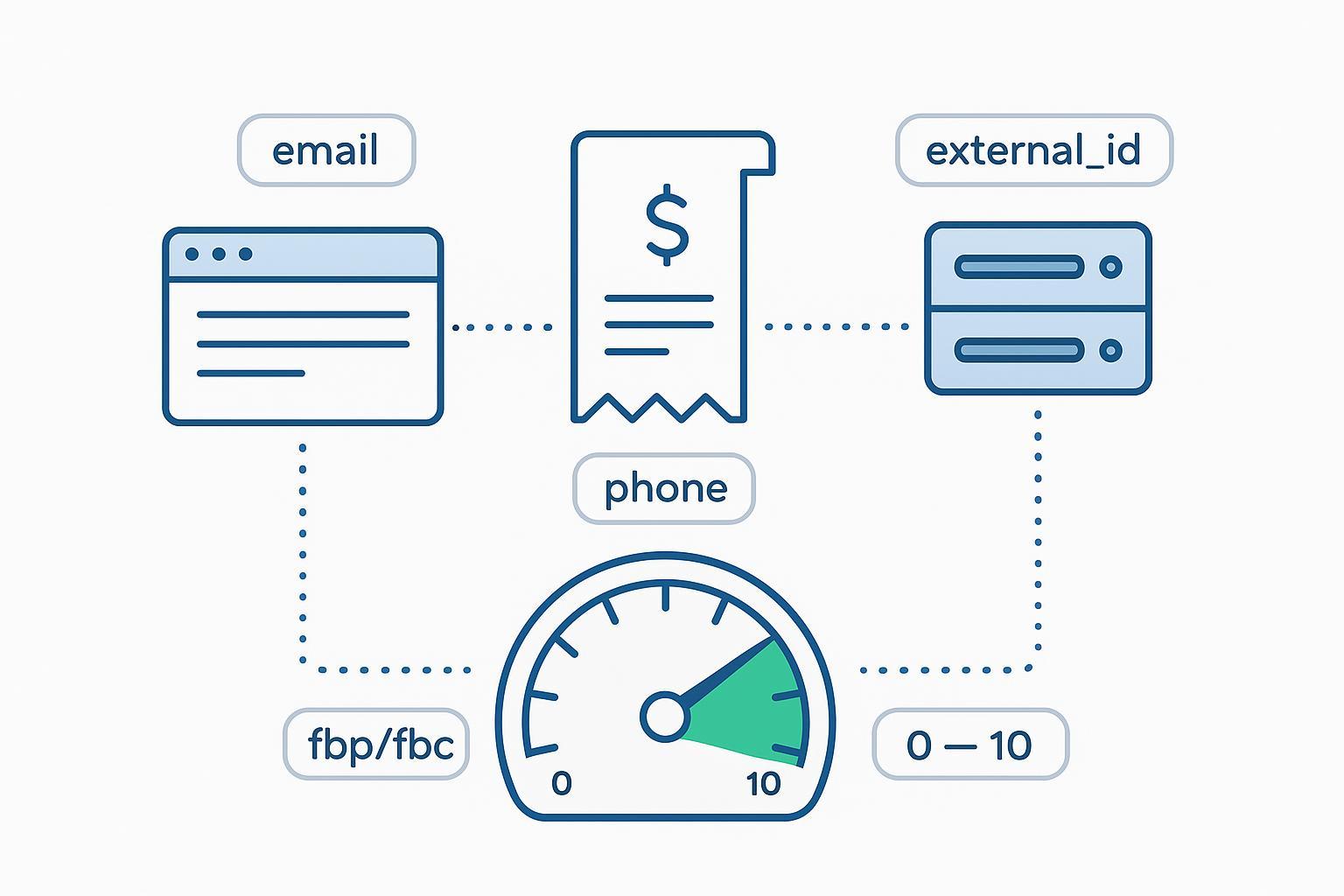
If you run paid social for an online store, you’ve probably seen the Meta Purchase EMQ score in Events Manager and wondered how much it really matters. Short answer: a lot. EMQ—Event Match Quality—is a 0–10 diagnostic indicating how effectively the customer information you send with a Purchase event can be matched to a Meta account. Better matching typically supports more reliable attribution and steadier optimization.
Key takeaways
The Meta Purchase EMQ score is a 0–10 diagnostic of how well your Purchase event data can be matched to a Meta account. Higher is better.
“Good vs. excellent” isn’t officially defined by Meta. Practitioner consensus places “good” around 6–7.5 and “excellent” around 8–9 for Purchase; 9+ is rare and shows diminishing returns.
The biggest EMQ movers at checkout are clean, consented identifiers: hashed email and phone, a stable external_id, fbp/fbc, and accurate client IP and user agent (when permissible).
Implement Pixel + Conversions API together and deduplicate with the same event_name and a shared event_id. Verify changes in Events Manager and watch EMQ over 24–48 hours.
Normalize before hashing (lowercase emails, E.164 phones), fix formatting errors, and keep server events timely—these simple steps lift most low scores.
What is the Meta Purchase EMQ score?
Meta’s Event Match Quality (EMQ) is used to assess whether the customer data you send—especially via the Conversions API—can be matched to a Meta account. Meta’s developer documentation describes EMQ as a way to evaluate if you’re sending the right customer information to support matching for your events. See the official description in the Dataset Quality API reference from Meta Developers: Dataset Quality API (Meta Developers). You can view EMQ for your data source inside Events Manager; the Help Center explains where EMQ appears and how to interpret it in context: About Event Match Quality (Meta Business Help).
Think of EMQ like the clarity of a fingerprint: the more distinct ridges (identifiers) you provide—and the cleaner they are—the easier it is for Meta to recognize the buyer.
Why a higher Purchase EMQ matters
More matched purchases mean more training data for Meta’s delivery system, which typically stabilizes optimization.
Cleaner matches reduce attribution confusion when you compare platform vs. analytics numbers.
High-quality signals can mitigate data loss from browser restrictions by enriching server-side events.
For context on which fields help most and why, Meta provides guidance on customer information parameters and signal priorities, including the role of browser parameters fbp and fbc. See the official parameter docs here: Customer Information Parameters (Meta Developers) and the specific note on fbp and fbc parameters.
Meta Purchase EMQ score benchmarks (field consensus)
Meta does not publish official numeric thresholds for “good” or “excellent.” However, across reputable practitioner sources you’ll find consistent ranges for Purchase:
Good: approximately 6–7.5 (a healthy baseline many accounts can reach with solid hygiene). This aligns with practitioner notes that a general “healthy” EMQ is around 6/10.
Excellent: approximately 8–9 for checkout and Purchase events.
Exceptional: 9+ is achievable but uncommon, with diminishing returns in most stacks.
Representative sources:
Triple Whale (2026) notes Purchase ideal at ~7.5–9 and mentions ~6 as a common healthy baseline: Event Match Quality guide
Elevar (2024) recommends targeting ~8–9 for checkout/Purchase: Improve Event Match Quality Score
Use these as working targets, not hard rules. Your vertical, checkout flow, consent model, and identity coverage will influence the ceiling.
Which identifiers move the needle at checkout
High-impact identifiers (prioritize coverage, normalization, and hashing):
Email: lowercase, trim whitespace; hash with SHA‑256.
Phone: convert to E.164 format; hash with SHA‑256.
external_id: a stable first‑party ID that persists; include consistently.
fbp/fbc: strengthen the browser↔server linkage when available.
Server context: client_ip_address and client_user_agent where permissible.
Medium-impact identifiers:
First name, last name (lowercase/trim; hash with SHA‑256).
Country, state/region, city, postal code (normalized; hashed per field rules).
Strong event_id strategy: use order_id or a UUID that ties browser + server events.
For field-by-field rules and examples, see Meta’s official parameter documentation: Customer Information Parameters (Meta Developers) and fbp/fbc. Meta’s GTM server‑side guide also discusses mapping and general priority of signals in raising EMQ: CAPI for Server-Side GTM (Meta Developers).
Implementation workflow: Pixel + CAPI with dedup
Here’s a practical, copy‑pasteable outline to get your Purchase event sending rich identifiers from both browser and server—and to keep counts accurate via deduplication.
Browser Pixel (Purchase) example
<script>
    fbq('track', 'Purchase', {
      value: 129.99,
      currency: 'USD',
      contents: [{id: 'SKU-123', quantity: 1}],
      content_type: 'product',
    }, {
      eventID: 'ORDER-100045', // use order_id or a generated UUID
    });
  </script>
Server Conversions API (Purchase) JSON example
{
    "event_name": "Purchase",
    "event_time": 1718123456,
    "event_id": "ORDER-100045",
    "action_source": "website",
    "user_data": {
      "em": ["1b6453892473a467d07372d45eb05abc2031647a"],
      "ph": ["5d41402abc4b2a76b9719d911017c592"],
      "external_id": ["shopper-987654"],
      "client_ip_address": "203.0.113.42",
      "client_user_agent": "Mozilla/5.0 (Windows NT 10.0; Win64; x64)...",
      "fbp": "fb.1.1718123000.1234567890",
      "fbc": "fb.1.1718123001.AbCDeFgHiJkLmNoP"
    },
    "custom_data": {
      "currency": "USD",
      "value": 129.99,
      "order_id": "100045",
      "contents": [{"id": "SKU-123", "quantity": 1}],
      "content_type": "product"
    }
  }
Developer notes
Dedup rule: Make sure event_name and event_id match between browser and server for the same purchase.
Normalize then hash: lowercase emails; trim; remove extraneous characters; phone to E.164; hash with SHA‑256 before sending in em/ph.
Timing: send server events as close to real time as possible; keep server clocks synced.
Neutral example with a measurement platform
Teams often use an attribution/tracking platform to pass hashed identifiers and a shared event_id to Meta and to verify dedup in Events Manager. For instance, a workflow might follow the steps in the Attribuly help article on Meta CAPI setup and verification: Meta (Facebook) destination: server‑side tracking. Use it as a reference if you need a sanity check on CAPI configuration and EMQ visibility.
Diagnostics and troubleshooting
Where to look
Events Manager → select your pixel/data source → Overview and Diagnostics. You’ll see EMQ indicators and recent issues; use Test Events to validate changes. Meta’s Help Center covers EMQ context: About Event Match Quality.
Common pitfalls and fixes
Missing hashing or wrong normalization (emails not lowercased, phones not E.164): revisit Meta’s field rules in Customer Information Parameters.
Dedup failures (no or mismatched event_id, different event_name): ensure Pixel and CAPI use the same event_id and event_name; retest in Events Manager. See mapping/priority context in CAPI for Server‑Side GTM.
Stale server events: reduce processing lag; confirm server time sync; watch Diagnostics for lateness warnings.
Missing fbp/fbc: ensure these values can travel from browser to server when available; see fbp/fbc parameters.
Related reading on reconciling platform numbers
Cross‑platform attribution rarely matches 1:1. For perspective on reconciling Meta vs. other channels while you monitor EMQ and dedup, this explainer can help: Shopify attribution mismatches: Meta vs. TikTok.
Validation cadence
After any change, push a few real test orders, check Test Events and Diagnostics immediately, then reassess EMQ after 24–48 hours under normal traffic.
Real‑world mini‑case (anonymized)
A DTC apparel brand started with a Purchase EMQ around ~5.5. Their checkout collected emails but not phone numbers, and their server events lacked fbp/fbc. In one sprint they:
Added explicit consented phone capture at checkout and normalized to E.164.
Implemented a stable external_id and ensured it flowed to both Pixel and CAPI.
Carried fbp/fbc from browser to server and fixed a timestamp drift.
Within two weeks, Purchase EMQ stabilized near ~8.2. While total reported purchases did not jump overnight, Meta’s modeled reporting variance narrowed, and remarketing CPA stopped swinging as wildly—consistent with the idea that cleaner matching supports steadier optimization. Your mileage will vary, but the path—more, cleaner, timely identifiers—generally holds.
Next steps
Aim for a Meta Purchase EMQ score in the 8–9 range for checkout/purchase as a working goal, while acknowledging your ceiling depends on consent and data quality.
Prioritize high‑impact fields (hashed email/phone, external_id, fbp/fbc) and correct dedup with event_id.
If you need a step‑by‑step CAPI setup refresher with dedup checks, this practical walkthrough can help: Meta Conversions API Shopify setup guide.
FAQ
Q: What is the Meta Purchase EMQ score? A: It’s a 0–10 diagnostic that indicates how well the customer information you send with a Purchase event supports matching to a Meta account. See Meta’s developer context here: Dataset Quality API.
Q: What is a good Purchase EMQ score? A: Practitioners commonly consider ~6–7.5 “good” and ~8–9 “excellent” for Purchase. These are not official Meta thresholds; they’re working targets supported by industry sources like Triple Whale and Elevar.
Q: How do I improve Purchase EMQ quickly? A: Normalize and hash email and phone correctly, include fbp/fbc, ensure a stable external_id, and implement Pixel + CAPI with shared event_id for dedup. Verify changes in Events Manager and recheck EMQ after 24–48 hours.
Q: How long until I see EMQ changes? A: Under normal traffic, expect movement within 24–48 hours after you deploy fixes and send a meaningful volume of events.