
Shopify Order Reconciliation Checklist (Meta 7d-click / 1d-view)
Practical checklist to reconcile Shopify net revenue with ad platform-reported revenue: month‑end audit steps, refund & subscription rules, cohorting, and Meta CAPI dedup.
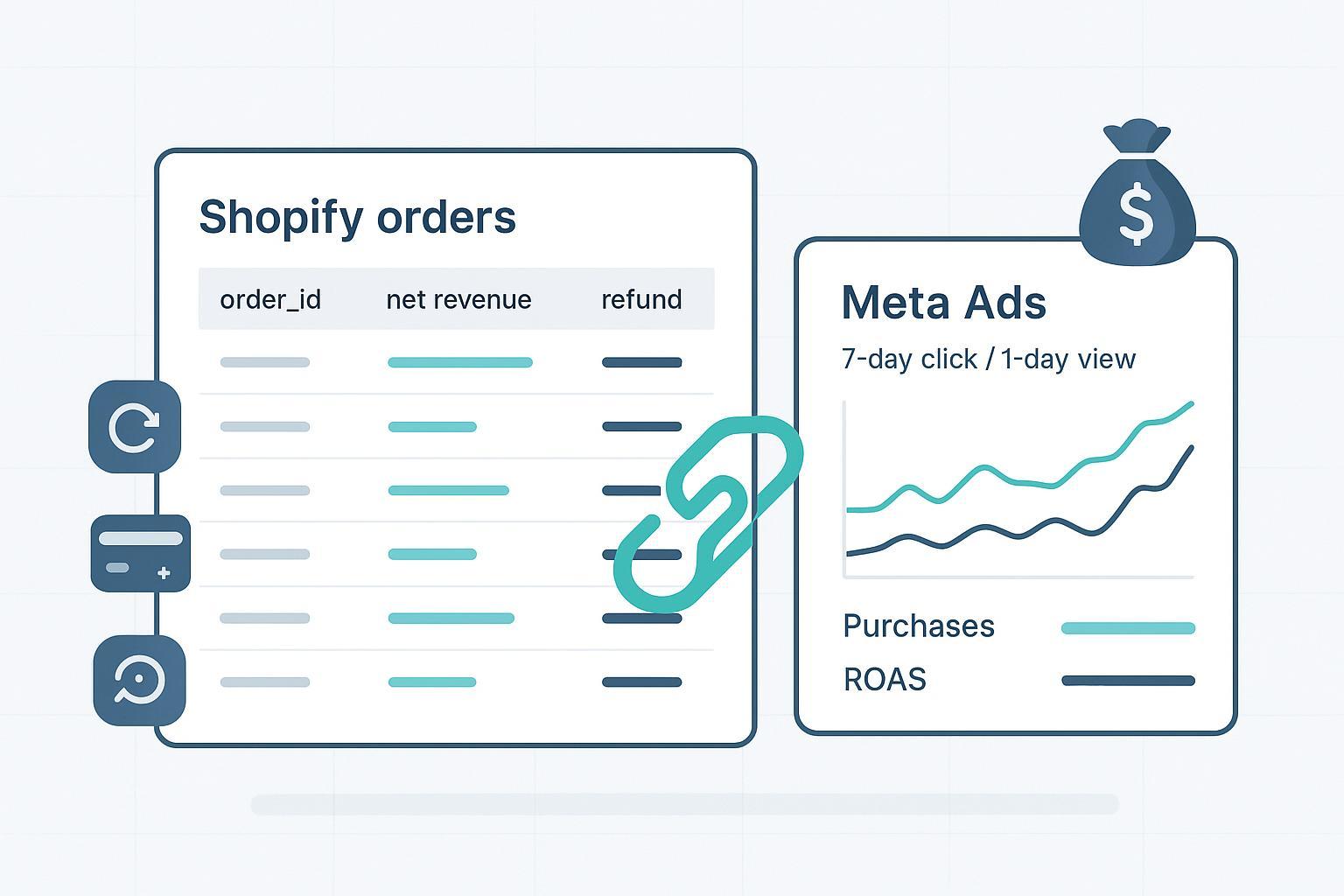
Reconciling Shopify net revenue with what Ads Manager reports isn’t about making two different accounting systems match perfectly. It’s about producing a defensible month‑end truth: a clear bridge from financial revenue to ad‑attributed conversions under known windows and rules—Meta first, using 7‑day click / 1‑day view with Pixel+CAPI dedup.
Key takeaways
Anchor on finance: close on Shopify net revenue, then compare to Meta’s 7‑day click / 1‑day view Purchases and value—expect differences, explain them.
Make “order‑to‑touchpoint” joins reproducible: use deterministic event_id, fbclid/fbp/fbc, and first‑party identifiers; verify CAPI dedup and Event Match Quality (EMQ).
Normalize consistently: decide tax/shipping inclusion, currency conversion, cancellations handling; document and repeat the same policy each month.
Treat refunds/chargebacks as negative revenue; keep a “retro adjustments” line for refunds posted after period close.
Split first vs repeat orders; apply acquisition ROAS to first purchases and move renewals to LTV/payback analysis.
Definitions that matter for reconciliation
Net revenue (Shopify): Gross sales minus discounts, refunds, and adjustments; excludes or includes tax/shipping per your policy. Use Finance reports and Payouts as the financial source of truth. See Shopify’s finance reports overview and how to reconcile Shopify Payments payouts.
Attribution window (Meta): Reporting view that decides which clicks/views can be credited. Prioritize 7‑day click / 1‑day view at the ad set level; this window frames what “ad revenue” means for comparison. See Meta’s guide about attribution settings.
Order date vs attribution date: Shopify reports revenue by order (and payout) timing; Meta reports by conversion event time within the window. Expect timing gaps.
Deduplication (Meta): Pixel and CAPI Purchases with the same event_name + event_id are combined, preventing double counting. See Meta’s CAPI docs on dedup and the GTM server‑side guide.
EMQ (Event Match Quality): A 0–10 score indicating how well events can be matched to people; aim for “Good/Great.” Review with the Dataset Quality API.
Quick month‑end checklist for analysts
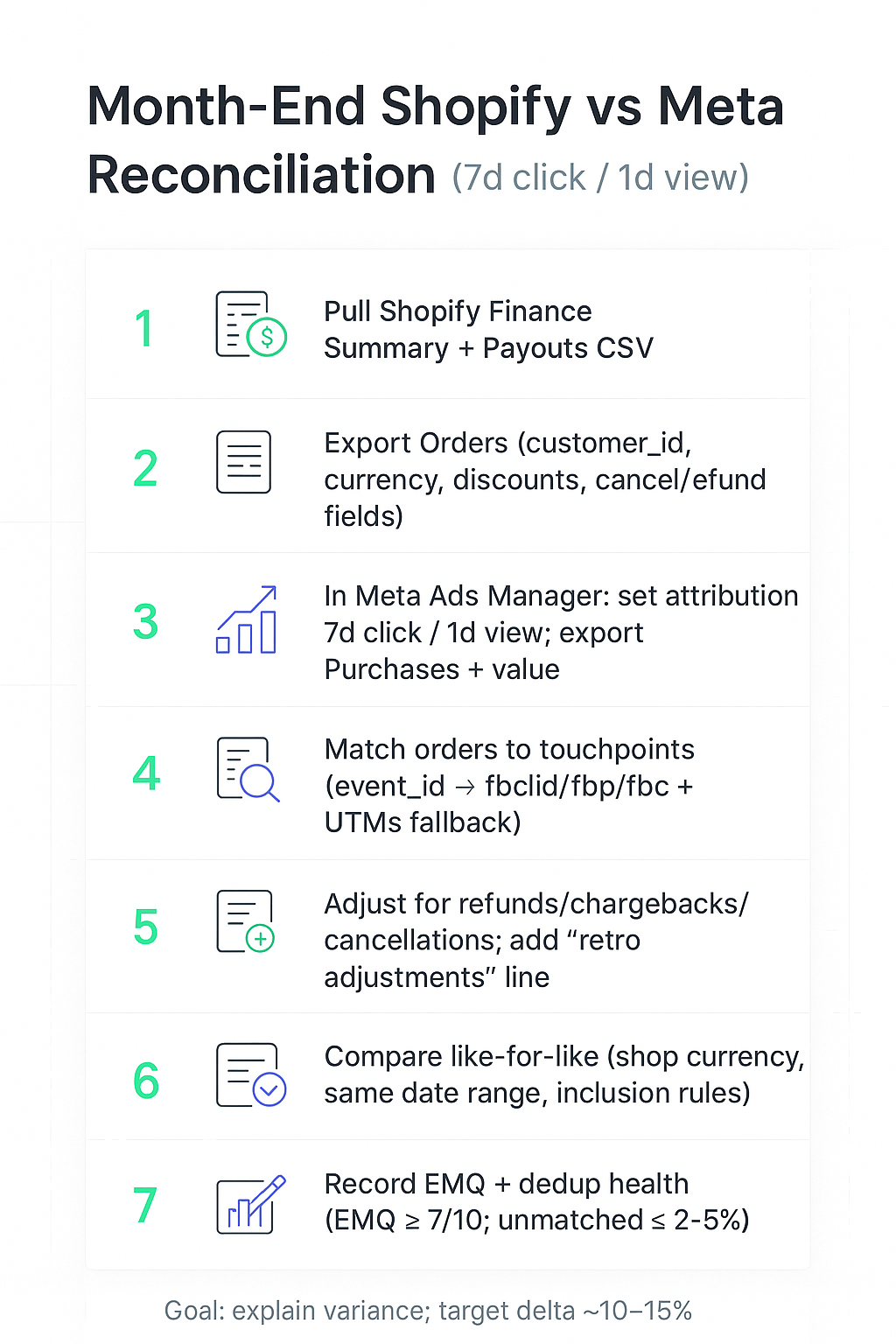
Pull Shopify Finance Summary for the month and Payouts CSV covering the deposit range. Decide and document whether tax and shipping are included in “ad‑attributed revenue.” Target: a single normalization policy, unchanged month to month.
Export Shopify Orders created within the month with customer identifiers (email/phone hashed if needed), currency, discounts, tags, cancel/refund fields. Split first vs repeat using customer_id or orders_count logic. Follow Shopify’s export orders instructions.
In Meta Ads Manager, pin attribution to 7‑day click / 1‑day view at the ad set level. Export Purchase events and value for the same calendar range. Note that Meta uses conversion event time, not payout timing. See about attribution settings.
Build a matching sheet: join orders to touchpoints by deterministic event_id. Where missing, use fbclid/fbp/fbc and UTMs as secondary keys. Goal: ≥95% of attributed orders have a valid join key. For identifiers/destinations context, see Attribuly Settings.
Compute adjustments: subtract refunds/chargebacks (as negative amounts) and cancellations from Shopify revenue for the month. Add a separate “retro adjustments” line for refunds issued this month on prior‑period orders. Match payouts per Shopify’s reconcile payouts guide.
Compare like‑for‑like: Shop currency only; same date range; same inclusion rules. Investigate variance drivers (window timing, cross‑device, subscriptions). Target: post‑adjustment Meta revenue delta within ~10–15% vs Shopify net for the period.
Document EMQ and dedup health: EMQ ≥ 7/10 on Purchases; dedup working (no double‑counted client/server events); ≤2–5% unmatched orders after all keys. See Meta’s GTM server‑side guide.
Channel connections reference: Attribuly integrations list.
Data foundations for Shopify order reconciliation with ad platform revenue
Shopify
Finance reports: Use the Finance Summary to anchor month totals (gross, discounts, refunds, taxes, adjustments). For payout matching, pull the Payouts CSV. See Shopify’s finance reports overview.
Orders export: Export Orders for the period (created_at), including customer_id, email/phone (or hashed), currency, discount codes, tags, cancel/refund flags. Instructions: export orders.
Meta
Attribution windows: Confirm ad sets use 7‑day click / 1‑day view; Ads Manager’s help page explains about attribution settings.
Event health: Verify dedup and EMQ in Events Manager; consult the GTM server‑side guide.
Optional parity notes (trimmed for focus and link density)
Google Ads: Enhanced Conversions can improve match quality; see Google’s enhanced conversions for web if extending beyond Meta.
Normalization decisions (set once, then follow):
Currency: convert all revenue to shop currency at order time or finance rate; document the method.
Tax/shipping: exclude from ad‑attributed revenue unless your policy states otherwise; apply consistently.
Cancellations: exclude non‑captured/cancelled orders from the comparison set.
Matching logic: order‑to‑touchpoint routine
Join keys hierarchy
Primary: deterministic event_id shared by Pixel and CAPI.
Secondary: fbclid/fbp/fbc and UTMs; fall back to email/phone match (hashed) within a narrow time window if necessary.
Date alignment
Compare calendar month by order created_at vs Meta conversion event timestamps; annotate timing deltas when orders occur near window edges.
Dedup discipline
Ensure the same event_id is sent client and server side so Meta deduplicates identical Purchase events (event_name + event_id). See Meta’s CAPI docs on dedup and the GTM server‑side guide.
Validation loop
Spot‑check random orders: confirm a single Purchase in Events Manager with the expected user_data keys and event_id.
Deterministic event_id example (pseudocode):
// Generate once on checkout, persist to server
  base = shop_domain + '-' + order_number + '-' + unix_timestamp_ms
  salt = sha256(customer_email_lowercased)
  event_id = sha256(base + '-' + salt)
  // Send event_id with Pixel purchase and mirror exactly in CAPI payload
Refunds, chargebacks, cancellations: the playbook
Refunds and partial refunds
Treat as negative revenue in Shopify finance. Do not attempt to send negative or zero Purchase values to Meta; handle reversals in finance. See Shopify’s reconcile payouts.
Partial refunds: allocate the refunded value proportionally across the order’s line items or use line‑item‑level refund amounts if available; reflect the net for the period.
Chargebacks and fees
Separate dispute deductions and fees from refunded revenue; record them as their own lines in your reconciliation sheet.
Cancellations/pre‑orders/backorders
Exclude unfulfilled/cancelled orders that didn’t capture funds. For pre‑orders, document recognition timing vs ad attribution to avoid false deltas.
Retro adjustments
Keep a line each close for “refunds/chargebacks issued this month on prior‑period orders.” This prevents month‑over‑month yo‑yo effects.
Subscriptions and cohorting checks
First vs repeat logic
Classify first purchases using customer_id or orders_count at the time of purchase. Attribute acquisition ROAS to first purchases; route renewals to retention/LTV analysis. Shopify defines first‑time vs returning cohorts in customer analytics and segments.
Renewals and swaps
Subscription renewals, upgrades/downgrades, and skips can shift timing. Keep them out of acquisition reconciliation unless you’re running a dedicated payback model.
Meta‑first technical appendix: EMQ and troubleshooting
Targets
EMQ “Good/Great” (≥7/10) for Purchase. Unmatched events should trend down as user_data coverage improves.
What raises EMQ
Hash and send email and phone when available; include external_id; propagate fbp/fbc; align Pixel and CAPI timestamps.
Common EMQ dips and fixes
Missing consent → patch CMP gating to allow server‑side user_data when consent is granted.
Server clock skew → sync NTP; keep timestamps within a tight window.
Inconsistent hashing → standardize lowercasing/trim/normalize before hashing.
Where to check
Use Meta’s Dataset Quality API for programmatic EMQ and the CAPI Gateway monitor for live diagnostics.
Acceptance criteria and escalation
Area | Target | Failsafe / Escalation |
|---|---|---|
Matching | ≥95% orders matched to a touchpoint (where ad‑attributable) | Audit event_id generation; backfill keys; raise to engineering if <90% |
Dedup | Pixel+CAPI duplicates <2% | Compare client/server counts; fix event_id propagation in sGTM |
EMQ | ≥7/10 for Purchase | Add user_data keys; validate hashing; align fbp/fbc |
Refund controls | Retro adjustments line present every close | Add prior‑period refund ledger; reconcile to Payouts CSV |
Delta band | Post‑adjustment Meta vs Shopify delta ~10–15% | Review windows, subscriptions mix, cross‑device; annotate exceptions |
Practical example: order‑to‑touchpoint trace (Attribuly‑style)
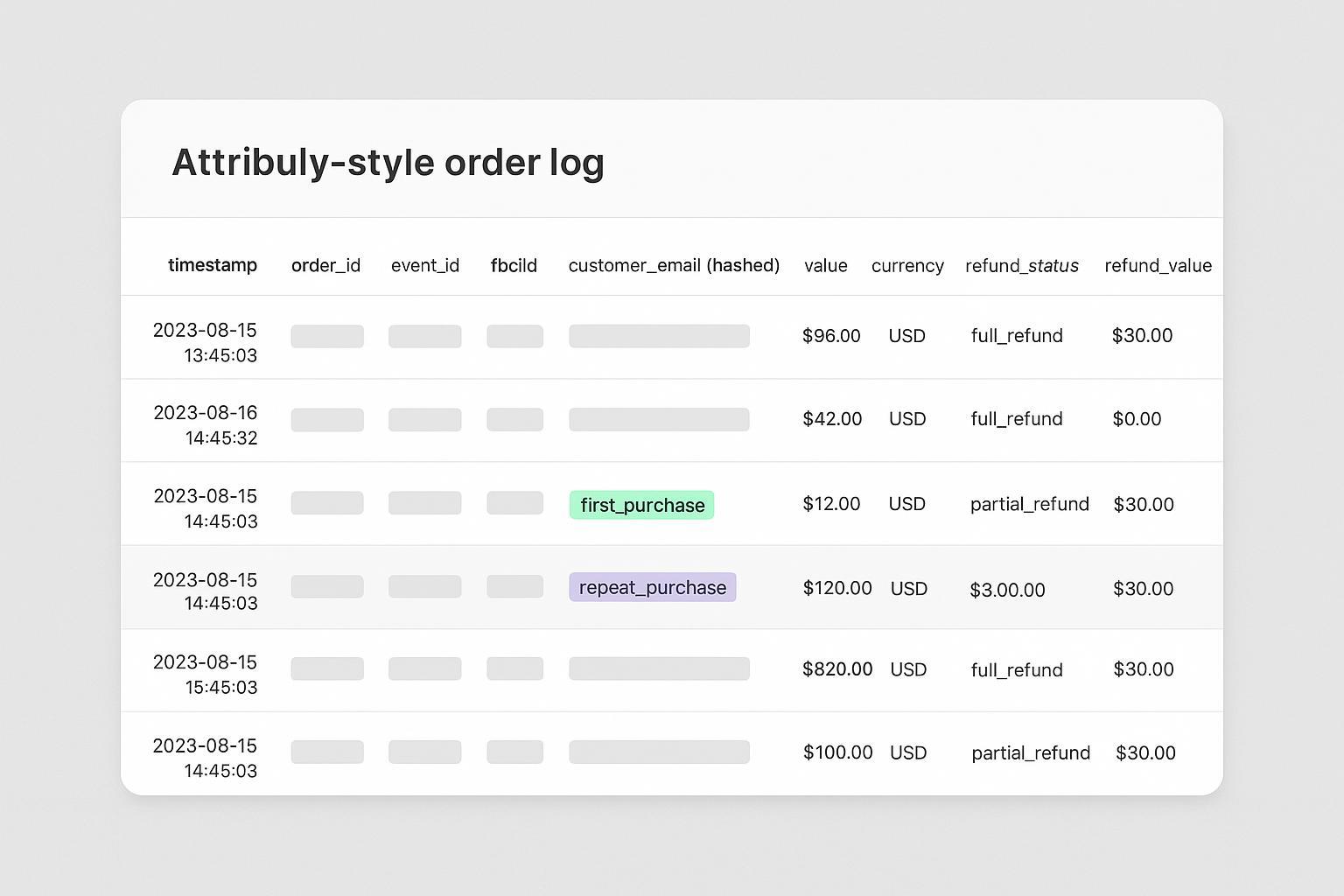
Disclosure: Attribuly is our product. Below is an illustrative, redacted “Attribuly‑style order log” showing how a Shopify order maps to a Meta Purchase via a shared event_id, including a partial refund indicator.
What to look for in your own logs:
A single Purchase event with identical event_id in both Pixel and CAPI payloads (dedup working).
fbclid/fbp/fbc captured and persisted; external_id present where possible.
First_purchase vs repeat badge (or tag) so acquisition ROAS isn’t polluted by renewals.
Refund_value populated for partial refunds; the order’s net value reflects the refund in the reconciliation period.
For more on identifiers and connections in your stack, see the Attribuly Settings article and the integrations list. Extended reading on attribution models and why finance vs ads won’t fully match: explore the Attribuly blogs hub.
Next steps
Replicate this checklist in your monthly close: build the sheet, lock your normalization policy, and track EMQ/dedup KPIs. If you want a faster way to trace orders to touchpoints, you can adapt your current stack—or optionally try Attribuly’s order‑log workflow to speed up investigation—and keep the reconciliation band tight.