
Shopify GA4 attribution: Unify Shopify, GA4, and Ads
Practical checklist to reconcile Shopify net revenue, GA4 DDA, Meta/TikTok/Google Ads and Klaviyo — UTM standards, event_id dedupe, server-side tracking, dashboards.
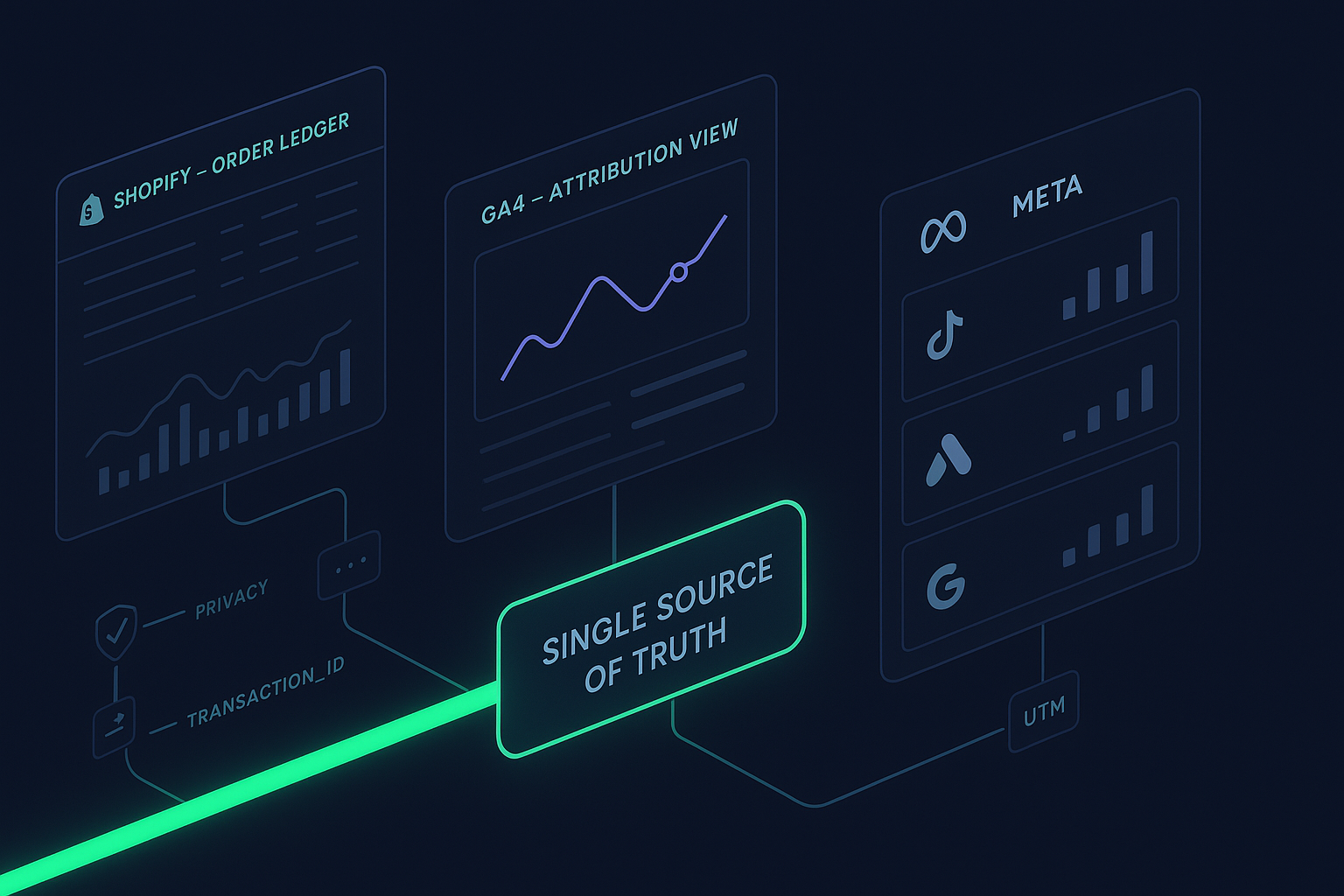
Fragmented tracking means wasted ad spend. This checklist gives growth teams a clear, repeatable way to reconcile Shopify (your financial ledger), GA4 (cross‑channel reporting), and ad platforms (Meta, TikTok, Google Ads) plus Klaviyo into one attribution truth—so ROAS, CAC, and LTV decisions rest on data you can defend.
Key takeaways
Declare Shopify net revenue (after discounts/refunds) as the financial source of truth and reconcile all attribution back to order IDs and net sales.
Standardize on GA4 Data‑Driven Attribution and align ad platforms to 7‑day click / 1‑day view where configurable; label exceptions clearly.
Enforce UTM and click‑ID governance: consistent utm_source/medium/campaign/content/term and storage of gclid/fbclid/ttclid on the order.
Prevent double counts with strict ID policy: GA4 transaction_id on every purchase and identical event_id across browser + server for Meta/TikTok.
Implement Consent Mode v2 with the four signals and use hashed identifiers for Enhanced Conversions.
Operate a reconciliation routine with defined variance thresholds (target ≤10–15% once modeling stabilizes) and time‑window alignment.
Governance pact for one source of truth
Your governance pact is the contract the team follows before anyone ships tags or launches campaigns.
Source of truth
Financial SSOT: Shopify orders and net revenue (discounts/refunds applied). Ensure dashboards specify revenue basis (net vs gross) to avoid confusion. According to Shopify’s reporting definitions, refunds and discounts reduce net sales; align attribution reports to this ledger.
Attribution model and windows
Cross‑channel reporting: GA4 Data‑Driven Attribution (DDA) with an attribution lookback appropriate to your buying cycle (commonly 60–90 days in GA4 Admin > Attribution). For channel comparisons, harmonize ad platform windows to 7‑day click / 1‑day view and annotate any deviations. See how GA4 configures attribution and lookbacks in Google’s documentation on the Attribution settings and lookback windows.
UTM and click‑ID standard
Canonical UTM schema
utm_source: google, meta, tiktok, klaviyo
utm_medium: cpc, social_paid, email
utm_campaign: campaign or ad set name (no spaces; use hyphens)
utm_content: creative or ad_id
utm_term: search terms (search only)
Click IDs to capture and store on orders: gclid, fbclid/fbp/fbc, ttclid. Use Shopify Order metafields or note attributes to persist them.
ID policy
GA4: Require transaction_id on every purchase event; include currency, value, and items.
Meta/TikTok: Use identical event_id across browser and server for the same event; include external_id and relevant user_data to boost match quality. Monitor dedup status.
Google Ads: Enable Enhanced Conversions and send hashed identifiers with explicit consent signals.
Consent and privacy
Implement Consent Mode v2 with analytics_storage, ad_storage, ad_user_data, and ad_personalization signals. Use Blended reporting identity in GA4 so modeled data is visible when consent is limited. Send hashed identifiers only with consent.
Implementation checklist: Shopify GA4 attribution across Shopify, GA4, Meta, TikTok, Google Ads, Klaviyo
Follow these steps in order. Keep items single‑level to stay audit‑friendly.
Capture and persist UTMs and click IDs
On landing, read utm_* and click IDs (gclid, fbclid, fbp/fbc, ttclid). Persist through checkout (cookie/localStorage + URL carry) and write to Shopify Order metafields at purchase via checkout extensions, Shopify Flow, or orders/create webhook handlers.
GA4 purchase with transaction_id
Fire purchase on the thank‑you page or server‑side after payment confirmation. Include transaction_id, currency, value, and items. GA4 uses transaction_id to deduplicate duplicates with the same ID. See Google’s guidance on minimizing duplicate purchases with transaction IDs.
Example payload (client or Measurement Protocol):
{
    "name": "purchase",
    "params": {
      "transaction_id": "SHOPIFY-ORDER-12345",
      "value": 129.99,
      "currency": "USD",
      "coupon": "NEW10",
      "items": [
        {"item_id": "SKU-001", "item_name": "Hoodie", "price": 79.99, "quantity": 1},
        {"item_id": "SKU-002", "item_name": "Cap", "price": 50.00, "quantity": 1}
      ]
    }
  }
Generate stable IDs and keep parity
Use a consistent event_id format across browser+server for Meta/TikTok (e.g., UUIDv4 or hash of order_id + timestamp). Store it alongside the order for troubleshooting.
Pseudocode:
function makeEventId(orderId, ts) {
    return sha256(`${orderId}:${ts}`); // stable, cross-channel
  }
Meta Conversions API (CAPI)
Send Purchase from both Pixel and CAPI with the same event_id and event_name for deduplication within Meta’s ~48‑hour window. Include user_data (email/phone hashed), fbp/fbc, external_id (e.g., Shopify customer_id), currency, and value. Monitor Event Matching Quality and Dedup status in Events Manager. Refer to Meta’s documentation on deduplicating Pixel and server events.
TikTok Events API
Mirror Pixel + Events API with identical event_id and event name; verify dedup in Events Manager diagnostics. Set attribution windows per ad group (e.g., 7‑day click / 1‑day view) and document selections. TikTok outlines dedup rules and window settings in their Events API guidance.
Google Ads Enhanced Conversions
Enable EC for web; send SHA‑256 hashed identifiers with consent and ensure Consent Mode v2 is configured. Confirm conversion windows per action (click 1–90 days; view 1–30 days) and label them in your dashboard. Google Ads explains conversion window options and defaults for click and view‑through conversions.
Refunds and discounts propagation
Align purchase value to your chosen revenue basis (ideally net). When a refund happens, emit a server‑side update (negative value or adjustment) tied to the original transaction_id/event_id so platforms reflect the true revenue. Use Shopify refunds/create and orders/updated webhooks to trigger these corrections. Shopify’s webhook topics and refund payloads detail the relevant fields.
Post‑purchase upsells and subscriptions
Avoid counting upsells or renewals as new acquisition conversions. Link all post‑purchase events to the original order via external_id and reuse the attribution context. In GA4, pass a custom parameter like original_order_id for analysis; in Meta/TikTok, include external_id and ensure event_id linkage/dedup.
Klaviyo alignment
Set Klaviyo attribution windows intentionally (e.g., email 5 days). In your unified reporting, treat owned channels with a last‑non‑direct or message‑driven logic so they don’t over‑claim conversions otherwise credited to paid click paths. Klaviyo documents message attribution models and windows in their help center.
Documentation
Record the exact UTM templates, event_id schema, transaction_id mapping, consent signals, and platform windows in an internal runbook. Version‑control this document and require PRs for changes.
QA, validation, and monitoring runbook
Consistent QA prevents quiet data drift.
Test plan before launch
GA4: Validate purchase in DebugView; confirm transaction_id uniqueness and currency/value presence. Ensure Reporting identity is Blended if you rely on modeled data. See Google’s overview of reporting identity and behavioral modeling.
Meta: Use Test Events and check Deduplication dashboard and Dataset Quality scores; target high Event Matching Quality by supplying identifiers. Meta’s Dataset Quality API and best practices outline what to watch.
TikTok: Use Pixel Helper/Events Manager to confirm event_id parity and dedup; ensure standard parameters are present. TikTok’s deduplication article explains overlap timing and validation.
Daily/weekly reconciliation routine
Daily (T+1): Compare Shopify net revenue and orders to GA4 purchases (same transaction_id count). Investigate any missing IDs, empty currency/value, or spikes.
Weekly: Compare each ad platform’s reported conversions and value to your reconciled layer and to GA4 model windows. Once modeling stabilizes, target ≤10–15% variance. Note that view‑through rules and modeled conversions create expected differences.
Incident response when variance exceeds threshold
Check attribution windows/time ranges across tools.
Inspect UTM drift (wrong utm_medium/source), missing click IDs, or redirects stripping parameters.
Verify event_id parity between pixel and server and look for late/duplicate fires.
Review Consent Mode signals and Enhanced Conversions hashing; confirm user_data formatting.
Examine Shopify refunds/discounts events flowing to platforms; confirm negative adjustments were sent.
Dashboards and reconciliation: ROAS/LTV you can trust
Build a dashboard that enforces your rules rather than hides exceptions.
Unified ROAS/LTV spec
Metrics: Spend, clicks/sessions, deduped conversions, net revenue, gross margin optional, new vs returning, LTV cohorts.
Joins: Orders/refunds (Shopify) ←→ UTMs/click IDs (metafields/logs) ←→ platform campaign/adset IDs. Keep order_id and transaction_id as primary keys.
Labels: Show attribution windows (e.g., Social 7C/1V, Ads 30C/1V) and indicate “modeled conversions included” where relevant.
Reconciliation spreadsheet
Tabs: Orders (net), Refunds, Click IDs, Platform conversions, Variance. Include built‑in checks for missing transaction_id, empty currency/value, and orphaned event_id.
Presenting GA4 vs reconciled SSOT
Use GA4 for directional cross‑channel insights (DDA) and trend analysis; use the reconciled SSOT to tie revenue back to Shopify and to feed consistent conversions to ad platforms. For deeper discussion of reconciliation approaches and trade‑offs, see the vendor‑agnostic comparison in the article Attribuly vs Segment+GA4: Shopify Attribution (2026).
Social window alignment resource
For details on aligning Meta and TikTok windows and UTMs, see the explainer Shopify Attribution Mismatches: Meta vs TikTok (2026).
Practical example: a reconciliation layer in action
Disclosure: Attribuly is our product.
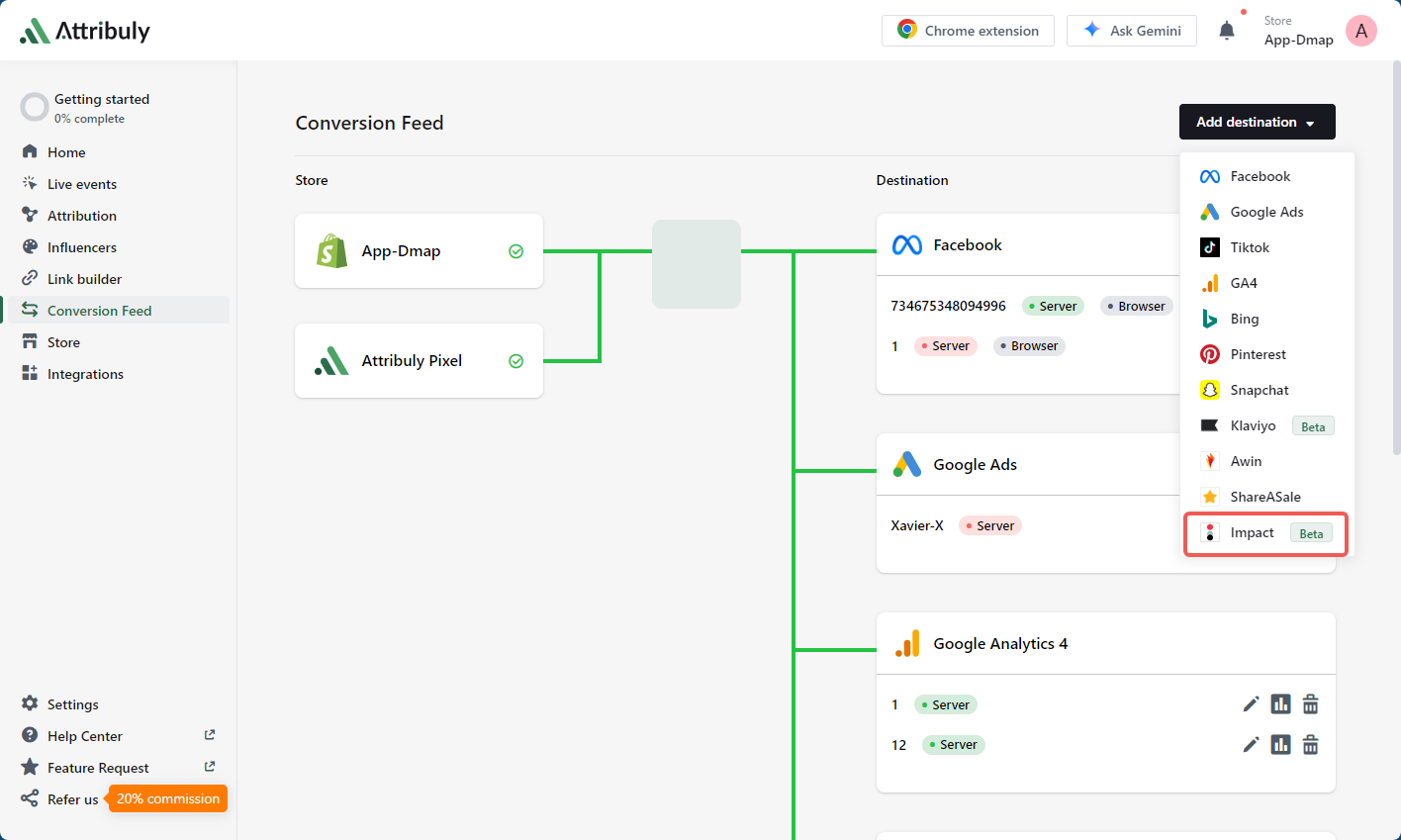
Here’s a neutral example of how a reconciliation layer can work. Shopify order and checkout events stream server‑side; browser pixels still fire for user experience. The layer captures UTMs and click IDs (gclid, fbclid, ttclid), generates a stable event_id, and stores IDs on the order. When a purchase confirms, it emits GA4 (with transaction_id) plus server‑side conversions to Meta CAPI and TikTok Events API using the same event_id for deduplication. Refunds trigger webhooks that send negative adjustments tied to the original transaction_id/event_id. Modeled data (Consent Mode v2, Enhanced Conversions) is labeled in dashboards so teams understand differences between observed and modeled counts. This approach supports one place to compare platform‑reported conversions with Shopify‑reconciled revenue and to feed consistent signals back to bidding systems.
Governance and operations: keep it tight
Operational discipline keeps the data trustworthy.
Change control
Before theme/app/checkout changes, run a tracking impact review and test in a staging environment. Maintain a changelog with deployment dates to correlate with data shifts.
UTM enforcement
Maintain a campaign registry with approved utm_source/medium values and adopt utm_id for unique link IDs. Use link shorteners or platform autotagging rules to prevent typos. Periodically crawl active ads and influencer links to detect drift. For a deep dive on Meta vs TikTok window alignment and UTM consistency, reference the article linked above.
Roles and cadence
Assign owners: Tracking (analytics engineer), Reconciliation (analyst), Platform QA (channel managers). Hold a weekly 30‑minute review for variance and a monthly attribution model/window check. Run a quarterly deep audit (consent, IDs, refunds flow, EMQ).
Further reading
According to Google’s Attribution settings and lookback windows, GA4 Data‑Driven Attribution and lookback options are configured in Admin and support 30/60/90‑day windows (default 90).
Google Tag Platform’s Consent Mode v2 overview explains the four consent signals and how Advanced mode enables modeled conversions.
Meta details how to deduplicate Pixel and server events using event_id/event_name parity and shows diagnostics in Events Manager.
TikTok’s guidance on Events API deduplication and attribution windows outlines overlap timing and configurable windows at the ad group level.
Klaviyo’s help center describes message attribution models and windows so you can align owned‑channel reporting with your unified view.
Shopify’s developer docs list webhook topics including refunds and orders updates used to propagate revenue adjustments server‑side.
Adopt this checklist to unify Shopify, GA4, and ads into one attribution truth. If you want help implementing the reconciliation layer and server‑side signals, Attribuly can support this workflow without adding complexity to your stack.