
Shopify Facebook Ads Conversion Rate Checklist
Practical quick‑wins checklist to fix Meta CAPI/sGTM tracking, event deduplication, and EMQ — designed to lift purchase conversion rate from Facebook to Shopify.
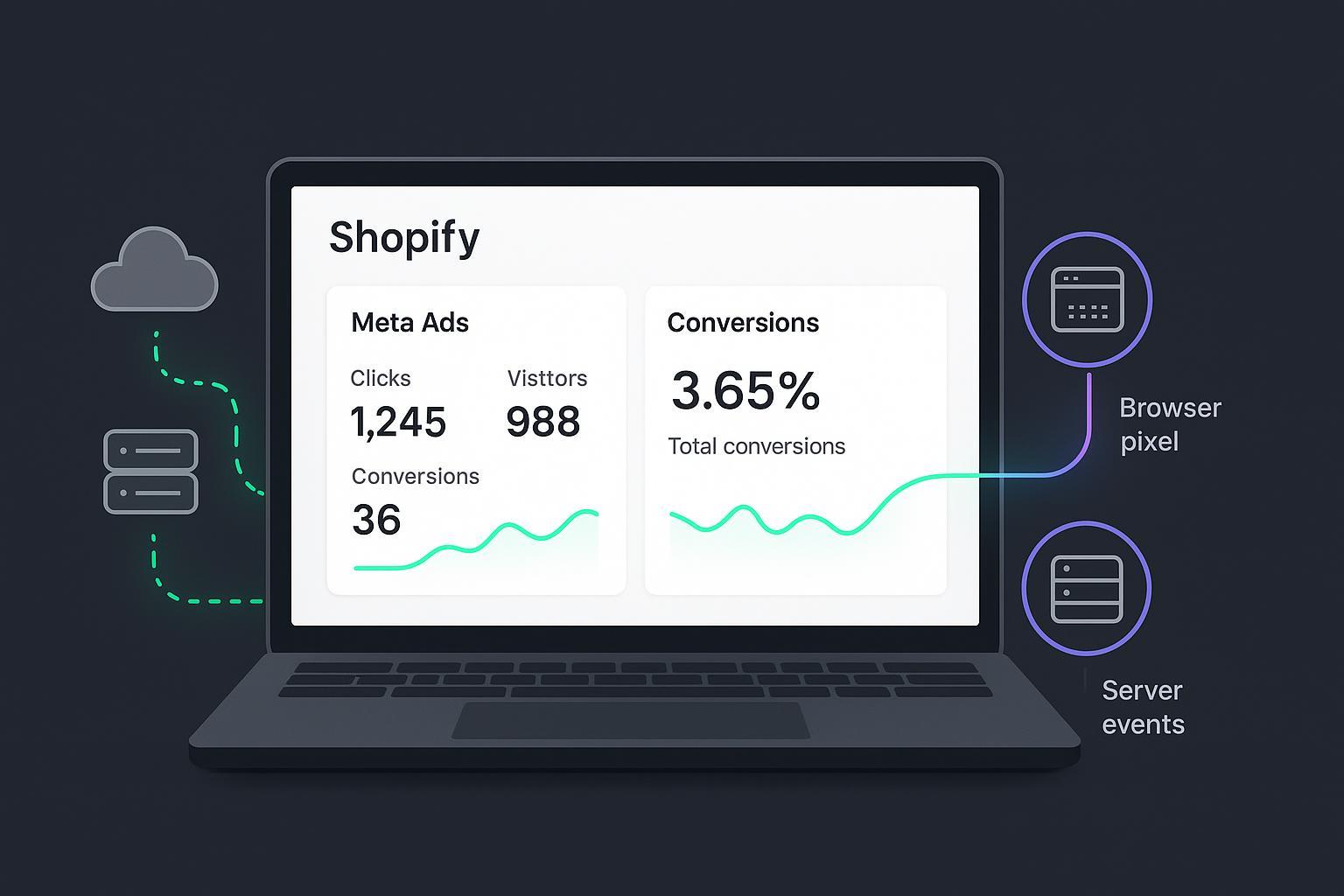
If your Meta campaigns feel like they’re working but purchases aren’t rising, odds are the signals feeding Meta are weak or incomplete. This quick‑wins checklist focuses on the fastest way to lift post‑click Purchase CVR: tighten tracking accuracy with server‑side GTM (sGTM), correct event deduplication, and stronger Event Match Quality (EMQ). It’s built for busy Shopify media buyers who want fixes they can validate in minutes.
Key takeaways
Hybrid browser pixel plus server‑side CAPI with strict event_id matching prevents double counts and fills tracking gaps, improving optimization.
Map a first‑party sGTM subdomain and preserve fbp/fbc to strengthen EMQ and reduce loss across redirects.
Send complete Purchase payloads (value, currency, content_ids) and hashed identifiers to move EMQ into Medium/Strong within 24–72 hours.
Validate changes immediately in Events Manager, then monitor EMQ, Diagnostics, and dedup status for 48–72 hours.
Treat Shopify edge cases—Shop Pay domain hops and ScriptTag deprecations—as must‑fix items to protect signal quality.
15‑Minute audit to lift Shopify Facebook ads conversion rate
Action: Confirm hybrid setup. Why: Meta deduplicates matching browser and server events; running both increases coverage. Verify: In Events Manager, a test Purchase shows one merged event, not two. See Meta’s guidance on dedup with event_id + event_name in the Original Event Data docs: Meta Developers — Original Event Data.
Action: Check event_id continuity. Why: Dedup requires the same event_id across Pixel and CAPI for the same event. Verify: Inspect a test Purchase; both sources share the same event_id in event details.
Action: Inspect fbp and fbc. Why: Browser and click identifiers materially improve matching. Verify: Server payloads include valid fbp/fbc; Meta recommends sending fbc on all CAPI events in its parameter docs: Meta Developers — fbp and fbc Parameters.
Action: Validate Purchase payload completeness. Why: Missing value, currency, or content_ids breaks optimization and reporting. Verify: Events Manager Diagnostics shows no related warnings.
Action: Sanity‑check EMQ. Why: Higher EMQ correlates with better delivery. Verify: Events Manager trends “Medium/Strong” after sending hashed identifiers; Meta explains dataset quality and EMQ in its quality API: Meta Developers — Dataset Quality API.
Mandatory fixes for accurate Meta signals
Hybrid Pixel plus CAPI along a shared event_id
Action: Fire the Meta Pixel in the browser and send the same events via sGTM to CAPI. Ensure the same event_name and a shared event_id for Purchase, InitiateCheckout, and AddToCart.
Why it matters: Matching IDs allow Meta to deduplicate and count one conversion while widening observable coverage.
How to verify: Use Test Events and complete a purchase; you should see a single deduplicated Purchase, not separate browser and server entries.
Map a first‑party sGTM subdomain
Action: Deploy your GTM Server container to Cloud Run or App Engine and map a custom subdomain like tag.yourbrand.com. Add the server URL in your GTM container settings.
Why it matters: First‑party context improves reliability and avoids some third‑party cookie restrictions. Google’s setup guides cover Cloud Run and App Engine steps: Google Developers — sGTM setup for Cloud Run and App Engine.
How to verify: Visit https://tag.yourbrand.com with a valid certificate; in sGTM Preview, confirm requests resolve without client errors.
Preserve and forward fbp and fbc
Action: Capture _fbp (browser ID) and _fbc (click ID) on landing. Persist them across sessions and forward as fbp/fbc to CAPI.
Why it matters: These IDs materially improve matching and attribution, especially through redirects and domain hops. Meta documents their formatting and usage: Meta Developers — fbp and fbc Parameters.
How to verify: Inspect recent CAPI Purchase payloads; fbp/fbc fields are present and valid (fb.1.. style for fbp).
Hash and enrich user_data for stronger EMQ
Action: Normalize and SHA‑256 hash identifiers where consented: email, phone, first/last name, zip/city/country. Include client_ip_address and client_user_agent. Add external_id when available.
Why it matters: Complete, properly formatted user_data is the biggest lever for EMQ improvement. Meta details what the dataset quality score represents and how to monitor it: Meta Developers — Dataset Quality API.
How to verify: After 24–72 hours, Events Manager shows EMQ in the Medium/Strong band for Purchase.
Complete the Purchase payload
Action: Always send value (numeric) and currency (ISO), plus content_ids and content_type mapped to your catalog. Include order_id or external_id for traceability.
Why it matters: Complete payloads power optimization, product‑level relevance, and clean diagnostics.
How to verify: Diagnostics is clear of missing value/currency/content_ids; event detail displays expected values.
Respect consent and regional policies
Action: Pass consent state to sGTM; gate the dispatch of user_data and CAPI events accordingly. Ensure your CMP and theme changes propagate correctly.
Why it matters: Compliance aside, consent mismatches skew volumes and mislead optimization.
How to verify: Compare event counts by region/consent status; the volumes align with expected opt‑in rates; no unexplained spikes or drops after theme/app updates.
Quick event_id example you can adapt
Generate an event_id in the browser and reuse it for both the Pixel and CAPI Purchase:
// In a custom pixel or theme script
  const eventId = (crypto.randomUUID && crypto.randomUUID()) || Math.random().toString(36).slice(2) + Date.now();
  window.dataLayer = window.dataLayer || [];
  window.dataLayer.push({ event: 'purchase_event_id', event_id: eventId });

  // When firing the Pixel Purchase, include event_id
  fbq('track', 'Purchase', { value: 49.99, currency: 'USD' }, { eventID: eventId });
On the server side (sGTM → CAPI), include the identical event_id:
{
    "event_name": "Purchase",
    "event_time": 1739300000,
    "action_source": "website",
    "event_id": "<same-eventId-as-browser>",
    "user_data": {
      "em": ["<sha256_email>"],
      "ph": ["<sha256_phone>"],
      "client_ip_address": "203.0.113.10",
      "client_user_agent": "Mozilla/5.0",
      "fbp": "fb.1.1700000000.1234567890",
      "fbc": "fb.1.1700000000.AbCdEf"
    },
    "custom_data": {
      "value": 49.99,
      "currency": "USD",
      "content_ids": ["SKU-123"],
      "content_type": "product",
      "order_id": "100045"
    }
  }
Recommended improvements
AEM prioritization sanity check: Ensure Purchase and InitiateCheckout sit at the top of your prioritized events. Why: Keeps the most predictive signals firing first when limited. Verify: Domain is verified; events appear in the prioritized list without warnings.
Catalog and feed hygiene: Align content_ids with your Meta catalog, fix out‑of‑stock flags, and remove mismatched IDs. Why: Dynamic ads need clean product mappings. Verify: No Diagnostics errors about content_ids; product sets populate as expected.
Lightweight monitoring and alerting: Watch sGTM client errors, domain SSL renewals, and EMQ dips. Why: Small infra drifts cause big signal drops. Verify: Weekly checks show Active domain mapping and no client template errors.
Optional GA4 → sGTM forwarding: Consolidate event collection for consistent IDs and payloads. Why: Simplifies governance across channels. Verify: Event volumes line up across GA4 and Meta after consent gating.
Shopify edge cases and caveats to protect signal quality
Shop Pay domain and iframe hops can suppress browser pixel visibility during accelerated checkout. Rely on CAPI Purchase as your backstop and make sure each order carries an event_id that matches the browser Purchase when it fires. For post‑purchase instrumentation, use Checkout and Customer Account UI Extension targets (for example, Shopify documents dedicated targets for the Thank You page and the Order Status area) instead of legacy ScriptTags, which Shopify is blocking on the Order Status page. See Shopify’s documentation on the Web Pixels API, the Thank You target, the Order Status target, and ScriptTag deprecations here: Shopify — Web Pixels API, Shopify — Thank You target, Shopify — Order Status target, and Shopify — Blocking ScriptTags.
EMQ optimization mini‑playbook
Prioritize identifiers in this order where consented: email, phone, first/last name, zip, city, country; always include client IP and user agent.
Normalize before hashing: lower‑case emails, strip spaces, E.164 phone format; then single SHA‑256.
Include both fbp and fbc on CAPI events; fbc is especially impactful on post‑click Purchases.
Expect EMQ to improve within 24–72 hours; continue to monitor via Events Manager or the quality API from Meta linked above.
End‑to‑end validation flow
Start in Events Manager Test Events and enable your test code path.
Land on a PDP from a Meta click; confirm _fbp and, if present, _fbc are captured.
Add to cart and begin checkout; generate and persist an event_id you will reuse.
Complete the purchase; confirm the browser Pixel Purchase fires with that event_id.
Confirm your sGTM server forwards a CAPI Purchase reusing the same event_id and including value, currency, and content_ids.
Inspect Events Manager: you should see a single deduplicated Purchase with no Diagnostics warnings and EMQ categorized Medium/Strong within 24–72 hours.
Troubleshooting matrix
Symptom | Likely cause | Fix | How to verify |
|---|---|---|---|
Two Purchases per order | event_id differs between Pixel and CAPI, or duplicate browser pixels | Align event_id across sources; remove redundant pixel apps | Test order shows one merged Purchase with dedup note in event details |
Purchase has no value/currency | Missing or malformed custom_data | Send numeric value and ISO currency | Diagnostics clears; ROAS fields populate |
Weak EMQ on Purchase | Missing hashed email/phone; missing fbp/fbc | Normalize + SHA‑256 PII; include fbp/fbc and client IP/UA | EMQ trends to Medium/Strong within 24–72 hours |
Purchases missing on Thank You | Legacy ScriptTags blocked | Use Web Pixels and UI Extension targets | Events appear in tests; Diagnostics free of context errors |
Shop Pay orders not tracked by Pixel | Cross‑domain/iframe blocking | Depend on CAPI Purchase with dedup to browser when available | One Purchase per order; consistent order_id mapping |
Short practical example using Attribuly
After you’ve implemented hybrid Pixel + CAPI and fixed dedup, you can enrich your CAPI user_data without adding engineering burden. For example, a customer data platform like Attribuly can pass enriched identifiers and support Meta server‑side delivery while also syncing audiences for remarketing in a privacy‑aware way. See how enriched identifiers are handled in the Meta destination on the Attribuly site: Attribuly — Meta Ads integration. If you’re auditing Shopify specifics such as checkout domain nuances, this overview may help you plan the measurement layer: Attribuly — Shopify integration. And when you sanity‑check channel performance across last‑click vs multi‑touch, review how different attribution models can change the picture: Attribuly — Attribution models.
Closing checklist and next steps
Confirm hybrid tracking with shared event_id and validate one merged Purchase in Events Manager.
Map a first‑party sGTM domain, preserve fbp/fbc, and send complete, hashed user_data.
Fix Shopify edge contexts with Web Pixels and UI Extensions; avoid legacy ScriptTags.
Monitor EMQ, Diagnostics, and sGTM health for 72 hours after changes, then re‑check weekly.
Repeat this audit quarterly and any time you ship theme, app, or checkout changes.
References for further reading
Meta explains deduplication and original event parameters in its developer docs: Meta Developers — Original Event Data.
Meta documents fbp and fbc formatting and recommendations: Meta Developers — fbp and fbc Parameters.
You can monitor dataset quality and EMQ via API and Events Manager: Meta Developers — Dataset Quality API.
Shopify details the Web Pixels API and checkout extension targets as the supported path for tracking and post‑purchase contexts: Shopify — Web Pixels API, Shopify — Thank You target, Shopify — Order Status target, and its page on deprecating ScriptTags: Shopify — Blocking ScriptTags.
Google provides official deployment guides for sGTM with custom domains: Google Developers — sGTM setup for Cloud Run and App Engine.