
Shopify Cross-Device Tracking Guide: Unify Shopper Journeys Across Mobile and Desktop
A complete, 2026-ready ultimate guide to Shopify cross-device tracking—hybrid client/server methods, GA4 User-ID, Meta CAPI, TikTok Events API, and consent. Read now.
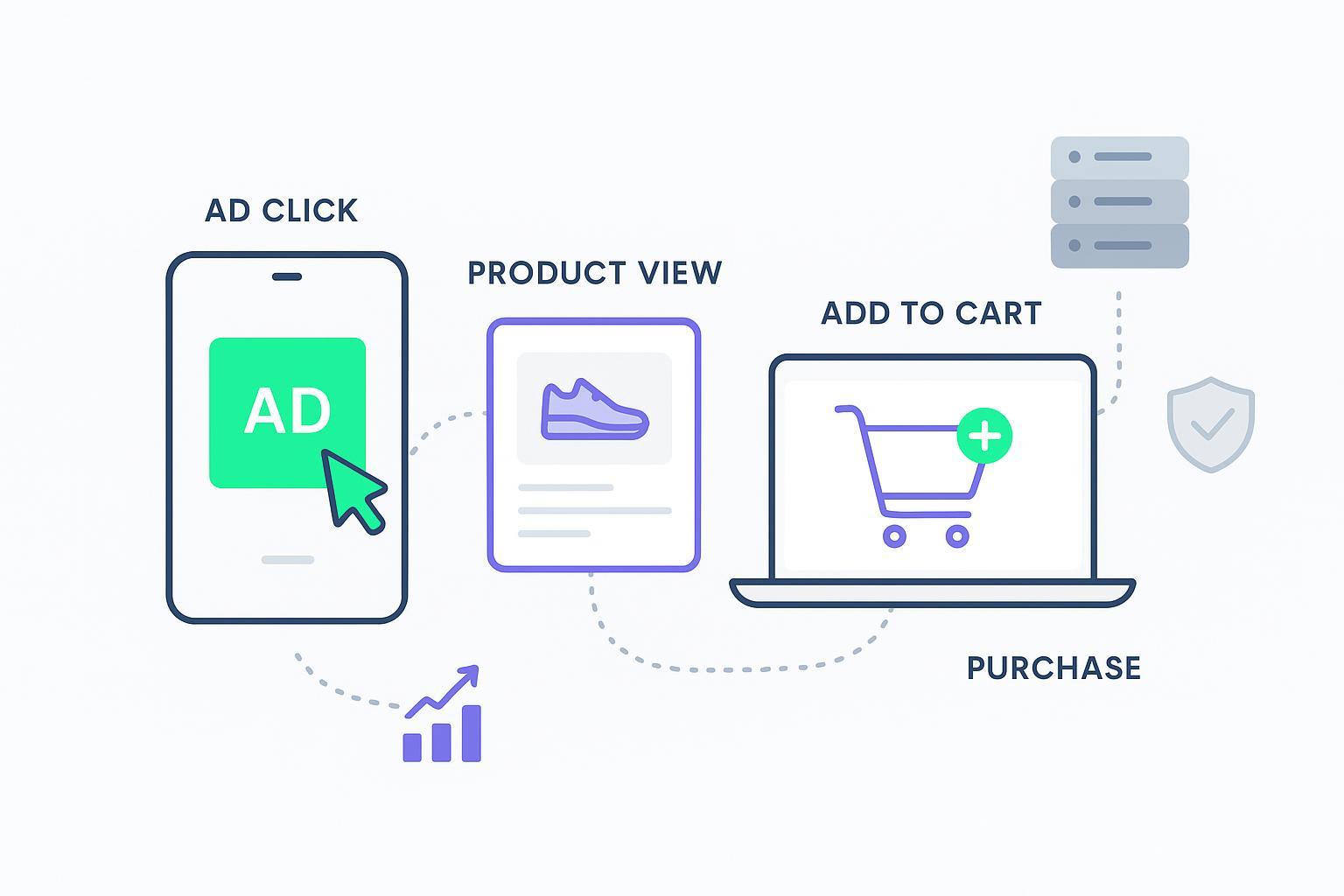
When a shopper taps your TikTok ad on their phone, browses on mobile, and later completes checkout on a laptop, do you count one journey or three fragmented sessions? The difference shows up in your ROAS, your channel budgets, and your confidence in what’s actually working. This 2026‑ready blueprint walks you through Shopify cross‑device tracking that respects consent, survives browser limits, and gives ad platforms the cleanest possible signals—without vendor lock‑in.
Key takeaways
Treat Shopify cross‑device tracking as a hybrid system. Capture consented browser events with Web Pixels and Customer Events, then mirror key conversions server‑side for resilience and deduplication.
Share a single event_id between browser and server for purchases. That’s the backbone for dedup in Meta and TikTok and for parity checks during QA.
Prioritize deterministic identity under consent. Use Shopify customer ID server‑side, plus hashed email and phone, and supplement with platform click IDs and first‑party cookies when present.
GA4 User‑ID stitches only logged‑in users. For everyone else, rely on Google signals and Consent Mode v2 modeling once properly tagged and eligible.
Compliance is design, not an afterthought. Gate non‑essential tracking on GDPR consent, honor CPRA opt‑outs and GPC, and map all tags to Consent Mode v2 states.
Build a validation habit. Use GA4 DebugView, Meta Test Events, TikTok Events Manager, and dataset quality diagnostics to prove dedup and identity coverage before scaling.
Shopify tracking fundamentals
Shopify’s Web Pixels framework lets you run sandboxed JavaScript that listens to storefront and checkout lifecycle events and respects a shopper’s consent state. Pixels subscribe to analytics events and read consent using the Pixel Privacy and Customer Privacy APIs. Shopify documents the core patterns in Build web pixels and the privacy interfaces in Pixel Privacy and Customer Privacy.
Example subscription and consent pattern based on Shopify’s documentation:
// Consent-aware Web Pixel skeleton
  let currentPrivacy = init.customerPrivacy; // { analyticsProcessingAllowed, marketingAllowed, preferencesProcessingAllowed, saleOfDataAllowed }

  api.customerPrivacy.subscribe('visitorConsentCollected', (evt) => {
    currentPrivacy = evt.customerPrivacy;
  });

  analytics.subscribe('page_viewed', (event) => {
    if (!currentPrivacy.analyticsProcessingAllowed) return; // Respect consent
    // Forward or queue your analytics payload here
  });
Authoritative references:
Shopify Build web pixels: https://shopify.dev/docs/apps/build/marketing-analytics/build-web-pixels
Pixel Privacy API: https://shopify.dev/docs/api/web-pixels-api/pixel-privacy
Customer Privacy API: https://shopify.dev/docs/api/customer-privacy
Shopify has also expanded where pixels can run, including Customer Accounts and the Order Status page, improving journey coverage. See Shopify’s changelog entry confirming this expansion:
Web pixels on Customer Accounts and Order Status pages: https://shopify.dev/changelog/web-pixels-now-run-on-customer-accounts-and-order-status-page
Architecture overview for Shopify cross-device tracking
Think of your setup as two synchronized paths that meet at the same conversion event:
Client path: Your Web Pixel and Customer Events capture consented engagement and checkout completion in the browser. When a purchase occurs, generate a UUID event_id and send the browser event to ad platforms if permitted. Capture click IDs (gclid, fbclid, ttclid) and first‑party cookies under consent.
Server path: A server‑side tagger or service listens to Shopify webhooks such as orders and refunds and forwards the same conversion to GA4, Meta, and TikTok. Crucially, it uses the identical event_id, ISO‑8601 timestamps, consistent currency and value, and the best available identifiers.
This dual‑path design gives you the immediacy of browser signals and the reliability of server confirmations, while allowing platforms to deduplicate cleanly.
GA4 cross-device setup with User-ID and Measurement Protocol
GA4 provides two complementary capabilities for cross‑device measurement:
User‑ID for authenticated sessions: Assign a stable user_id when a shopper is logged in. GA4 stitches their activity across devices for those sessions. For anonymous users, GA4 relies on Google signals and modeled conversions when Consent Mode v2 is correctly implemented.
Server‑side purchase via Measurement Protocol: Post purchases from your server with transaction_id, value, currency, and items. Include user_id only when you are certain the event belongs to a logged‑in user.
A concise server purchase example (abbreviated for clarity):
{
    "client_id": "12345.67890",
    "user_id": "shopify_customer_98765",
    "events": [
      {
        "name": "purchase",
        "params": {
          "transaction_id": "T-2026-000123",
          "value": 129.99,
          "currency": "USD",
          "tax": 10.0,
          "shipping": 5.0,
          "items": [
            {
              "item_id": "SKU-001",
              "item_name": "Product A",
              "price": 129.99,
              "quantity": 1
            }
          ]
        }
      }
    ]
  }
Learn more in Google’s official references:
GA4 Measurement Protocol overview: https://developers.google.com/analytics/devguides/collection/protocol/ga4
Sending events with Measurement Protocol: https://developers.google.com/analytics/devguides/collection/protocol/ga4/sending-events
Ecommerce setup in GA4: https://developers.google.com/analytics/devguides/collection/ga4/set-up-ecommerce
Measurement Protocol reference including User‑ID: https://developers.google.com/analytics/devguides/collection/protocol/ga4/reference
Meta Conversions API with dedup and Advanced Matching
Meta’s recommended pattern is hybrid: keep the Pixel for real‑time onsite signals and add the Conversions API for server reliability. To avoid double counting, Meta deduplicates events when the browser Pixel and server CAPI send the same event_name with the same event_id.
A minimal CAPI Purchase outline:
{
    "data": [
      {
        "event_name": "Purchase",
        "event_time": 1712598742,
        "event_id": "9b6f1c9e-3d7e-4a2a-9c8d-1a2b3c4d5e6f",
        "action_source": "website",
        "event_source_url": "https://yourstore.com/checkout/thank_you",
        "user_data": {
          "em": ["<sha256_lowercased_trimmed_email>"],
          "ph": ["<sha256_e164_phone>"] ,
          "client_ip_address": "203.0.113.10",
          "client_user_agent": "Mozilla/5.0 ...",
          "external_id": "shopify_customer_98765"
        },
        "custom_data": {
          "currency": "USD",
          "value": 129.99,
          "contents": [{"id": "SKU-001", "quantity": 1, "item_price": 129.99}]
        }
      }
    ]
  }
Meta documentation to implement and verify:
Server Event parameters and dedup: https://developers.facebook.com/documentation/ads-commerce/conversions-api/parameters/server-event
Best practices and omni optimal setup: https://developers.facebook.com/documentation/ads-commerce/marketing-api/best-practices/omni-optimal-setup-guide
Advanced Matching guidance and dataset quality: https://developers.facebook.com/documentation/ads-commerce/conversions-api/dataset-quality-api
Aim for high Event Match Quality by supplying hashed identifiers, external_id, IP, and User‑Agent where permitted by consent.
TikTok Events API hybrid implementation
TikTok supports a similar hybrid architecture. Use the browser Pixel when consent allows, and mirror server events via the Events API using the same event_id and consistent values. TikTok deduplicates overlapping Pixel and server events with an identical event_id within its documented window.
A simplified Events API Purchase outline:
{
    "event": "CompletePayment",
    "event_id": "9b6f1c9e-3d7e-4a2a-9c8d-1a2b3c4d5e6f",
    "timestamp": "2026-05-09T19:45:22Z",
    "context": {
      "ip": "203.0.113.10",
      "user_agent": "Mozilla/5.0 ...",
      "page": {"url": "https://yourstore.com/checkout/thank_you"}
    },
    "user": {
      "email": "<sha256_lowercased_trimmed_email>",
      "phone": "<sha256_e164_phone>",
      "ttclid": "<ttclid_if_available>",
      "ttp": "<_ttp_first_party_cookie_if_available>"
    },
    "properties": {
      "value": 129.99,
      "currency": "USD",
      "contents": [{"content_id": "SKU-001", "quantity": 1, "price": 129.99}]
    }
  }
Consult TikTok’s official documentation:
Events API overview and parameters: https://ads.tiktok.com/help/article/events-api
Event deduplication behavior: https://ads.tiktok.com/help/article/event-deduplication?lang=en
Identity and dedup fundamentals
To stitch sessions across devices, start with deterministic identifiers when you have consent. On the server, use Shopify’s customer ID to set a stable external user key. Add hashed email and phone using SHA‑256 with strict hygiene: lowercase, trim whitespace, normalize phone to E.164, then hash. In the browser, capture first‑party cookies and platform click IDs only when consent permits. Always generate one UUID event_id per checkout completion and pass it through both browser and server paths for purchases.
A quick hashing reminder for emails and phones before sending to ad platforms:
email_prepared = lowercase(trim(email))
  email_hashed = sha256(email_prepared)

  phone_e164 = +11234567890
  phone_prepared = remove_spaces_and_symbols(phone_e164)
  phone_hashed = sha256(phone_prepared)
Keep parity tight: identical event_id, matching value and currency, and timestamps within a tight window. These checks are your early warning system for duplicate counts or missing server posts.
Consent and compliance guardrails
In the EU, GDPR and ePrivacy require prior, informed consent for non‑essential analytics and advertising storage or access. In California, CPRA grants users the right to opt‑out of sale or sharing and to limit use of Sensitive Personal Information; honoring Global Privacy Control signals is expected. Design your stack to gate tags accordingly and to record consent signals for audit.
Google’s Consent Mode v2 adds ad_user_data and ad_personalization alongside ad_storage and analytics_storage. With proper CMP mapping and tagging, GA and Ads will switch to cookieless pings when consent is denied and may model conversions at eligible volumes. Refer to Google’s help resources for implementation specifics and verification steps:
Consent Mode v2 reference: https://support.google.com/google-ads/answer/13802165
Verify consent mode implementation: https://support.google.com/analytics/answer/14218557
Browser privacy continues to evolve. Safari’s Intelligent Tracking Prevention and related protections reduce cookie lifetimes and strip link tracking parameters in private contexts, reinforcing the need for first‑party identity and server‑side forwarding strategies. See WebKit’s overview of modern protections: https://webkit.org/blog/15697/private-browsing-2-0/
QA and diagnostics you can trust
Before you lean on the data for bidding and budget moves, validate like a skeptic. In GA4, confirm your Measurement Protocol purchases in DebugView and Realtime, then spot‑check transaction_id totals against your Shopify orders for a sample day. In Meta Events Manager, use Test Events to fire a purchase and verify that the Pixel and CAPI versions appear, with dedup counting only one. Track Event Match Quality and investigate low scores by improving hashed identifiers and external_id coverage under consent. In TikTok Events Manager, test a CompletePayment and verify that your event_id matches between Pixel and Events API and that identifiers like _ttp and ttclid are present when available.
Document your checks. Keep a runbook with screenshots and notes on event_id parity, value consistency, and consent behavior so future incidents can be triaged quickly.
Two sprint rollout plan
Sprint one foundation
Implement a consent‑aware Web Pixel to subscribe to checkout completion and generate a UUID event_id. Under consent, forward browser events to ad platforms.
Stand up server‑side forwarding. Use Shopify webhooks to trigger GA4 Measurement Protocol purchases, Meta CAPI Purchases, and TikTok CompletePayment, all with the same event_id, consistent value, currency, and ISO timestamps.
Turn on diagnostics. Validate GA4 DebugView, Meta Test Events, and TikTok Events Manager. Confirm dedup works by seeing one counted purchase per actual order.
Sprint two identity and hardening
Add deterministic identity. When users are authenticated and consented, include user_id in GA4 and external_id plus hashed email and phone in Meta and TikTok. Capture click IDs and first‑party cookies where allowed.
Enable Consent Mode v2 via your CMP and verify signals in Tag Assistant and platform diagnostics. Expect modeled conversions only after thresholds are met.
Create your incident playbooks. Define rollback criteria, EMQ targets, and a weekly parity spot‑check cadence so issues don’t linger.
Practical example using a neutral orchestration tool
Many teams prefer not to maintain a custom server. An orchestration platform can listen to Shopify orders and forward deduplicated purchases to GA4, Meta, and TikTok while preserving the browser’s event_id. For example, Attribuly supports server‑side tracking and identity stitching for Shopify and can forward conversions to these destinations with event_id parity and hashed identifiers under consent. Treat this as one implementation path among others such as Google Tag Manager Server or your own lightweight Node service.
Resources and official documentation
Shopify Web Pixels guide: https://shopify.dev/docs/apps/build/marketing-analytics/build-web-pixels
Shopify Pixel Privacy and Customer Privacy APIs: https://shopify.dev/docs/api/web-pixels-api/pixel-privacy
Shopify changelog on pixels for Accounts and Order Status: https://shopify.dev/changelog/web-pixels-now-run-on-customer-accounts-and-order-status-page
GA4 Measurement Protocol overview and reference: https://developers.google.com/analytics/devguides/collection/protocol/ga4
Google Consent Mode v2 implementation and verification: https://support.google.com/google-ads/answer/13802165
Meta CAPI parameters, dedup, and dataset quality: https://developers.facebook.com/documentation/ads-commerce/conversions-api/parameters/server-event
TikTok Events API and dedup: https://ads.tiktok.com/help/article/events-api
WebKit privacy protections and tracking prevention: https://webkit.org/blog/15697/private-browsing-2-0/
Closing and next steps
Cross‑device accuracy on Shopify starts with a consent‑aware browser signal, hardens with server confirmations, and comes alive when your identities and event_id parity are rock solid. Start with the two‑sprint plan, prove parity in your diagnostics, then turn these signals into smarter bidding and more confident budget shifts. If you want a step‑by‑step walkthrough of a managed server‑side approach, you can continue with Attribuly’s overview of Shopify server‑side tracking for practical setup details: https://attribuly.com/blogs/how-to-shopify-server-side-tracking/