
Shopify Cross-Device Tracking: Beginner’s Guide
A practical beginner’s guide to Shopify cross-device tracking — understand cookie changes, first-party identity, and server-side fixes to restore measurement.
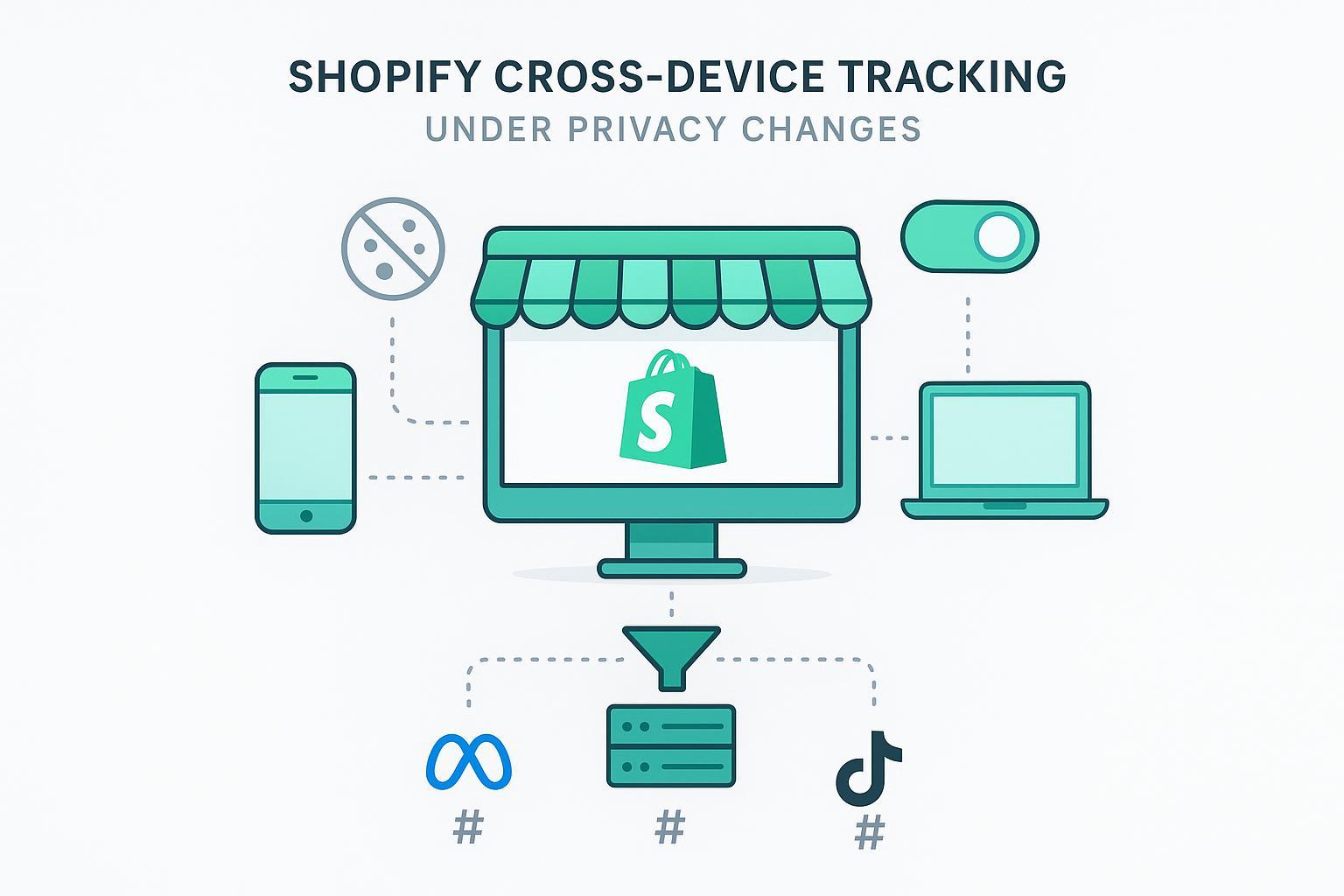
If your Shopify reporting looks steady on Chrome but falls apart on Safari and iOS, you’re not imagining it. Third‑party cookies are restricted or off by default in some browsers, Apple’s App Tracking Transparency (ATT) limits cross‑app identity, and Chrome now leans into a user‑choice model for third‑party cookies rather than a blanket removal. The net effect: cross‑device stitching gets inconsistent unless you lean on first‑party identity and server‑side measurement.
Key takeaways
Third‑party cookies are no longer a reliable basis for Shopify cross‑device tracking across U.S./EU audiences. Safari blocks them; iOS requires ATT consent; Chrome lets users control them.
The most durable path is first‑party identity + consent + server‑side events with hashed identifiers and deduplication.
Complement with platform Conversions APIs, GA4 modeled attribution with Consent Mode, and, where relevant, Privacy Sandbox Attribution Reporting for privacy‑preserving measurement.
Expect modeled and aggregated reports in some channels; set expectations internally and validate with a 30‑day pilot.
A quick primer: third‑party vs first‑party and why it broke
Third‑party cookies are set by a domain other than the one a shopper is visiting. They historically powered cross‑site tracking and, when combined with platform graphs, helped infer cross‑device identity. Safari/WebKit now blocks third‑party cookies by default, which Apple confirmed in its announcement on full third‑party cookie blocking (continuously enforced). Apple’s ATT framework also requires explicit permission to track across apps and sites; without consent, the IDFA is inaccessible, per Apple’s ATT support page.
First‑party cookies are set on your own domain. They still work for on‑site session continuity and personalization, but they don’t magically solve cross‑device by themselves. Meanwhile, Google shifted to a user‑choice approach in Chrome rather than a blanket third‑party cookie deprecation. Users can manage third‑party cookies, and Incognito continues to block them by default, as described in Google’s Privacy Sandbox update.
For Shopify merchants, this means cross‑device signals are uneven across browsers and platforms. Sustainable tracking relies on consented first‑party identity and server‑side event delivery, not legacy cross‑site cookies.
Who this is for and what you’ll be able to do
This guide is for Heads of Growth and performance leaders at DTC brands running Shopify or WooCommerce in the U.S./EU. After reading, you should be able to: explain why cookie changes disrupt Shopify cross‑device tracking; outline a first‑party + server‑side plan; brief your developer or marketing ops team; and set realistic expectations around modeled attribution.
Shopify cross-device tracking: the hero path
The most resilient strategy is first‑party identity plus server‑side events, aligned with consent.
What “good” looks like in 2026:
You capture consent via Shopify’s Customer Privacy tools and gate all analytics/marketing tags accordingly.
When a user logs in or submits an email (with consent), you normalize and hash identifiers before sending anything server‑side.
You deliver conversion events from the server to Meta, Google Ads/GA4, TikTok, and others, including event_id for deduplication against client events.
You keep audit logs and can verify events in each destination’s debugger.
For a practical checklist of identity and consent basics on Shopify, see the first‑party data Shopify checklist.
Practical steps: from consent to signals
Consent capture and gating: Use Shopify’s Customer Privacy API to determine whether analytics and marketing tags are allowed. Shopify documents this in the Customer Privacy API. Your web pixel or tag manager should wait for consent before loading.
Hashing identifiers: Normalize email (trim, lowercase), then SHA‑256 hash before server transmission. GA4 and Google Ads Enhanced Conversions both expect properly normalized, hashed identifiers; Consent Mode adjusts behavior for non‑consenting users, as outlined in Google’s Consent Mode overview.
Server‑side delivery and dedup: For Meta, match event_name and event_id between Browser (Pixel) and Server (CAPI) to avoid double counting; see Meta’s dedup guide. TikTok’s Events API uses event_id similarly for dedup; see TikTok’s Events API overview.
Dev handoff: minimal snippet
Below is a simplified Node.js example that illustrates normalization + hashing and an event_id you can reuse across client/server for dedup. In production, add HMAC verification for Shopify webhooks, robust logging, and retries.
import crypto from 'crypto';

  function sha256Hex(str) {
    return crypto.createHash('sha256').update(str, 'utf8').digest('hex');
  }

  function normalizeEmail(email) {
    return email.trim().toLowerCase();
  }

  export function buildServerEvent({ email, eventName, orderId, value, currency }) {
    const normalized = normalizeEmail(email || '');
    const hashedEmail = normalized ? sha256Hex(normalized) : undefined;
    const event_id = `shopify_${orderId}_${Date.now()}`; // reuse in pixel + server

    return {
      event_name: eventName, // e.g., Purchase
      event_id,
      user_data: { em: hashedEmail },
      custom_data: { value, currency, order_id: orderId },
      timestamp: new Date().toISOString()
    };
  }
Complementary paths (and when to use them)
Platform Conversions APIs: Use Meta CAPI, Google Measurement Protocol/Enhanced Conversions, and TikTok Events API to deliver server events that align with user consent and deduplicate with client signals. These integrations raise match quality when identifiers are present.
GA4 modeled attribution with Consent Mode: When users deny consent, GA4 and Google Ads can model conversions based on cookieless pings and aggregated patterns. Expect differences from deterministic last‑click numbers; Google’s documentation on Consent Mode explains model behavior.
Privacy Sandbox Attribution Reporting: On the web, Chrome’s Attribution Reporting API provides privacy‑preserving conversion measurement without cross‑site identifiers, using event sources/triggers, aggregation, noise, and delays. It’s helpful for directional performance but not a drop‑in replacement for deterministic cross‑device identity. See Google’s developer page on Attribution Reporting (multiple reporters) for capabilities and constraints.
Neutral micro‑example: Shopify → server → Meta + GA4
Disclosure: Attribuly is our product.
A common workflow is: Shopify theme captures consent; a pixel fires only when marketing is allowed; checkout or post‑purchase events are mirrored server‑side with hashed email and a shared event_id. A router sends the same canonical event to Meta CAPI and GA4 Measurement Protocol. In Events Manager, Meta deduplicates the server event against the browser Pixel using event_name + event_id; in GA4, the server hit includes normalized hashed identifiers and user_id when available. Heads of Growth often run a short validation to compare consistency and match rates across destinations. For an end‑to‑end pilot approach, see validate multi‑touch attribution in 30 days. If you’re comparing routing options, this Shopify attribution comparison outlines consent‑aware delivery and dedup considerations.
30‑day measurement pilot (U.S./EU, 2026)
Week 1: Implement consent gating (EU opt‑in; U.S. state‑level opt‑out) and stand up server‑side delivery for Purchase with event_id dedup across Pixel/CAPI. Turn on GA4 Consent Mode. Define KPIs (match rate, dedup rate, delta vs platform conversions).
Week 2: Add AddToCart and BeginCheckout; verify hashing; confirm events in Meta Test Events and GA4 DebugView. Document expected gaps on Safari/iOS.
Week 3: Expand identifiers (phone, address for Enhanced Conversions) if you have consent. Start comparing modeled vs deterministic attribution in GA4 and ad platforms.
Week 4: Freeze changes; compare stability, investigate outliers, and document the rollout plan. Keep an audit log of payloads and responses.
Two mini case studies (beginner‑friendly)
No‑code/low‑code flow: A lifestyle accessories brand relied on theme‑level consent + standard pixels. They added a server connector that forwarded Purchase events with hashed email to Meta and GA4, reusing event_id for dedup. Within two weeks, Events Manager showed fewer duplicate Purchases and steadier reporting on Safari. The team used GA4’s modeled conversions to reconcile gaps where consent was denied, aligning forecasts without over‑attributing any single channel.
Server‑side flow: An apparel startup with frequent iOS traffic implemented Shopify webhooks → a lightweight Node endpoint → Meta CAPI + GA4. They normalized and hashed identifiers, logged event payloads, and monitored GA4 DebugView. After adding Consent Mode and Enhanced Conversions, Google Ads reported more consistent conversions on Safari while maintaining compliance. Leadership standardized on server events as the source of truth for budgeting, with platform reports used as directional signals.
Troubleshooting and compliance checklist
Hashing errors: If GA4’s debug endpoint flags fieldViolations, check normalization and lowercase hex for SHA‑256.
Dedup gaps: Ensure event_name and event_id match across Pixel and CAPI; confirm within the platform debugger.
Consent gating: Verify Shopify’s Customer Privacy signals are respected; analytics/marketing tags should only load when allowed.
Webhook verification: For Shopify webhooks, verify HMAC using the raw request body before parsing; respond quickly and log failures.
Regional logic: EU typically requires opt‑in before setting non‑essential cookies. Several U.S. states require honoring “Do Not Sell/Share” and Global Privacy Control.
Expect modeled variance: Safari/iOS users and non‑consenting sessions will often rely on modeled or aggregated reports; don’t force a false deterministic match.
Next steps
If you need a faster path to first‑party identity and server‑side delivery on Shopify, consider using a dedicated router that handles consent, hashing, and deduplication for Meta, Google Ads/GA4, and TikTok. Attribuly is one option alongside other ecosystem tools; start with identity and Purchase events, validate for 30 days, then expand to upper‑funnel signals.
Light references for deeper reading
Apple’s overview of ATT requirements: If an app asks to track your activity.
WebKit’s post on full third‑party cookie blocking.
Google’s Privacy Sandbox update or the Attribution Reporting (multiple reporters) developer page.
Shopify’s Customer Privacy API documentation.
Throughout this guide, we used the term “Shopify cross-device tracking” to focus on durable, consent‑aligned practices like first‑party identity, server‑side tracking for Shopify, and measured expectations for modeled attribution. Use the 30‑day pilot to create shared confidence and avoid surprises when privacy changes accelerate.