
Shopify attribution mismatch: why Meta shows more sales than Shopify
Why Meta Ads often reports more purchases than Shopify: attribution windows, view-through/modeled conversions, Pixel+CAPI dedup, time zones, refunds, and a checklist.
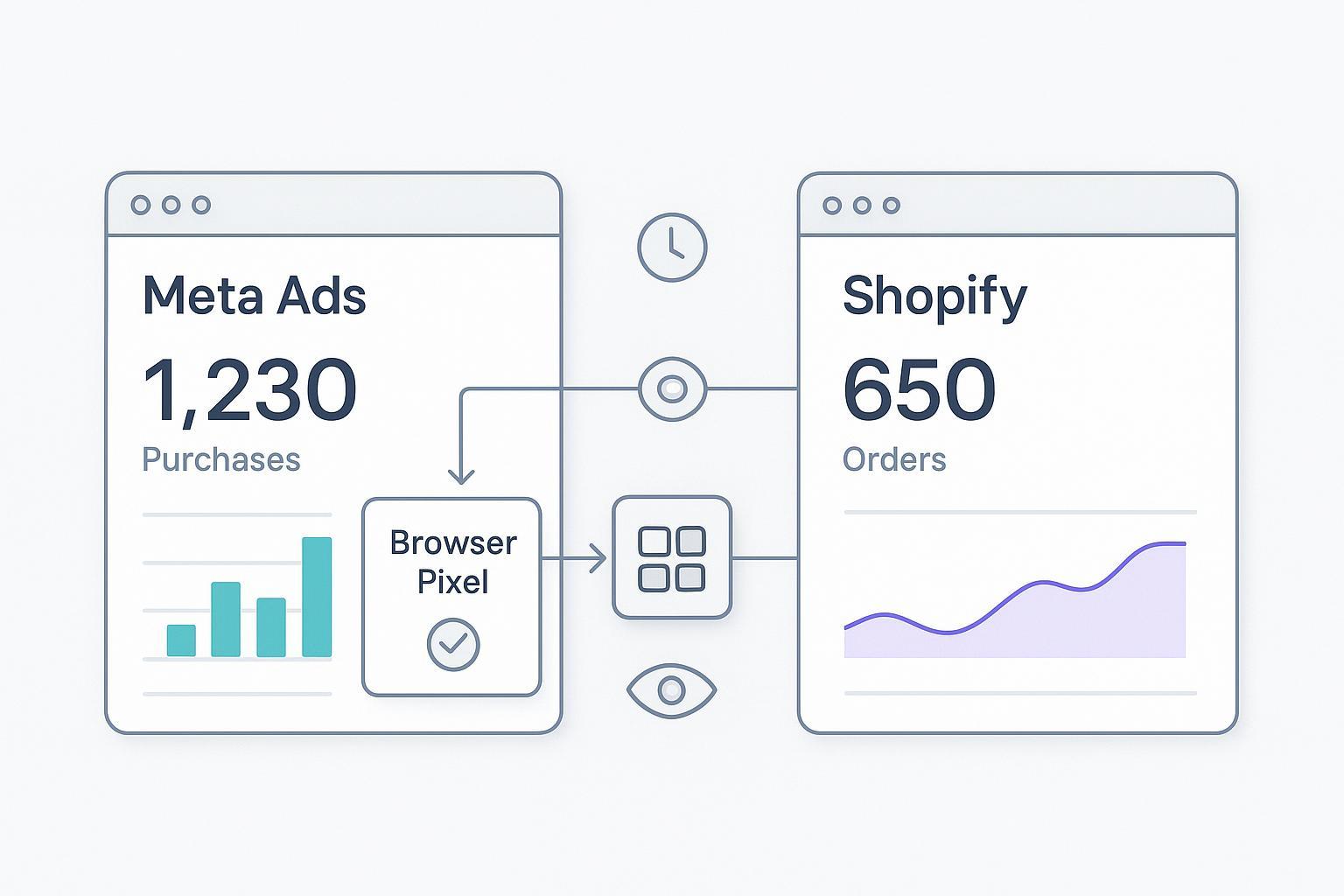
When you compare Meta Ads Manager with Shopify Analytics, it’s common to see Meta crediting far more purchases—sometimes ~3×—than your Shopify backend shows as completed orders. That gap isn’t a bug so much as a clash of lenses: Meta counts attributed conversions under configurable windows (including view-through and modeled estimates), while Shopify counts booked orders and net revenue.
Key takeaways
The term “Shopify attribution mismatch” describes a reporting gap where Meta attributes more purchases than Shopify records as orders for the same period.
Most gaps come from different attribution windows and models, view-through and modeled conversions in Meta, and implementation issues like Pixel + CAPI deduplication.
Align time zone and currency, separate click-through from view-through in Meta columns, and verify dedup in Events Manager before drawing conclusions.
Use Shopify orders for finance, platform attribution for in-platform optimization, and a multi-touch model for budget allocation.
Quick diagnostic checklist (2–3 minutes)
In Ads Manager, confirm attribution window and whether view-through/engaged-view purchases are included; add columns for Purchases (click-through) and Purchases (view-through). See Meta’s attribution guidance in the Business Help Center: Attribution settings overview and view-through conversions.
Match time zones and currencies across Shopify and Meta; rerun the same date range.
Open Events Manager > Test Events/Diagnostics: ensure Purchase shows “deduplicated” when Pixel and Conversions API both fire; confirm
event_id,value, andcurrencymatch. Refer to Meta’s Conversions API end-to-end implementation.
What causes the Shopify attribution mismatch
Different systems count different things. Think of Meta as a traffic camera awarding credit to ads that influenced a driver, while Shopify is the cash register that only counts completed transactions. Here are the common drivers.
Attribution windows and models differ
Meta attribution is window-based. Depending on settings, it can credit purchases occurring, for example, within 1–7 days after a click and within 1 day after a view. Shopify’s native analytics are largely last-touch, order-based. Result: Meta often counts more influenced purchases than Shopify will attribute to the same campaign. Meta documents available attribution/reporting behavior in its Insights references and Help Center; see the Insights API docs hub: Ads Insights. For a practitioner summary of Shopify models, see Bloom Analytics’ overview: Shopify attribution models.
How to test in minutes: In Ads Manager, add columns for click-only vs view-through. Compare the click-only figure to Shopify orders for the same window and time zone.
View-through and modeled conversions inflate counts
When view-through is included, Meta credits purchases that happened after an impression even if no click occurred. Meta also employs modeled conversions—machine-learning estimates to fill gaps when deterministic signals are missing. Expect these to push platform totals above Shopify’s booked orders. Read Meta’s Help on including view-through in reporting. For the concept of modeled conversions in platform reporting, see Meta’s Insights references and industry explainers such as Funnel’s resources on modeled reporting (publisher: Funnel.io).
Quick test: Toggle view-through columns on/off in your report. If the gap shrinks materially when excluding view-through, that’s a key driver.
Pixel + Conversions API dedup problems
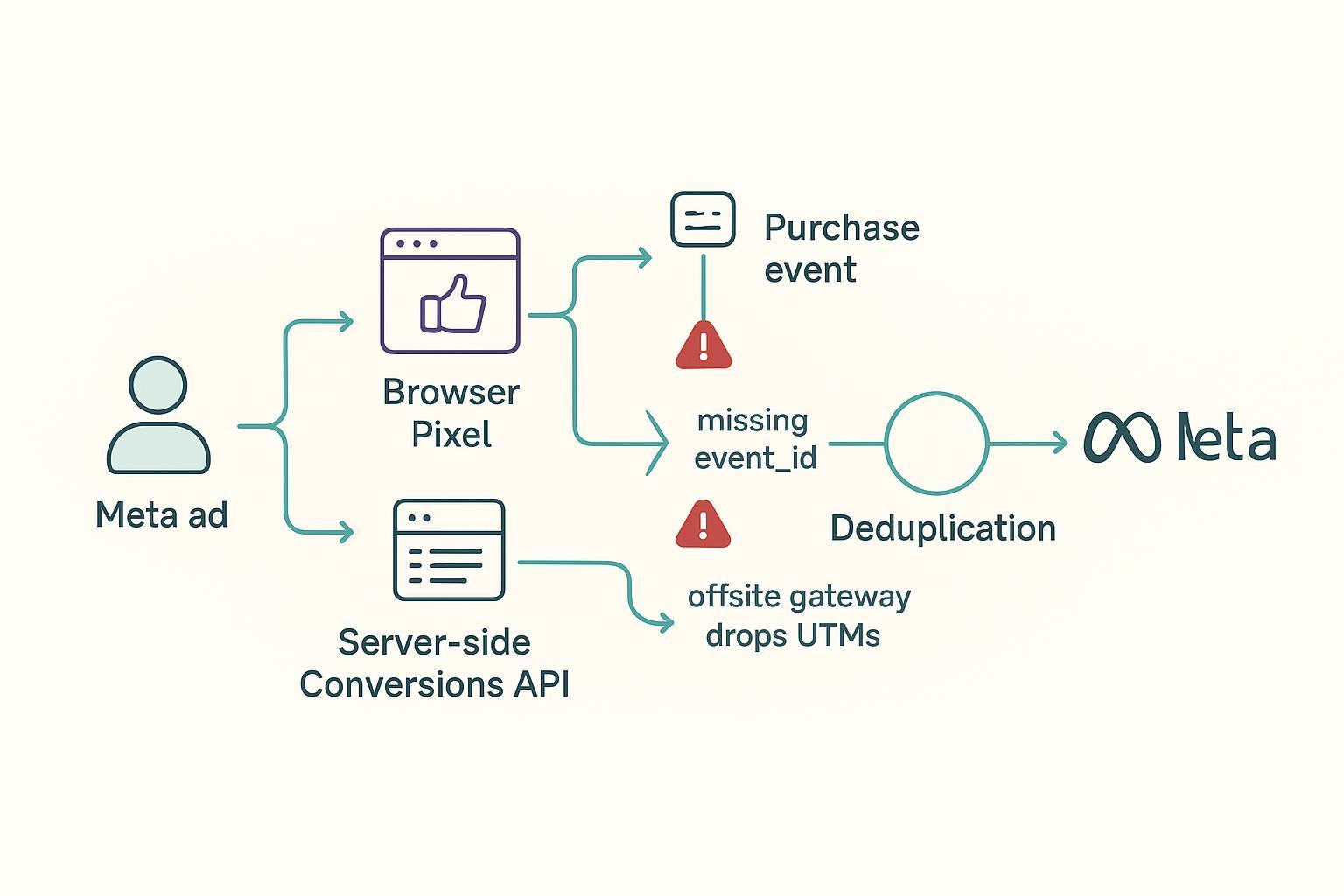
If your browser Pixel and server-side CAPI both send Purchase but with different event_id (or mismatched event_name, value, or currency), Meta can log them as two separate purchases. Proper dedup requires sending the same event_name and event_id from both sources and validating the “deduplicated” flag in Events Manager. See Meta’s developer docs on Server Event Parameters and the end-to-end CAPI guide.
How to test: Place a test order. In Events Manager > Test Events, confirm that the browser and server Purchase share the same event_id and that one is marked as deduplicated. Check value and currency consistency.
Time zone and currency drift
If Shopify is set to PST and your Meta ad account to UTC, daily cutovers will create artificial spikes and gaps. Multi-currency setups can also skew totals if one report isn’t normalized to the base currency. Align time zones and currencies, then re-export by calendar day to reduce this artifact.
How to test: Confirm store time zone/base currency in Shopify settings and match them in your Meta ad account. Re-run the same date window and compare day-by-day.
Refunds, cancellations, and chargebacks
Shopify reduces revenue when orders are refunded or canceled. Ad platforms may not retract those conversions immediately (or at all without explicit server-side signals), so short windows can overstate performance. Treat retractions as lagging and annotate reconciliation periods.
How to test: Pull refund/cancellation counts for your period and observe whether corresponding retractions appear in Ads Manager in subsequent days.
External gateways and UTM persistence
Offsite payment flows (PayPal, Klarna) and post-purchase offers can drop UTMs and break first-party cookies, causing Shopify to file sales under Direct/Unknown even if paid social initiated the journey. Practitioners document fixes like server-side UTM storage and stitching; see CustomerLabs’ explainer: why Shopify doesn’t clearly attribute purchases to Meta ads.
How to test: Run a UTM-tagged test order via PayPal/Klarna. On return, inspect whether UTMs persist to the order record.
Troubleshooting matrix
Symptom | Likely cause | Quick test | Fix |
|---|---|---|---|
Meta ~3× Shopify overall | View-through enabled; long click windows; modeled conversions | Compare click-only vs click+view columns | Exclude view-through for finance reconciliations; document chosen window |
Spikes only on some days | Time zone/currency misalignment; boundary effects | Re-run with aligned time zones; normalize currency | Align settings; export by day in base currency |
Obvious duplicates in Meta | Pixel and CAPI not deduping | Test Events shows two Purchases with different | Propagate shared |
Shopify shows many Direct/Unknown | Offsite gateways dropped UTMs | Place tagged test orders via PayPal/Klarna | Store UTMs server-side; implement stitching across redirects |
Shopify revenue drops later | Refunds/cancellations; slow retractions | Compare refund logs vs Ads Manager over next days | Send refund/cancel server events if feasible; extend windows |
Reproducible example: narrowing a 3× gap
Before
Meta (7-day click + 1-day view; view-through ON): 300 purchases, $30,000 value
Shopify (same dates, base currency): 100 orders, $10,500 net sales
Steps taken
Excluded view-through in reporting; Meta click-only fell to 180.
Matched time zones and re-ran by calendar day; click-only adjusted to 170.
Implemented shared UUID as
event_idfor Pixel and CAPI; duplicates ceased; Meta stabilized at 145 after 24–48 hours.Accounted for a 6% refund rate over the following 3 days; partial retractions observed in Ads Manager.
After
Meta click-only: ~145 purchases
Shopify orders: 100
Residual delta (~45%) aligns with cross-device journeys and modeled estimates.
Practical reconciliation checklist
Document your Meta attribution windows and whether view-through is included. In Ads Manager, add columns for Purchases (click-through) and Purchases (view-through). Helpful background: Meta’s Attribution settings overview.
Align time zones and currencies between Shopify and Meta; re-run reports for identical boundaries.
Audit Pixel + CAPI:
Send identical
event_nameandevent_idfrom browser and server.Ensure
valueandcurrencymatch; addexternal_idand hashed identifiers to improve Event Match Quality (EMQ). See Meta’s Server Event Parameters.Validate dedup status in Events Manager > Diagnostics/Test Events.
Standardize a UTM strategy and ensure UTMs persist through checkout and external gateways; consider first-party storage and post-purchase stitching. For broader setup context, see Attribuly’s guide to Getting started with attribution and tracking.
Track refunds/cancellations and annotate analysis windows; expect retractions to lag and, if possible, send refund/cancel events server-side.
Choose the “truth set” by decision type: Shopify orders for finance; platform attribution for in-platform optimization; and a multi-touch model (e.g., linear) for budget allocation.
A note on modeled conversions
Modeled conversions are estimates Meta uses to represent purchases it infers occurred but couldn’t observe directly due to privacy or signal loss. Treat them like confidence intervals, not hard ledger entries. For channel optimization, including modeled data can be reasonable; for finance reconciliation, analyze sensitivity with and without modeled/view-through counts and document the assumptions.
Practical workflow (neutral example)
Here’s one workflow teams use to compare lenses without double-counting:
Stitch Shopify orders to ad interactions; calculate a click-only multi-touch view (e.g., linear) for budget decisions while keeping Shopify orders as the finance truth. A platform like Attribuly supports server-side tracking and multi-touch models and can be used to validate that Pixel + CAPI dedup is functioning and that orders line up with UTMs. For a deeper walkthrough of multi-touch validation steps, see the article on how to validate multi-touch attribution step-by-step.
Next steps
Align attribution settings, fix dedup, and separate click vs view reporting. If you need a unified setup on Shopify, review Attribuly’s Shopify integration and its product attribution models overview. For broader troubleshooting references, explore the Getting started collection. Keep in mind: use Shopify for finance, platform data for in-platform optimization, and a consistent multi-touch model for planning.
References and further reading
Meta Developers: Conversions API end-to-end implementation; Server Event Parameters; Ads Insights
Meta Business Help Center: Attribution settings overview; View-through conversions; Include/exclude view-through in reporting
Practitioner explainers: Shopify attribution models (Bloom Analytics); Why Shopify doesn’t clearly attribute purchases to Meta ads (CustomerLabs)