
Shopify Abandoned Cart Recovery Checklist 2026: 15 Steps to Maximum Revenue
15-step practical checklist for Shopify abandoned cart recovery—tracking, Shop Pay, email/SMS/push flows, Shopify Flow automation, discount governance, and compliance.
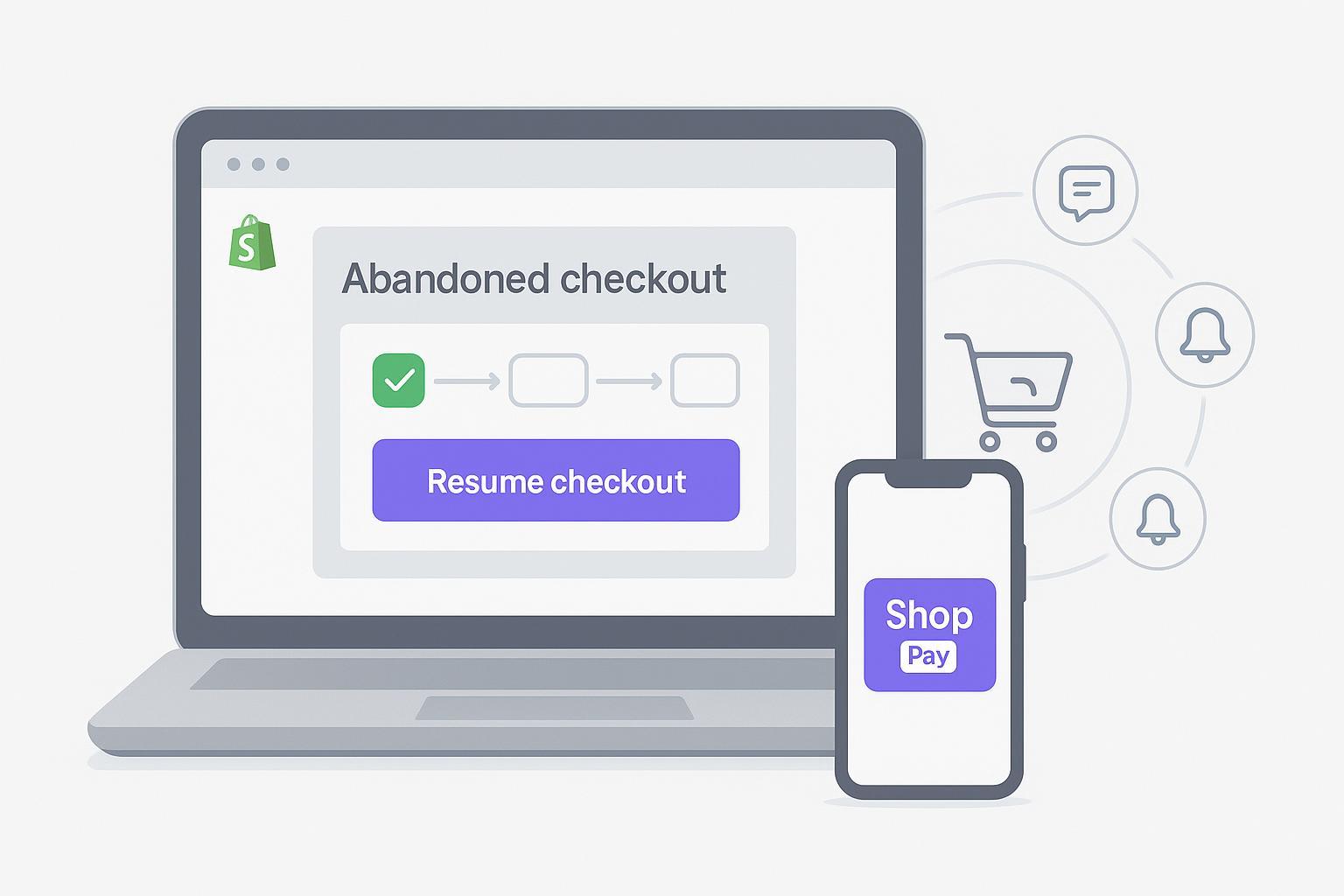
If you’re on Shopify in 2026, “abandoned cart” and “abandoned checkout” aren’t just leaky-bucket metrics—they’re your largest immediate revenue lever. With Checkout Extensibility, Web Pixels/Customer Events, and stronger privacy defaults, the playbook has evolved. This checklist gives you a step‑by‑step, compliance‑safe system to improve Shopify abandoned cart recovery across email, SMS, and optional push while protecting margins and keeping data trustworthy.
Abandoned cart vs. abandoned checkout: in Shopify, recovery automations focus on “abandoned checkout” (a customer started checkout but didn’t finish). Some ESPs also support “added to cart” triggers. You’ll use both strategically.
Key takeaways
Start with reliable tracking (Web Pixels/Customer Events) and Shop Pay visibility—don’t build messaging on shaky data.
Use a 2–4 hour first email, then a 20–48 hour follow-up; add SMS only for opted‑in subscribers, capped within 48 hours.
Ladder incentives carefully; protect margins with unique, non‑stacking codes and late‑stage offers.
Enforce compliance: CAN‑SPAM (email), TCPA (SMS), and GDPR/PECR for EU/UK.
QA relentlessly: resume‑checkout link integrity, device/client rendering, and suppression on purchase.
Measure recovered revenue and assisted conversions; align UTMs and attribution.
1) Confirm tracking coverage with Web Pixels/Customer Events
What to do: Audit that your marketing pixels and any custom pixels are registered under Settings > Customer events, and that data sharing is set appropriately for your use case. Note any legacy checkout scripts that no longer fire under Checkout Extensibility.
Why it matters: If abandonment events aren’t captured consistently, automations misfire or under‑identify abandoners.
How to verify: Create a test cart/checkout on desktop and mobile; confirm event fires in your pixel debugger and Shopify’s customer events logs. Review Shopify’s 2026 default for pixel data sharing to ensure it matches your policy per region, and respect consent banners.
Evidence: See Shopify’s note on the new default for marketing pixel data sharing in 2026 in the changelog: Shopify’s update on Customer events data sharing.
Target keyword fit: This is the foundation for accurate Shopify abandoned cart recovery.
2) Enable and QA Shop Pay visibility
What to do: Ensure Shop Pay is enabled under Settings > Payments and appears clearly on mobile and desktop. Keep guest checkout and other accelerated wallets available.
Why it matters: Shopify reports higher checkout‑to‑order conversion and faster checkout when Shop Pay is visible, which reduces abandonment before recovery is even needed.
How to verify: Run device tests (iOS/Android + top browsers). Validate Shop Pay renders on product pages (if enabled), cart, and checkout where applicable.
Evidence: Shopify highlights conversion lift from Shop Pay; see the discussion in Shopify’s enterprise fashion CRO article.
3) Verify resume‑checkout links and cart rebuild
What to do: In your abandoned checkout emails/SMS, confirm that “Resume checkout” links correctly restore the shopper’s items, variant selections, and any time‑bound incentives.
Why it matters: Broken or stale resume links kill intent and inflate frustration.
How to verify: Generate a test abandoned checkout; open recovery messages on multiple devices; click “Resume checkout” and confirm cart rebuild and discount behavior match your expectations. For deep inspection while QAing data objects in Admin, Shopify lets you view some records in JSON.
Reference: Shopify’s Admin JSON viewing guidance is documented in Shopify’s help on using JSON in Admin.
4) Set consent capture and logging (email/SMS)
What to do: Confirm email marketing opt‑in capture at checkout and key touchpoints; for SMS, capture valid, auditable consent with clear language. Store timestamp, source, and consent text.
Why it matters: Consent governs who you can message and how. Solid logs protect you operationally and legally.
How to verify: Create an internal test profile and opt in via each path (checkout, footer, pop‑up). Ensure consent state syncs to your ESP/SMS tool and that customer privacy settings respect regional requirements.
Tip: Keep your cookie/consent banner aligned with Shopify’s Customer privacy settings.
5) Configure the native Abandoned checkout automation (Shopify Messaging)
What to do: In Shopify Admin, go to Marketing > Automations to create or adjust the Abandoned checkout automation. Edit content/design in Apps > Messaging > Templates.
Why it matters: Shopify’s native route is the fastest path to baseline recovery and uses first‑party checkout data.
How to verify: Trigger a test abandonment; confirm the automation schedules the first email and that the template pulls the correct items and pricing.
Evidence: Shopify documents template customization for Messaging; see Shopify’s guide to editing Messaging email templates.
6) Build an email sequence with 2026 timings for Shopify abandoned cart recovery
What to do: Implement a two‑to‑three‑message abandoned checkout email sequence. Baseline: first send at 2–4 hours post‑abandonment; second at 20–48 hours; optional third at 48–72 hours for high‑AOV or subscription contexts.
Why it matters: These cadences are widely validated across ESPs and give shoppers enough time without spamming.
How to verify: Review your automation calendar to avoid quiet‑hour conflicts and brand promos. Test subject lines and hero copy; include dynamic product blocks and clear CTAs.
Evidence: Klaviyo’s abandoned cart guidance recommends a 2–4 hour first touch and follow‑ups thereafter; see Klaviyo’s help on abandoned cart flows.
7) Add SMS (opt‑in only), capped within 48 hours
What to do: For subscribers with SMS consent, add one SMS touch within 48 hours—either after the first email or as a final nudge. Identify your brand and include opt‑out instructions.
Why it matters: SMS can lift recovery for opted‑in audiences, but overuse hurts trust and may violate local laws.
How to verify: Test timing rules and quiet hours. Confirm that link tracking/shortening preserves resume‑checkout integrity.
Evidence: Klaviyo’s public guidance advises restrained SMS use and consent‑only sends; see Klaviyo’s best practices for abandoned cart.
8) Optional: add push/browser notifications as last‑chance
What to do: If you use a push app, request explicit browser opt‑in and send one brief “You left something behind” reminder post‑email/SMS.
Why it matters: Push can recover incremental carts for opted‑in web audiences without inbox friction.
How to verify: QA on Chrome/Safari/Firefox; confirm frequency caps and local‑time quiet hours.
Note: Keep push optional—focus first on email/SMS done right.
9) Segment by cart value and customer status (Shopify Flow/Plus or ESP)
What to do: Branch your recovery logic for high‑AOV carts, subscriptions, and new vs. returning customers. On Shopify Plus, use Flow’s “Get abandoned checkout data” to power conditions; otherwise, segment in your ESP.
Why it matters: A $500 cart deserves different treatment than a $40 cart.
How to verify: Validate that each branch triggers correctly by creating test carts of varying value and item count.
Evidence: Shopify’s 2026 changelog introduced new Flow capabilities for abandoned checkout data; see Shopify’s Flow changelog entry.
Practical server‑side enrichment example (tool‑agnostic, neutral)
If you send server‑side checkout and purchase events to your ESP, you can improve identification and suppression accuracy. For example, a server‑side feed into Klaviyo can trigger “Started Checkout” reliably, then exit the flow on “Placed Order” even if a browser pixel missed the event (e.g., due to privacy settings). A practical way to do this is to connect a Shopify server‑side tracking app that forwards standardized events to Klaviyo. One option is to use the Attribuly Klaviyo integration, which can forward server‑side events to help trigger flows and suppress on purchase. Use objective checks: compare how many abandoners are identified with and without server‑side signals, and confirm suppression happens immediately on order success. Keep this as a data‑quality upgrade, not a silver bullet.
10) Suppress duplicates and exit on purchase across channels
What to do: In your automations, set flow filters and “exit on purchase” rules to prevent duplicate emails/SMS after an order. De‑dupe audiences across email, SMS, and push.
Why it matters: Nothing erodes goodwill faster than a recovery nudge after they already paid.
How to verify: Place a test order after receiving the first recovery message; ensure all pending recovery sends are canceled.
11) Govern offers: laddered incentives, unique/non‑stacking codes
What to do: Don’t lead with a discount. Start with value (benefits, FAQs, social proof). If needed, ladder incentives: free shipping or small perk on the second touch; limited % off or loyalty points on the final touch. Use unique, single‑use codes with expirations and non‑stacking rules.
Why it matters: Protects margin and avoids training customers to abandon for discounts.
How to verify: Create test codes and confirm non‑stacking/expiration in checkout. Track code redemptions by recovery step.
Reference: Discount management fundamentals are covered in Shopify’s discounts overview.
12) Compliance checks: CAN‑SPAM, TCPA, GDPR/PECR
What to do: Bake compliance into templates and flows.
Email: Identify sender accurately, avoid deceptive subjects, and include a clear unsubscribe; honor opt‑outs within 10 business days.
SMS (US): Obtain prior express consent, store consent logs, identify your brand, and provide opt‑out instructions (e.g., “Reply STOP”).
EU/UK: Follow GDPR/PECR rules for consent and the “soft opt‑in” where allowed; include easy opt‑outs in every message.
Why it matters: Compliance protects customers and your brand.
How to verify: Review templates and consent flows with legal or a compliance lead; spot‑check logs monthly.
Evidence: See the FTC’s guidance on CAN‑SPAM compliance for businesses, the FCC’s overview of the Telephone Consumer Protection Act, and UK ICO guidance on electronic mail marketing under PECR and UK GDPR.
13) QA: device/email client tests; deliverability; link integrity
What to do: Run quarterly QA on top mobile/desktop devices and major email clients (Gmail, Apple Mail, Outlook). Validate images, dynamic product blocks, and tracking params. Confirm that discount codes apply once and don’t stack.
Why it matters: Real‑world rendering is where most small mistakes surface.
How to verify: Use a test matrix; record pass/fail and screenshots. Re‑test after theme, app, or checkout updates.
Pro tip: Keep a short internal playbook so anyone on the team can run the QA sweep in under an hour.
14) Measurement & attribution for Shopify abandoned cart recovery: recovered and assisted revenue, UTMs
What to do: Standardize UTMs for your recovery flows, and define recovered revenue clearly (orders placed via recovery touches) vs. assisted (orders influenced but not last click). Track recovery rate, recovered revenue, average order value among recovered orders, unsubscribe/opt‑out rates, and time‑to‑first‑send.
Why it matters: If you can’t trust the numbers, you can’t iterate well.
How to verify: Compare ESP‑reported recovered revenue to Shopify orders filtered by your UTMs. Sanity‑check against your cart abandonment baseline.
Evidence: Baymard’s rolling study finds an average cart abandonment rate around 70%; calibrate your expectations accordingly. See the Baymard Institute list of cart abandonment rates.
15) Next steps and orchestration resources
What to do: Document your playbook, assign owners for quarterly audits, and note when to escalate to advanced setups (e.g., Shopify Plus branching, server‑side event enrichment, or paid retargeting alignment).
Why it matters: Recovery isn’t a one‑time project—it’s a durable program.
Where to go next: If you’re evaluating server‑side event feeds for more reliable triggers and purchase suppression in Klaviyo, review the integration setup to see if it fits your stack. A neutral starting point: Attribuly’s Shopify integration.
Default timings and mini‑adaptations you can trust
Baseline cadence: 2–4h email → 20–48h email → optional 48–72h email; ≤1 SMS within 48h for opted‑in subscribers. This supports Shopify abandoned cart recovery without overwhelming customers.
Mobile‑first fashion DTC: Keep copy tight, image‑forward; emphasize Shop Pay on mobile; push discounting to the final touch.
Subscription products: Lead with reassurance (pause/skip, what’s included, shipping window). Prefer free shipping or a small credit over % off to protect LTV.
Admin quick paths and authoritative references
Messaging templates and what’s editable: See Shopify’s Messaging template editor overview.
Abandoned cart flow timing reference: See Klaviyo’s abandoned cart flow guide.
Flow branching for abandoned checkouts (Plus): See Shopify’s Flow changelog entry on abandoned checkout data.
Customer events and data sharing defaults: See Shopify’s changelog note on pixel data sharing defaults.
Shop Pay conversion context: See Shopify’s enterprise CRO article.
Compliance: FTC CAN‑SPAM, FCC TCPA overview, ICO on PECR/GDPR for email marketing.
Troubleshooting quick hits
Emails/SMS not sending? Check flow filters (e.g., consent required), event names, and time zone logic.
Low click‑through? Rework hero block, add FAQs (“Will my discount expire?”), and simplify the CTA.
Duplicate sends after purchase? Tighten exit‑on‑purchase logic and test server‑side purchase events for more reliable suppression.
Too many discount redemptions? Shorten code expiry, switch to free shipping first, and make codes non‑stacking by default.
Why this works in 2026
The backbone is clean tracking (Customer events), fast paths to baseline recovery (Shopify Messaging), clear sequencing (email → SMS → optional push), and risk controls (compliance, suppression, and QA). With that in place, your experiments—creative, cadence, and incentives—produce trustworthy wins.
Ready to put this into practice? Start with steps 1–3 today, then layer channels and branching over the next week. That’s how you turn abandonment from “lost” into “later.”