
Klaviyo Post-Purchase Flow: How to Turn One-Time Buyers Into Repeat Customers
Practical Klaviyo post-purchase flow guide for e-commerce pros: ready-to-build templates, timing, Shopify/WooCommerce mapping, KPIs, and attribution tips.
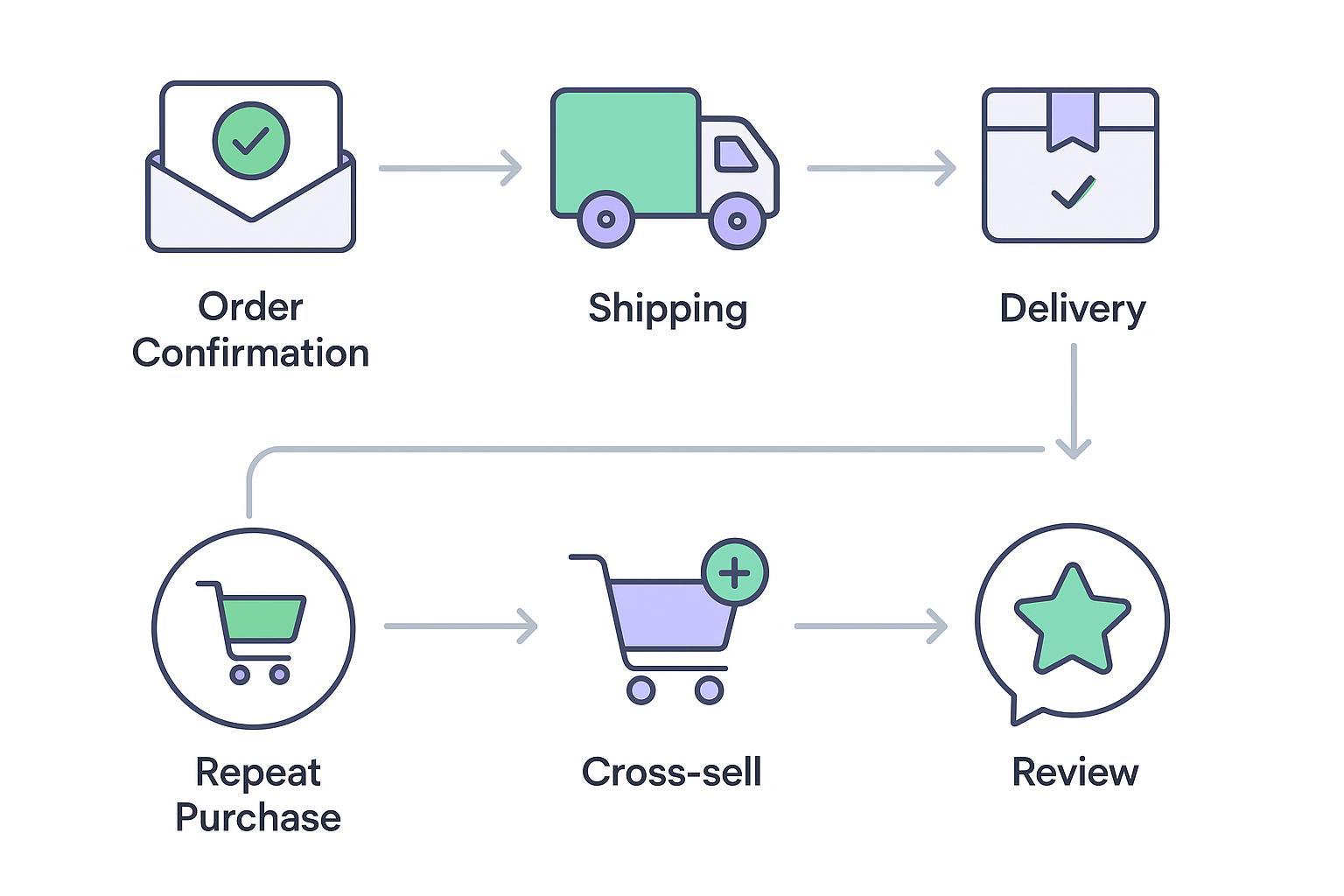
A strong post purchase email sequence does more than say thanks. It reassures new buyers, teaches them how to get value fast, times review requests to when delight peaks, and introduces relevant next steps that lead to a second order. Below you will find three ready to use Klaviyo flow templates, practical timing guidance, Shopify and WooCommerce setup notes, attribution tips, and the KPIs that matter.
Key takeaways
Three blueprints you can build today in Klaviyo with triggers, timing, subject lines, and suppression rules
Event mapping for Shopify and WooCommerce so Delivered events and product data power the right messages
UTM hygiene and server side attribution basics to measure incremental flow revenue and repeat purchase rate
Holdout and A B testing ideas that separate correlation from lift and guide budget toward what actually works
Why Klaviyo post-purchase flows outperform one-off campaigns
Automations win because they meet customers at natural moments. Klaviyo’s 2026 benchmarks show flows drive markedly higher engagement and conversion than broadcasts, with click rates and placed order rates far above campaigns. See the current details in the official benchmarks to calibrate your goals in context of your vertical, geography, and list size according to the Klaviyo team’s published data in the Email Marketing Benchmarks resource: read the evidence summarized on the benchmark product page at the following descriptive anchor, the Klaviyo team’s own Email Marketing Benchmarks overview, which reports stronger performance for flows than campaigns and provides up to date reference numbers for open, click, and revenue per recipient by industry (Klaviyo Email Marketing Benchmarks). Industry studies on order follow up and cross sell messages also report high opens and conversion when these messages are timed to fulfillment and delivery milestones, as explained in the Omnisend post purchase guide that consolidates recent performance indicators for these automations (Omnisend post purchase emails guide).
Your goal is not to send more messages. It is to send the right message at the right operational moment with the best available event data. Think of your Klaviyo post-purchase flow as a smart concierge that anticipates what a new customer needs next and does not interrupt when they have already acted.
Blueprint one: first time buyer flow
Purpose: welcome a new customer, set expectations, accelerate product success, gather proof, then introduce an adjacent product only after the first experience is complete.
Trigger and filters
Trigger on Placed Order. Add a conditional split for first time customers. Suppress anyone who purchases again during the flow so you do not over message.
Cadence and timing
Immediately after order: Send a warm thank you that confirms the details and sets expectations for fulfillment. If you send shipping notices by SMS, keep this email focused on onboarding and what to expect next.
After fulfill or ship: Share care or setup content that shortens time to first value. If support hours or return windows matter, make them clear.
Three to seven days after Delivered event when available: Ask for a rating or review with a direct link to the product. Include a simple how was it micro survey if reviews are managed elsewhere.
Seven to 21 days after purchase if no second order: Introduce a relevant cross sell based on the ordered product category and price band.
Sample subject lines and copy snippets
Subject: You are in good hands — here is what happens next
Subject: Your order is on the way — quick tips to get the most from it
Subject: Loving it so far — could you share a quick rating
Copy blocks you can adapt
Block one reassurance: Thanks for your first order with us. We will email updates as soon as your package ships. In the meantime, here are tips to get the most from what you bought today.
Block two education: Most customers find these two-minute tips save time and prevent returns. If you get stuck, reply and our team will help.
Block three social proof: Could you leave a quick rating. It takes less than thirty seconds and helps other shoppers.
Suppression and exclusions
Exit the flow if a second purchase occurs. Exclude customers with support tickets open where a cross sell could feel tone deaf. Add smart sending and quiet hours for any SMS steps.
Blueprint two: predictive replenishment flow
Purpose: remind customers to restock consumables just before they would naturally run out. Getting the timing right is the entire game.
Trigger and filters
Target customers who purchased a replenishable SKU and are predicted to order again soon. Klaviyo profiles can expose an expected date of next order. Segment by product category because cycles for supplements, skincare, and pet supplies differ. For the official concepts and field definitions, review the platform’s predictive analytics overview that describes expected date of next order fields and how to query them in segments (Klaviyo predictive analytics overview).
Cadence and timing
Three to one days before the next expected date: Send a helpful reminder with a direct path to reorder the exact item. Use dynamic product blocks filtered to the last item bought or the most frequently purchased SKU per profile.
Day zero if no click: Follow up with a short message and a single call to action. Ask whether they want to set a reminder instead of discounting by default.
Suppress as soon as a reorder happens to avoid duplicate messages. If the customer bought a bundle or a higher volume size, extend the window.
Copy and offers
Subject: Running low. Reorder in two clicks
Subject: Restock before the weekend
Copy idea: Your last order usually lasts about X days. Most customers reorder around now. Skip the hunt and restock from this quick link.
Blueprint three: cross sell and upsell flow
Purpose: introduce complementary items that make the first purchase better. The rule is relevance first, discount second.
Trigger and logic
Trigger on Placed Order with a split by product type or collection. If the customer bought a camera, show a memory card and case. Use dynamic product blocks driven by recent category or price sensitivity.
Timing
Seven to 14 days after purchase for accessories or add ons. Push to 21 days for higher consideration items where setup takes time. Cancel the flow if a second purchase is detected.
Creative notes
Keep it helpful. Lead with how the new item improves the experience they just bought. Add one short customer quote or rating pulled from your reviews platform. Avoid multi offer carousels that look like a weekly catalog unless your brand trains customers to expect them.
Audience sync tip
Once this flow is live, build a segment of people who clicked a cross sell email but did not purchase. Sync that segment to paid social for reinforcement. Meta and TikTok both document minimum audience sizes and hashing rules for customer lists. Meta outlines how Custom Audiences work and how identifiers are hashed prior to upload in the Custom Audiences guide (Meta Custom Audiences overview). TikTok describes minimum match sizes and accepted formats on its help center under custom audiences so you can plan segment thresholds for stable delivery without overextending your list (TikTok Custom Audiences help center).
Shopify and WooCommerce implementation
Accurate events and product data make these flows work. Here is a practical map.
Shopify setup
Connect Shopify to Klaviyo using the official integration, enable onsite tracking, and confirm that Placed Order and shipment milestones populate the profile activity feed. The Klaviyo help article for Shopify setup walks through the integration path and what data should arrive so you can verify the feed after a test order and refund cycle to ensure completeness and correct timestamps (Klaviyo help for Shopify setup and data reference).
WooCommerce setup
Install the official Klaviyo extension for WooCommerce and connect your site. After placing a test order, validate that Started Checkout and Placed Order appear in Klaviyo’s recent data. If you use dynamic coupons or need third party calls from flows, Klaviyo supports webhooks inside a flow, and many WooCommerce merchants rely on that pattern for coupon generation and other updates. The getting started guide from Klaviyo for WooCommerce explains those fundamentals and what to check when events are missing or delayed so you can troubleshoot mapping quickly (Klaviyo getting started for WooCommerce).
Common pitfalls
Many launch issues stem from event timing and data completeness rather than copy or design. Watch for fulfillment app delays that fire Delivered later than expected, which can trigger review requests too soon. Clean up duplicate profiles created by old imports so segments and suppressions behave. Ensure line item properties sync so dynamic product blocks and category logic render correctly. Finally, confirm quiet hours and country level time windows for SMS so operational updates do not land at night.
Attribution, UTMs, and measurement
Your Klaviyo post-purchase flow should be easy to measure in both Klaviyo and your analytics stack. A clean UTM schema is the start. Use utm_source equal to post_purchase_email, utm_medium equal to email, and utm_campaign equal to the flow name. Consider utm_content for link variants during A B tests. Google’s traffic source documentation explains how these parameters roll up into GA4 reporting so your naming stays consistent across teams and dashboards (Google Analytics traffic source dimensions).
Server side attribution improves durability when browsers block or modify client side signals. For critical events like second purchase after a flow click, send a server side confirmation to your attribution layer with the Klaviyo flow name or flow ID attached in a custom field. This keeps your repeat purchase rate and revenue per recipient grounded in verified signals rather than guesswork.
Micro example using Attribuly
Here is a neutral example of how an attribution and retargeting platform can complement post purchase work. After you publish the cross sell emails described earlier, create a Klaviyo segment of buyers who clicked a cross sell link but did not purchase within seven days. Configure your attribution platform to pull that segment and sync it as a high intent audience to Meta and TikTok while also creating an exclusion audience of recent purchasers so prospecting does not waste spend. In parallel, use UTM clean links in the emails so every click from the flow contains the same campaign naming. When a shopper from this audience converts, post a server side conversion with the email’s flow identifier attached so the system can attribute revenue to the automation with higher confidence. For a description of how this works on the attribution vendor side, see the Attribuly page that outlines its Klaviyo integration and how enriched events or audiences can flow between systems in practice without overstating performance claims or relying solely on client side cookies (Attribuly Klaviyo Integration overview).
KPI dashboard specification
Below is a compact dashboard spec you can mirror in Klaviyo and your BI tool. The goal is weekly clarity and fast diagnosis.
KPI | Definition | How to calculate or surface | Notes |
|---|---|---|---|
Flow Revenue | Revenue attributed to the automation | Klaviyo flow performance view | Track by flow and by cohort |
Revenue per Recipient | Revenue divided by recipients for each message | RPR equals revenue divided by recipients | Use medians in noisy segments |
Flow Conversion Rate | Purchases from flow recipients within attribution window | Flow purchases divided by recipients | Align windows with analytics defaults |
Repeat Purchase Rate | Share of customers with two plus purchases in a period | Repeat customers divided by total purchasing customers | Segment by first order month |
Time to Second Purchase | Days between first and second order per cohort | Median days from order history | Track trend rather than a single target |
Flow Unsubscribe Rate | Unsubscribes from flow messages | Unsubscribes divided by recipients | Watch spikes after cross sell sends |
SMS Opt Outs | SMS stops from automation steps | Opt outs divided by delivered SMS | Respect quiet hours by region |
Experimentation and holdout testing
To measure incrementality, reserve a random holdout of ten to twenty percent of qualified customers for sixty to ninety days. Keep the holdout clean by excluding them from all post purchase automations rather than single steps. Your primary reads are incremental revenue, repeat purchase rate, and time to second purchase. Secondary reads include engagement and unsubscribe deltas. For directional tests, run shorter A B experiments on subject lines, cadence, and offer framing. Change one variable at a time and keep the attribution window stable so the read is apples to apples.
Advanced tactics that compound results
Coordinate SMS and email so time sensitive steps such as out for delivery go to SMS while deeper education and cross sell stay in email. Respect opt in status and quiet hours per region.
Use catalog signals to narrow cross sell logic. If the buyer chooses premium variants, keep recommendations in the same tier rather than dropping to budget accessories.
Build paid media exclusions for recent purchasers and test lookback windows. Sync them alongside your high intent clicked cross sell audiences for reinforcement that does not annoy loyal buyers.
Troubleshooting and launch QA
Place a real order in a staging segment and verify event order from Placed to Delivered before enabling review and cross sell delays
Check dynamic product blocks for correct category or tag filters and preview on mobile to avoid layout breaks
Validate coupon expirations and single use rules and test reply to support from your templates so help routes correctly
Confirm suppression logic on second purchase and that smart sending does not mute critical operational emails
Next steps
Try the blueprints for fourteen days and measure lift. For attribution and audience sync references, review tools like Attribuly at attribuly.com.