
Klaviyo Browse Abandonment: Timing & Subject Lines That Convert
Actionable Klaviyo browse abandonment best practices for e-commerce pros: optimal send timing, subject-line strategies, copy-ready templates, and testing roadmap.
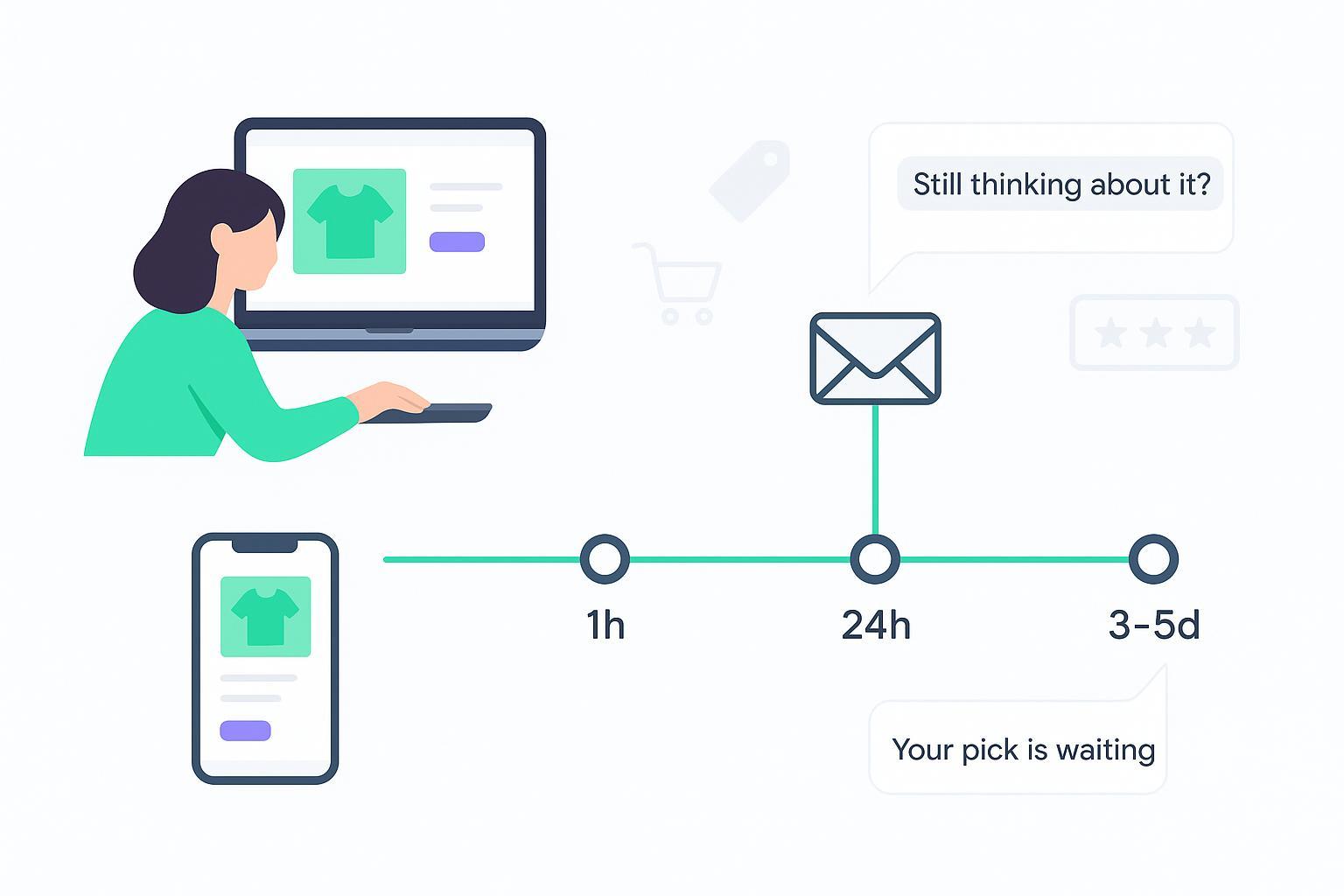
When a shopper pokes around a product page and bounces, you’ve still got a real shot to bring them back—if your timing and message feel natural. This guide gives you the quick defaults that work for most stores, plus subject-line frameworks, copy-ready templates, and a clean Klaviyo setup checklist you can implement today.
Key takeaways
Default send timing: first email at 1 hour; follow-ups at ~24 hours and ~3–5 days. Test 30 minutes and 2–4 hours by intent/AOV.
Keep subject lines short (≤40 characters when possible), personal, and contextual. Start with curiosity and reminder tones; save urgency and incentives for later.
Use a 2–3 email sequence: reminder → social proof → optional light incentive. Watch unsubscribe/complaint rates.
Power your templates with the Viewed Product event (dynamic name, image, price, and URL). QA with real event data before launch.
Measure by revenue recovered per 1,000 browse visitors and placed order rate; open rate is less reliable.
Why browse abandonment still matters
Browse abandoners haven’t committed to a cart, but they’ve shown interest. Klaviyo’s public benchmarks (2024–2026) indicate browse flows convert below abandoned cart yet remain meaningful—placed order rates often hover near 0.8–1.0%, with strong outliers among top performers. According to the publisher’s 2026 roll-up in the benchmarks hub, flows generally outperform campaigns on click and purchase metrics because they’re behavior-triggered and timely. Apple Mail Privacy Protection complicates open-rate interpretation, so emphasize clicks, placed order rate, and revenue per recipient.
For platform-specific setup guidance, see the line “add a time delay for at least one hour” in the 2026 update of Klaviyo’s help article How to create a browse abandonment flow, and compare your category norms in Klaviyo’s Email marketing benchmarks resources from 2024–2026.
Klaviyo browse abandonment timing subject lines: the quick answer
If you only do one thing, do this:
Email 1: 1 hour after the Viewed Product event. This aligns with Klaviyo’s help guidance to insert at least a one‑hour delay and usually feels timely rather than pushy.
Email 2: ~24 hours later. Bring back context and add social proof or alternatives.
Email 3 (optional): ~3–5 days later. Use a gentle nudge, back-in-stock alert, or a small incentive if your margins allow.
When to test variants: Faster (30 minutes) suits high-intent signals (multiple PDP views, deep scroll, wishlist adds, return visits). Later (2–4 hours) can fit higher AOV or considered purchases, or if faster sends increased complaints. For international audiences, queue delivery to local daytime where practical; if your data shows late-night browsing, test a deliver-during-daytime variant (e.g., 8–10 a.m. local).
Subject-line frameworks that win (plus a swipe file)
What works in 2024–2026: keep subjects concise, speak directly to the shopper and the product/category they viewed, and pair with preview text that completes the thought instead of repeating it. Agency analyses around 2024 suggested ≤40‑character subjects trend better for browse nudges; treat this as directional and test in your niche. Start soft (curiosity/reminder); save urgency or incentives for Email 2–3.
Swipe file (mix and test by tone)
Curiosity/reminder
Something caught your eye?
Still thinking about it?
Want another look?
Take a second look
Did you see this?
Your pick is waiting
Thought you might like these
We must have the same taste
Contextual/product-led
Still into that [product]?
That [category] you liked—more options inside
Your [product] shortlist
Liked this [style]? Try these
Spotted: your [product] in stock
Gentle nudge/alternatives
Not the right fit? Try these
Compare a few favorites
Here are similar picks
Social proof/credibility
Best-sellers you browsed
Customers love this [product]
4.8★ average—see why
Optional light incentive (use sparingly)
Maybe this helps—10% off today
A small thank-you: $10 off
Preview text prompts (pair with the subject): add the exact product name, a star rating, or a review count. Example: “The Linen Classic in Sand—1,247 reviews.”
Copy-ready browse abandonment templates (HTML + plain text)
Notes
Replace variable names with those present in your Viewed Product event payload; confirm using Preview & Test.
Common keys include {{ event.product.title }}, {{ event.product.url }}, {{ event.product.image_url }}, and {{ event.product.price }} (yours may vary).
Template 1: Reminder (no discount)
<!-- Browse Reminder (HTML) -->
  <table role="presentation" width="100%" cellpadding="0" cellspacing="0" style="font-family:Arial,sans-serif;max-width:640px;margin:0 auto;">
    <tr><td style="padding:24px;">
      <h1 style="font-size:20px;margin:0 0 12px;">Still thinking about it?</h1>
      <p style="margin:0 0 16px;">You were looking at <strong>{{ event.product.title }}</strong>. Here’s a quick recap.</p>
      <a href="{{ event.product.url }}" style="display:inline-block;margin:0 0 16px;">
        <img src="{{ event.product.image_url }}" alt="{{ event.product.title }}" width="560" style="max-width:100%;border-radius:8px;" />
      </a>
      <p style="margin:0 0 16px;">Price: {{ event.product.price }}</p>
      <p style="margin:0 0 16px;">Not the exact match? We’ve included a few similar picks below.</p>
      <p style="margin:0 0 16px;"><a href="{{ event.product.url }}" style="background:#111;color:#fff;padding:12px 18px;border-radius:6px;text-decoration:none;">View details</a></p>
      <p style="font-size:12px;color:#666;">If you’ve already purchased, you can ignore this message.</p>
    </td></tr>
  </table>
Still thinking about it?

  You were looking at {{ event.product.title }}. Here’s a quick recap:
  {{ event.product.url }}

  Not the exact match? We’ve included similar picks inside the email.
  If you’ve already purchased, feel free to ignore this message.
Template 2: Social proof (no discount)
<!-- Browse Social Proof (HTML) -->
  <table role="presentation" width="100%" cellpadding="0" cellspacing="0" style="font-family:Arial,sans-serif;max-width:640px;margin:0 auto;">
    <tr><td style="padding:24px;">
      <h1 style="font-size:20px;margin:0 0 12px;">Customers love this</h1>
      <p style="margin:0 0 16px;">{{ event.product.title }} is a favorite—see why.</p>
      <a href="{{ event.product.url }}" style="display:inline-block;margin:0 0 16px;">
        <img src="{{ event.product.image_url }}" alt="{{ event.product.title }}" width="560" style="max-width:100%;border-radius:8px;" />
      </a>
      <p style="margin:0 0 16px;">Top review: “{{ event.product.top_review_snippet }}”</p>
      <p style="margin:0 0 16px;">Rated {{ event.product.avg_rating }}★ by {{ event.product.review_count }} shoppers</p>
      <p style="margin:0 0 16px;"><a href="{{ event.product.url }}" style="background:#111;color:#fff;padding:12px 18px;border-radius:6px;text-decoration:none;">See details</a></p>
    </td></tr>
  </table>
Customers love this

  {{ event.product.title }} is a favorite—see why.
  Top review: “{{ event.product.top_review_snippet }}”
  Rated {{ event.product.avg_rating }}★ by {{ event.product.review_count }} shoppers

  Details: {{ event.product.url }}
Template 3: Light incentive (optional in Email 3)
<!-- Browse Light Incentive (HTML) -->
  <table role="presentation" width="100%" cellpadding="0" cellspacing="0" style="font-family:Arial,sans-serif;max-width:640px;margin:0 auto;">
    <tr><td style="padding:24px;">
      <h1 style="font-size:20px;margin:0 0 12px;">Maybe this helps—10% off</h1>
      <p style="margin:0 0 16px;">Here’s a small nudge for {{ event.product.title }}.</p>
      <p style="margin:0 0 16px;">Use code <strong>{{ discount.code }}</strong> at checkout. Expires {{ discount.expires_at }}.</p>
      <p style="margin:0 0 16px;"><a href="{{ event.product.url }}" style="background:#111;color:#fff;padding:12px 18px;border-radius:6px;text-decoration:none;">Apply code & view</a></p>
      <p style="font-size:12px;color:#666;">If this isn’t the right fit, we’ll send a few similar picks soon.</p>
    </td></tr>
  </table>
Maybe this helps—10% off

  A small nudge for {{ event.product.title }}.
  Code: {{ discount.code }} (expires {{ discount.expires_at }})
  Open: {{ event.product.url }}
Klaviyo setup checklist (step-by-step)
Trigger
Use the Viewed Product metric for a true browse abandonment flow. In Klaviyo’s help article How to create a browse abandonment flow (2026 update), the platform recommends adding at least a one-hour delay after the trigger.
Flow filters (to avoid conflicts)
Started Checkout = 0 since starting this flow
Placed Order = 0 since starting this flow
Has not been in this flow in the last 30 days (adjust by your catalog/seasonality)
Branching ideas
SMS consent branch that rejoins to email later
Category- or product-led splits (e.g., high-AOV vs low-AOV lines)
New vs returning customers
Dynamic content
Pull name, image, price, and URL directly from the Viewed Product event payload. Confirm variable keys via Preview & Test before going live.
Frequency & exit logic
Enable Smart Sending if your program is high-volume, and ensure checkout/placed-order events immediately remove a person from the flow.
For integration context and onboarding outside Klaviyo, many teams maintain a first‑party data pipeline. If you need a primer on connecting a first‑party data platform to your store stack, Attribuly’s Getting started help article outlines typical steps in a neutral walkthrough.
A/B testing roadmap and KPIs
Primary KPI
Revenue recovered per 1,000 browse visitors (plus placed order rate from browse emails and revenue per recipient).
Recommended experiments (start here)
Test | Variant A | Variant B | Variant C | What to watch |
|---|---|---|---|---|
Send delay | 30 minutes | 1 hour (default) | 3 hours | Conversion rate, complaints |
Subject style | Question | Reminder | Curiosity | Open-to-click, conversion |
Sequence length | 1 email | 2 emails | 3 emails | Unsubscribes, revenue |
Run tests for at least one buying cycle. Keep spam complaints under industry thresholds and maintain list hygiene.
Deliverability and privacy essentials (Gmail/Yahoo 2024)
In 2024, Gmail and Yahoo introduced sender requirements for bulk mailers. Authenticate with SPF, DKIM, and DMARC; add one‑click list‑unsubscribe; honor opt-outs within two days; and keep spam complaints below 0.3%. Several deliverability authorities summarized these policies in 2024; use their checklists to confirm compliance before scaling volume.
Practical example: enriching browse flows with first‑party data
Here’s the deal: richer product context tends to lift clicks and relevance. One practical approach is to pipe first‑party browsing context (e.g., category affinity, price band, device) into Klaviyo so your recommendations adapt.
Example workflow
A first‑party data platform groups recent browsers by category affinity and AOV band. It syncs an audience flag and profile properties into Klaviyo.
Your browse flow uses those properties to switch between “similar products” vs “best‑sellers” blocks and to pace follow‑ups (e.g., high‑AOV cohort gets a later second touch).
If you’re evaluating tools for this, Attribuly’s AI Email Agent describes how it can support context‑aware recovery messages and sync with Klaviyo’s APIs; see the details on the product page: Attribuly AI Email Agent.
Case‑study callouts (related reading)
TV brand example: A case study on lifecycle messaging explores list growth and incremental revenue; while it doesn’t isolate browse‑only uplift, it’s useful for thinking through retention experiments. Read the publisher’s page: Attribuly – Sylvox case study.
Pet lifestyle brand example: This callout covers how audience insights informed creative and targeting choices across channels. See the details here: Attribuly – FunnyFuzzy case study.
Troubleshooting checklist (common gotchas)
Dynamic product missing: Confirm the trigger is Viewed Product and that your template variables exactly match the event payload (use Preview & Test).
Images not rendering: Map to the correct image field from the event payload; verify URLs are absolute and accessible.
Duplicated items: Avoid combining a repeating table with a dynamic block unless you intend to show multiple items.
Exit logic not firing: Ensure checkout/placed-order events immediately suppress or remove profiles from the flow.
Next steps
Launch the default cadence (1 hour → 24 hours → 3–5 days) and start with the subject-line sets above. Add one timing test and one subject-style test first; expand only after you’ve collected a full buying cycle of data. Build a simple, living playbook so your team can iterate fast.
Sources and further reading
Timing baseline and build guidance from Klaviyo’s help article How to create a browse abandonment flow (2026 update): https://help.klaviyo.com/hc/en-us/articles/115002775252
Performance context from Klaviyo’s Email marketing benchmarks resources (2024–2026): https://www.klaviyo.com/products/email-marketing/benchmarks
Subject-line tone/length ideas from Polaris Growth’s analysis (circa 2024): https://www.polarisgrowth.com/en/blog/klaviyo-best-practices-for-browse-abandonment-subjectlines
Deliverability requirements overview (Gmail/Yahoo, 2024) summarized by Litmus: https://www.litmus.com/blog/how-to-navigate-new-sender-requirements-from-gmail-and-yahoo
Author: An ecommerce email practitioner focused on lifecycle revenue and testing. Updated: May 2026