
How to Map Cart Abandonment Signals to Klaviyo Flows
Practical Klaviyo playbook to map cart abandonment behavior signals to flows on Shopify and WooCommerce, with server-side capture and testing steps.
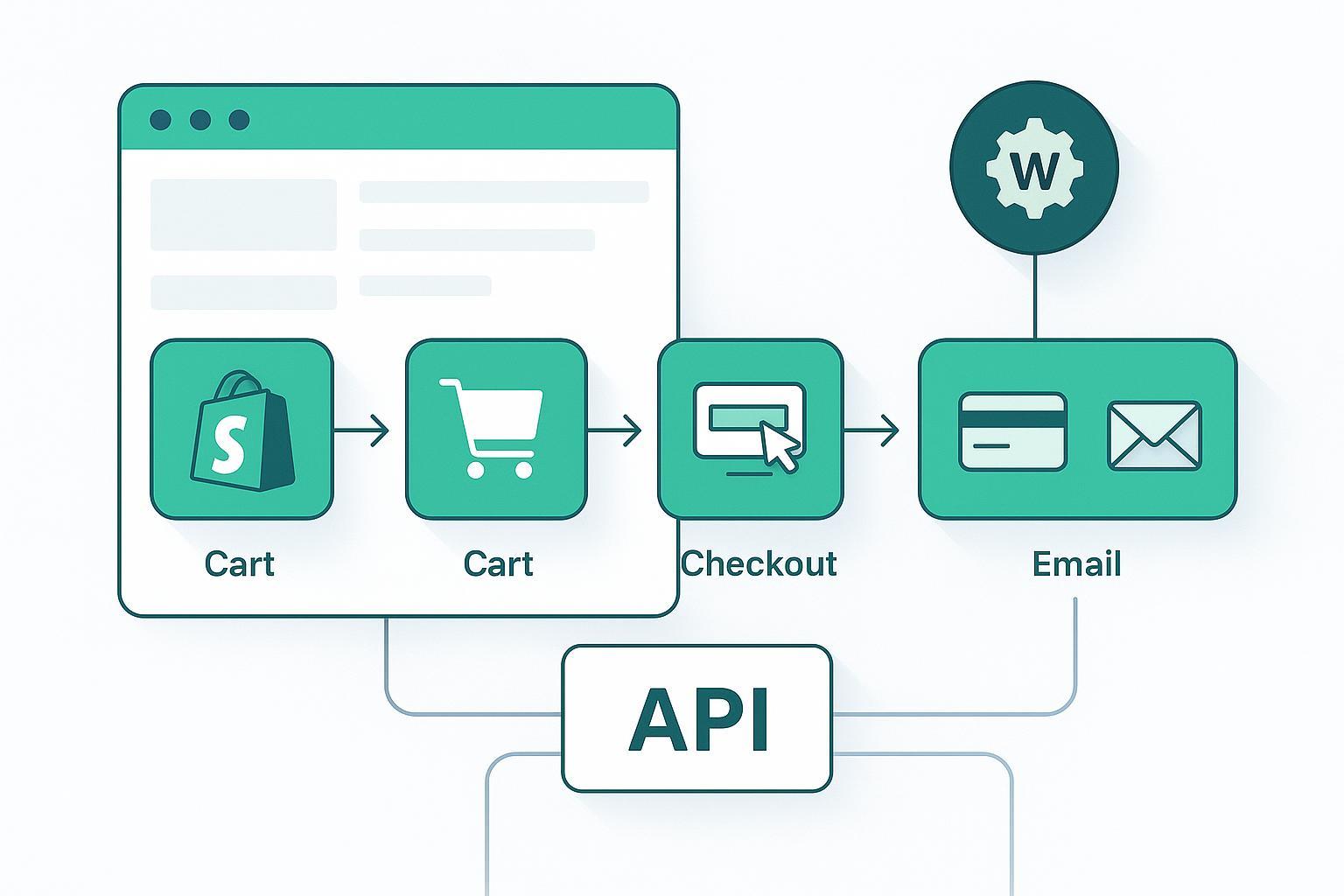
If you’re an email marketer on Shopify or WooCommerce, the fastest path to more revenue is turning high-intent abandonment signals into timely Klaviyo flows—without losing tracking when browsers block cookies. This guide gives you exact triggers, event properties, server-side capture patterns, and QA steps to build reliable, incrementally proven abandonment automations. We’ll repeatedly emphasize how to structure and use cart abandonment behavior signals ecommerce so you can implement with confidence.
Key takeaways
Treat abandonment as a set of distinct, high-intent signals—browse, cart, checkout, and payment—and capture the most critical ones server-side for reliability.
Use clear, consistent Klaviyo metric names and property schemas; design suppression and dedupe rules before launch to avoid double sending.
Start with conservative timing (first reminder within 1–4 hours depending on AOV) and test with flow-level random splits; add a global holdout for incrementality.
Verify events via Klaviyo’s Events API and Klaviyo Analytics → Metrics; reconcile volumes against Shopify/WooCommerce webhooks before sending at scale.
Measure recovery rate, revenue per recipient, unsubscribe rate, and incremental revenue per recipient; compare recovered cohort LTV at 60–90 days.
TL;DR quick start (5-minute checklist)
Define canonical metrics and properties (e.g., “Started Checkout — Server,” line_items, cart_value, currency, email or anonymous_id).
Subscribe to platform webhooks (Shopify: CHECKOUTS_CREATE, ORDER_TRANSACTIONS_CREATE; Woo: order created or custom hooks + order_status_failed) and forward to Klaviyo Create Event.
Build parallel Klaviyo flows that trigger from the new server-side metrics; add filters to prevent duplicates (Placed Order = 0 since starting flow; hasn’t been in flow in 30 days).
Turn on a 10–20% global holdout; verify event volumes with Klaviyo Get Events and test profiles.
Roll out to 10–20% traffic for 7 days, reconcile counts, then scale.
Signals → flows mapping for cart abandonment behavior signals ecommerce
Abandonment isn’t one thing; it’s a ladder of intent. Map each step to a Klaviyo trigger and tailor timing and content to match buyer readiness. When you operationalize cart abandonment behavior signals ecommerce, you reduce guesswork and ensure each message matches the customer’s exact stage.
Browse intent
Signal: Viewed Product / Viewed Collection
Klaviyo trigger: Viewed Product (native or API-based)
Content: social proof, recently viewed block, soft CTA
Cart status
Signal: Added to Cart; Cart Updated (value threshold; discount applied)
Klaviyo trigger: Added to Cart (optional flow for higher-intent browsers)
Content: reassure on shipping/returns; highlight price locks or limited stock
Checkout funnel
Signal: Started Checkout; Shipping/Tax Viewed; Payment Initiated
Klaviyo trigger: Started Checkout (primary abandoned cart flow)
Content: clear path back to checkout, payment options, FAQs
Payment stage
Signal: Payment Failed (explicit gateway failure)
Klaviyo trigger: custom Payment Failed event (API-based)
Content: empathy + next steps, alternate payment, assisted support
Policy friction (storefront dependent)
Signal: Return policy viewed; shipping policy viewed; coupon field focus
Klaviyo trigger: custom events if you track these reliably
Content: policy clarity, shipping calculators, right-sized incentives
Authoritative references: See Klaviyo’s guidance for building an abandoned cart flow and the browse abandonment flow. For designing API-based events, use Klaviyo’s website activity events guide.
Build the flows in Klaviyo (triggers, properties, timing, suppression)
Triggers and must-have properties
Browse abandonment: Viewed Product → properties: product_id, collection, price, url
Added to Cart: Add to Cart → line_items, cart_value, currency
Abandoned checkout: Started Checkout → checkout_id, line_items (ids, qty, price), cart_value, discount_code, shipping_country, device_type, first_purchase (bool)
Payment failure: Payment Failed → order_id, failure_reason, gateway, attempt_count, line_items, value
Timing (start points to test)
Low AOV (< $50): first at ~1 hour; second within 24 hours
Mid AOV ($50–$200): first at 3–4 hours; second within 24–48 hours
High AOV (>$200): first at 12–24 hours; second within 48–72 hours
Use flow-level random splits to A/B test timing and incentives. Klaviyo covers flow A/B setup in their flow split documentation.
Suppression & re-entry controls
Flow filter: Placed Order zero times since starting this flow
Additional: Inventory out-of-stock, recent ticket opened, high-discount abuse risk
Re-entry: hasn’t been in this flow in last 30 days
Smart Sending: enable for non-transactional touches; disable for urgent Payment Failed assistance
Privacy reminder: Collect and honor consent, minimize properties to what’s necessary (avoid sensitive PII), and provide clear preference and unsubscribe paths. See Klaviyo’s consent and suppression help content for policy alignment.
Server-side capture patterns (Shopify & WooCommerce)
Capturing key signals server-side raises reliability when client-side pixels are blocked. Use Klaviyo’s Create Event endpoint to record events.
Create Event (server-side) — cURL
curl -X POST "https://a.klaviyo.com/api/events/" \
    -H "Authorization: Klaviyo-API-Key $KLAVIYO_PRIVATE_KEY" \
    -H "accept: application/json" \
    -H "content-type: application/json" \
    -d '{
      "data": {
        "type": "event",
        "attributes": {
          "metric": {"name": "Started Checkout — Server"},
          "profile": {"email": "shopper@example.com"},
          "properties": {
            "checkout_id": "chk_123",
            "line_items": [{"id": "sku_1", "qty": 1, "price": 39.0}],
            "cart_value": 39.0,
            "currency": "USD",
            "discount_code": null
          },
          "time": "2026-03-02T15:00:00Z"
        }
      }
    }'
Reference: Klaviyo’s Create Event API and acceptable timestamp formats.
Shopify → Klaviyo (Node/Express example)
app.post('/webhooks/checkouts_create', verifyShopifyHmac, async (req, res) => {
    const checkout = req.body;
    const email = checkout?.email;
    const lineItems = checkout?.line_items?.map(i => ({ id: i.sku || i.variant_id, qty: i.quantity, price: Number(i.price) }));

    await fetch('https://a.klaviyo.com/api/events/', {
      method: 'POST',
      headers: {
        'Authorization': `Klaviyo-API-Key ${process.env.KLAVIYO_PRIVATE_KEY}`,
        'Content-Type': 'application/json',
        'Accept': 'application/json'
      },
      body: JSON.stringify({
        data: {
          type: 'event',
          attributes: {
            metric: { name: 'Started Checkout — Server' },
            profile: email ? { email } : { anonymous_id: checkout?.token },
            properties: {
              checkout_id: checkout.id,
              line_items: lineItems,
              cart_value: Number(checkout.total_price) || 0,
              currency: checkout.currency,
              discount_code: checkout.discount_code || null
            },
            time: new Date(checkout.created_at).toISOString()
          }
        }
      })
    });
    res.sendStatus(200);
  });
Shopify topics to subscribe: CHECKOUTS_CREATE and ORDER_TRANSACTIONS_CREATE. See Shopify’s webhooks overview and transaction resource for failure statuses.
WooCommerce → Klaviyo (PHP snippet)
add_action('woocommerce_order_status_failed', function($order_id){
    $order = wc_get_order($order_id);
    $items = array_map(function($item){
      return array(
        'id' => $item->get_sku() ?: $item->get_variation_id(),
        'qty' => $item->get_quantity(),
        'price' => (float) $item->get_total() / max(1, $item->get_quantity())
      );
    }, $order->get_items());

    $payload = array(
      'data' => array(
        'type' => 'event',
        'attributes' => array(
          'metric' => array('name' => 'Payment Failed — Server'),
          'profile' => array('email' => $order->get_billing_email()),
          'properties' => array(
            'order_id' => $order->get_id(),
            'failure_reason' => 'failed',
            'gateway' => $order->get_payment_method(),
            'line_items' => array_values($items),
            'value' => (float) $order->get_total(),
            'currency' => $order->get_currency()
          ),
          'time' => gmdate('c')
        )
      )
    );

    wp_remote_post('https://a.klaviyo.com/api/events/', array(
      'headers' => array(
        'Authorization' => 'Klaviyo-API-Key ' . getenv('KLAVIYO_PRIVATE_KEY'),
        'Content-Type' => 'application/json',
        'Accept' => 'application/json'
      ),
      'body' => wp_json_encode($payload),
      'timeout' => 8
    ));
  });
WooCommerce references: Webhooks documentation and action hooks in the hook reference.
Deduplication and rollout safeguards
Separate metric names for mirrored server events (e.g., suffix “— Server”).
Flow filters: “Metric occurred zero times since starting this flow,” “Hasn’t been in flow in 30 days,” plus Placed Order = 0 filter.
Source of truth: prefer server-side for checkout/payment; retain native for analytics. Do not co-trigger from both sources without additional suppression.
Reconciliation: compare event counts using Klaviyo’s Get Events endpoints and platform webhooks by time window and profile.
Note: Klaviyo’s Create Event API doesn’t expose an official idempotency key—prevent duplicates in your middleware and with flow logic.
Testing, holdouts, and measurement
Holdout design
Create a 10–20% global holdout group so a fixed share of profiles never receive abandonment emails; override at flows only when intentionally testing.
Use flow-level random splits to test timing, number of touches, and incentive strategy.
KPIs to track
Eligible abandons; recovery rate (recovered orders / eligible abandons); revenue per recipient; unsubscribe rate; incremental revenue per recipient.
Longer-term: 60–90 day LTV for recovered cohort vs. baseline to ensure you’re not buying short-term revenue at the expense of churn.
Reporting cadence
Weekly during rollout; then monthly with cohort views by channel, device, and AOV band.
Mini case study (anonymized)
Setup
Brand: mid-market DTC apparel; Shopify + Klaviyo
Intervention: Added server-side “Started Checkout — Server” from CHECKOUTS_CREATE and “Payment Failed — Server” from ORDER_TRANSACTIONS_CREATE; cloned flows to use server metrics with dedupe filters; 15% global holdout for 28 days.
Results (30-day baseline vs. 30-day post)
Eligible checkouts: baseline 9,840 → post 10,120 (measurement coverage improved)
Recovery rate: 5.8% → 7.1%
Revenue per recipient (RPR): $1.42 → $1.87
Incremental revenue per recipient (vs. holdout): +$0.29
Unsubscribe rate: 0.26% → 0.24%
Notes
Lift concentrated in mobile and in orders with alternative payment options.
Flow volumes aligned within ±5% to Klaviyo Get Events and Shopify webhook counts after dedupe tweaks.
Method transparency
28-day window; 15% random holdout; confidence intervals wide for subsegments; treat as directional.
Troubleshooting and FAQs
Why are my flows double-sending?
You likely trigger from native and server metrics. Use unique names and add “zero times since starting flow” filters. Verify recent activity in the message send history.
My Payment Failed flow isn’t triggering on some gateways
Inspect Shopify transaction webhook payloads; third-party gateways can vary. Log statuses and map only failure/error. Test each gateway with a $1 sandbox product.
WooCommerce doesn’t have “checkout started”
Use
woocommerce_checkout_initor approximate with draft orders; document caveats and filter recipients who complete within minutes.
Can I send SMS for abandonment?
Yes, with explicit opt-in. Limit frequency (e.g., 1 SMS within 48 hours) and mirror consent preferences. Check Klaviyo’s consent and suppression help content for details.
Next steps and resources
Build or verify events using Klaviyo’s Create Event API, then QA with the Get Events endpoints.
For a ready-to-use server-side pipeline that forwards Shopify/WooCommerce signals into Klaviyo flows, tools like Attribuly can be used within a broader workflow (neutral example only). Also review your existing Klaviyo integration setup if applicable.
Revisit timing and suppression quarterly; keep a 10–20% holdout active to measure incremental lift over time.