
Ecommerce Cart Incentives: Profit‑Safe, Incremental, Scalable
A practical framework for profitable incentives: how to set thresholds, avoid over-discounting, and test incrementality—plus a checklist for ecommerce teams.
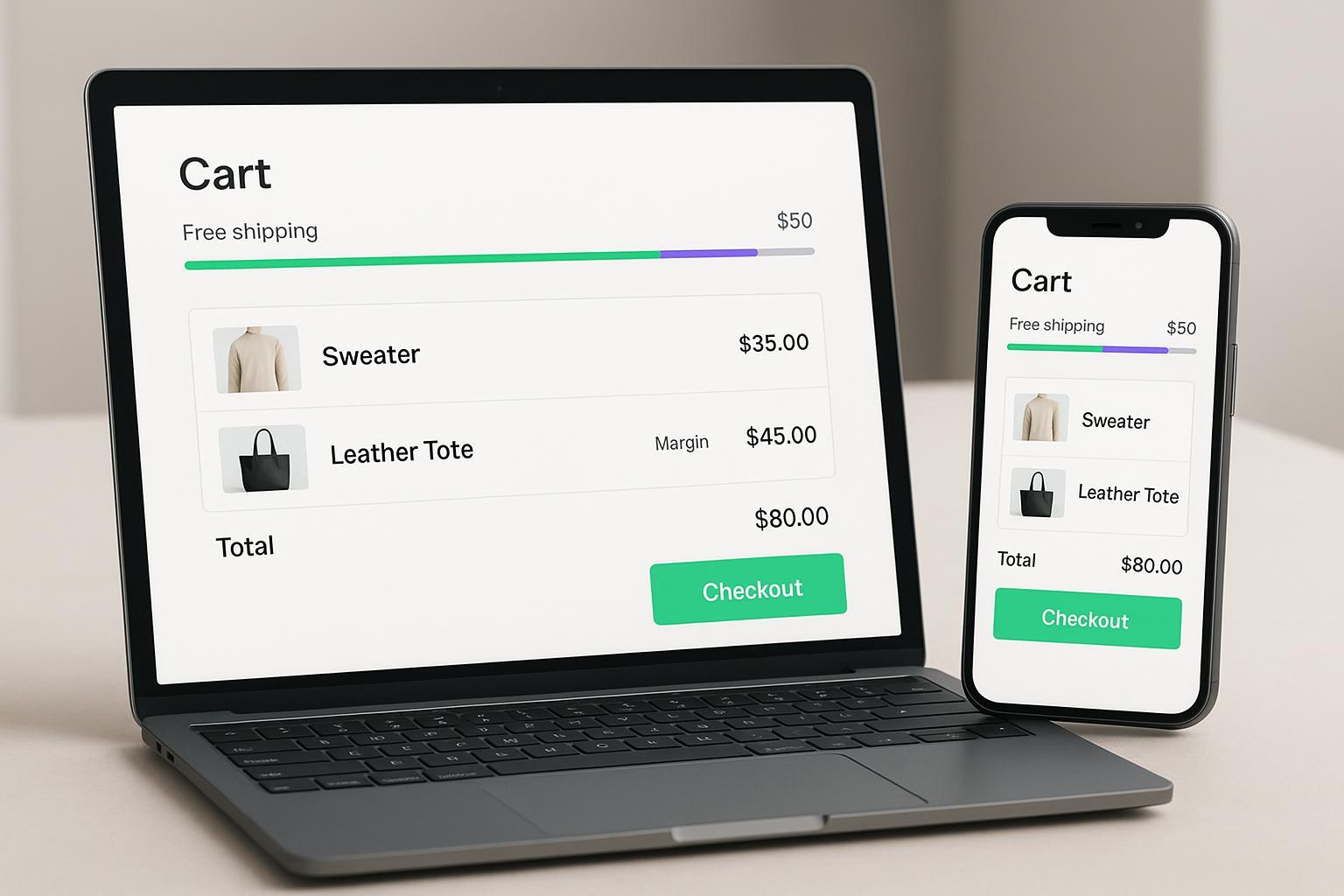
Free shipping thresholds with a cart progress bar are the cleanest way to nudge shoppers to add one more item without wrecking your margins. When the threshold sits just above your current AOV, people will often stretch their carts to dodge a shipping fee—thanks to the well‑documented “power of free.” Your job is to make that nudge profit‑safe, measurable, and easy to scale.
Key takeaways
Set your free‑shipping threshold at AOV × 1.10–1.20 and validate with a short test window before rolling out.
Make the priority guardrail an incentive cost cap as a percent of revenue (e.g., ≤10–20%), and backstop it with a contribution margin floor per order.
Use tight exclusions and stack prevention so low‑margin SKUs and oversize items don’t trigger benefits you can’t afford.
Lead with AOV lift as the primary incrementality KPI using a randomized holdout (10–20% of eligible users for 2–4 weeks).
Build lightweight, mobile‑first progress bars and align thresholds with your actual shipping rates by market.
Why free‑shipping progress bars work (and when they don’t)
Shoppers routinely add items to unlock free shipping. Merchant guidance shows thresholds placed just above typical order sizes encourage add‑to‑cart behavior without heavy discounting. The behavioral effect behind “free” has been explored in academic work on the zero‑price effect, which helps explain why free shipping can outperform a mathematically equivalent percent‑off promotion. See Shopify’s merchant guidance on free‑shipping strategies and threshold placement and the original research on the zero‑price effect for context and ranges.
According to Shopify’s merchant playbooks, a practical starting point is to set the threshold slightly above current AOV, then tune by fulfillment economics and testing. See the discussion in the free‑shipping strategies guide: setting thresholds just above AOV can nudge larger baskets.
Behavioral research on the “zero price effect” shows disproportionate demand when an option is free relative to equal‑value discounts, which supports the appeal of free shipping. See Shampanier, Mazar, and Ariely’s study: Zero as a Special Price.
If your threshold is too high, you can depress conversion. Watch conversion and contribution margin closely as you adjust.
Ecommerce cart incentives: set your threshold with margin math
Rule of thumb
Threshold ≈ AOV × 1.10 to 1.20 (use median or modal order value if your AOV is skewed by outliers).
Profit check formula
Contribution margin % per order = (Revenue − Variable costs − Incentive cost) ÷ Revenue.
Variable costs typically include COGS, picking/packing and carrier fees, payment fees, and other per‑order costs.
Quick examples (assumptions simplified for clarity)
Mid‑margin store
Current AOV = $80; average shipping cost = $8; target threshold = $92 (AOV × 1.15).
Expected order at threshold: $92 revenue.
Variable costs: $46 COGS (50%), $8 shipping, $3 payment/other = $57 total.
Contribution margin = ($92 − $57) ÷ $92 = 38.0%.
If you also offer a small GWP (~$2 cost) above the threshold, margin ≈ 35.8%. Still viable for many categories.
Lower‑margin/heavier items
AOV = $60; shipping = $10; threshold = $66 (×1.10).
Assume COGS = 60% ($36) and payment/other = $2.40.
Margin = ($66 − $48.40) ÷ $66 = 26.7%. That’s tight—raise threshold to ~$72 or add exclusions for heavy SKUs.
High‑margin bundle
AOV = $120; shipping = $7; threshold = $138 (×1.15).
COGS = 35% ($42), payment/other = $4.80.
Margin = ($138 − $53.80) ÷ $138 = 61.0%. Plenty of room; consider adding a secondary reward tier (e.g., sample) without violating caps.
The point: Set the threshold using AOV and shipping realities, then enforce guardrails so ecommerce cart incentives can lift AOV without eroding profit.
Profit guardrails you can’t skip
Make these non‑negotiable. They’re how you scale without margin surprises.
Priority: incentive cost cap as % of revenue
Define a ceiling for total incentive cost per order (e.g., ≤10–20% of revenue). “Incentive cost” includes waived shipping plus any gifts or discounts.
Implementation: Document the cap, then model it in your calculator and enforce it via discount rules. Treat this as part of your variable cost envelope.
Contribution margin floor per order
Define a minimum acceptable contribution margin (e.g., ≥30–50%, tuned to your category).
Block incentives that would push the order below the floor.
Exclusions and stack prevention
Exclude low‑margin SKUs, sale items, and oversize/heavy products from triggering or benefiting from the ladder.
Prevent combining multiple benefits on the same item; apply only the single best benefit.
Frequency limits and TTL
Use single‑use codes or per‑customer limits and set expiries to reduce over‑exposure.
Geo and shipping constraints
Offer free shipping only in regions where your rates support it. Keep paid fallbacks below the threshold for excluded markets.
Useful references for definitions and mechanics include contribution margin explanations and platform documentation. For a clear operational explainer, see a contribution margin guide that outlines how to think about variable costs and healthy ranges: ecommerce contribution margin fundamentals. For WooCommerce guardrail mechanics like exclusions and usage limits, see the official WooCommerce sale and coupon controls.
Implement the ladder in Shopify and WooCommerce
Shopify quick path
Shipping rate: Create a “free over X” price‑based rate in Settings → Shipping and delivery → Shipping rates. Add a rate with Price = 0 and condition “Based on order price,” set Minimum order amount to your threshold. See Shopify’s shipping rate setup.
Progress bar: Start with an app (e.g., free‑shipping bar) or add a simple theme snippet that reads the cart total (/cart.js) and displays remaining amount. A practical walkthrough is in this Shopify progress bar how‑to.
Markets and currency: If you sell internationally, map thresholds per market in cents and format with the theme’s money filter to avoid rounding issues.
WooCommerce quick path
Shipping method: WooCommerce → Settings → Shipping → Shipping zones → Add method → Free shipping → “Free shipping requires” = “A minimum order amount.” Documentation: WooCommerce core shipping options.
Coupons & limits: Use coupon usage limits and exclusions to prevent stacking and protect low‑margin SKUs.
Performance safety
Keep storefront code lean: async/defer your JS, avoid heavy dependencies for the bar, and test Lighthouse metrics (LCP/CLS/INP) after installation. Small UI, big impact.
Prove incrementality with AOV lift (simple holdout design)
Lead KPI: AOV lift attributable to the ladder
Formula: AOV lift = (AOV_test − AOV_control) ÷ AOV_control.
Scope: Measure on eligible traffic only (exclude ineligible orders to avoid diluting the signal).
Holdout recipe
Randomly hold out 10–20% of eligible users from seeing/qualifying for the ladder for 2–4 weeks. Keep everything else constant.
Compute lift for AOV, then inspect conversion rate, net revenue per session, and contribution margin per order as supporting KPIs.
Start simple, then iterate. A practical starting recommendation is to hold out ~10–15% of the audience over a couple of weeks as discussed in an incrementality overview: holdout starting points and runtime guidance.
Measurement notes (attribution context)
You’ll need cart and purchase events flowing reliably to your analytics/attribution tools so you can compare test vs. control by channel and audience.
Disclosure: Attribuly is our product. If you analyze channel influence beyond last‑click, the multi‑touch “Full Impact” overview explains how view and click signals are combined for attribution in practical workflows: Attribuly.
QA and monitoring checklist
Verify alignment between the threshold in your progress bar and the actual free‑shipping rate in your shipping settings by market.
Test cart states on mobile and desktop: empty, near threshold, threshold reached, and after removal of an item.
Confirm exclusions: low‑margin SKUs, sale items, and oversize products shouldn’t trigger the reward.
Check combinability: only one benefit applied; codes don’t stack.
Run a small staging test order to confirm the free rate appears only above the threshold and paid rates appear below.
Watch weekly reports: contribution margin per order, incentive cost as % of revenue, AOV, conversion rate, and refund/return deltas. If contribution margin drops by >5 percentage points from baseline, pause and recalibrate.
Troubleshooting matrix
Issue | What you’ll see | Likely cause | Fix |
|---|---|---|---|
Free rate doesn’t show at checkout | Customers hit threshold but still see paid shipping | Missing or misconfigured price‑based free rate; market/zone mismatch | Add a price‑based free rate at the threshold and ensure zones cover the destination; keep paid fallbacks below threshold. See Shopify’s shipping rate setup docs. |
Progress bar shows wrong remaining amount | UI says “$X to go,” but checkout triggers earlier/later | Mismatch between bar logic and shipping rate; currency rounding | Drive the bar from the same threshold constant used for the shipping rate; format with money filters and set per‑market values. |
Conversion dips after raising threshold | Fewer checkouts, AOV flat | Threshold set too high for assortment and shipping economics | Lower threshold toward AOV × 1.10; add relevant cross‑sells instead of raising it further. |
Oversize items trigger free shipping | High carrier cost orders get free shipping | Missing SKU/category exclusions; no oversize class | Exclude heavy SKUs from eligibility; route them to separate shipping profiles with their own rates. |
Discounts stack with free shipping | Multiple benefits applied | Code combinability settings too loose | Apply only the single best benefit per order; tighten discount rules or use per‑customer limits. |
Make ecommerce cart incentives scalable
Establish a weekly cadence: check contribution margin per order and incentive cost % vs. caps; review AOV lift vs. control if your test is ongoing; adjust thresholds by market as needed.
Document the operating rules: threshold formula, guardrails, exclusions, and a change log. Consistency beats constant tinkering.
Improve relevance instead of cost: rather than increasing the cap, pair the bar with smart cross‑sells that fit the cart (think accessories or sample bundles). You’ll lift AOV while protecting margin.
References and further reading
Shopify free‑shipping strategies and threshold guidance: placing thresholds just above AOV to nudge larger baskets
Contribution margin fundamentals and variable cost structure: ecommerce contribution margin explained
Shopify Help Center (price‑based free shipping rate): setting up shipping rates and conditions
Shopify progress bar implementation walk‑through: cart progress bar how‑to
WooCommerce core shipping options and minimum order amount: official shipping method documentation
Incrementality starting points for holdouts: practical holdout size and duration guidance